


Link Monitor: track the backlinks you build
Add the links you have earned or bought, import them from a spreadsheet and get email notifications when something changes, all from the Health section.
1 min read · Last updated November 13, 2026

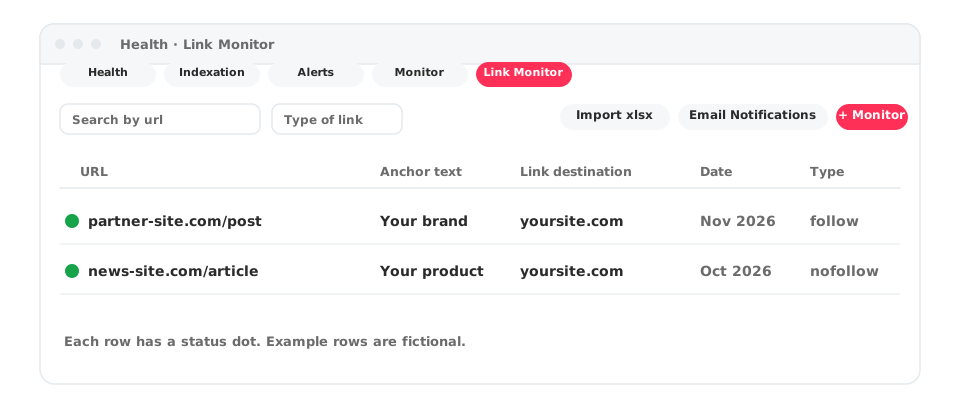
Link Monitor keeps track of the backlinks you build, so you know whether each one is still there. Open Health in the left menu and select the Link Monitor tab, next to Health, Indexation, Alerts and Monitor.
What you see
Each row of the table is one monitored link:
- URL: the page that links to you, with a status dot.
- Anchor Text: the text of the link.
- Link Destination: the page of your site it points to.
- Date: when the link was added.
- Type Link: for example follow.
Use Search by url and Type of link to filter the list. The edit icon at the end of a row lets you change a link.
Add links
- Select Monitor new link to add one link.
- Select Import xlsx to load several at once from a spreadsheet.
The page shows how many credits you have left.
Get notified
Select Email Notifications to set up email notifications for your monitored links.
The page also has a Video Guide button with a short tutorial.