Google Search Console API for your own stack
Your Search Console performance data, over a clean REST endpoint.
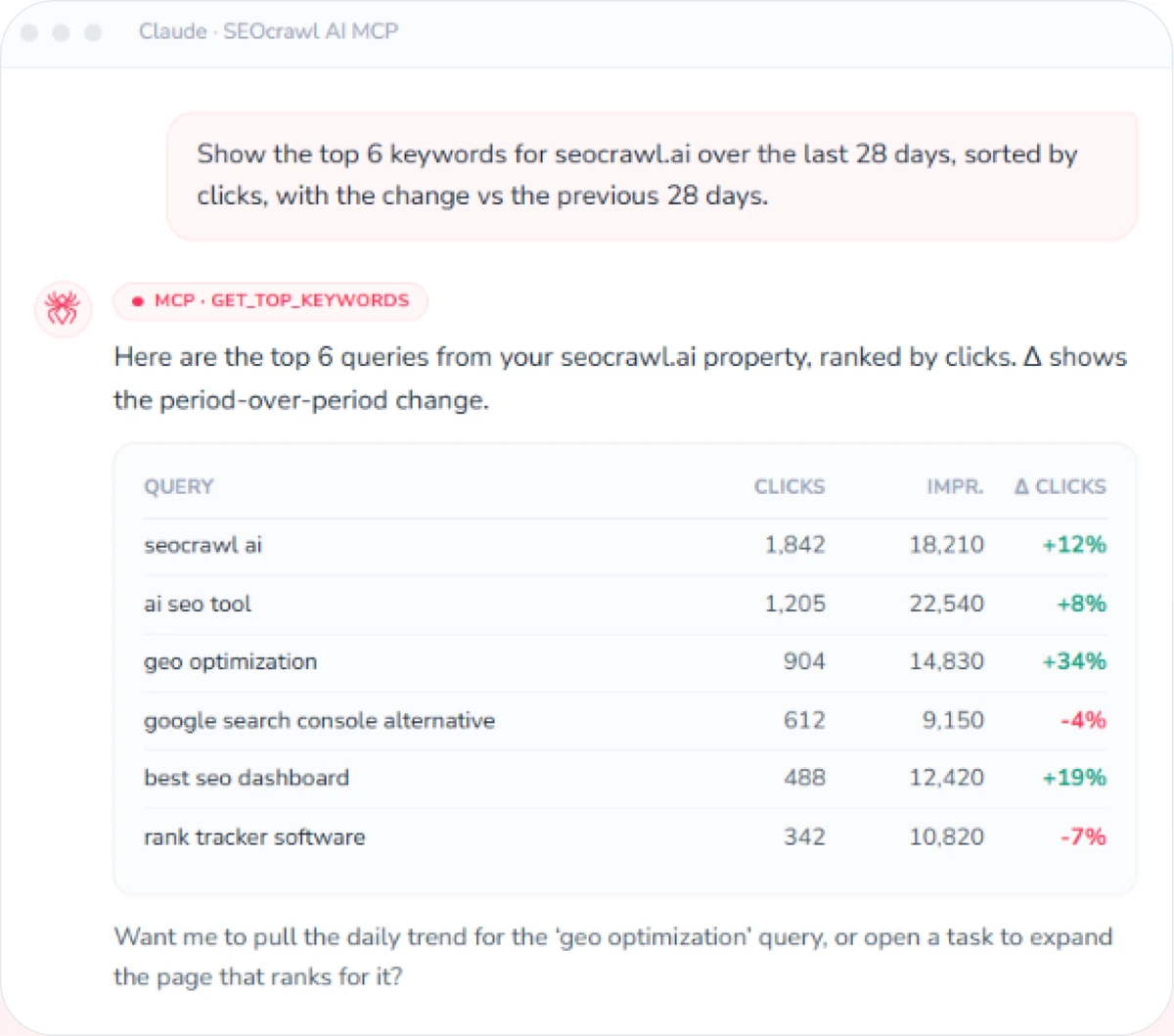
Pull clicks, impressions, CTR and average position — by query, page and date range — straight from Google Search Console into your product, dashboard or data warehouse. Connect GSC once inside SEOcrawl AI, mint a Bearer key from your dashboard, and call REST /v1 — no Google OAuth to build yourself. It's the same canonical data layer that powers the SEOcrawl AI MCP, so your numbers always match. Index coverage and URL Inspection are on REST next; they're already live through the MCP.



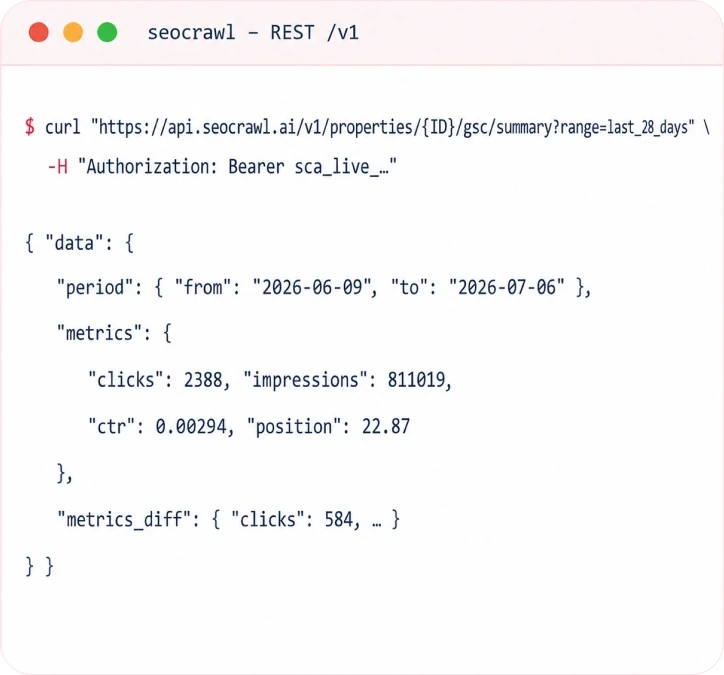
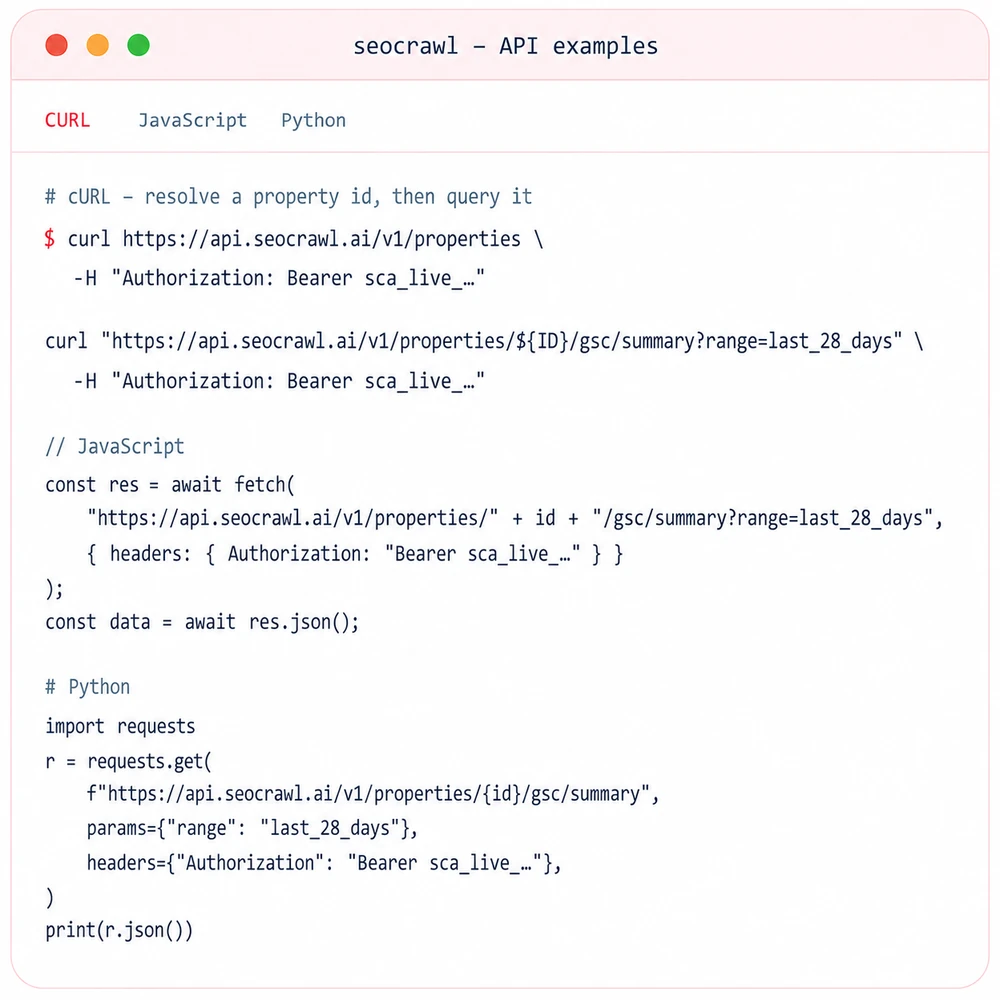
Resolve a property. Pull GSC data.
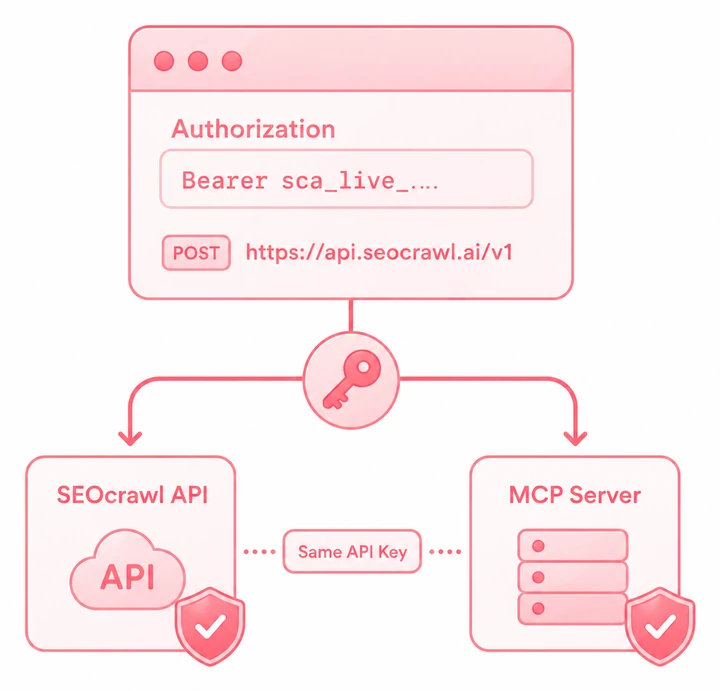
Mint a Bearer token from your dashboard and pass it in the Authorization header. Resolve a Search Console property id once, then query its performance over REST. The same key works on both the REST API and the MCP server.
Base URL
https://api.seocrawl.ai/v1Authorization header
Authorization: Bearer sca_live_your_token_hereEvery Search Console metric, over REST
Clicks, impressions, CTR and average position — by query, page, date range and period-over-period. Every endpoint is property-scoped: resolve a property id first, then read its Search Console data. These GSC groups are live in v1; index coverage and URL Inspection are exposed by the MCP today and land on REST next.
Properties
List the Search Console properties connected to your account. Use each property id in the path of every GSC endpoint.
- GET
/v1/propertiesLive
Performance
Total clicks, impressions, CTR and average position for a date range — plus a period-over-period delta for the same window.
- GET
/v1/properties/{id}/gsc/summaryLive - GET
/v1/properties/{id}/gsc/compareLive
Queries
The search queries you rank for, with metrics per query — and the full daily history for any single keyword.
- GET
/v1/properties/{id}/gsc/top-keywordsLive - GET
/v1/properties/{id}/gsc/keywords/detailLive
Pages
Your top-performing URLs with Search Console metrics — and the full daily performance breakdown for any single page.
- GET
/v1/properties/{id}/gsc/top-pagesLive - GET
/v1/properties/{id}/gsc/pages/detailLive
Index coverage
What Google actually indexes: coverage states and indexation history. Live in the MCP today; REST endpoints are rolling out.
- GET
/v1/properties/{id}/indexation/summarySoon
URL Inspection
Per-URL inspection — coverage, last crawl and indexing state for a single page. Available now through the MCP; REST is next.
- GET
/v1/properties/{id}/url-inspectionSoon
Real Search Console data, built for products
Your actual Google Search Console performance — not third-party estimates — over a clean REST API with Bearer auth and rate limits, sharing one canonical data layer with the MCP so numbers never disagree.
Straight from Search Console
Clicks, impressions, CTR and average position pulled from your own GSC property — the real numbers Google reports, not modelled or scraped estimates. Predictable resources, standard verbs, typed JSON and RFC-compliant errors.
No Google OAuth to build
Connect Search Console once inside SEOcrawl AI, then read it with a single sca_live_ Bearer key. Skip the Google Cloud project, consent screen and token refresh — mint and revoke keys from your dashboard in seconds.
One canonical data layer
The REST GSC endpoints and the MCP GSC tools are siblings over the same provider, with parity tested in CI. Your dashboard and your AI agents always see identical clicks, impressions and positions.
Query & page granularity
Read totals for a property, or drill into top queries, top pages, a single keyword's daily trend or a single URL's history — the same dimensions you see in Search Console, addressable over HTTP.
Period-over-period built in
Ask for a range (last_7_days, last_28_days, last_3_months, last_year) or explicit from/to dates, and get period comparisons out of the box — no second call and no client-side date math to reconcile deltas.
Documented rate limits
60 requests per minute and 1,000 per hour per token, with clear 429 + Retry-After responses. REST limits are a separate pool from MCP usage — one never starves the other.
Start in 3 steps
From zero to your first Search Console call in a couple of minutes.

Mint a key
Connect Search Console in SEOcrawl AI, then open API tokens and generate a Bearer token. Copy it once — it starts with sca_live_.
Resolve a property
Call GET /v1/properties with Authorization: Bearer sca_live_… to get the id (a UUID) of the Search Console property you want to read.
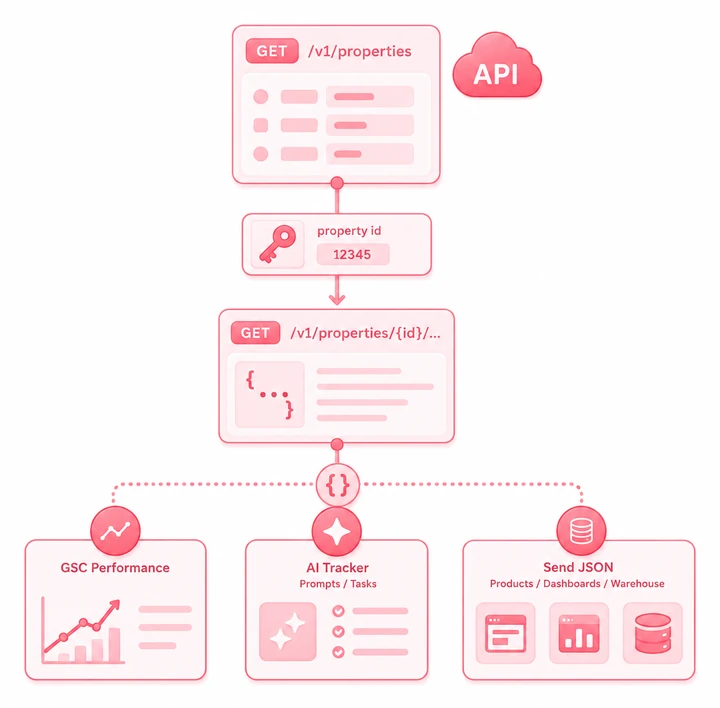
Pull GSC data
Hit /v1/properties/{id}/gsc/summary?range=last_28_days for totals, or /gsc/top-keywords, /gsc/top-pages and the /detail endpoints — and pipe the JSON straight into your product, dashboard or warehouse.
Three ways to reach your Search Console data
Same GSC numbers, different surface — pick the one that fits how you build.
REST API
For products, dashboards and data pipelines. Bearer auth, typed JSON, rate limits. You're on this page — the full SEO API adds rank and AI-visibility endpoints on the same key.
MCP server
For AI agents — Claude, ChatGPT and any MCP client ask your Search Console data questions in natural language.
Explore the MCPTerminal & CLI
For scripts and CI/CD — drive your GSC data from any MCP-capable terminal agent.
See the CLIWho builds on the Search Console API
Teams that want real GSC performance data inside their own systems.

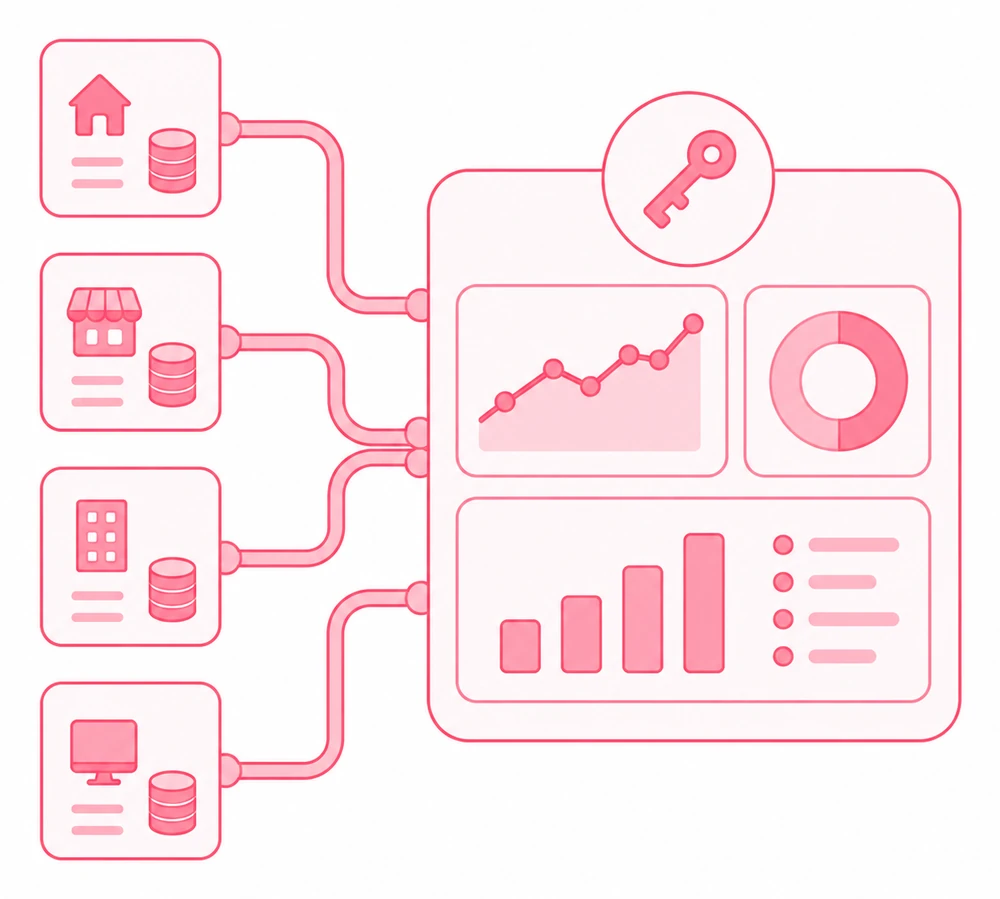
Agencies
Pipe every client's Search Console data into a custom portal, Looker Studio or your reporting layer — one key, every property, no manual GSC exports.
SaaS & partners
Embed live Search Console metrics into your own product UI. Give your users clicks, impressions and positions without wiring up Google's API yourself.
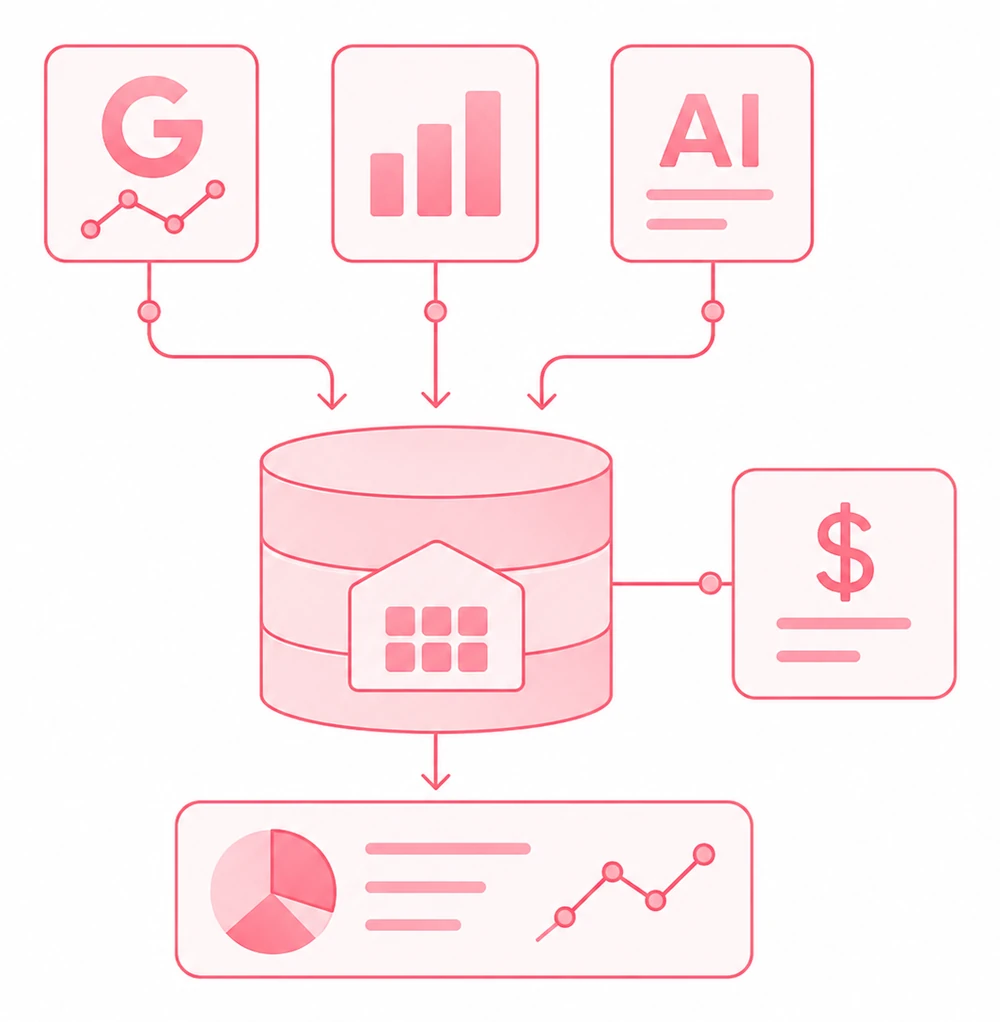
Data teams
Land GSC clicks, impressions, CTR and position in your warehouse on a schedule. Join it with revenue and build the models your dashboards need.
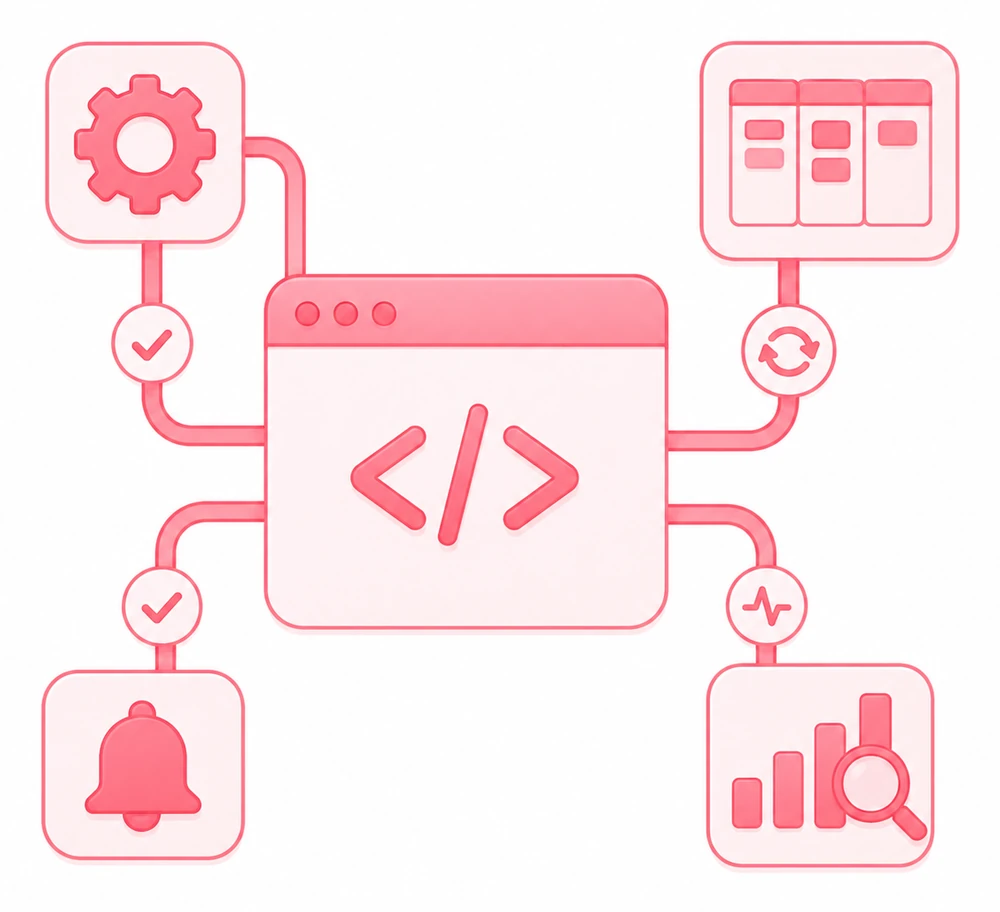
Developers
Automate query and page monitoring, alert on ranking drops, and wire Search Console data into the apps and workflows you already ship.
Frequently asked questions
Is this Google's official Search Console API?
No. This is SEOcrawl AI's own Bearer-authenticated REST API over the Search Console data you've already connected to your account. You connect GSC once inside SEOcrawl AI, and then read clicks, impressions, CTR and position through one clean sca_live_ key — without building a Google Cloud project, OAuth consent screen or token refresh yourself. The numbers are your real Search Console numbers; the API and auth are ours.
What Search Console data can I pull today?
Totals for a date range (clicks, impressions, CTR, average position), period-over-period comparisons, your top queries and top pages with metrics, and the full daily detail for a single keyword or a single page — plus the list of your connected properties. Index coverage and live URL Inspection are available now through the MCP; their REST endpoints are rolling out next. If you would rather read the account than query it, the Google Search Console audit covers the same data in one prompt.
How do I authenticate?
With a Bearer token. Mint an sca_live_ key from your dashboard and send it as Authorization: Bearer <key> on every request. There's no OAuth dance for your own account — just the header.
What date ranges are supported?
Every GSC endpoint takes either a range (last_7_days, last_28_days, last_3_months or last_year) or an explicit from/to pair. The gsc/compare endpoint returns the same window compared to the preceding period, so you get deltas without a second call.
What are the rate limits?
60 requests per minute and 1,000 per hour per token. Exceed them and you get a 429 with a Retry-After header. REST limits are tracked separately from MCP usage, so the two never compete for the same budget.
Is it the same key and data as the MCP?
Yes. The same sca_live_ token authenticates both the REST API and the MCP server, and both read from one canonical data layer — so the Search Console numbers you pull over REST are identical to what your AI agents see through the MCP. One credential, two surfaces.
Ready to build on your Search Console data?
Connect GSC once, mint a Bearer key from your dashboard, and make your first Search Console REST call in minutes — or explore the MCP for AI agents.