


Your first project: a tour of the dashboard
A quick tour of the SEOcrawl AI project navigation: AI Tracker, Overview, Annotations, Keywords, Pages, Health, Tasks, Reporting and Team.
1 min read · Last updated November 11, 2026

When you open a project, the left sidebar is your map. Each icon opens one area of the platform.
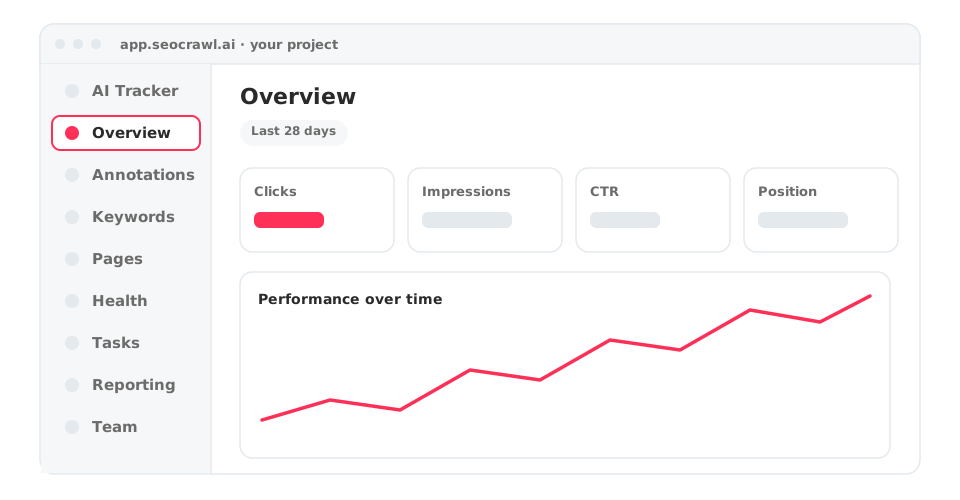
The sidebar, section by section
| Section | Use it to |
|---|---|
| AI Tracker | See how AI engines mention and cite your brand, and the visits AI sends you. Learn more. |
| Overview | Follow clicks, impressions, CTR and position over time. |
| Annotations | Mark the dates when you changed something. Learn more. |
| Keywords | Explore the queries that bring traffic. Learn more. |
| Pages | Explore performance page by page. |
| Health | Indexation, alerts, Monitor and Link Monitor. Learn more. |
| Tasks | Turn findings into a to-do board for the team. |
| Reporting | Build reports and templates. Learn more. |
| Team | Manage who has access. Learn more. |
The Projects dashboard
Before you enter a project, the Projects dashboard lists all your sites with their clicks, impressions and average CTR, each with its change versus the previous month and year. Use New Project to add another site and Manage users to handle access.