SEO Workflow and Task Management
Organizing the SEO tasks and priorities of your project will no longer be a challenge.
Document everything, organize it by priorities and collaborate with your team in real time in a simple, dynamic and pleasant way.
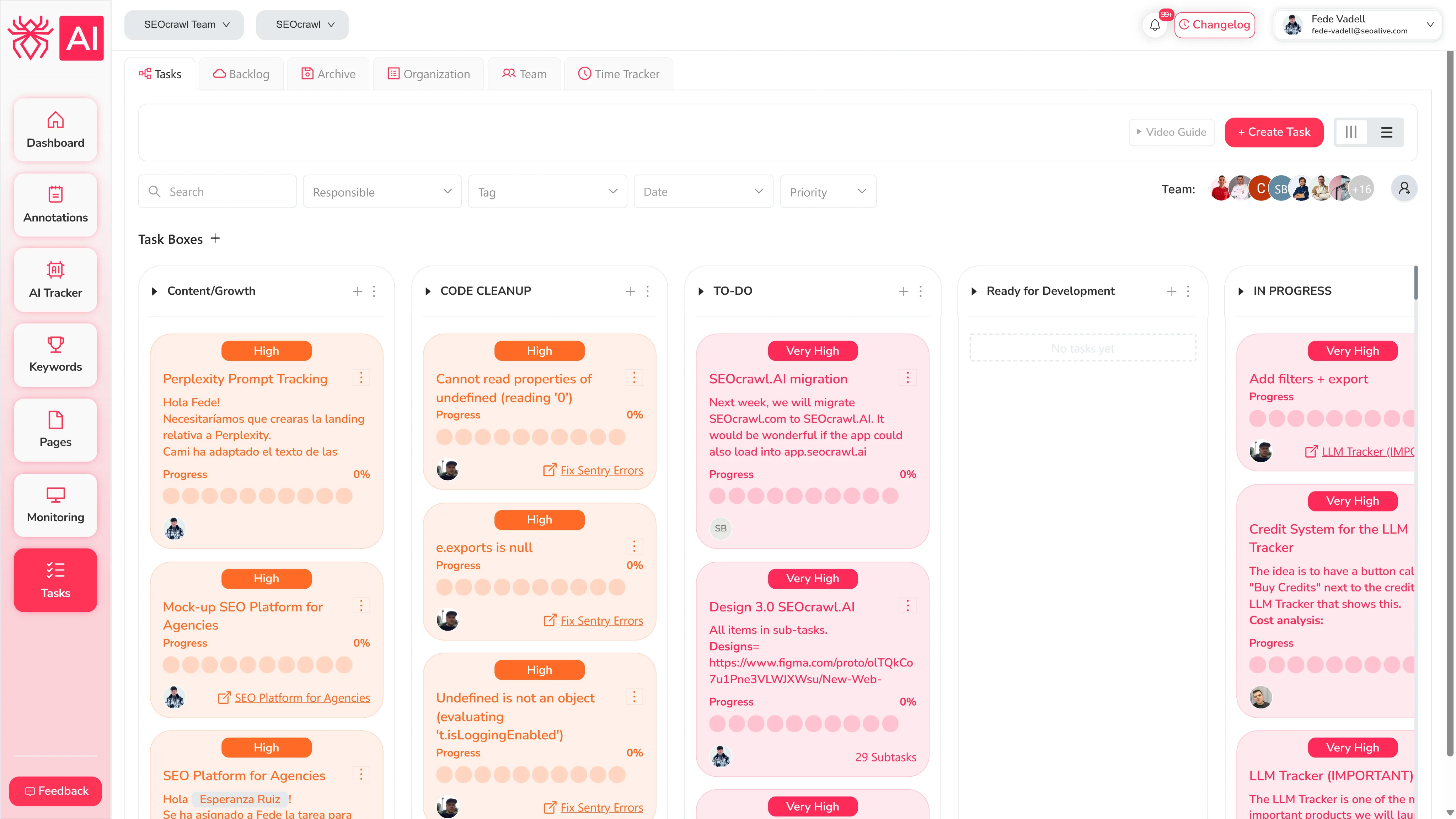
Task Organizer Features
Create an SEO task with all its details
Take your SEO management to another level with the SEOcrawl AI task manager. Each task has a manager, dates, tags, status, and category so you can organize and filter like a pro. In this way, later you can plan, prioritize and organize all your tasks and know exactly the status of the project at all times.
List of SEO tasks in list format
Each SEO task will be within a predefined block (pending, in progress or finished). If you prefer, you can create your own category blocks. In addition, each task has its priority, date and visible person so you can see exactly who is in charge of completing each one.
Kanban view for amazing organization
The set of tasks in list format is very clean and tidy. However, nothing better than the Kanban format to see exactly the status of your tasks, the progress made and what remains to be done. It is visual, attractive and, in addition, it has all the details you need.
Individual task view
View all details of the individual task – description, attachments, comments.
Subtasks view
Make the subtasks of the each task if needed.
Team collaboration
Work with your team and collaborate with each member.
Get a Guided Tour of SEOcrawl AI
Book a 30-minute call with our team — we'll walk you through SEOcrawl AI on your own data.
Frequently Asked Questions
What is an SEO task manager?
An SEO task manager is a project management tool built specifically for SEO workflows. Instead of tracking fixes and optimizations in spreadsheets or generic tools like Trello, it lets you document, prioritize, assign, and monitor SEO tasks in the same platform where you analyze your rankings and traffic data.
What makes SEOcrawl AI's Task Manager different from using Trello or Asana for SEO?
Generic project tools have no context on your SEO data. SEOcrawl AI's Task Manager lives inside the same platform as your Dashboard, Rank Tracker, and annotations. This means you can spot a ranking drop, create a task to fix it, assign it to a team member, and track the outcome without switching tools or losing context.
What views does the Task Manager support?
Both list and Kanban views are available. The list view shows tasks sorted by status blocks: pending, in progress, or finished. You can also change the priority, deadline, and owner visible at a glance. The Kanban view gives a drag-and-drop board for teams that prefer a visual workflow.
Can I assign tasks to team members and set deadlines?
Yes. Each task has an assignee, due date, priority level, tags, category, and status. You can also add subtasks, attachments, and comments inside individual tasks. This keeps all implementation context in one place rather than scattered across email or Slack threads.
How many team members can use the Task Manager?
It depends on your plan: 1 seat on Starter, 5 on Growth, 10 on Pro, 25 on Agency, and unlimited on Enterprise. All users share the same workspace and can collaborate on tasks in real time.
Is the Task Manager included in all SEOcrawl AI plans?
Yes, it's included on every plan starting from Starter (€33/month billed annually). There's no separate add-on or upgrade required to access it.
More SEO Tools
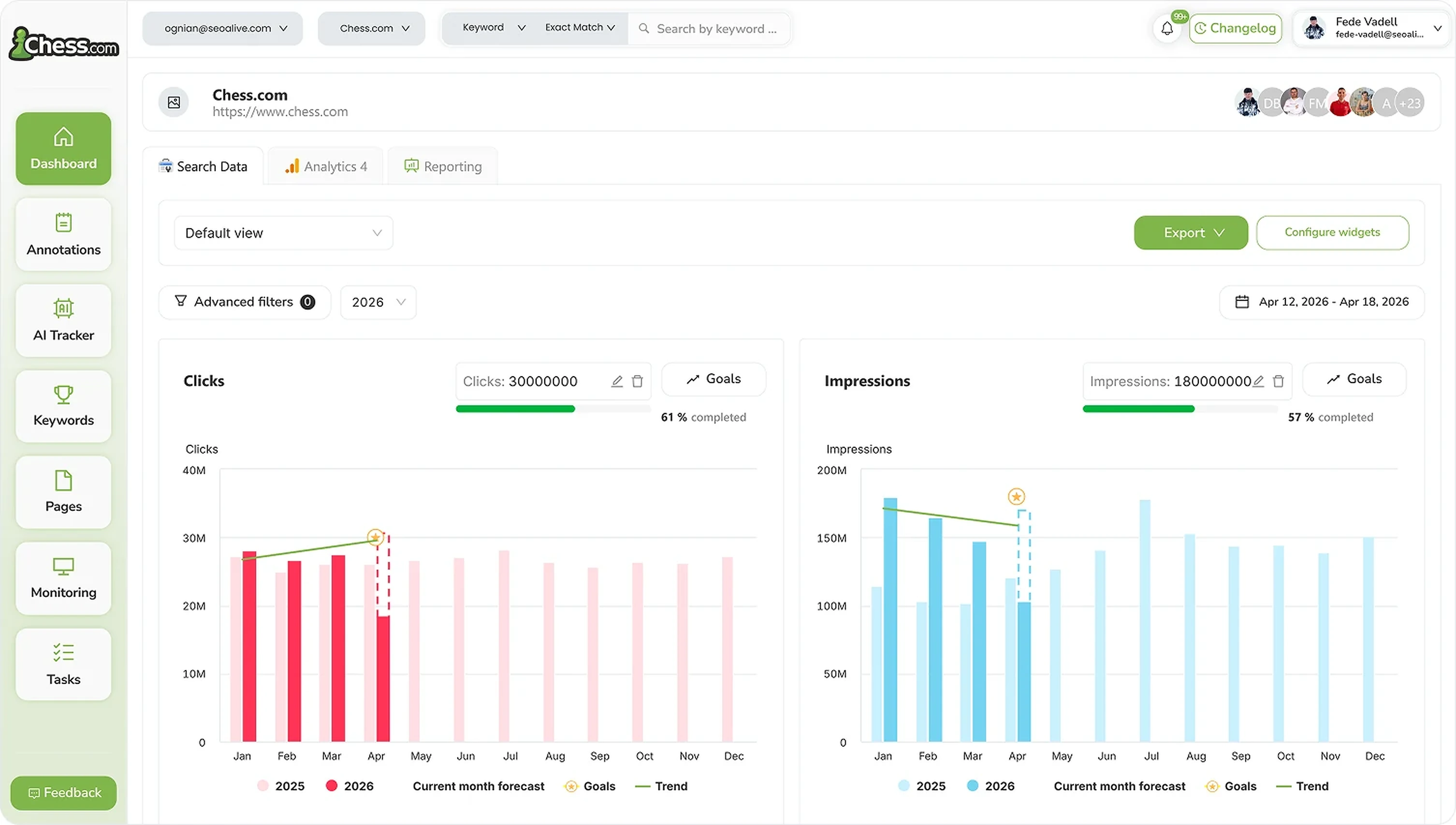
SEO Dashboard
Performance, growth and traffic prediction with unlimited Search Console data.

Rank Tracker
Unlimited keyword tracking with smart clusters, tags and heat maps.
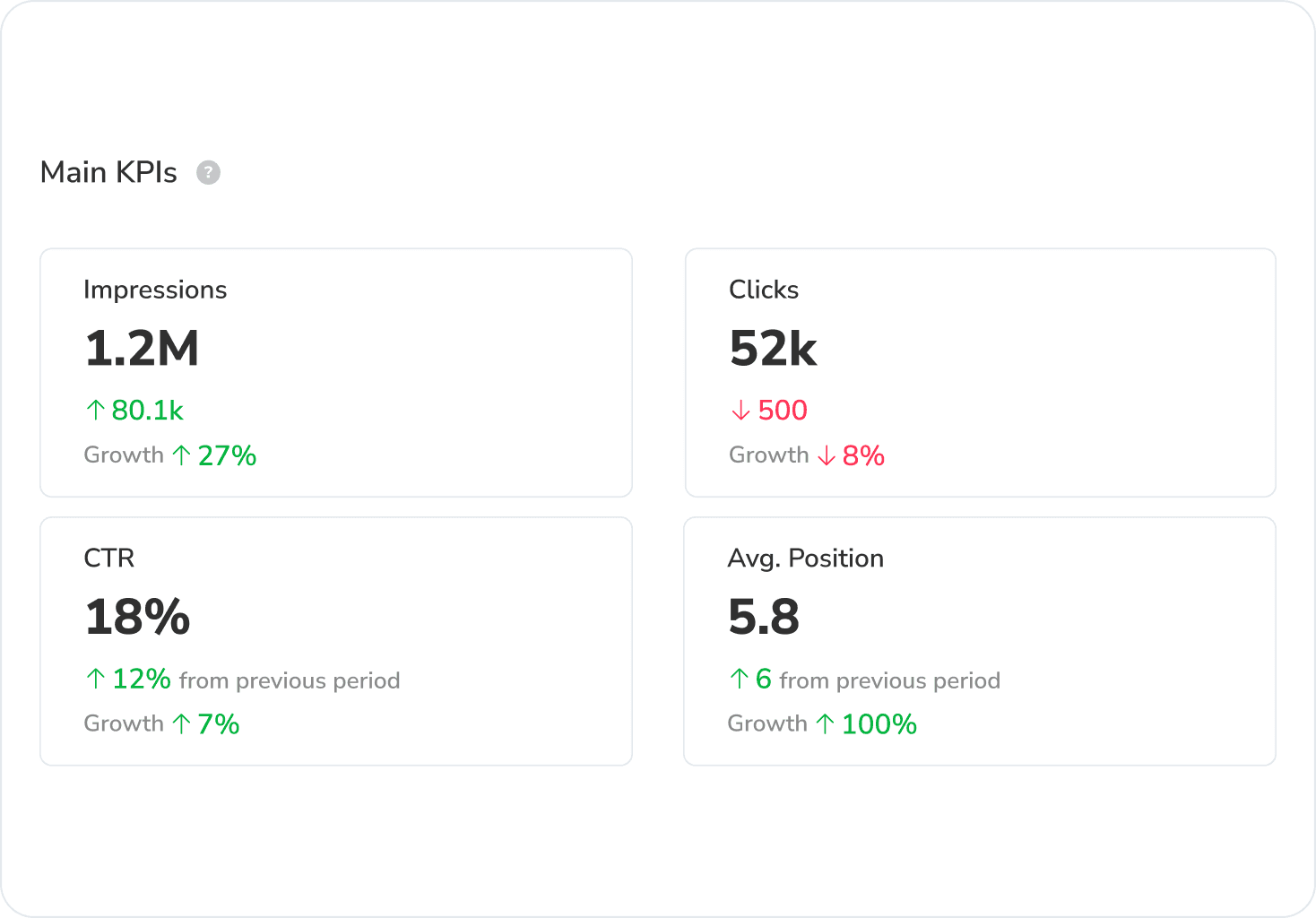
Google Discover Dashboard
Track Google Discover impressions, clicks and CTR in a dedicated dashboard, separated from Search.
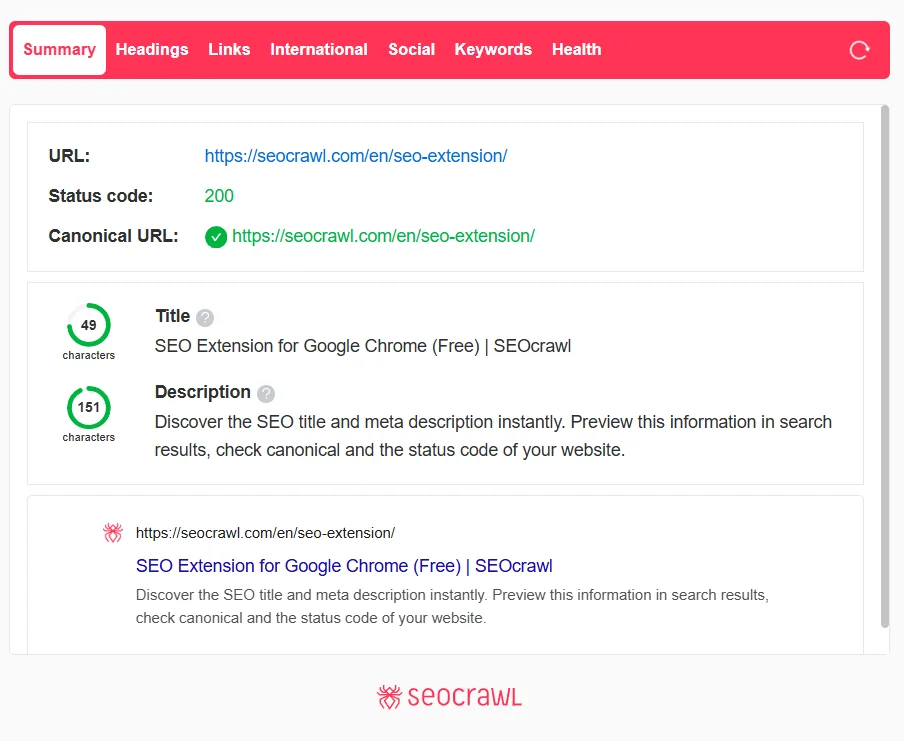
SEO Extension
Free Chrome extension for one-click on-page SEO audits.
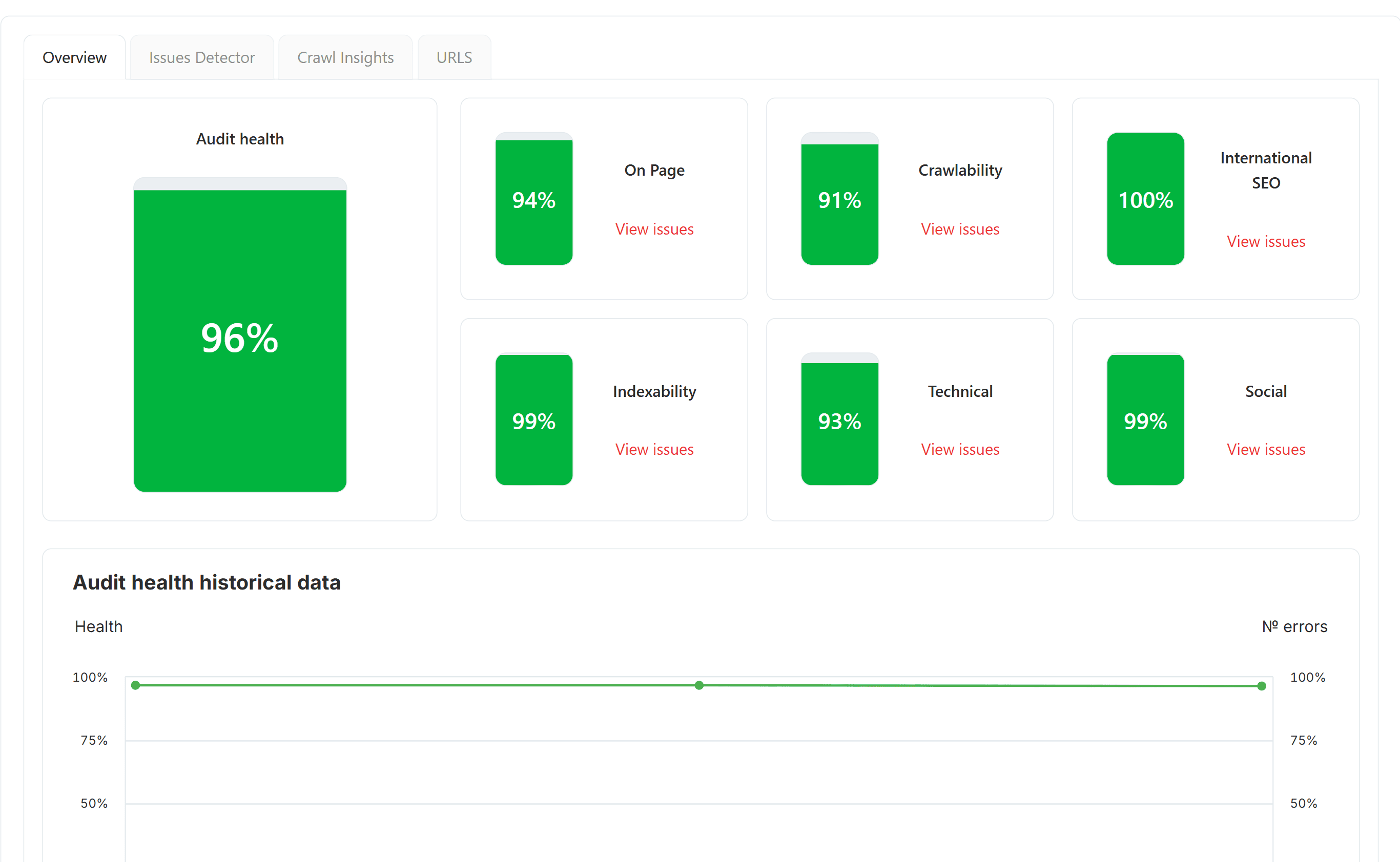
SEO Audit
Free SEO audit tool — crawl every page and get a global Audit Health Score in seconds.
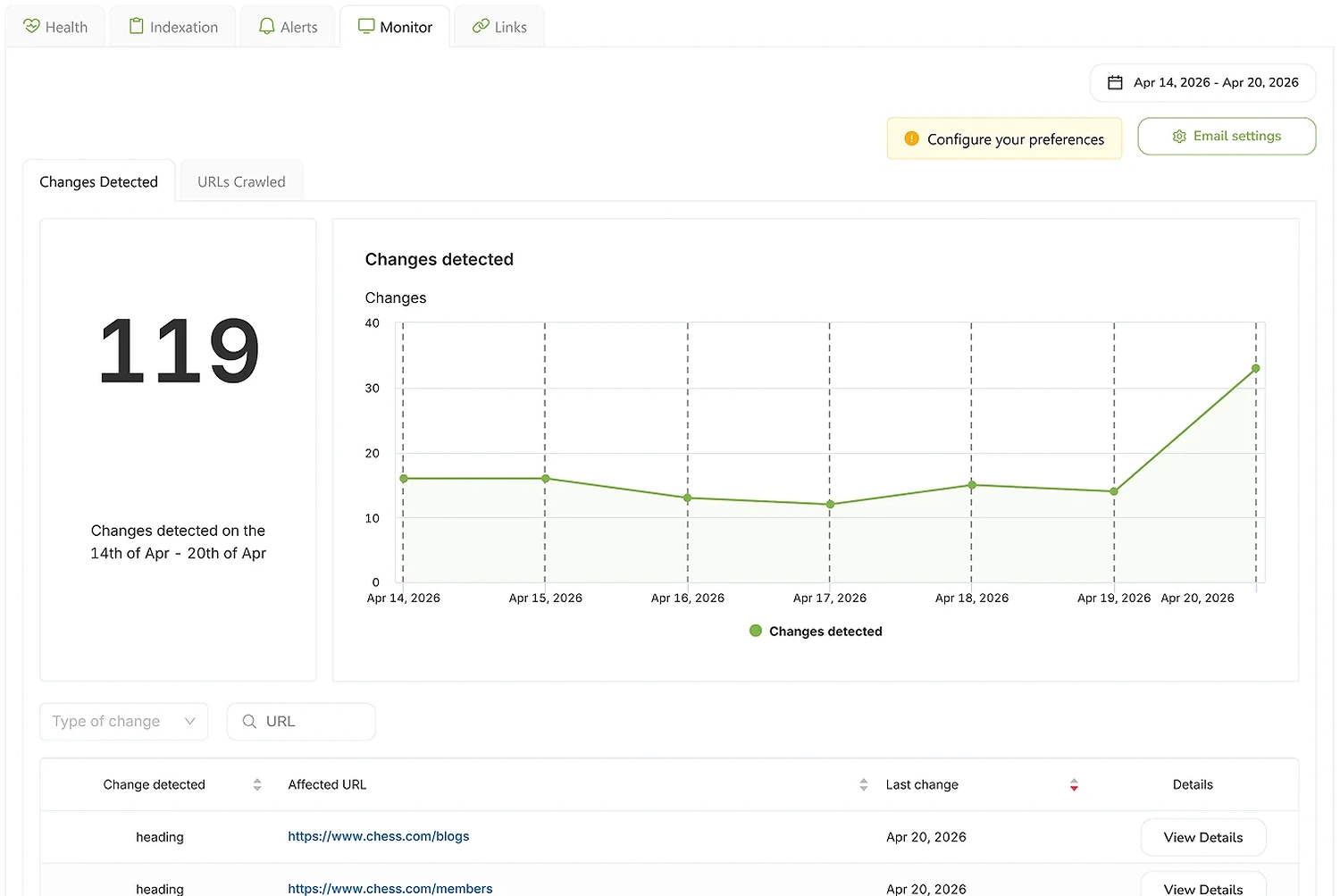
SEO Monitor
Real-time alerts on every site change that affects your rankings — status, robots, canonical, hreflang, noindex.
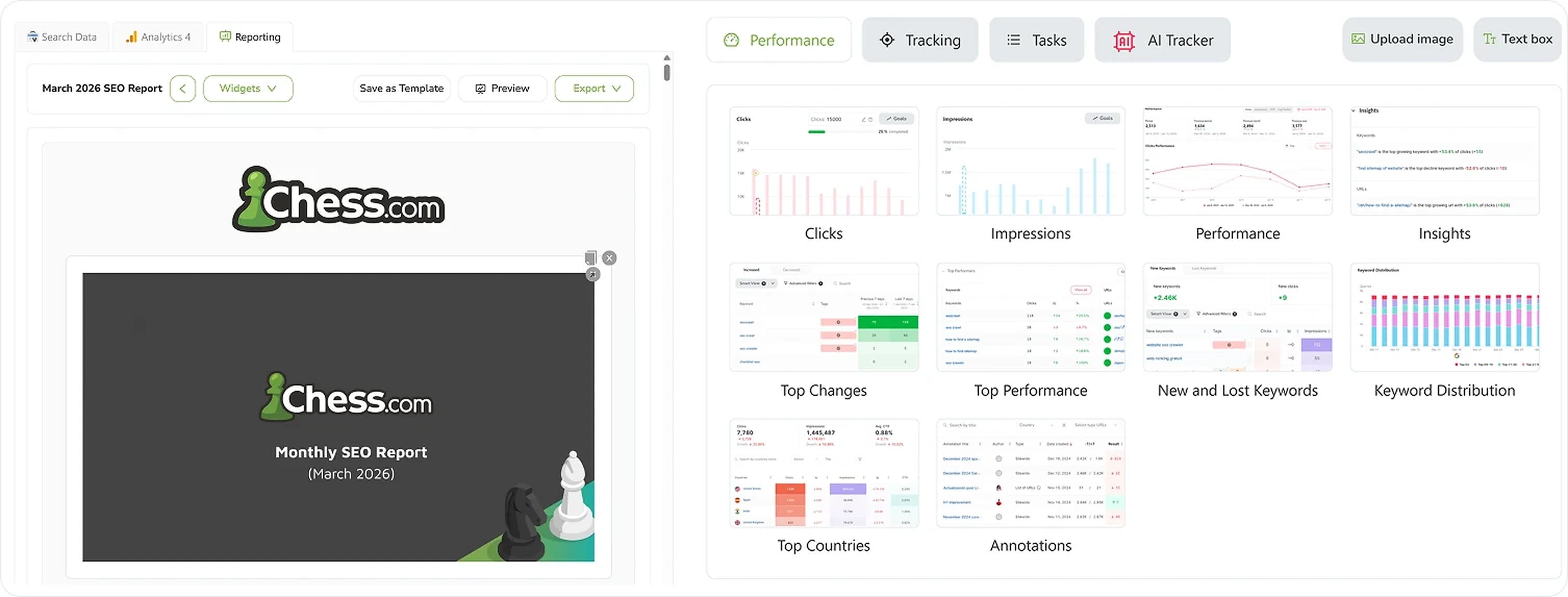
SEO Reporting
Automate SEO reports with real Search Console and GA4 data. Templates, custom branding, CNAME, scheduled delivery.
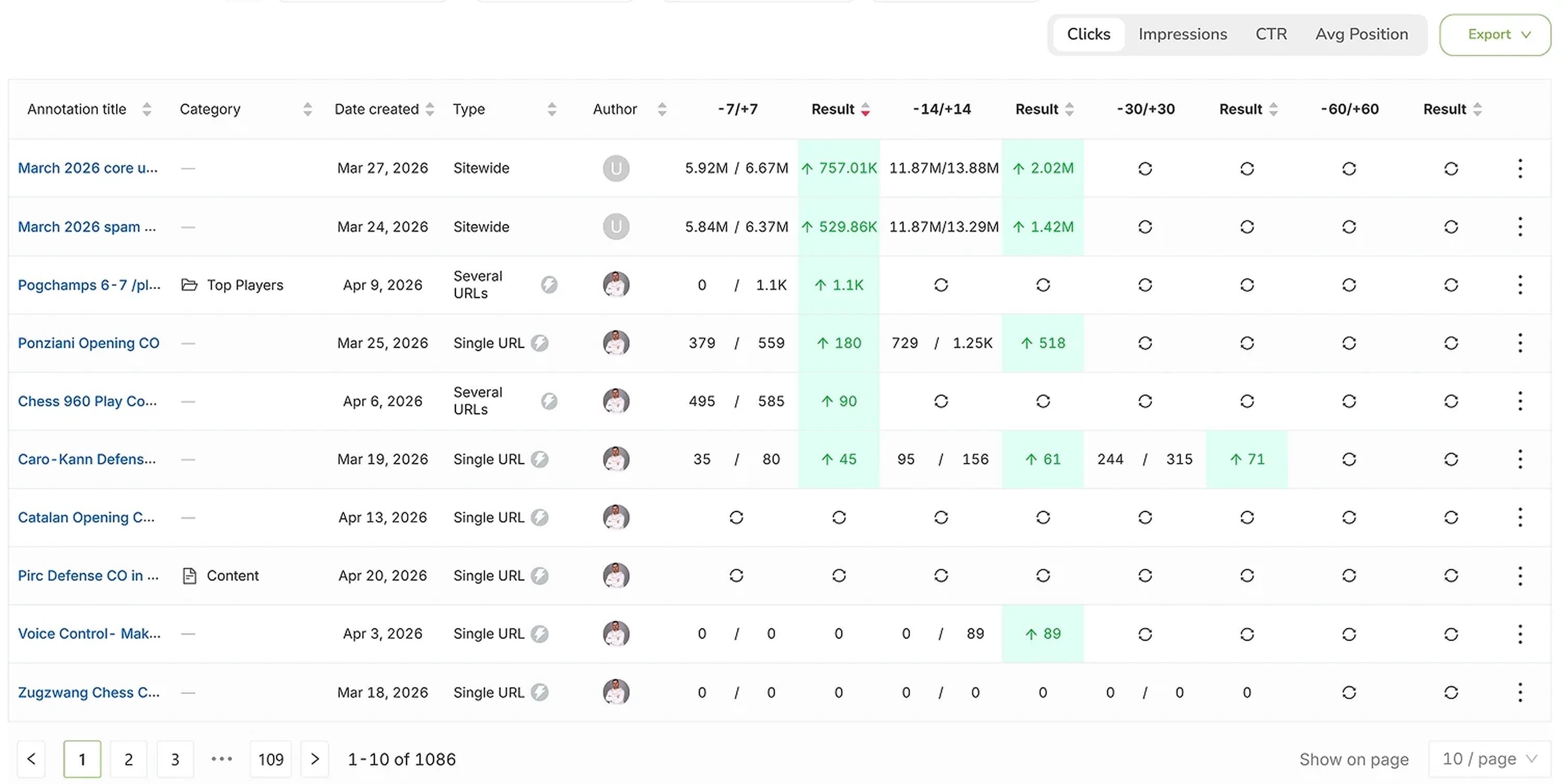
SEO Annotations
Mark every site change on every chart and see the real impact on rankings, clicks and impressions.