


Pages, folders and keyword cannibalization
See Search Console metrics per page and per folder, follow each URL month by month, and find queries where several of your pages compete.
2 min read · Last updated November 12, 2026

The Pages section applies the same Search Console metrics as Keywords, but grouped by URL. Besides the main Pages tab it has Google Discover, Folders, URL Map, Cannibalization and Brand Distribution. These screenshots use SEOcrawl AI's own project.
Folders: which part of the site performs
Select Folders to group your URLs by site section. Each row shows clicks, impressions, CTR and average position, each with its change against the previous period.
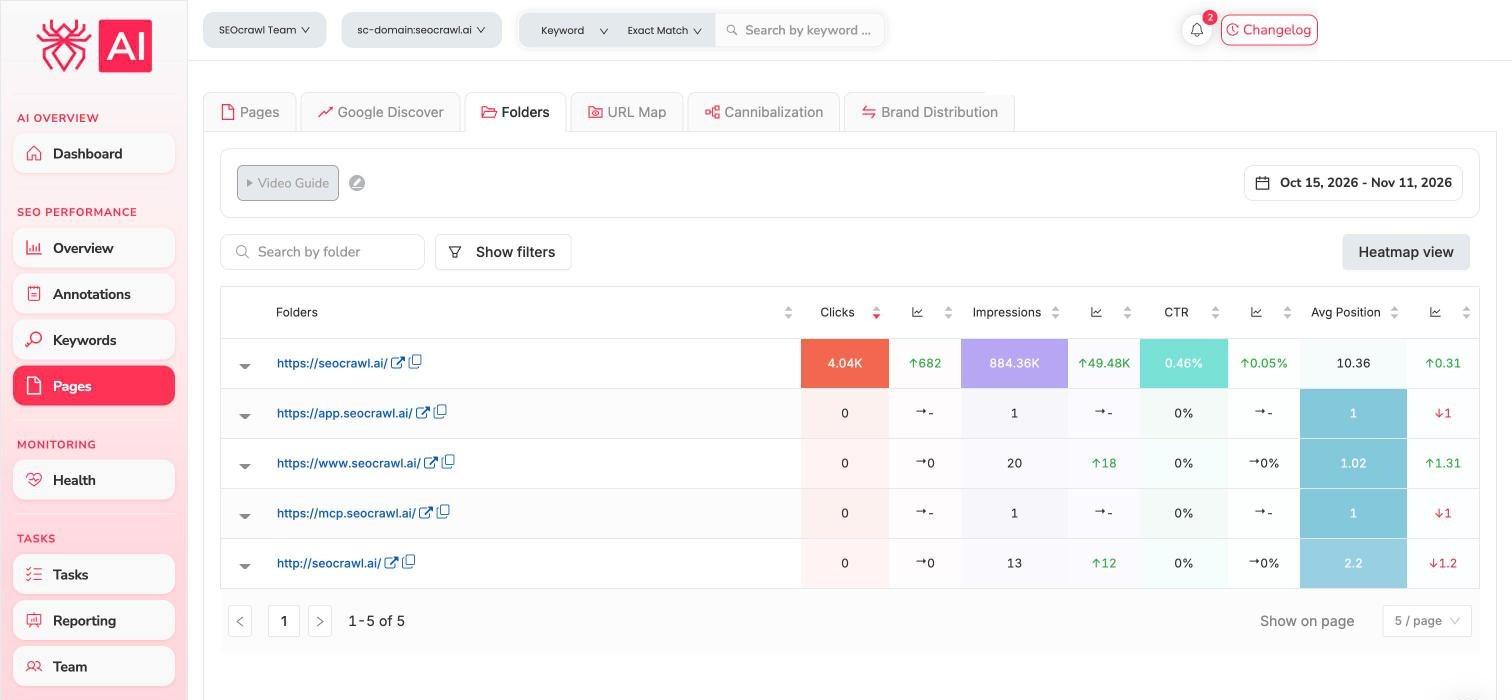
Each row has an arrow to expand it. Use Heatmap view to colour the table, and Show filters to narrow it down. This is the quickest way to answer “is the blog growing faster than the product pages?”.
URL Map: every page, month by month
Select URL Map to see each URL as a row and each month as a column. Darker green means more of the metric you chose.

- Choose the metric: Clicks, Impressions, CTR or Avg Position.
- Spot pages that peaked and then faded, and pages that are just starting to earn clicks.
- Use Manage tags to label pages and Export to take the data out.
Cannibalization: pages competing for the same query
Select Cannibalization. Each row is a query, with its total clicks, impressions, CTR and average position.
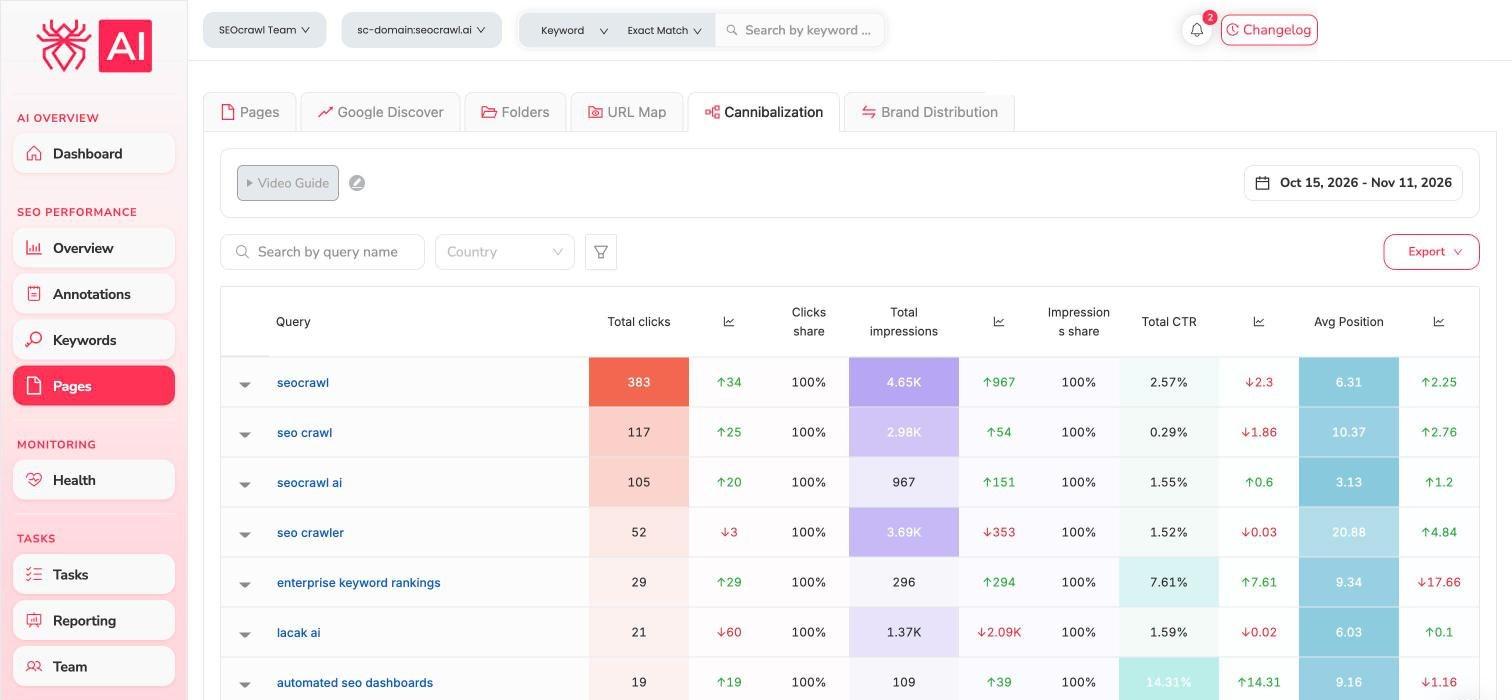
Open a row with the arrow and SEOcrawl AI lists every URL that ranked for that query, with clicks share and impressions share for each one. If one URL holds almost all the clicks, there is nothing to fix. If two or more pages split a valuable query, decide which page should win, and then:
- Make the winning page the clearest answer to the query.
- Point internal links to it, and consider merging or redirecting the weaker page.
- Add an annotation with the date, and check the share again in a few weeks.
Google Discover
The Google Discover tab shows impressions, clicks and CTR for Discover, with a chart over time, from Search Console.