


Indexation and alerts
Follow how many of your sitemap URLs are indexed, get impressions and clicks, and create alerts for keywords and URLs that rise or fall.
2 min read · Last updated November 12, 2026

Two tabs in Health help you notice problems early: Indexation shows whether your pages are getting into Google, and Alerts tells you when keywords or URLs move. The screenshots use SEOcrawl AI's own project.
Indexation: from sitemap to clicks
Open Health, then Indexation. SEOcrawl AI reads your sitemap and shows, at the top, the sitemap address, the number of URLs detected and the last time it was crawled.
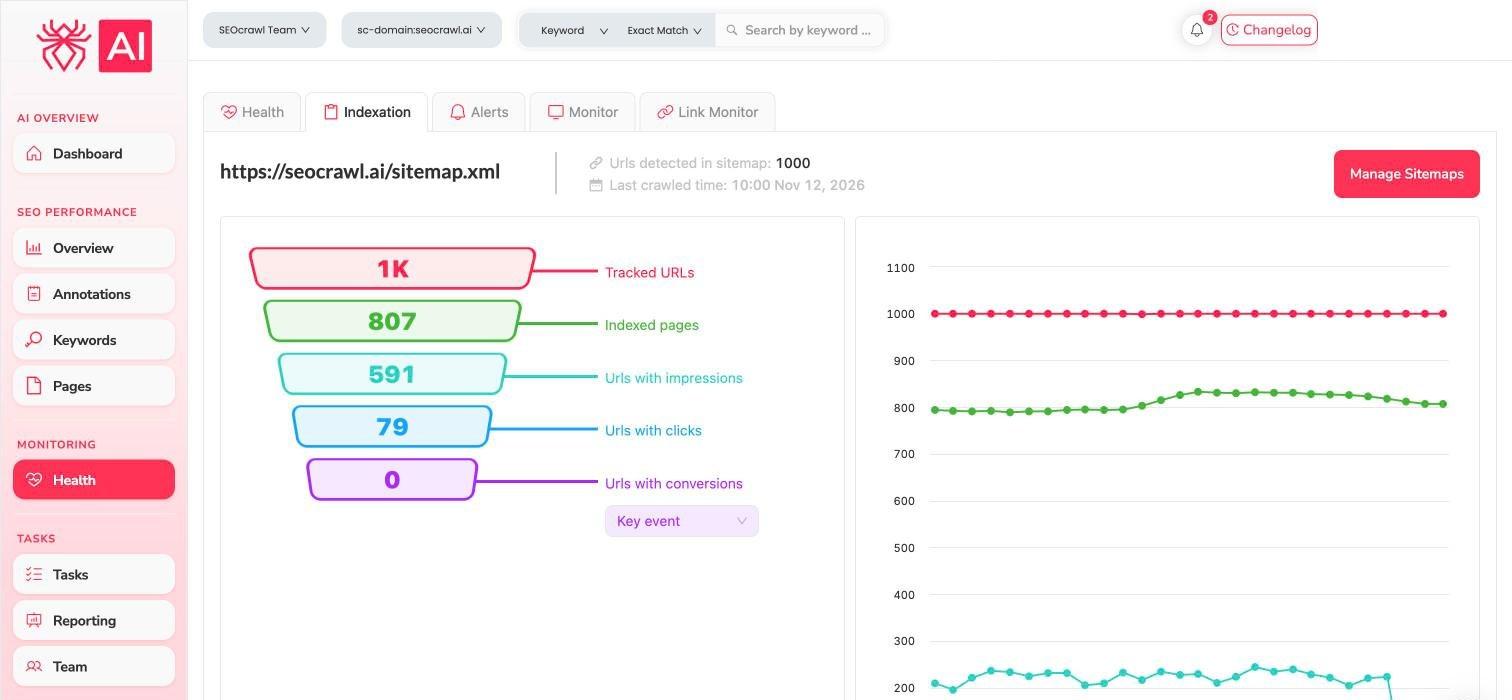
The funnel reads from top to bottom:
| Step | Meaning |
|---|---|
| Tracked URLs | URLs found in your sitemap |
| Indexed pages | Those that are indexed |
| URLs with impressions | Indexed pages that appeared in search |
| URLs with clicks | Pages that received visits from search |
| URLs with conversions | Pages that reached the key event you choose in the selector |
The chart on the right shows each step over time, so you can see when a number drops. Use Manage Sitemaps to choose which sitemaps are tracked.
Alerts: know when something moves
Select Alerts. Each card follows one alert and lists the keywords or URLs that match it, with their clicks and the change.
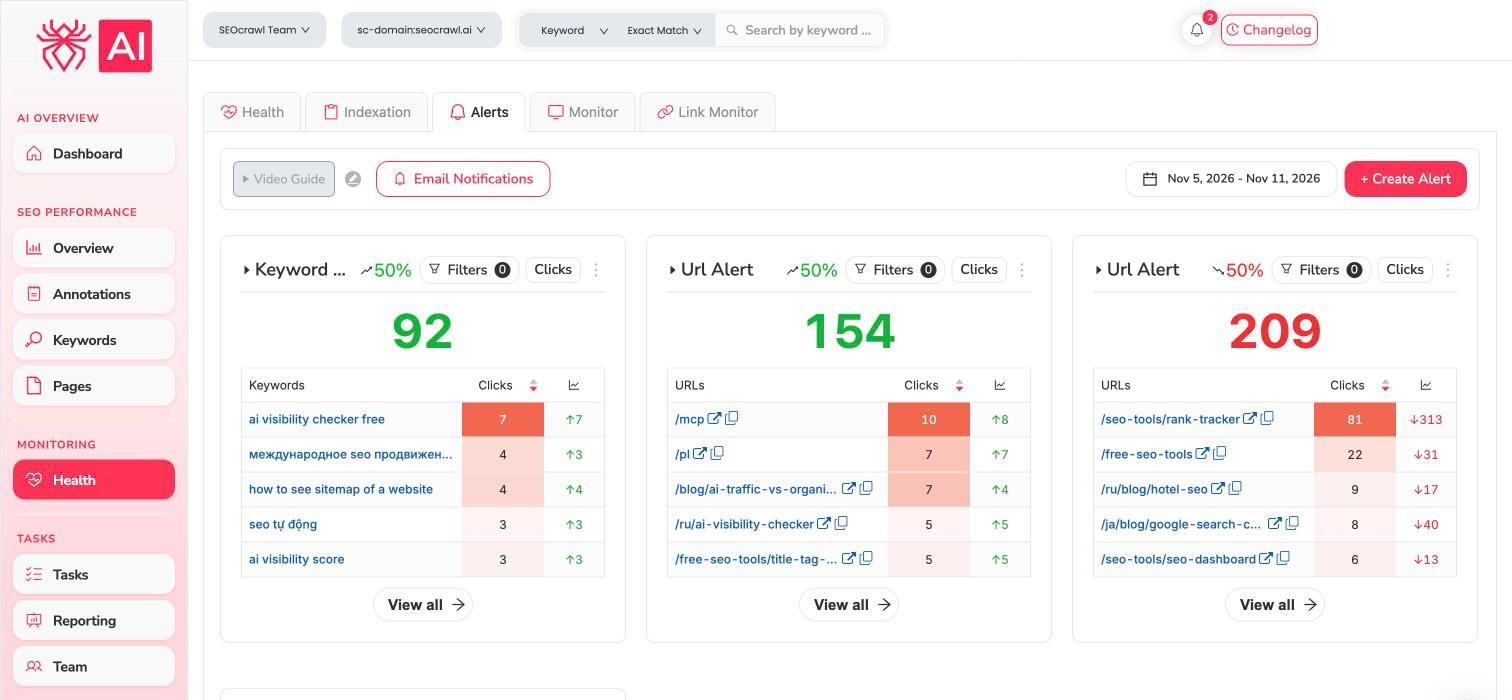
Use View all on a card to open the full list, Filters to narrow it, and the date selector to change the period.
Create your own alert
- Select + Create Alert.
- Write a name for the alert.
- Choose the element to track: Keyword or URL.
- Choose the metric: Clicks, Impressions, CTR or Avg Position.
- Set the sensibility: Increase or Decrease, and the percentage of change that should trigger it.
- Select Save.
Use the Email Notifications button at the top of the tab to set up email notifications.
Link Monitor
The Link Monitor tab lets you add the links you have earned, with their anchor text, destination and type, so you can check that they stay in place. Use Monitor new link to add one.
Related guides
- Code Monitor: detect silent changes on your pages.
- Pages, folders and keyword cannibalization
- Annotations