What Is On-Page SEO? How It Works and How to Do It Right
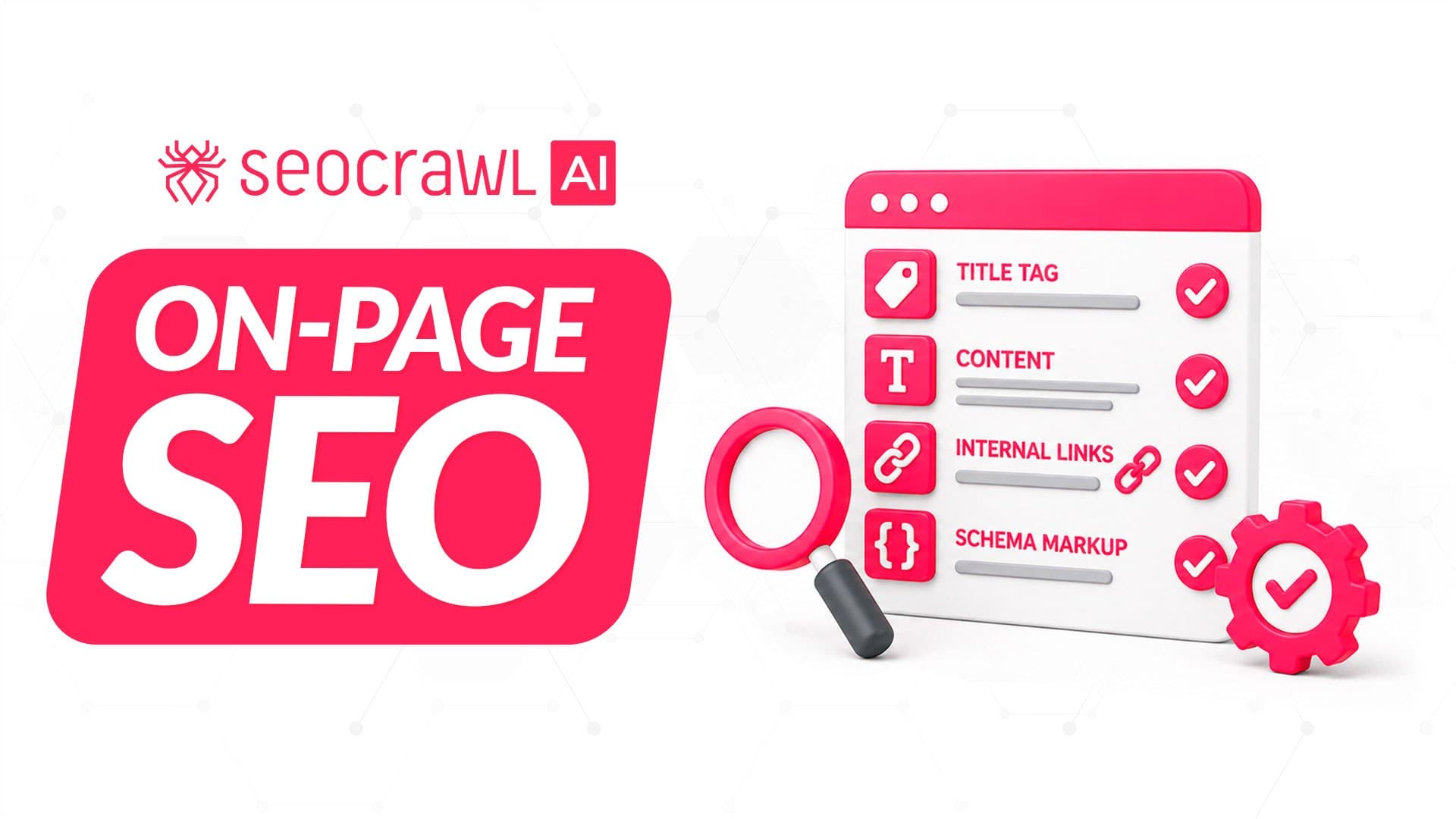
Your page is indexed, but even though you know the topic is right, it still sits on page two. The reason is often on the page itself: a vague title, an answer that misses the intent, images with no alt text.
All of that is on-page SEO, and every fix is in your hands. Below you'll find a checklist element by element, an audit process and what changes with AI Overviews and AI Mode.
What is on-page SEO?
On-page SEO is the optimization of everything on a page that you control: content, title, meta description, headings, URL, images and internal links. The goal is that search engines understand what the page answers and people pick it in the results.
It still matters in 2026: AI Overviews and AI Mode need no special markup: an indexed page eligible for a snippet qualifies, as long as the site is included in generative AI features in Search Console, says Google's AI optimization guide. The same work serves classic and AI results.
On-page is one of three areas that work together:
| On-page SEO | Off-page SEO | Technical SEO | |
|---|---|---|---|
| What you work on | Content and HTML of each page | Signals from other sites | Crawling and indexing |
| Examples | Titles, headings, alt text, internal links | Backlinks, brand mentions | Speed, hreflang tags, robots.txt file |
| Who controls it | You, page by page | Other sites | You, site-wide |
Quality also shows in author bios, citations and depth. Google calls this E-E-A-T and says it is not a ranking factor in itself.
SEO tip: before you start, put together an SEO checklist that lists each task by phase and how long it takes. You'll work faster and can reuse the same approach on your next project.
What to optimize on every page
Use this table as your on-page SEO checklist; the sections below explain each element.
| Element | Do | Don't |
|---|---|---|
| Content | Answer the intent | Pad to a word count |
| Title tag | Main keyword first, unique per page | Reuse titles |
| Meta description | Unique summary | Copy it across pages |
| Headings | Show the structure | Stuff keywords |
| URL | Short and readable (URL slug best practices) | Count on keywords in it to rank |
| Alt text | Describe the image | Leave it empty or stuff it |
| Internal links | Descriptive anchors | "Click here" |
| Canonical tag | Point duplicates to one version | Use robots.txt for duplicates |
| Structured data | Mark up content for rich snippets | Treat it as an AI requirement |
Content and search intent
Intent comes before keywords. Look at what already ranks for the query (steps, a definition, a comparison) and give the searcher that format. The search intent guide explains how to read it.
- Do keyword research first: one main keyword per page.
- Place it in the title, the H1 and the first lines.
- Match length to intent: Google says there is no magic word count.
- Add the related terms the topic needs (semantic keywords).
- Keep each page unique so it doesn't become thin content.
Suppose someone searches "how to add alt text in WordPress": five numbered steps answer it, a 2,000-word essay doesn't. Common mistake: keyword stuffing, which makes the text harder to read and answers nothing better.
Title tags
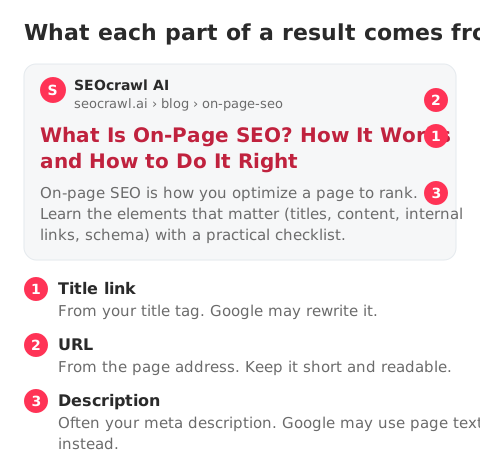
The title is what people read first in the results. Google sets no character limit: it truncates title links to the device width, so preview yours with the Title Tag Checker.
- Put the main keyword near the start.
- Write one unique, descriptive title per page.
- Make it complement the meta description.
Common mistake: the same title on several pages. More examples in the SEO title guide.
Meta descriptions
The meta description summarizes the page and may appear as the snippet. As far as Google documents, it shapes the click, not the ranking. Google builds snippets mostly from page content and uses the meta description only sometimes.
There is no length limit either: snippets are truncated by device width. The meta descriptions guide shows how to write them.
Common mistake: one description copied across many pages.
Header tags (H1-H6)
Headings (<h1> to <h6>) split a page into sections that readers scan and screen readers navigate. Start with one H1 that states the topic, then H2s and H3s.
Google says heading order doesn't matter to Search and there is no ideal number. Common mistake: using headings for styling or forcing the keyword into each one.
Here is the heading structure of this guide:
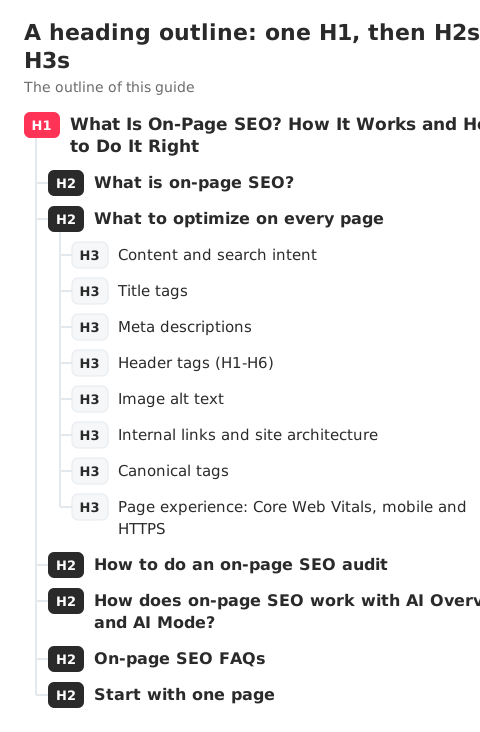
Image alt text
Alt text describes an image inside the <img> tag. Google uses it together with computer vision and the page content to understand the image, and stuffing it with keywords can be treated as spam.
It is also one of the most common gaps. In SEOcrawl AI crawls of 6 sites (November 2025 to October 2026), images without alt text appeared on 83% to 99% of pages in 4 of the 6 sites, and on 17.1% of the 6,333 pages of the two full crawls.
Describe what the image shows. The alt attribute guide covers edge cases.
Internal links and site architecture
Internal links help Google find your pages and pass authority, often called link juice, between them. Google extracts links reliably only from <a> elements with an href.
Make the anchor text describe the destination: "canonical tag guide" says more than "click here".
Navigational links (menus, breadcrumbs, footers) build the web architecture of the site; contextual links in the text connect related topics.
There is no ideal number per page: link where it helps the reader's next step. See the internal linking strategy guide.
Canonical tags
Duplicate content doesn't break spam policies or cause a manual action, but it wastes crawling. The duplicate content guide shows how to find it.
The rel="canonical" tag tells Google which version you want indexed. Redirects and rel="canonical" are strong signals; a sitemap entry is a weak one.
Don't use robots.txt for duplicates: Google can index a blocked URL without its content. A canonical to another URL isn't always an error, so check yours with the Canonical Tag Checker.
Recommended article: Canonical tag: what it is and how to use it
Page experience: Core Web Vitals, mobile and HTTPS
Page experience is mostly technical SEO, but it affects every page you optimize. Google uses Core Web Vitals in ranking; there is no single page experience signal, and good scores don't guarantee positions.
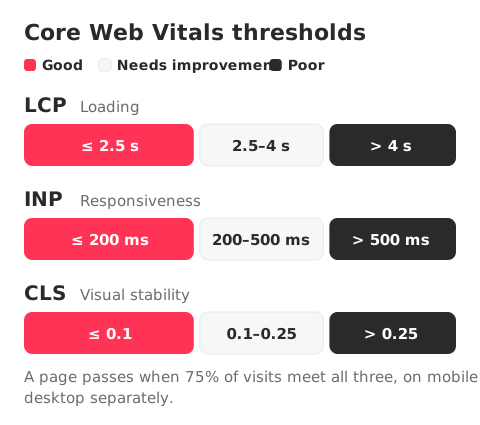
A page passes when 75% of visits, on mobile and desktop separately, meet all three thresholds:
- LCP (loading): 2.5 s or less
- INP (responsiveness): 200 ms or less; it replaced FID in March 2024
- CLS (visual stability): 0.1 or less
Speed has counted in mobile search since the Speed Update of July 2018, which affects only the slowest pages.
Recommended article: WPO guide to optimize your website's speed
Google completed the move to mobile-first indexing in October 2023, so it reads the mobile version of your page.
Check mobile usability with Chrome Lighthouse, now that the Mobile-Friendly Test is retired. HTTPS is a ranking signal too, one Google called very light in 2014.
How to do an on-page SEO audit
An on-page audit checks each page against the checklist and ranks fixes by impact:
- Crawl the site with a site audit tool to list missing titles, descriptions, H1s, alt text and canonicals.
- In Search Console, find the pages that already get impressions (see the Google Search Console guide).
- Review their titles and meta descriptions in a SERP simulator.
- Check canonicals and validate structured data with a schema validator.
- Run Lighthouse on your main templates.
- Place each fix on an impact vs. effort grid and start with high impact, low effort.
Suppose your audit finds four issues:
| Low effort | High effort | |
|---|---|---|
| High impact | Rewrite duplicate titles on pages with impressions | Rewrite thin pages to match intent |
| Low impact | Add alt text in old posts | Restructure headings in old posts |
For the full process beyond on-page, see the SEO audit guide.
How does on-page SEO work with AI Overviews and AI Mode?
The same way it works with classic results: an indexed page eligible for a snippet can be a source, with no special markup.
To pick sources, Google's AI features ground answers in the Search index and run several related searches at once (query fan-out). Its guide on generative AI features, updated on 10 July 2026, lists five things you can skip:
- An llms.txt file or special AI markup
- Splitting content into chunks
- Rewriting pages for AI
- Chasing inauthentic mentions
- Obsessing over structured data
What matters most, says the same guide, is unique content that isn't a commodity. The AI Overviews ranking factors guide goes deeper.
Search Console's generative AI performance report, open to all sites since 31 August 2026, shows AI Overviews and AI Mode impressions by page, country, date and device. To follow mentions outside Google, use an AI Tracker.
On-page SEO FAQs
Two questions that come up often once the checklist is done.
What are the four types of SEO?
The four types usually listed are on-page, off-page, technical and local SEO. Local SEO is the one the table above leaves out: it covers visibility for searches tied to a place, such as map results and business profiles. The four overlap: the SEOcrawl AI SEO Audit reports on-page gaps such as missing titles, H1s and alt text in the same crawl that checks canonicals, and a slow template still drags down every page you optimize on-page.
Can ChatGPT do SEO?
ChatGPT can draft titles, meta descriptions and outlines, but on its own it can't see your crawl or your Search Console data, so it doesn't know which pages fail or which already get impressions. The SEOcrawl AI MCP Server connects 85 SEO and GEO (generative engine optimization, visibility in AI answers) tools to ChatGPT, Claude, Cursor and Claude Code, so the assistant can work with that data.
Start with one page
Start with the pages that already get impressions, since they are closest to moving, and fix by impact.
SEOcrawl AI covers both sides of that work: its SEO Audit crawls every page and returns an Audit Health Score, and its AI Tracker follows your brand in ChatGPT, Claude, Gemini, Perplexity and Copilot. Audit your pages with SEOcrawl AI.
Sources
- Google Search Central, Google's guide to optimizing for generative AI features on Google Search (updated 10 July 2026)
- Google Search Central, AI features and your website
- Google Search Central, SEO Starter Guide
- Search Console Help, Generative AI performance report (Search)
- web.dev, Web Vitals
Author: David Kaufmann

I've spent the last 10+ years completely obsessed with SEO — and honestly, I wouldn't have it any other way.
My career hit a new level when I worked as a senior SEO specialist for Chess.com — one of the top 100 most visited websites on the entire internet. Operating at that scale, across millions of pages, dozens of languages, and one of the most competitive SERPs out there, taught me things no course or certification ever could. That experience changed my perspective on what great SEO really looks like — and it became the foundation for everything I've built since.
From that experience, I founded SEO Alive — an agency for brands that are serious about organic growth. We're not here to sell dashboards and monthly reports. We're here to build strategies that actually move the needle, combining the best of classical SEO with the exciting new world of Generative Engine Optimization (GEO) — making sure your brand shows up not just in Google's blue links, but inside the AI-generated answers that ChatGPT, Perplexity, and Google AI Overviews are delivering to millions of people every single day.
And because I couldn't find a tool that handled both of those worlds properly, I built one myself — SEOcrawl AI, an enterprise SEO intelligence platform that brings together rankings, technical audits, backlink monitoring, crawl health, and AI brand visibility tracking all in one place. It's the platform I always wished existed.
Discover more content about this author