Rank Math
Until recently, the Yoast SEO plugin was the #1 reference in the world when it came to SEO for WordPress. However, things seem to be changing. A little over a year ago, Rank Math was born, a truly spectacular plugin that is not only more complete but also completely free.
So you can get to know it in depth, we've analyzed it in detail for you. Let's get started!
What is Rank Math?
Rank Math is the SEO suite that is revolutionizing the SEO world for WordPress. Despite having been around for only about a year, this plugin has become a true benchmark and is displacing the previously undisputed Yoast SEO.
Currently, it has over 80,000 active installations and a rating of 4.7/5 in the WordPress store. With introductions out of the way, let's take a detailed look at it, both in terms of main features and step-by-step configuration.
If, on the other hand, you want to explore it yourself, here you can find the Rank Math Demo.
Main Features
One of the most important reasons for Rank Math's success is its wide range of features and, in addition, the fact that they are all free and very easy to use and configure.
SEO Analysis
One of the functions built into the Rank Math suite is SEO analysis, which provides us with a score on the "health" of our website. Additionally, we are provided with a detailed report of improvements and errors detected and some tips to solve them. Although it is a relatively basic analysis, it can be an excellent tool to start an SEO audit and solve some obvious issues.
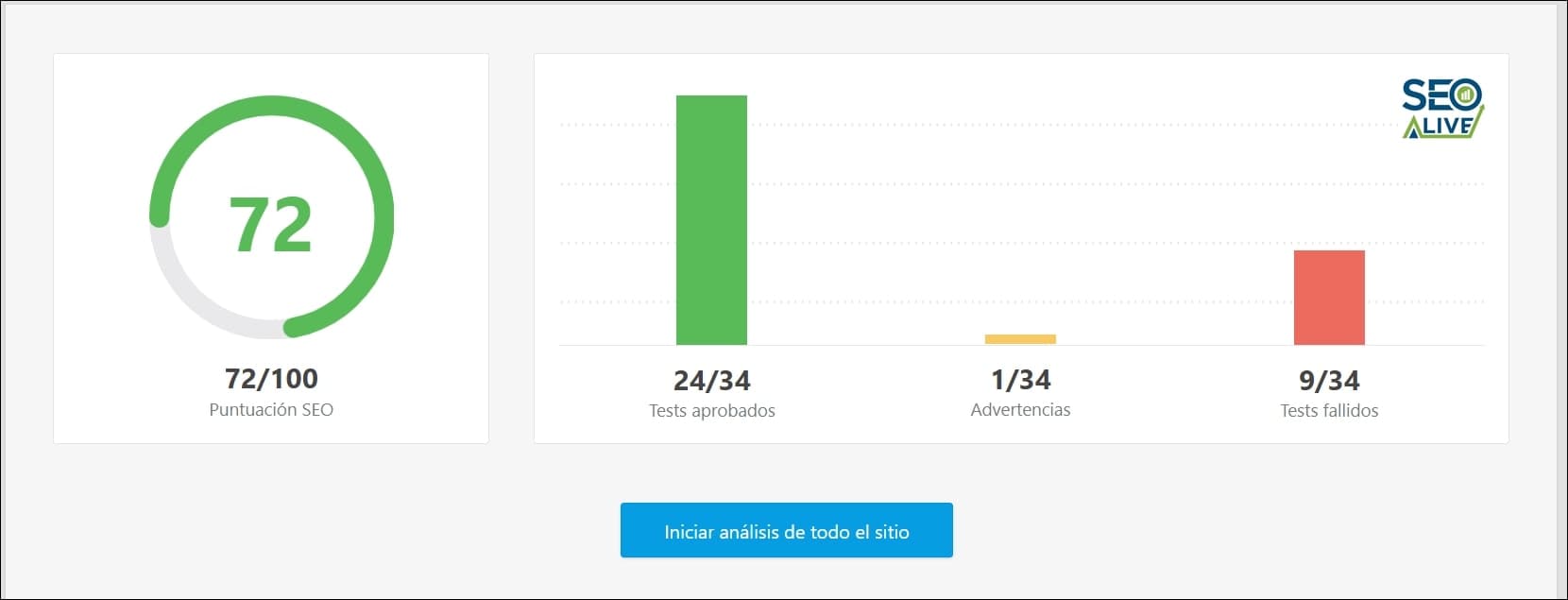
Overall view of the score Rank Math gives after performing the SEO analysis.
Advanced SEO Optimization
Rank Math not only allows us to edit the basic fields of pages and articles such as titles, meta descriptions... This plugin also allows us to assign the canonical of each page, noindex certain parameters, and all kinds of advanced SEO functions that will make our day-to-day much easier and reduce our dependence on programming teams, whose time is very valuable and not always plentiful.
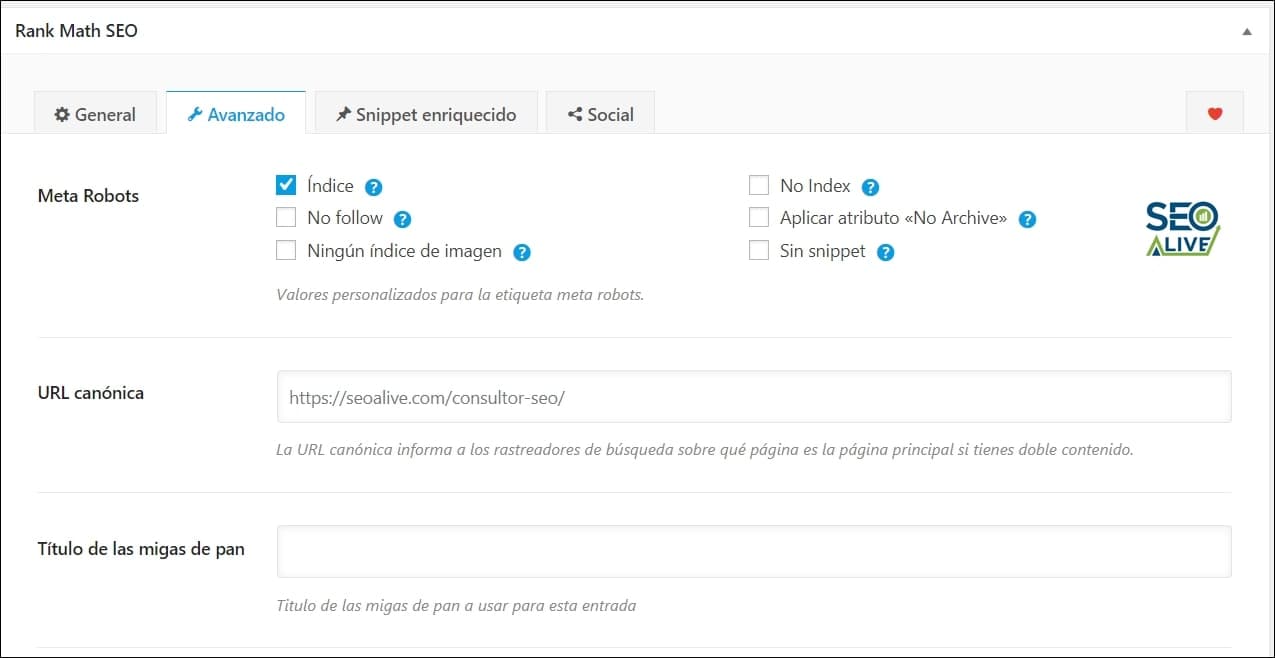
Example of the advanced SEO settings section of one of our articles.
Keyword Optimization (5)
The goal we pursue when creating articles and pages is for them to have visibility, rank well in search results, and provide quality traffic to our website. This task will be easier with the keyword optimization feature, through which we can add up to 5 keywords to the page/article we want to optimize. Based on these keywords, Rank Math will show us a display optimization value and show us suggestions accordingly.
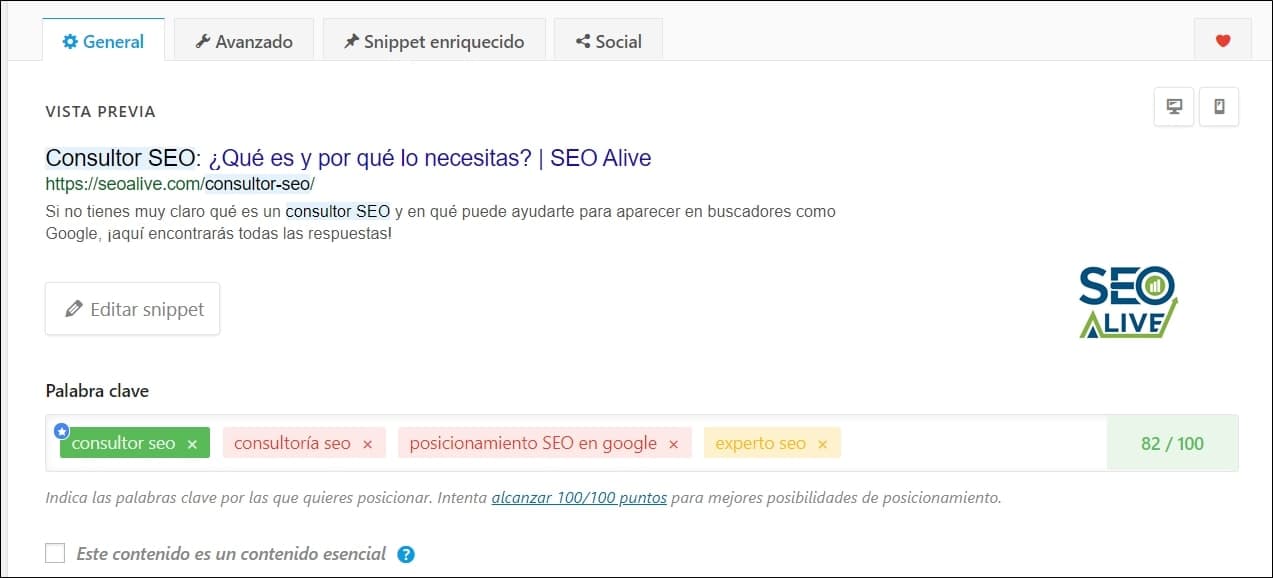
Each article/page will have a section to add the keywords we want to optimize.
Rich Snippets
Rich snippets are pieces of code that we add to our content to indicate what type of content it is and aim to have greater visibility in search results thanks to Google being able to give it greater relevance. In this case, Rank Math supports 14 types of Rich Snippets (article, video, course, event...) and allows you to add them to each article or page easily.
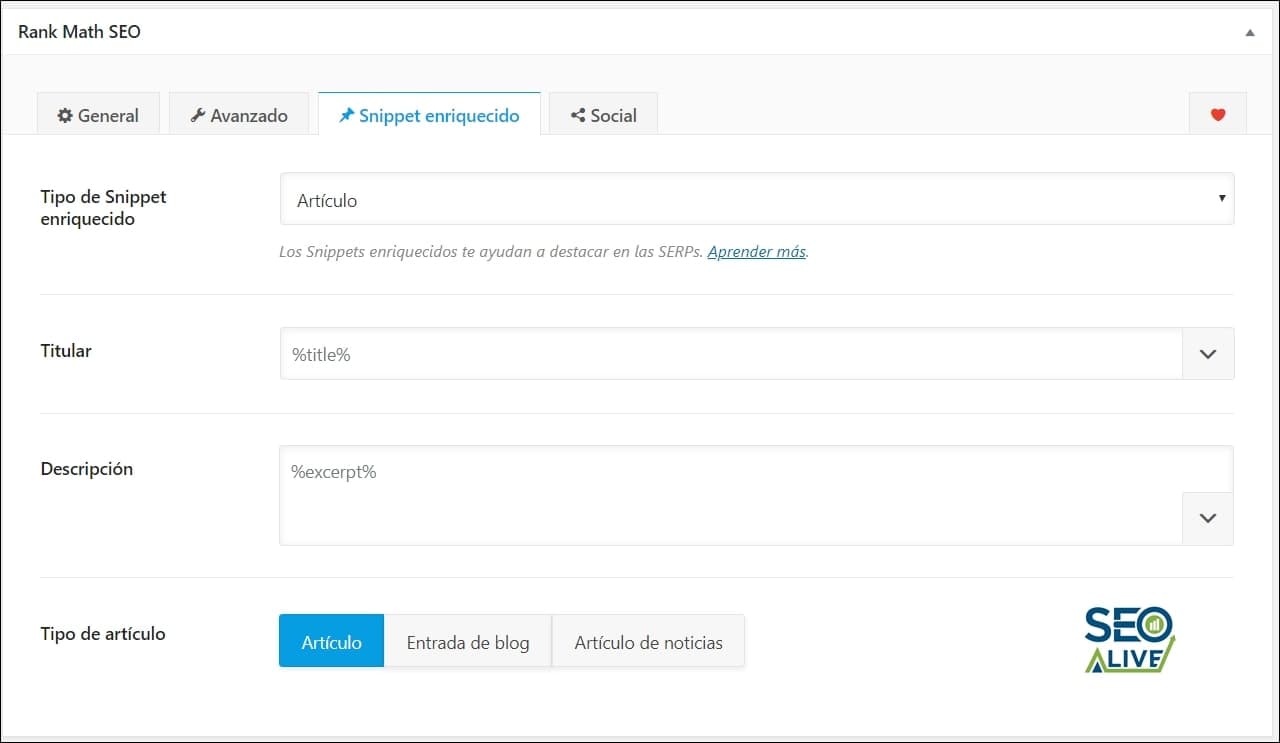
View of the Rich Snippets configuration panel in one of our articles.
XML Sitemaps
One of the simplest and most effective options to tell Google which pages we want to be indexed are sitemaps or maps of our website. One of the options of this plugin allows us to configure the Sitemap of articles, pages, and categories to make Google index all our information. All we have to do is enable this option and then submit the URL of our sitemap in Google Search Console.
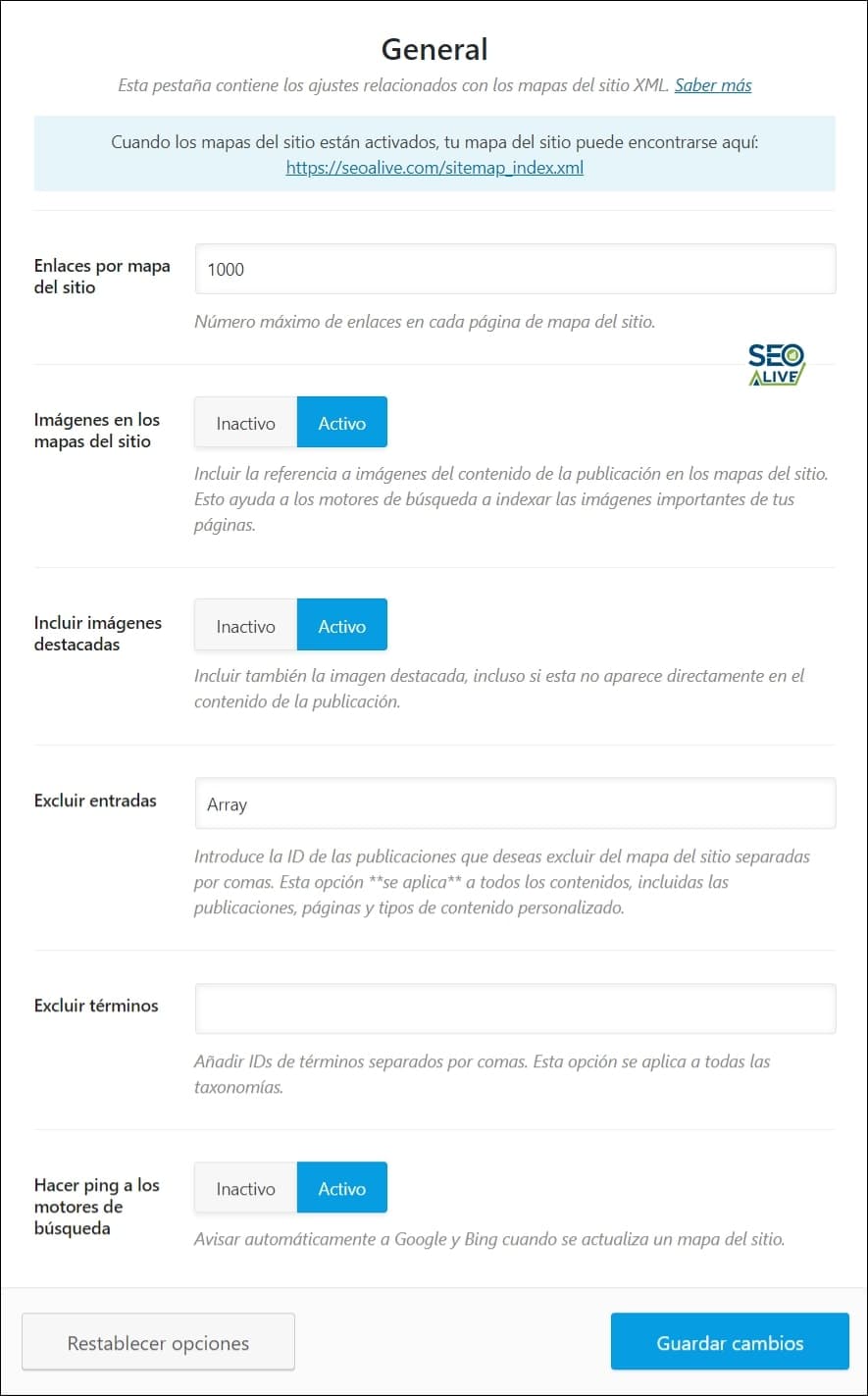
The configuration of our Sitemap is very simple and will allow us to start indexing our pages quickly.
AMP SEO
By default, in WordPress we can enable AMP technology with several plugins. However, to ensure that the SEO optimization and data markup are correct on these pages, it is recommended to enable the AMP SEO module, which will sync all the information and ensure that our AMP pages are also optimized.
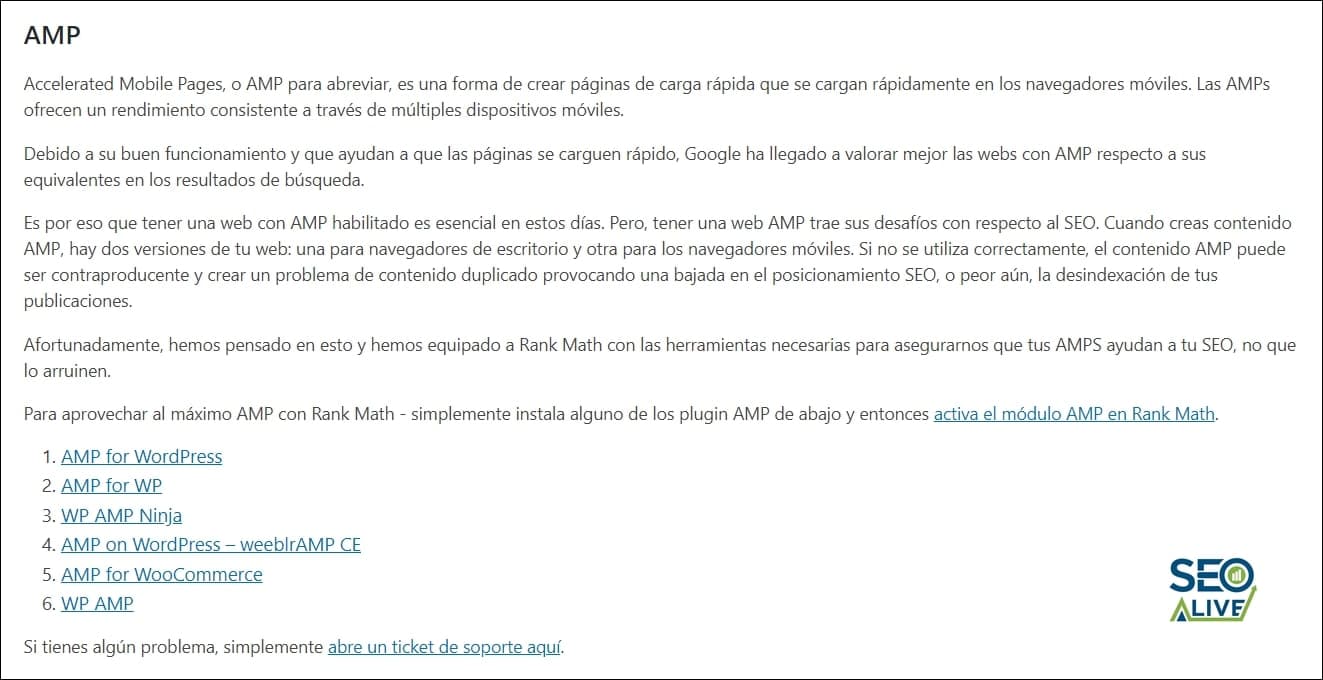
Information about the AMP configuration for SEO in Rank Math.
Breadcrumbs
Breadcrumbs are a navigation element that facilitates both usability for users and crawling for Google. That is why their presence is very important on all types of websites, whether Ecommerce or a traditional blog. In the general settings section, we can configure both where we want to display them as well as their design and the text to display.

Breadcrumbs configuration panel in Rank Math.
404 Monitor
I'm sure it has happened to you more than once going to a website and suddenly finding yourself on a 404 page (page not found error). This plugin comes with an excellent 404 error monitor so you can see all the URLs that are returning this error and how many visits they are receiving so you can fix them.
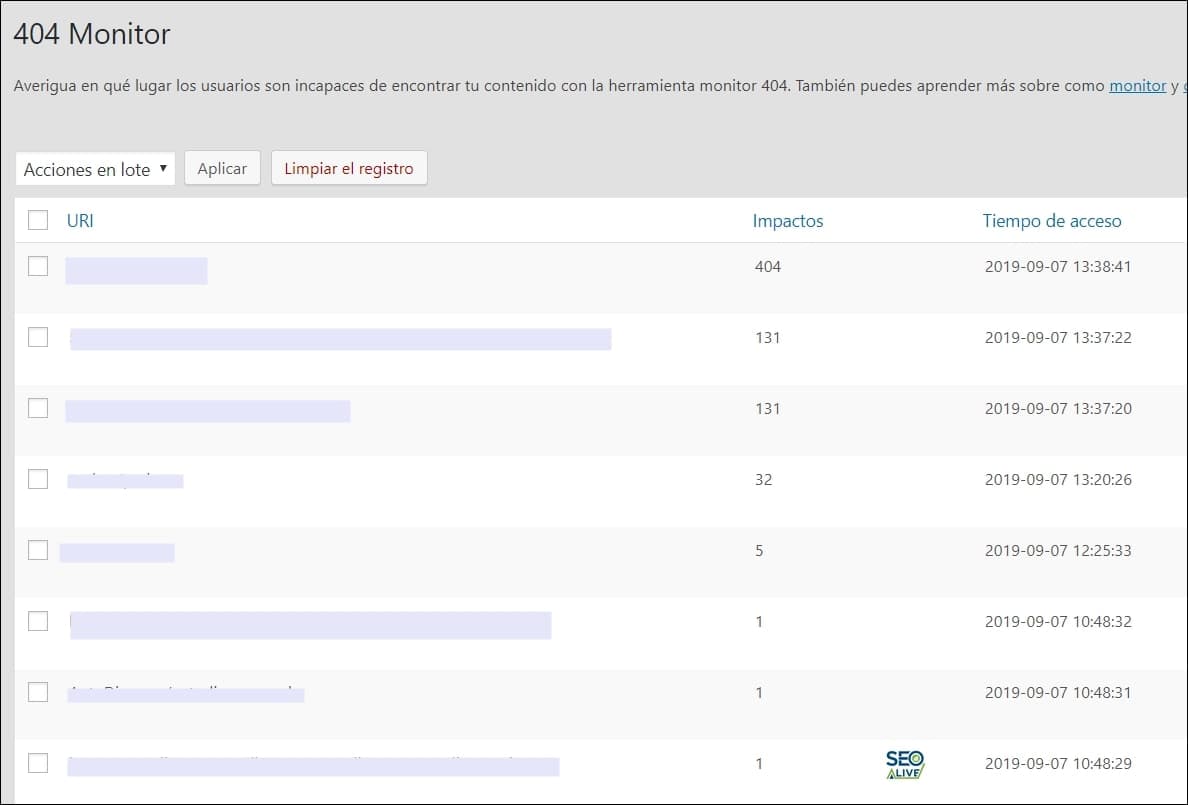
Example of the 404 error monitor of SEOcrawl AI.
Redirection Manager
Closely related to the previous section on 404 errors, the redirection manager is, from my point of view, one of the best features of Rank Math. Whether because we change a URL and want all traffic to go to this new address or because we want to redirect some 404 errors to another valuable page, this tool will allow us to add all kinds of redirects:
- 302 (temporary)
- 301 (permanent)
- 410 (deleted content)
- and much more...
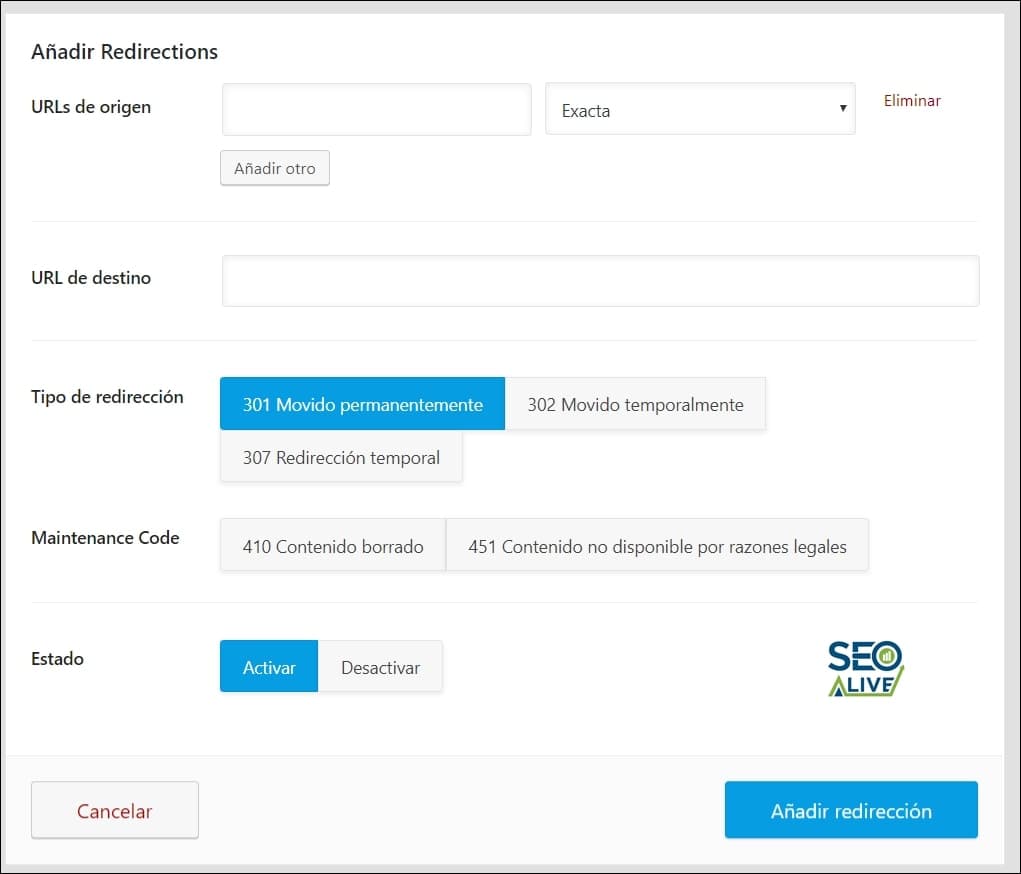
Redirection management panel in Rank Math. At the top, we'll have the manager to add them while at the bottom, we'll have the list of all the ones we've already added to manage them.
Google Search Console Integration
The day-to-day of an SEO professional involves looking at dozens of tools, whether for traffic, visibility, ranking changes, log analysis... That is why being able to make integrations to have everything in one place represents a great time saving. In this sense, Rank Math offers an integration with Google Search Console so we can see all the search performance statistics directly in our admin panel.
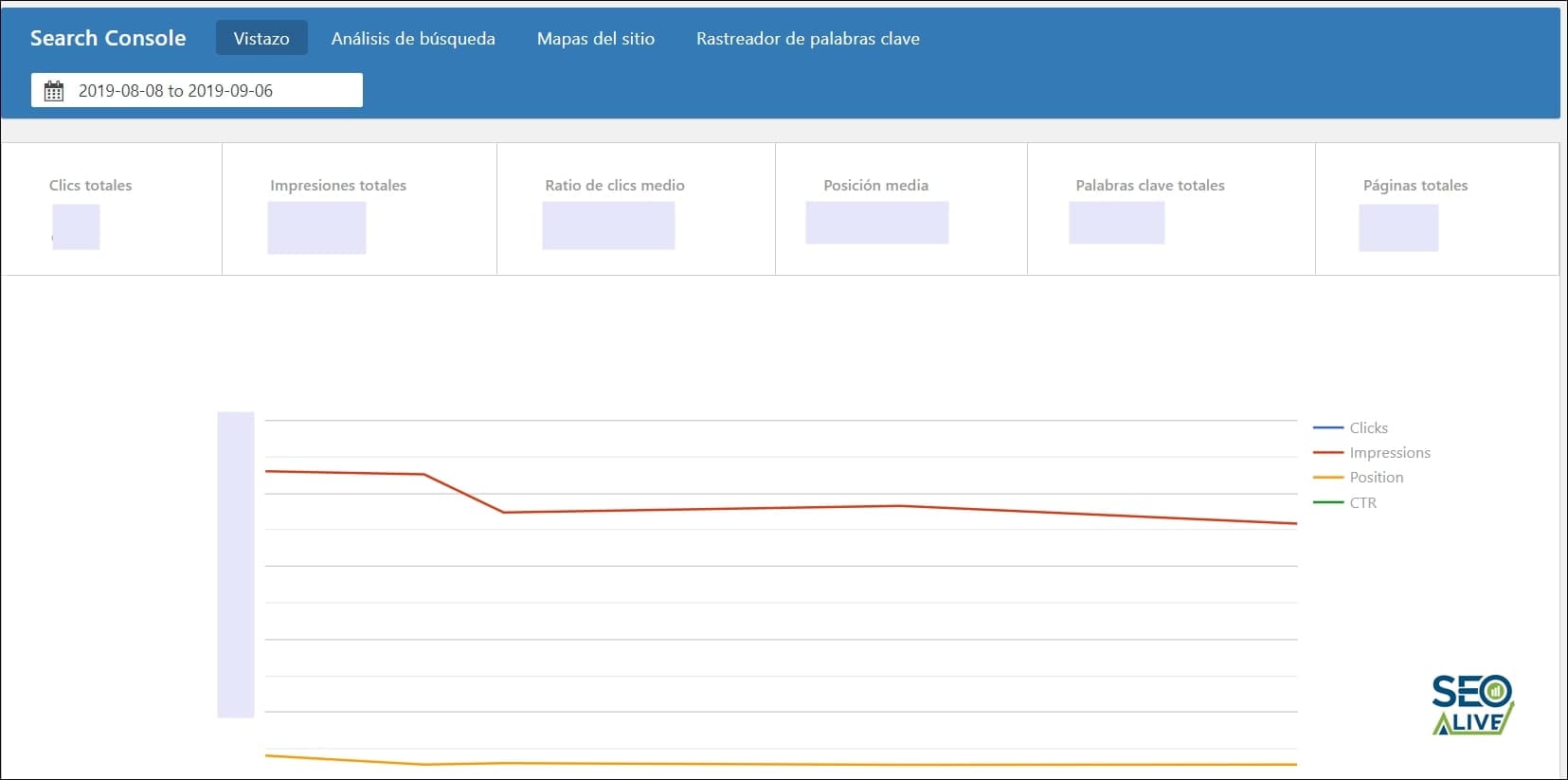
Google Search Console performance and statistics panel in Rank Math.
In addition, the Rank Math team has not only shown the main metrics but has prepared several detailed reports so that we can have all the information possible correctly classified and organized.
Much More
These features we've shown you are just a small percentage of everything you can achieve with Rank Math. In this article, their team has explained in detail 63 SEO functions and improvements you can achieve. Some of them are:
- Internal and external link counter
- WooCommerce SEO for online stores
- Open Graph markup for social images on Facebook and Twitter
- Role Manager
- ...
Rank Math Configuration
One of the best-designed features of Rank Math is its initial configuration tool, through which we can get Rank Math up and running at 100%, whether we perform an installation from scratch or migrate from another tool like Yoast SEO or All in One SEO Pack.
The process consists of 6 steps:
0. Initial Requirements
In the first step, Rank Math will check that our server meets the minimum requirements for the plugin to work correctly.
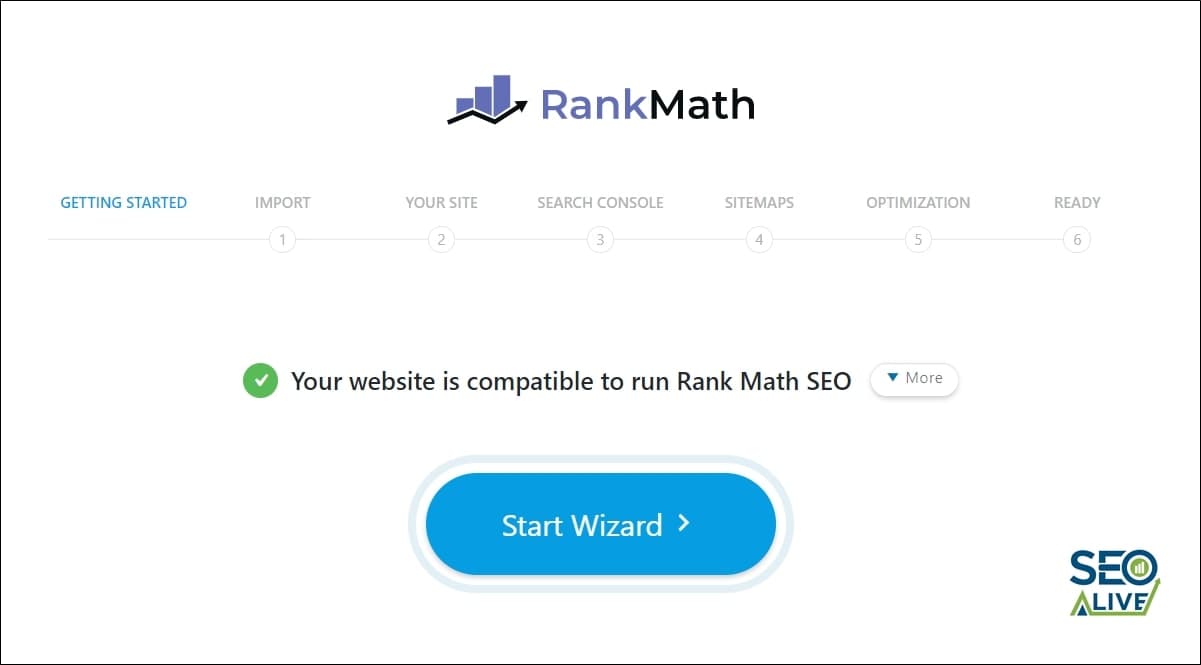
First step of Rank Math configuration, in which the plugin will check the system requirements.
1. Import
In the second step, we can import settings from another plugin such as Yoast SEO or AllinOne or from another redirect management plugin, so as not to lose any of the optimizations and work we have already done.
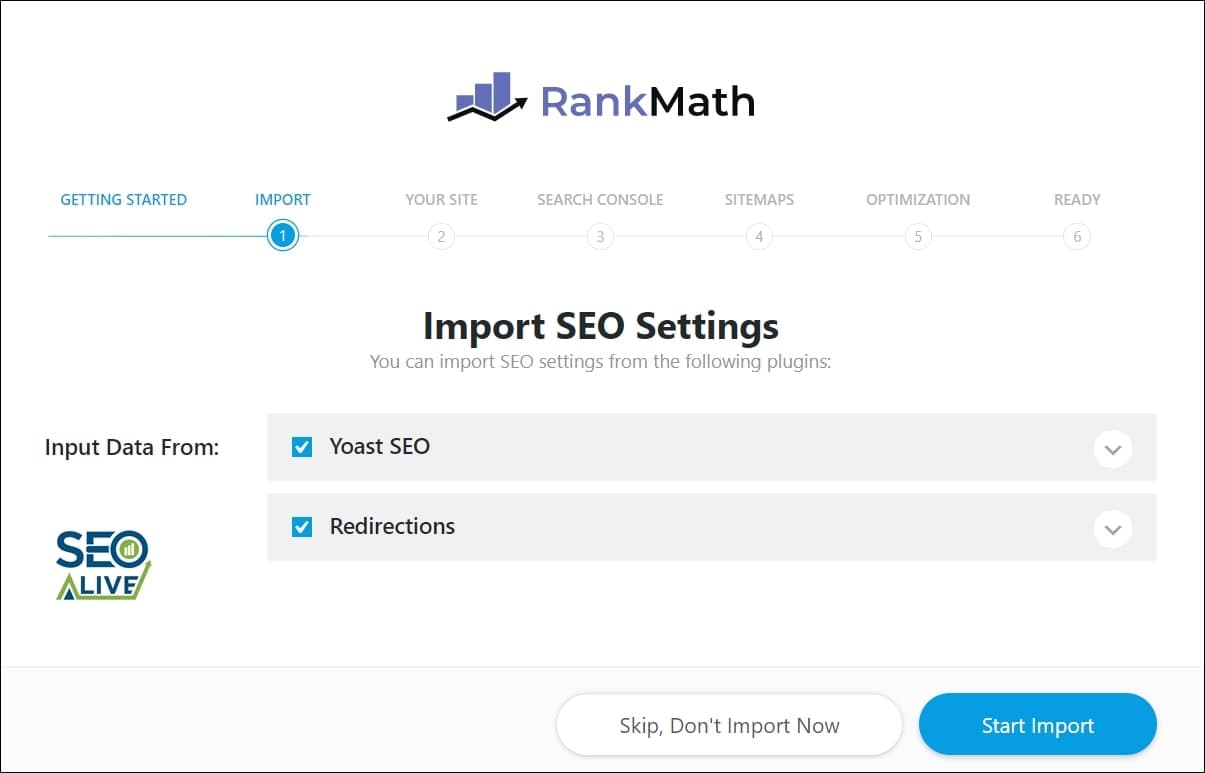
Rank Math data import tool.
2. Basic Metadata
In the second step, we can add basic metadata such as the logo, default image for pages, and generic data markup for the website.

Initial configuration of the basic metadata of a website.
3. Google Search Console
In this step, we can link our Google Search Console account to have it integrated. All we have to do is authenticate and indicate the domain we want to display.
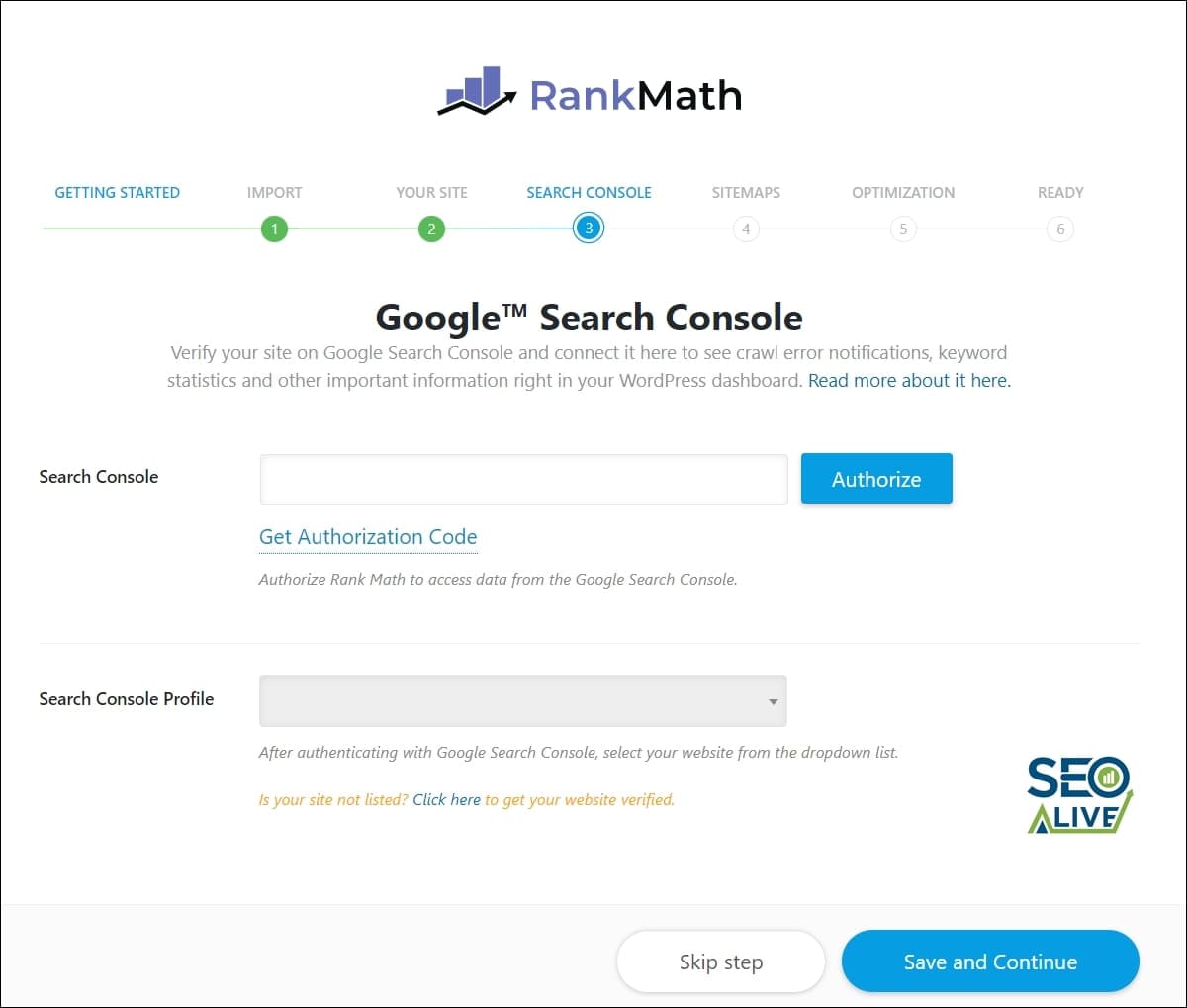
Step to perform the Google Search Console integration.
4. Sitemap
In this step, we can enable and configure the sitemap and decide which sections of our website we want to display and consequently index.
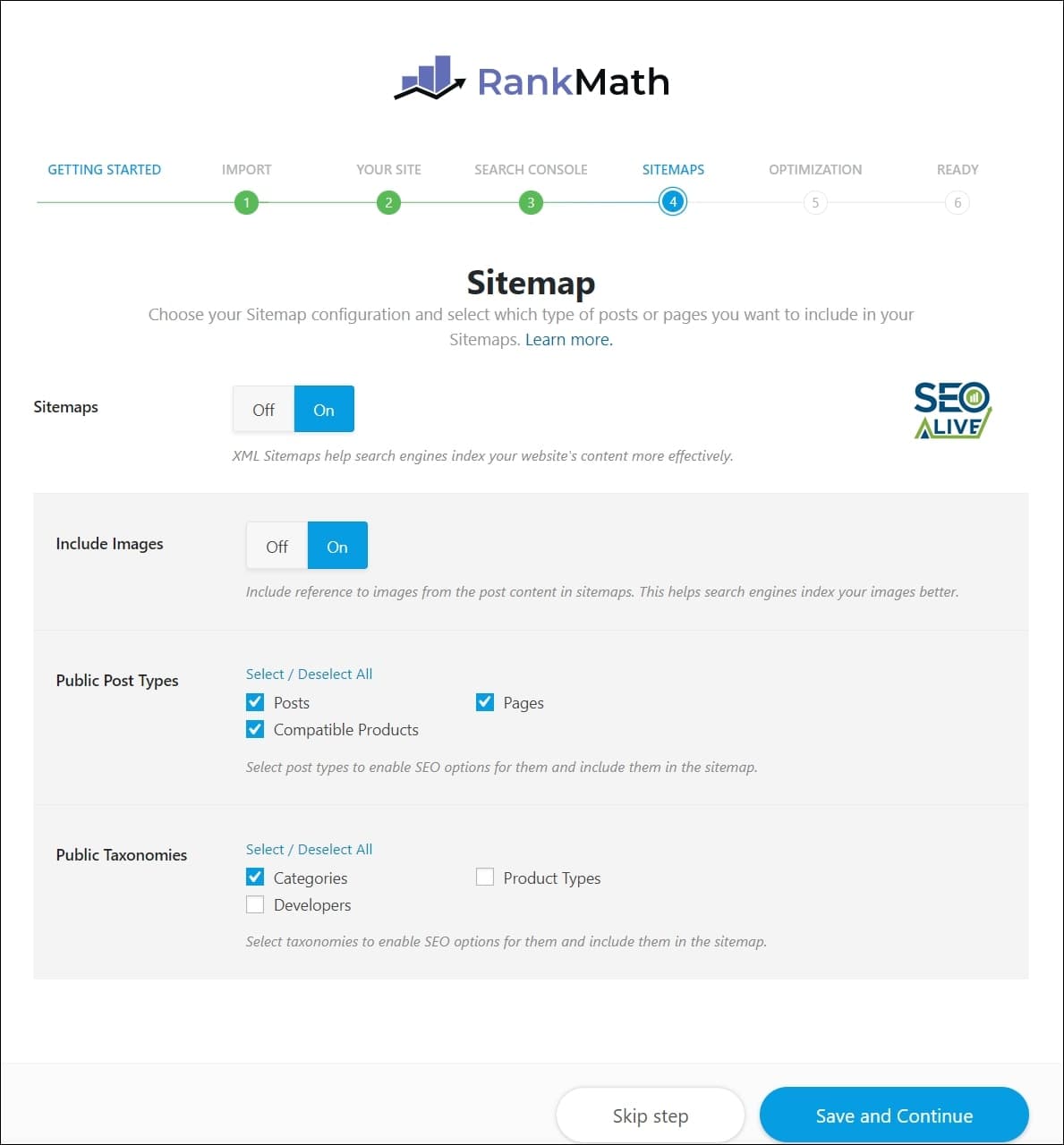
Sitemap configuration panel.
5. Advanced Configuration
Once the basic configurations are done, we need to decide some important matters such as whether or not to add nofollow to external links, noindex empty category pages...
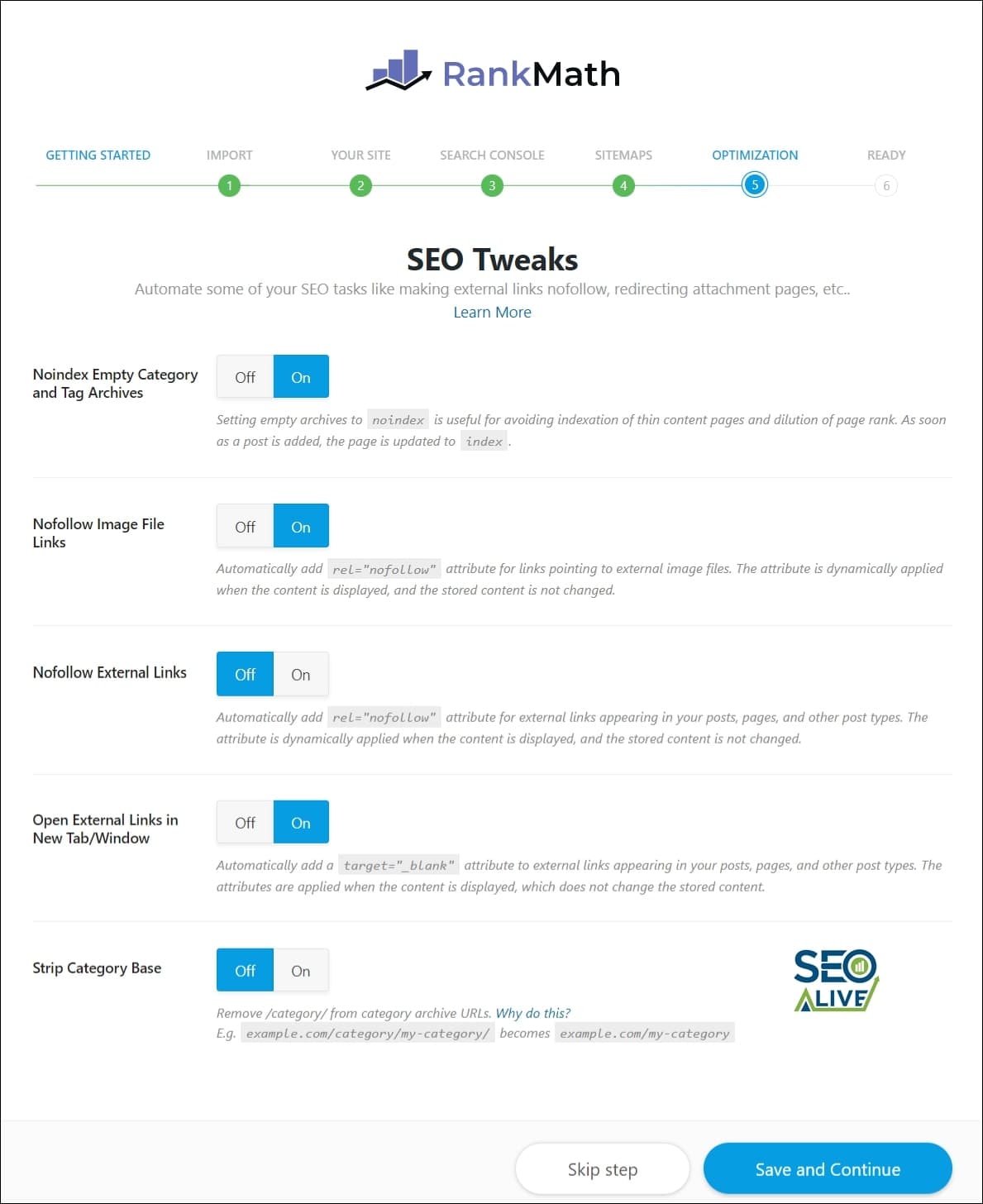
Advanced SEO settings configuration panel in Rank Math.
6. End
We have it all! Once all these options are configured, we'll have the option to activate the modules we explained earlier:
- Redirects
- 404 error monitor
Now it will be time to keep working hard every day to take full advantage of the plugin and strive to achieve good results.
Rank Math vs Yoast SEO
We couldn't conclude the Rank Math analysis without making a small comparison with Yoast SEO, its main competitor and probably the most used SEO plugin for WordPress in the world. If things continue like this, it seems the trend will soon change and we'll be talking about Rank Math as the great dominator... We'll see!
In this case, we wanted to highlight everything that Rank Math has that Yoast SEO doesn't and not perform a more generic analysis of all its features:
Feature Rank Math Yoast SEO
Search Console Integration Yes No
Optimize up to 5 keywords Yes No
Ability to activate/deactivate modules Yes No
Free Redirection System Yes No
404 Error Monitor Yes No
Advanced Structured Data Support Yes No
Breadcrumbs Yes No
Conclusions
From the above analysis, we could say that Rank Math is a miracle from heaven that can do it all and that will make our SEO strategy grow rapidly with a couple of clicks. The truth is that it isn't. Not everything is good as you might imagine. After spending several months testing it thoroughly, we've found a series of drawbacks worth highlighting so you can take them into account before installing it.
Main Advantages:
- Number of Tools Available
- Price (100% free)
- Fast and effective technical support
Main Disadvantages:
- It doesn't include a tool to create the Google News Sitemap
- It doesn't include a tool to create the Google Images sitemap
- Errors have occurred several times with the redirect module that have caused all created redirects to stop working for several days, creating serious errors at the SEO, crawling, and indexing level.
- It allows editing "sensitive" files such as htaccess and that has generated many vulnerabilities for several users.
Even so, our sincerest congratulations to the Rank Math team for all the work they have done.
What plugin do you use and which do you think is the best SEO plugin on the market for WordPress?
We look forward to your analyses in the comments section.
References
Author: David Kaufmann

I've spent the last 10+ years completely obsessed with SEO — and honestly, I wouldn't have it any other way.
My career hit a new level when I worked as a senior SEO specialist for Chess.com — one of the top 100 most visited websites on the entire internet. Operating at that scale, across millions of pages, dozens of languages, and one of the most competitive SERPs out there, taught me things no course or certification ever could. That experience changed my perspective on what great SEO really looks like — and it became the foundation for everything I've built since.
From that experience, I founded SEO Alive — an agency for brands that are serious about organic growth. We're not here to sell dashboards and monthly reports. We're here to build strategies that actually move the needle, combining the best of classical SEO with the exciting new world of Generative Engine Optimization (GEO) — making sure your brand shows up not just in Google's blue links, but inside the AI-generated answers that ChatGPT, Perplexity, and Google AI Overviews are delivering to millions of people every single day.
And because I couldn't find a tool that handled both of those worlds properly, I built one myself — SEOcrawl AI, an enterprise SEO intelligence platform that brings together rankings, technical audits, backlink monitoring, crawl health, and AI brand visibility tracking all in one place. It's the platform I always wished existed.
Discover more content about this author