Hreflang: What It Is and How to Implement It
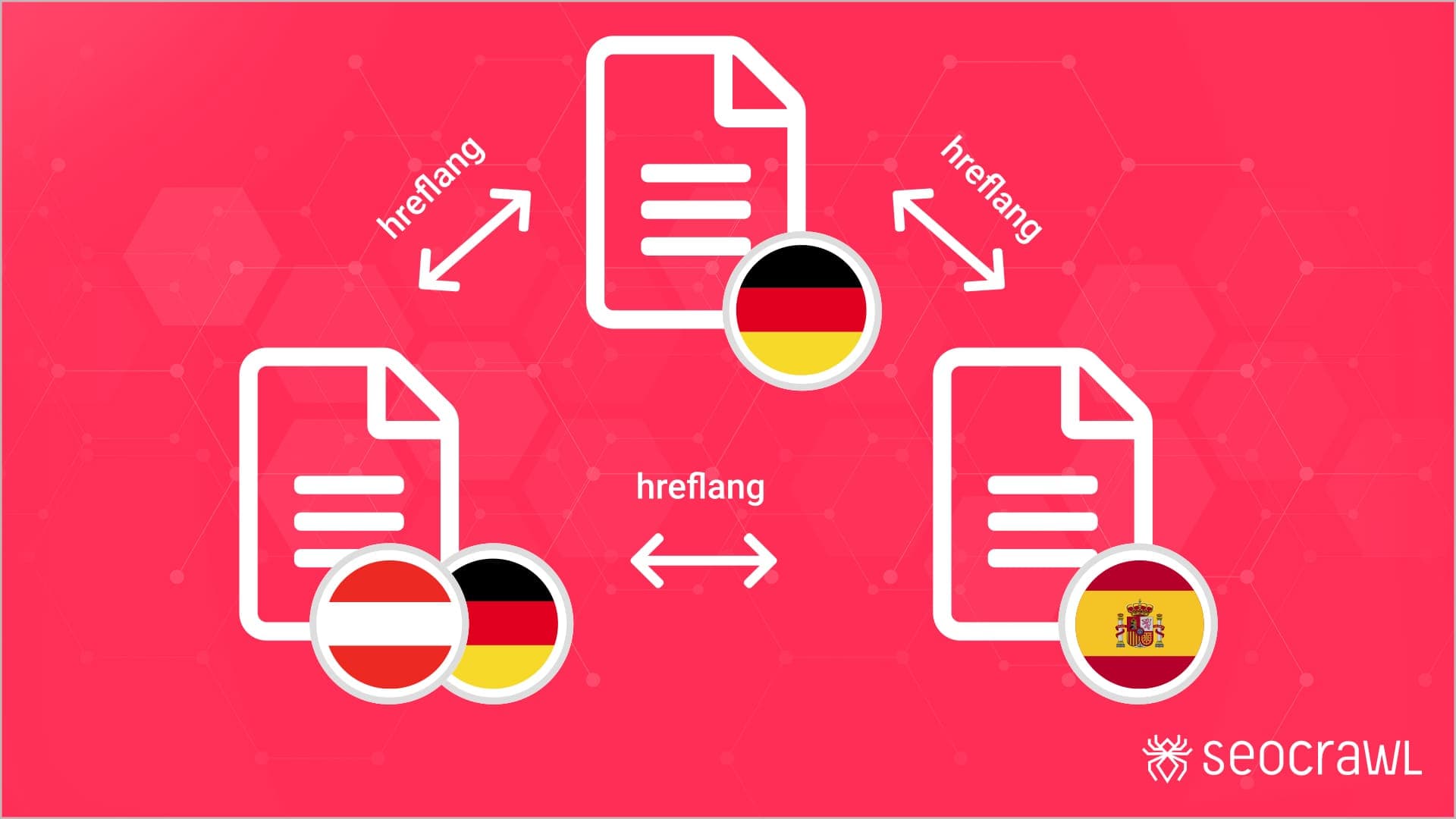
We are dominating a market with our product/service and we are getting ready to expand it internationally. The process seems simple but we must pay attention to a series of details if we want to do it right and achieve the desired results. In this guide you will see how to implement Hreflang Tags for your International SEO strategy.
What are Hreflang tags?
Hreflang tags are pieces of code that appear in the header of the pages whose purpose is to tell Google the versions in other languages of our pages.
It seems obvious but there are many cases in which companies translate their content but then forget to add the hreflang tags and then two scenarios typically occur:
- In the best case, Google does not crawl the content.
- In the worst case, Google crawls it and upon seeing that it is duplicate content, not only does it not show it in search results but also decreases the overall "authority" of the website.
In Google's words:
"Localized versions of a page are only considered duplicates if their main content is not translated."
Ways to carry out the implementation
As Google reports in its official guides, there are currently three ways to implement tags that indicate that a page has alternative versions in other languages:
HTML Tags (Recommended)
One of the most common ways to indicate that a page has equivalents in other languages is HTML tags in the header:
<link rel="alternate" hreflang="language_code" href="page_url" />
Let's imagine we have a main website (in English), which is also available in other countries and languages (UK, USA and Germany). In this case, we should add the following code in the header of each page:
<head>
<title>Widgets, Inc</title>
<link rel="alternate" hreflang="en-gb" href="http://en-gb.example.com/page.html" />
<link rel="alternate" hreflang="en-us" href="http://en-us.example.com/page.html" />
<link rel="alternate" hreflang="en" href="http://en.example.com/page.html" />
<link rel="alternate" hreflang="de" href="http://de.example.com/page.html" />
<link rel="alternate" hreflang="x-default" href="http://www.example.com/" />
</head>
In this way, we will tell search engines that the other pages are not duplicates but are the translations of the website in other languages.
HTTP Headers
If what we want to do is indicate the versions in other languages of documents and other files that are not HTML, we have HTTP headers at our disposal:
In the following case, it is a PDF document that is available in English, in German for users in Switzerland and the other for all users who speak German.
Link:

<http://example.com/file.pdf>; rel="alternate"; hreflang="en",
<http://de-ch.example.com/file.pdf>; rel="alternate"; hreflang="de-ch",
<http://de.example.com/file.pdf>; rel="alternate"; hreflang="de"
Sitemap
Another way that many websites have used over time is to indicate international versions through the Sitemap. It should be noted that this is a much more complex method on a technical level and more susceptible to errors since it is very easy to omit some of the pages.
Example of a sitemap with one page:
<?xml version="1.0" encoding="UTF-8"?>
<urlset xmlns="http://www.sitemaps.org/schemas/sitemap/0.9"
xmlns:xhtml="http://www.w3.org/1999/xhtml">
<url>
<loc>http://www.example.com/english/page.html</loc>
<xhtml:link
rel="alternate"
hreflang="de"
href="http://www.example.com/deutsch/page.html"/>
<xhtml:link
rel="alternate"
hreflang="de-ch"
href="http://www.example.com/schweiz-deutsch/page.html"/>
<xhtml:link
rel="alternate"
hreflang="en"
href="http://www.example.com/english/page.html"/>
</url>
TOOL: This Chrome extension allows us to validate the implementations. Our free SEO extension for Chrome also reads every hreflang tag on the page and flags the ones missing a return link. Even so, don't forget to check them manually in the code to verify them 100%.
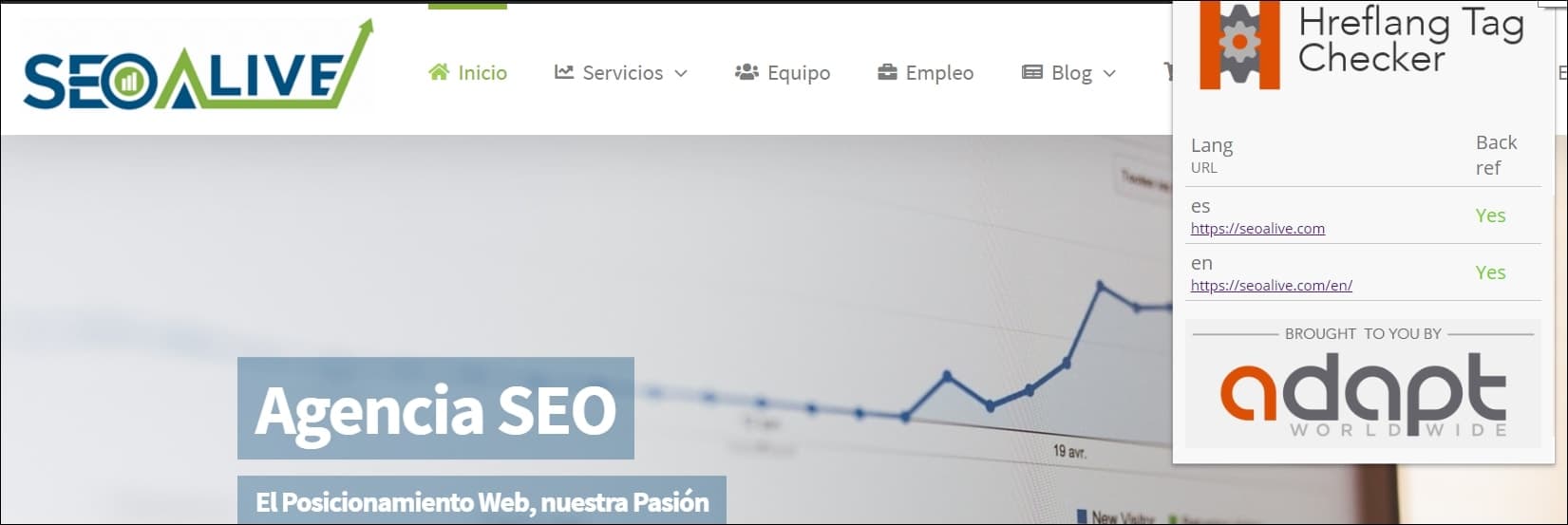
With this extension, we can check our hreflang tag implementations.
Language and Region Codes
Once we have seen the topic of international data markup, let's move on to one of the most interesting topics in the International SEO process. These are the language and region codes. Until recently, there was not abundant information on the subject and it was not at all easy to avoid errors in the markup of languages and countries.
Each country and each language is a world of its own. They all have their differences, peculiarities, cultures, values... and that is why many businesses adapt to it to try to provide content in the most native way possible. A clear example occurs between the Spanish spoken in Spain and that spoken in Mexico. Despite sharing many expressions, there are others that are nothing alike and users from each country like to find the version that is most familiar to them.
Google makes available the possibility of adding language and region codes in the hreflang tags.
For example:
- de: this content would be intended for users who speak German regardless of their region.
- es-MX: this content will be intended for users who speak Spanish and are also from Mexico.
- en-GB: this content will be intended for users who speak English in the United Kingdom.
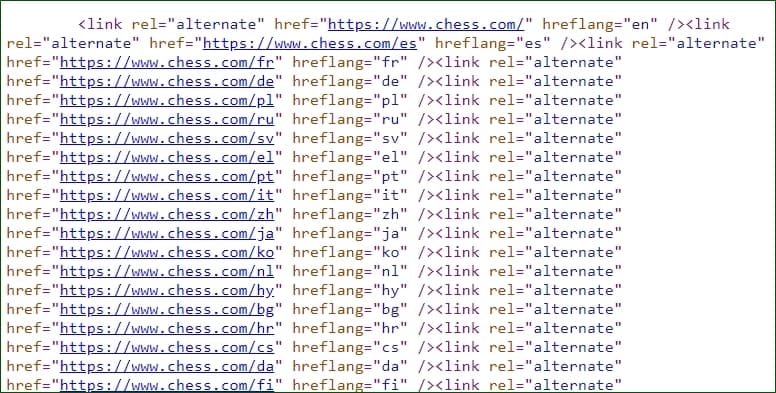
*Example of hreflang tags on Chess.com (one of our biggest clients) with some of the available languages (+40 in total). *
What happens if we don't mark all the countries in which a language can be spoken?
Logically, this is unfeasible to add. That is why we have the tag: hreflang="x-default", which will allow us to serve this version to the user when their browser configuration does not match any of the languages or regions we have indicated.
<link rel="alternate" href="http://example.com/" hreflang="x-default" />
Common Errors
Sounds easy, right? The only important detail is that Google is quite meticulous with implementations. If we make a mistake in a letter or leave out a link, it will return an error and will not accept our markup. Below, you can see some of the most common errors that often occur (and some from our own experience):
Forgetting reciprocal links
If our page A has a hreflang link to page B but the latter does not return another hreflang link to page A, Google will not create the association and therefore will continue to detect those pages as duplicates.
Changing region or country codes
While in urls, we have flexibility to use whatever codes we want, for example using uk, gb or any other variation for United Kingdom, the same does not happen with hreflang tags. If we use uk instead of the correct en-GB, Google will not be able to interpret the information and therefore will not validate the implementation.
In this case, to make sure we always use correct formats, we must follow the formats:
- ISO 639-1
- ISO 3166-1 Alpha 2 (optional)
Analyzing the hreflang tags of a website
Until a few weeks ago, Google Search Console showed a detailed report of the validations and errors of our hreflang implementation. However, with the launch of the new interface, this functionality is becoming obsolete and soon will no longer be available.
In this case, despite the fact that there are dozens of SEO tools on the net to work on this topic, from our point of view, the #1 tool that makes this process fast and easy to analyze is undoubtedly Screaming Frog. It not only tells us all the urls that it has detected with markup but also classifies them if they have errors and tells us exactly what type of error they have so that we can validate it.
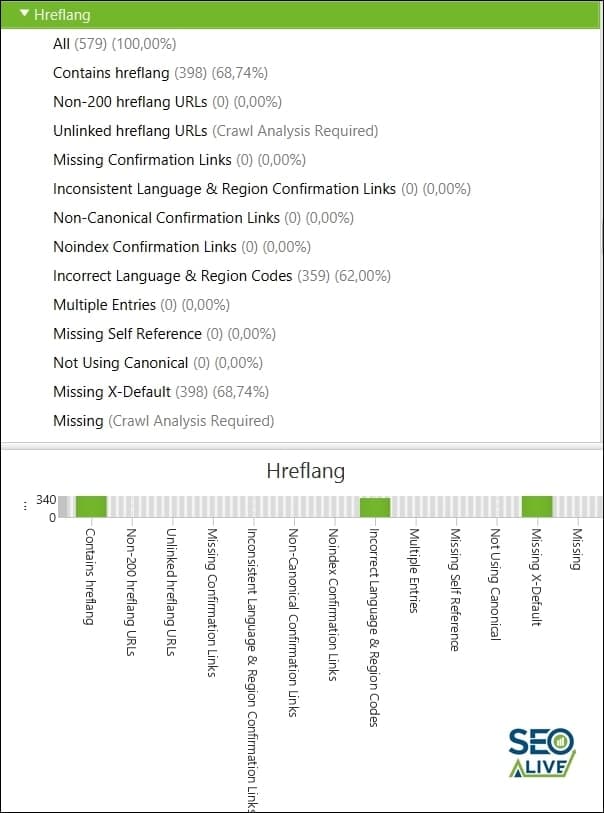
View of the Hreflang analysis performed by Screaming Frog with all the information in schema format.
Success Stories
Although most SEO actions require some time before showing the first results, hreflang tags are surely one of those quick-wins that we must implement as soon as possible in those projects where possible. One of the clearest SEO success stories of this was ChessKid.com, one of our clients, which had the website translated into almost 20 languages. The problem? It did not have the hreflangs implemented and also hid the language change behind a login, so the international versions were totally inaccessible.
What did we do?
- Create a dropdown with the languages in the footer.
- Add hreflang tags to all the pages that required them.
The results?
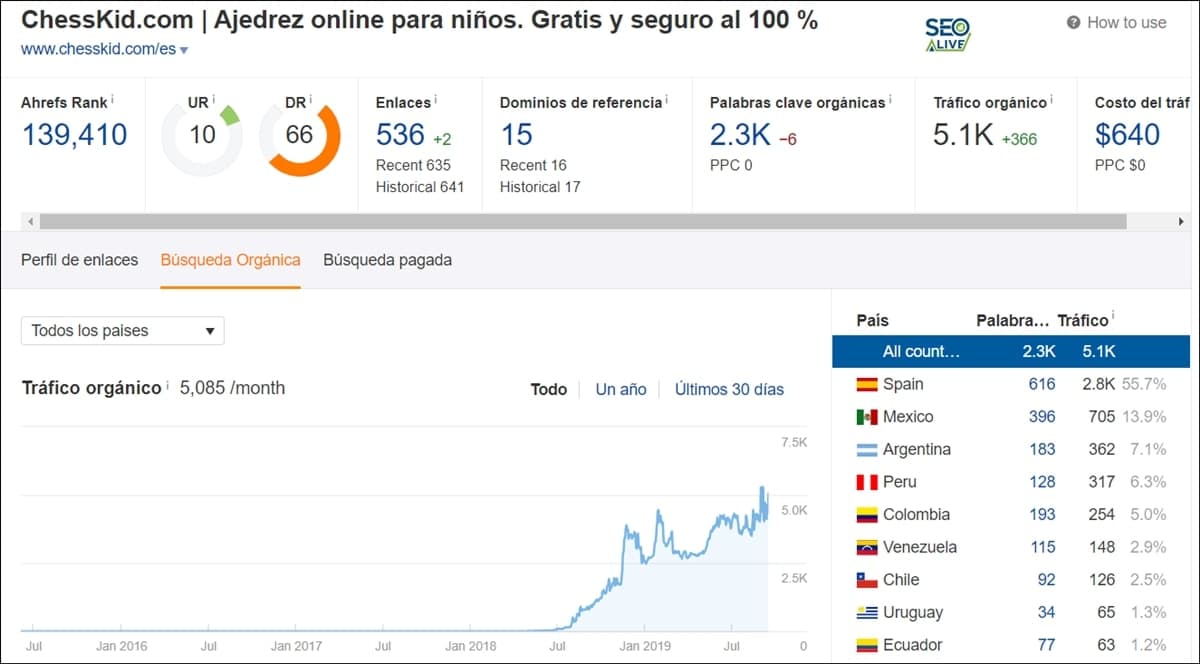
Results of the Hreflang tag implementations on ChessKid.com
Do you have questions? Would you like us to help you implement hreflang tags in your business? We'll be happy to help!
References
Author: David Kaufmann

I've spent the last 10+ years completely obsessed with SEO — and honestly, I wouldn't have it any other way.
My career hit a new level when I worked as a senior SEO specialist for Chess.com — one of the top 100 most visited websites on the entire internet. Operating at that scale, across millions of pages, dozens of languages, and one of the most competitive SERPs out there, taught me things no course or certification ever could. That experience changed my perspective on what great SEO really looks like — and it became the foundation for everything I've built since.
From that experience, I founded SEO Alive — an agency for brands that are serious about organic growth. We're not here to sell dashboards and monthly reports. We're here to build strategies that actually move the needle, combining the best of classical SEO with the exciting new world of Generative Engine Optimization (GEO) — making sure your brand shows up not just in Google's blue links, but inside the AI-generated answers that ChatGPT, Perplexity, and Google AI Overviews are delivering to millions of people every single day.
And because I couldn't find a tool that handled both of those worlds properly, I built one myself — SEOcrawl AI, an enterprise SEO intelligence platform that brings together rankings, technical audits, backlink monitoring, crawl health, and AI brand visibility tracking all in one place. It's the platform I always wished existed.
Discover more content about this author