Google Discover in Search Console: How It Works
Google Discover is the feed of articles, videos, and stories Google surfaces in the Google app and on the mobile homepage, chosen from a person's interests rather than a search they typed.
For many sites, Google Discover can send real traffic. Luckily, Search Console has a dedicated report to measure it.
Learn what the Discover report shows, who qualifies to appear, how to read it without misreading the swings, and the handful of things that actually move Discover traffic.

What Google Discover is, and how it differs from Search
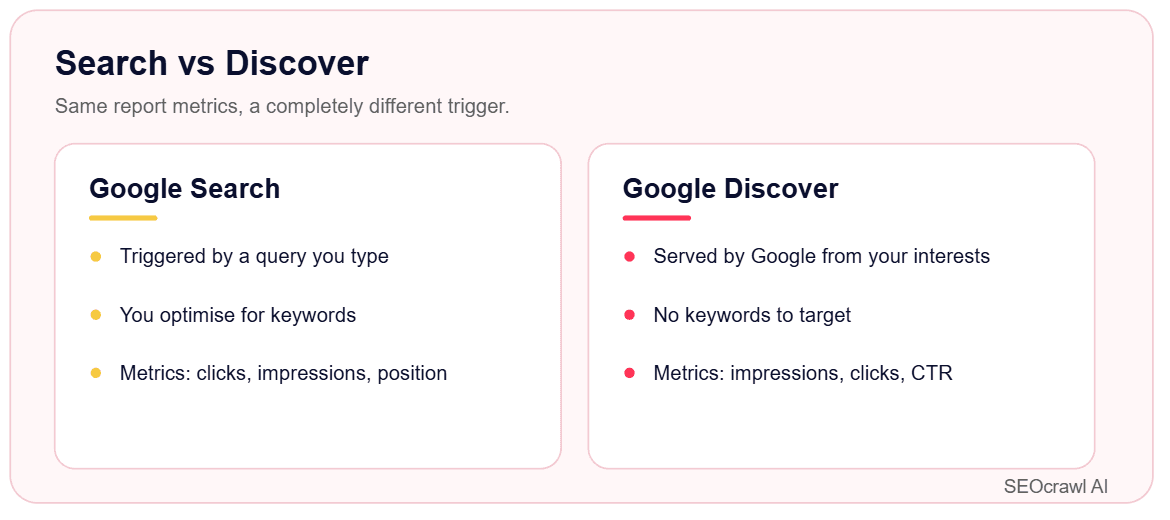
Search answers a query, but Discover works the other way around: it pushes content to people based on what Google thinks they care about, before they search for anything.
That difference is what shapes the report: Discover has no keywords. There is no query behind a Discover impression, so you can't optimize for a target term. You optimize for topics, quality, and the visual that appears in the feed.
The Discover report in Search Console: what it shows
The Performance report for Discover appears in the left navigation on its own, below Search results.
It shows up automatically once your property passes a minimum impression threshold in Discover. Google doesn't publish the exact number, so if you don't see the report, your site hasn't earned enough Discover visibility yet.
The report covers three metrics, going back 16 months:
- Impressions: your content was scrolled into view in someone's feed.
- Clicks: someone tapped through to your page.
- CTR: clicks divided by impressions.
You can group the data by page, country, appearance type, and day, and filter or compare across those dimensions.
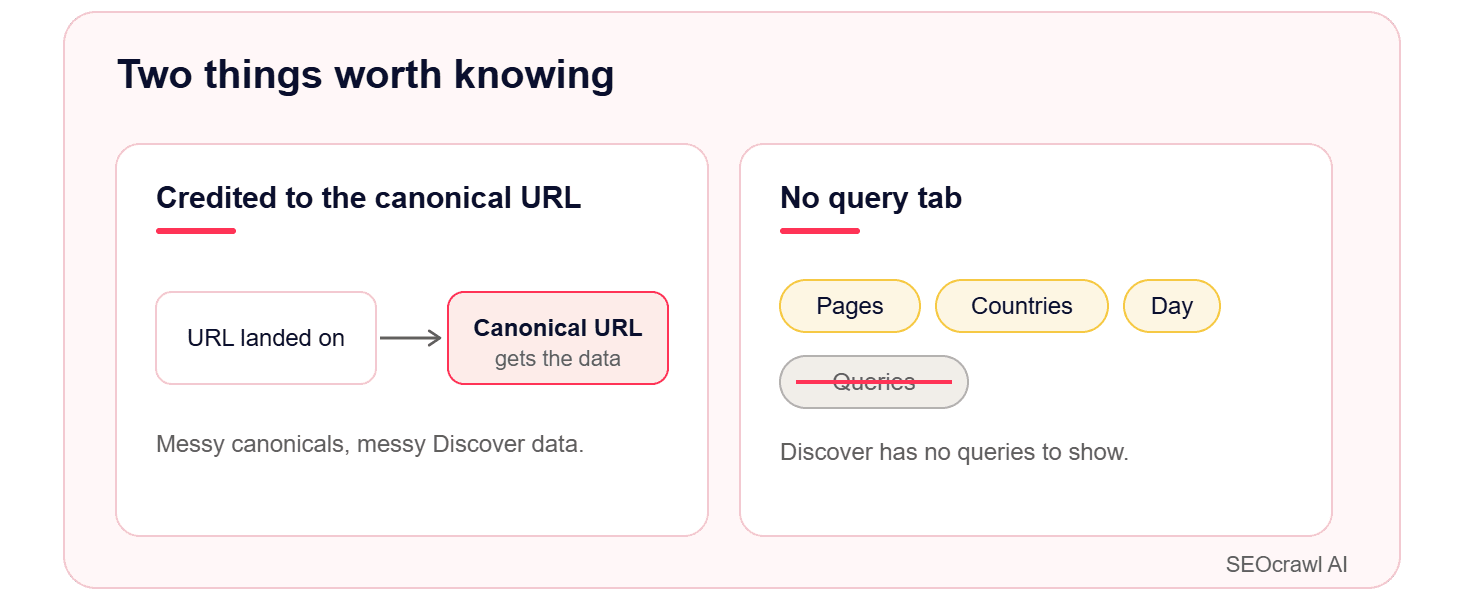
Google has also added a separate generative AI performance report for Discover, which breaks out impressions from generative AI features in the feed. It started rolling out to all websites at the end of August 2026, so it may take a little while to show up in your account.
Who gets into Discover: the two eligibility rules
Discover eligibility sounds mysterious, but Google states it plainly. Content is automatically eligible if it meets two conditions:
- It is indexed by Google.
- It meets Discover's content policies (nothing misleading, dangerous, or in violation of the standard policies).
You do not need AMP, structured data, or any special tag to qualify, and there's no form to submit.
Remember: eligible is not the same as guaranteed. Discover uses the same helpful, people-first signals as Search to decide what actually appears. And if you break a content policy, a Discover manual action can show up under Security and Manual actions in Search Console, so that report is the first place to look if traffic vanishes.
How to read the report and spot spikes
Discover traffic tends to concentrate in a few winners, and one article catching the feed can dwarf everything else. When you see a spike, filter to that page and switch the grouping to Day to find where it began, then look at what that page did differently: the topic, the timing, the lead image.
A note on fresh data: the last day or two in the report is preliminary and shown as a dotted line on the chart, so don't react to a "drop" that is really just data still being collected.
How to grow Discover traffic
You can't target keywords, so the levers are content quality and presentation.
- Google explicitly recommends using large, high-quality images (at least 1200 px wide and over 300,000 pixels; a 1280x720 image clears both easily), and enabling large previews with the
max-image-preview:largerobots setting. The image is what sells the tap in the feed, so this matters more here than almost anywhere else in SEO.
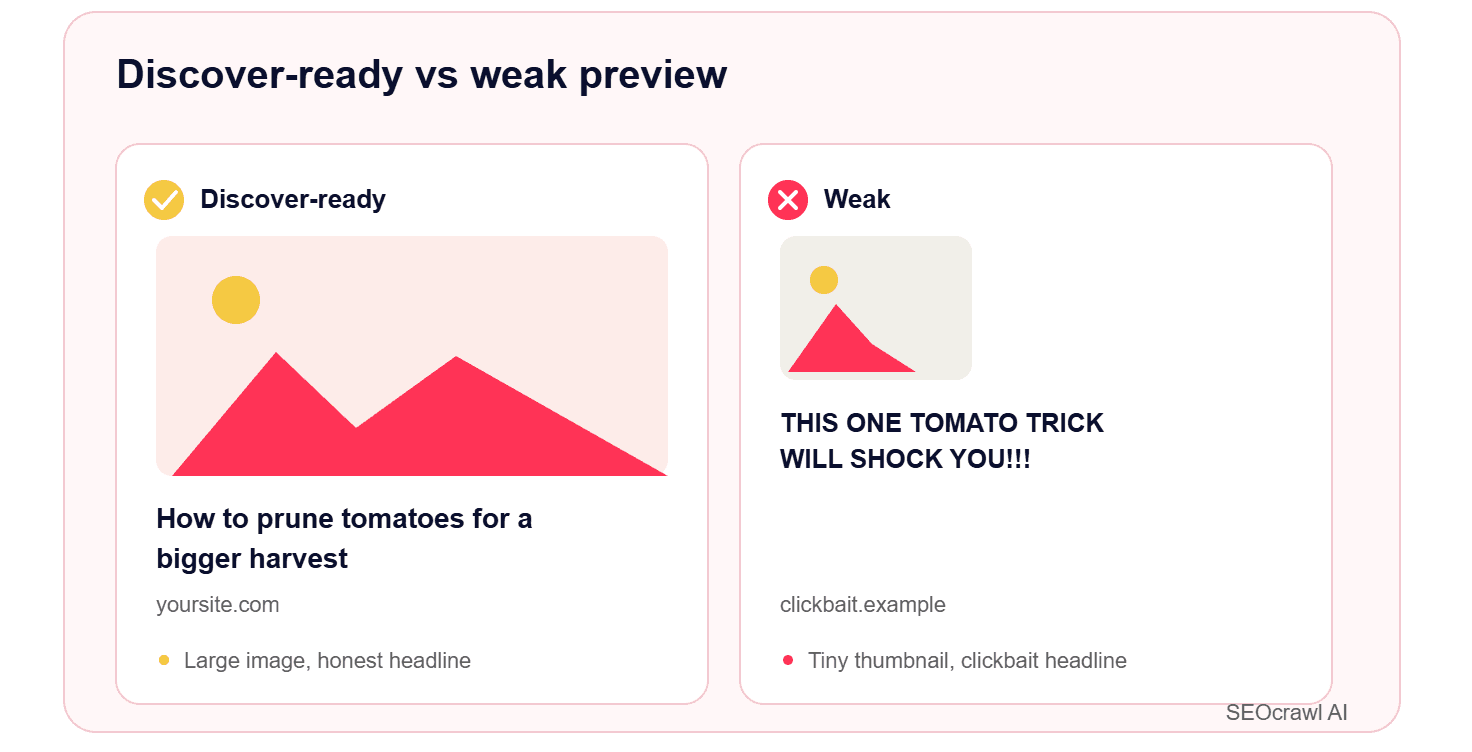
- Clickbait and sensational headlines work against you in Discover, where misleading previews are a policy issue, not just a style one.
- Publish timely or genuinely useful content that tells a story or offers a real insight. Evergreen pieces can resurface long after publication if they stay relevant.
- Build trust signals: clear authorship, expertise, and citations feed the same E-E-A-T signals Discover borrows from Search.
Why Discover traffic swings, and how to track it over time
Discover traffic is less predictable than Search, and Google itself treats it as supplemental.
A page can pull thousands of impressions one week and near zero the next without anything being wrong on your end. Google's own guidance is not to build your business on Discover alone.
That volatility is exactly why you want a longer view than a single feed cycle. But Search Console only keeps 16 months of data (the same limit that caps your Search Console keywords), which makes year-over-year Discover analysis impossible once older months roll off.
Track Discover the easy way
For teams that want a longer, cleaner view, that is built into SEOcrawl AI's SEO Dashboard. It tracks Discover impressions, clicks, and CTR in a Google Discover dashboard kept separate from Search, and stores your history without the 16-month cap, so year-over-year comparison stays possible.
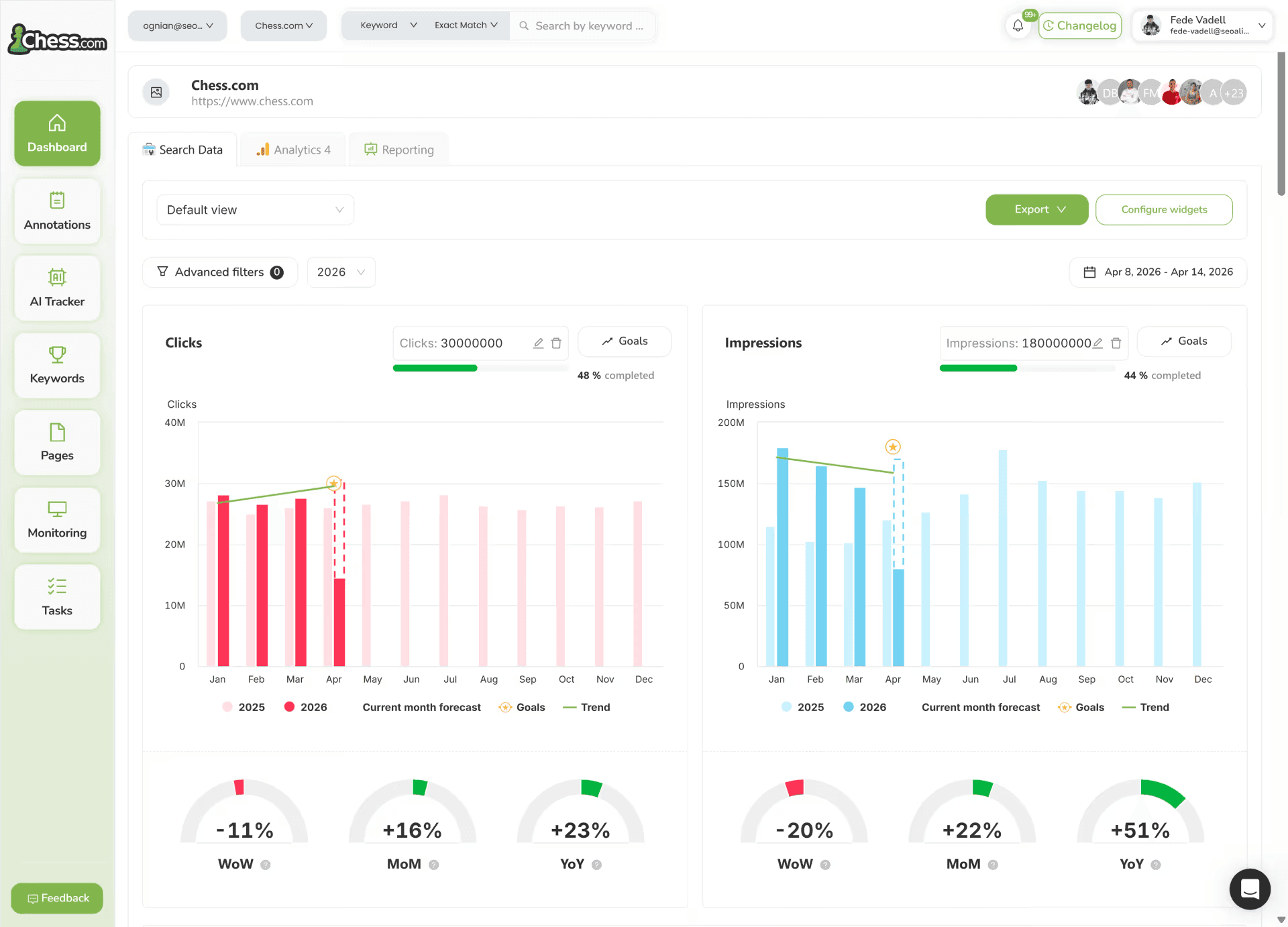
You can also group the pages behind your Discover traffic with tags and measure them as a set, and that tagging runs three ways: manually, through auto-tag rules that label pages as they appear, or straight from Claude or ChatGPT via the SEOcrawl AI MCP.
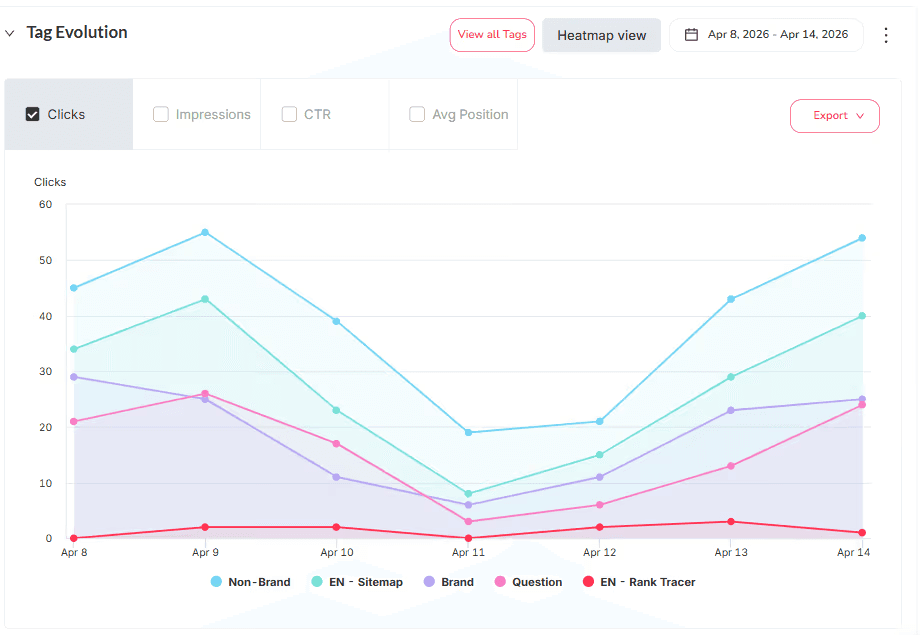
Set the segment up once, and it keeps working, instead of rebuilding a filter every visit.
FAQs
What is the Discover report in Google Search Console?
It's a Performance report showing how your content does in the Google Discover feed: impressions, clicks, and click-through rate over the last 16 months. You can find it below the Search results report in the left menu, and it appears only once your site passes a minimum impression threshold in Discover.
Why don't I see a Discover report?
Almost always because your property hasn't reached the minimum number of Discover impressions Google requires to show it. Google doesn't publish the exact figure, and there's no setting to switch the report on: it appears on its own once you have enough Discover visibility.
If you also see a Discover manual action under Security and Manual actions, a policy violation may be keeping your content out of the feed entirely.
How do I get my content on Google Discover?
There are only two requirements: your page must be indexed by Google and comply with Discover's content policies. No AMP, structured data, or special tags are needed.
To improve your odds once you're eligible, use large, high-quality images (at least 1200 px wide and over 300,000 pixels), write accurate non-clickbait titles, and publish timely, trustworthy content with clear authorship. Eligibility never guarantees appearance, since Discover picks what to show based on user interest.
Why did my Discover traffic drop?
Usually because Discover is volatile by design. Google serves it proactively and calls it supplemental, so impressions can fall sharply with no change on your side, especially as a page ages out of people's interest windows.
First, check Security and Manual actions for a policy issue, confirm the pages are still indexed, and ignore the last day or two of preliminary data before reading a decline as permanent.
How do I track Discover traffic beyond 16 months?
SEOcrawl AI stores your Discover history without that cap in a dedicated dashboard, and lets you tag the pages behind your Discover traffic (manually, by rule, or through its MCP) so you can watch a group of articles trend over the long term.
Author: David Kaufmann

I've spent the last 10+ years completely obsessed with SEO — and honestly, I wouldn't have it any other way.
My career hit a new level when I worked as a senior SEO specialist for Chess.com — one of the top 100 most visited websites on the entire internet. Operating at that scale, across millions of pages, dozens of languages, and one of the most competitive SERPs out there, taught me things no course or certification ever could. That experience changed my perspective on what great SEO really looks like — and it became the foundation for everything I've built since.
From that experience, I founded SEO Alive — an agency for brands that are serious about organic growth. We're not here to sell dashboards and monthly reports. We're here to build strategies that actually move the needle, combining the best of classical SEO with the exciting new world of Generative Engine Optimization (GEO) — making sure your brand shows up not just in Google's blue links, but inside the AI-generated answers that ChatGPT, Perplexity, and Google AI Overviews are delivering to millions of people every single day.
And because I couldn't find a tool that handled both of those worlds properly, I built one myself — SEOcrawl AI, an enterprise SEO intelligence platform that brings together rankings, technical audits, backlink monitoring, crawl health, and AI brand visibility tracking all in one place. It's the platform I always wished existed.
Discover more content about this author