Google Search Console Keywords: How to Find, Analyze and Act On Them
Google Search Console keywords are the search queries real users typed into Google before clicking through to your site or seeing it appear in the results. GSC reports first-party, Google-verified data for your domain only.
Most SEO teams open the Performance report once a week, skim the top keywords, and close the tab. But there's much more you can do with your GSC data.
We cover how to find your keyword data, how to read the four metrics (without falling into the common traps), five high-ROI plays, and a workflow for moving from a CSV of keywords to a content roadmap. For everything else the tool does, see our complete Google Search Console guide.
How to find keywords in Google Search Console
Open Google Search Console and select the property you want to analyze. From the left sidebar, click Performance > Search results.
At the top of the report, enable the four metric toggles: clicks, impressions, average CTR, and average position. Then scroll down and click the Queries tab to find your keyword list.
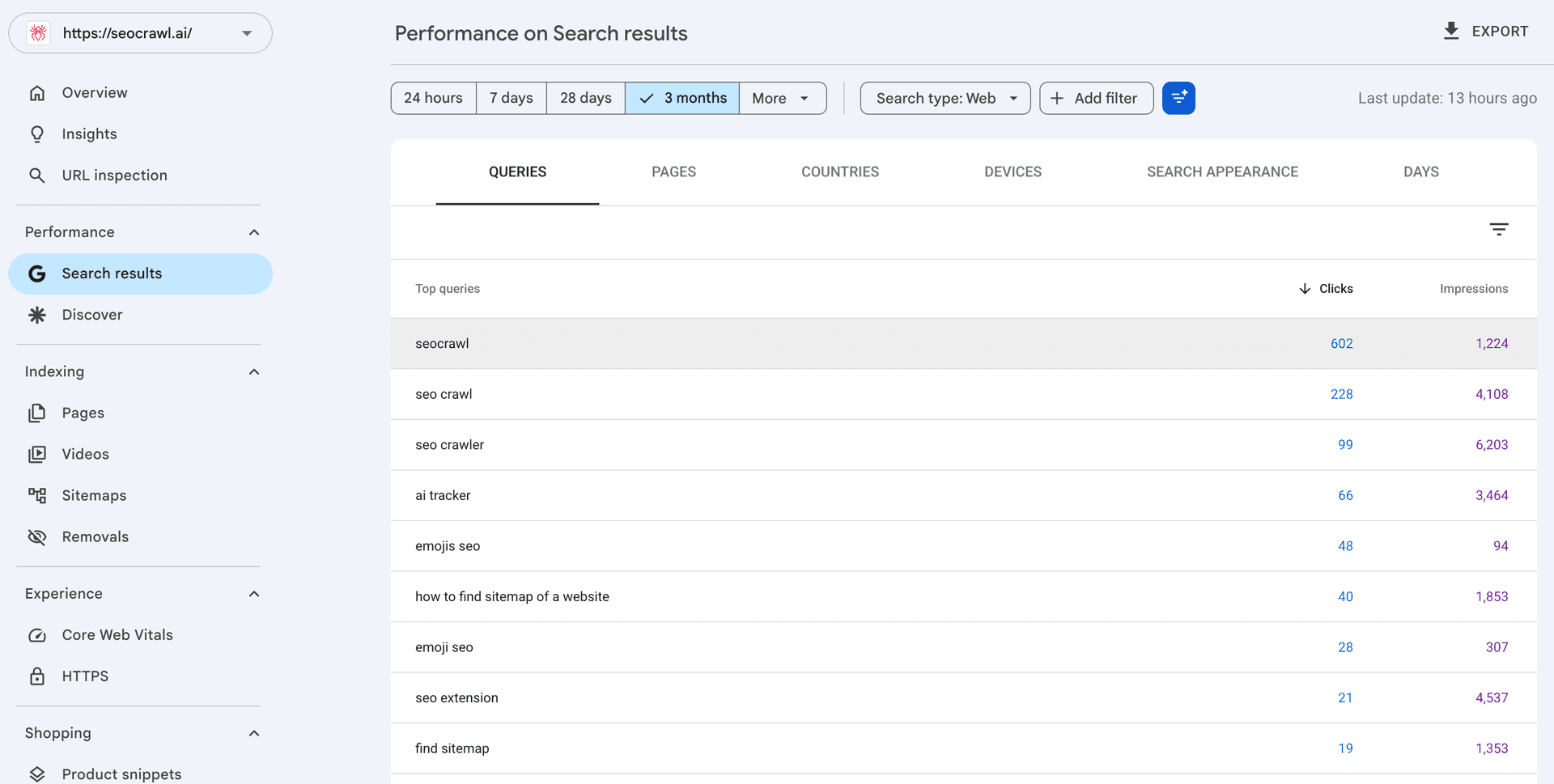
If you're looking to find optimization opportunities, sort by impressions to surface queries that show up often but don't yet drive traffic.
A few filters change how useful the report gets:
- Date range. Three months is the working default. Twelve or sixteen months for trend work.
- Country and device. Different audiences search differently. Always check Mobile separately.
- Search type. Web, image, video, news, and Discover. Keyword behavior shifts between them.
- Regex filter (inside Queries). The most underused control in GSC. You can filter for question keywords, brand variants, or specific patterns without exporting.
For exporting, you can click the Export button (capped at 1,000 rows) or use the Search Console API (full data, requires authentication). For the full keyword set kept over time, connect SEOcrawl AI as an automatic data warehouse — it ingests every query through the API and stores the history for you, with no row cap and no BigQuery project to set up or maintain.
The five high-ROI plays with GSC keyword data
These are the patterns SEO teams actually use to convert keyword data into rankings.
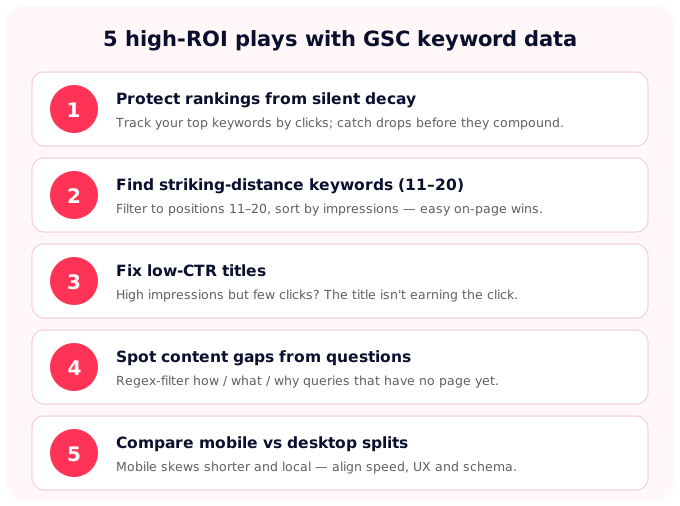
1. Protect your high-value keyword rankings from silent decay
For most mature sites, a small share of keywords carries the bulk of the organic traffic. Sort the Queries report by clicks descending and pull the top 20–30. Those are the keywords you'll notice the most if they slip.
Set a monthly check on this list. If a top keyword drops from position 3 to position 7, you have a short window to react before traffic compounds the loss.
The fix is usually one of three things: the page needs fresher content and updated examples, a competitor has shipped a deeper resource you need to match, or search intent has shifted (a query that was informational a year ago might be transactional now).
2. Find striking-distance keywords (positions 11–20)
Striking-distance keywords are queries where you rank in positions 11–20: close enough to the first page that an optimization can move them up, far enough that they're invisible to most users as they are.
According to Backlinko's CTR analysis, only about 0.63% of clicks come from page two of Google. Moving one page-two keyword to position 8 can be worth more traffic than ranking from scratch for a new query.
Filter the Queries tab to Position between 11 and 20, then sort by impressions descending. The keywords at the top of that list are the highest-leverage optimization candidates on your site.
The optimization itself is on-page: add the exact phrase to the title and at least one H2 or H3, work it into the body once or twice, strengthen internal links from related pages, and match the dominant SERP format (listicle, comparison, how-to).
3. Fix low-CTR titles with high-impression keywords
When a query gets impressions but few clicks, the page is showing up but the title or meta description isn't earning the click.
Filter for impressions above some threshold (1,000 in the last 28 days is a reasonable starting point) and check CTR against the position baseline. A position-3 query with 0.8% CTR is leaking clicks.
The fix is title and meta rework. Always lead with the keyword, add a specificity hook (a number, a year, a result), and address the intent in the meta description.
Google sometimes rewrites titles in the SERP, but a well-written tag still wins more often than a flat one. Track the change for 28 days, then re-check the CTR delta.
4. Spot content gaps from question queries
Question-based queries (how, what, why, when, can, is) often mirror real user intents that might not map to any page on your site yet. They're the cleanest source of new content ideas because the data tells you the impressions are already there.
Use the regex filter in the Queries tab with a pattern like ^(how|what|why|when|where|can|is|are|does|do)\b to surface them, and sort by impressions.
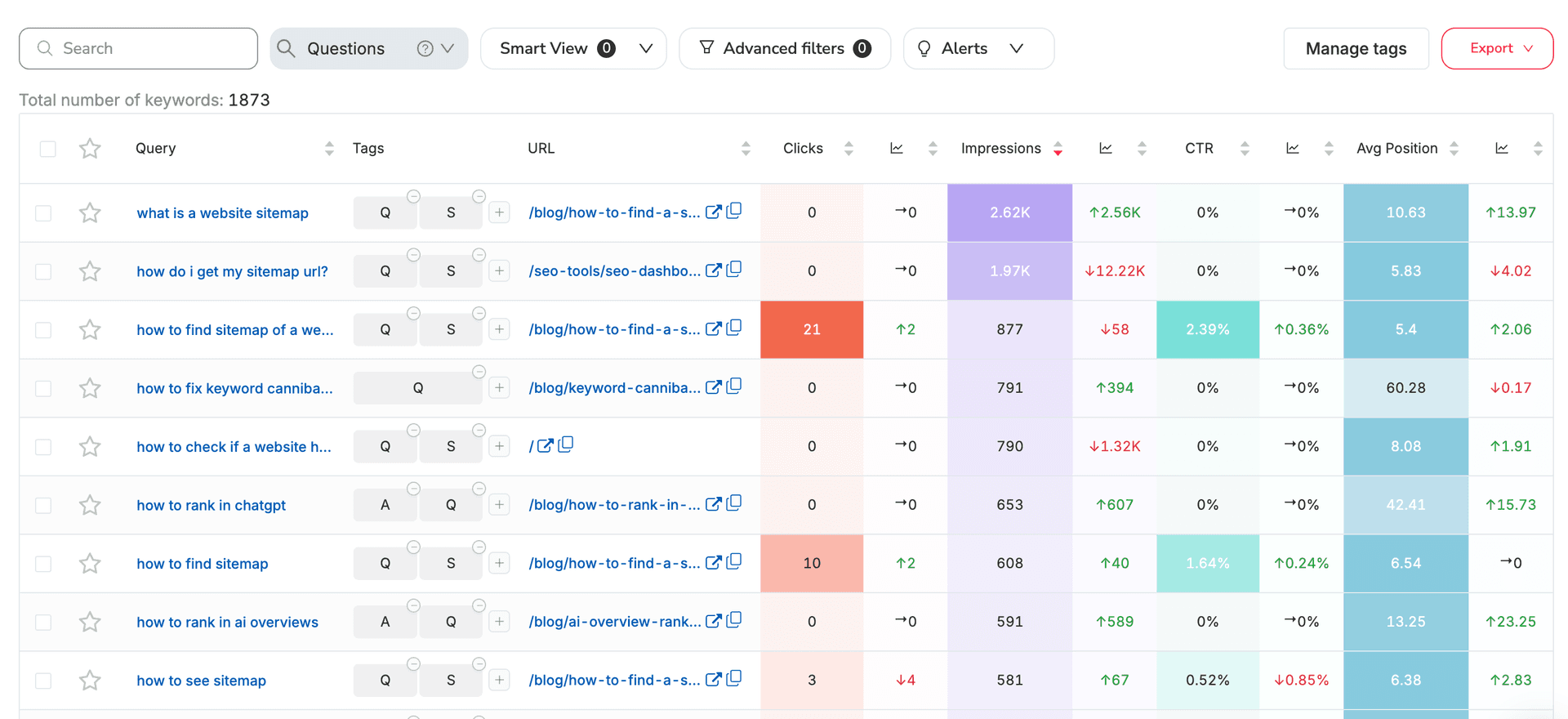
If you see a question with significant impressions and no dedicated page in your sitemap, you found a gap to explore.
The brief works backward from the query: the H1 answers the question directly, the article delivers the substance in the first 200 words, and the rest covers the adjacent queries that share the same intent.
5. Compare mobile vs desktop keyword splits
The same site shows up for different queries on mobile and desktop. Mobile audiences search shorter phrases, with more local intent ("near me") and more conversational phrasing ("how do I…"). Desktop skews longer and more research-oriented.
Filter the Queries report by Device > Mobile and compare against your overall keyword list.
The mobile-only or mobile-heavy queries point to where you should be prioritizing page speed, mobile UX, local schema, and shorter intro paragraphs. The mismatch between mobile keywords and mobile UX is one of the most common silent traffic losses.
The four hard limits of GSC keyword data (and how to get around them)
GSC is the most accurate keyword data source you have for your own site, but it has structural limits. Knowing them changes how you build the workflow around it.
The 16-month data ceiling
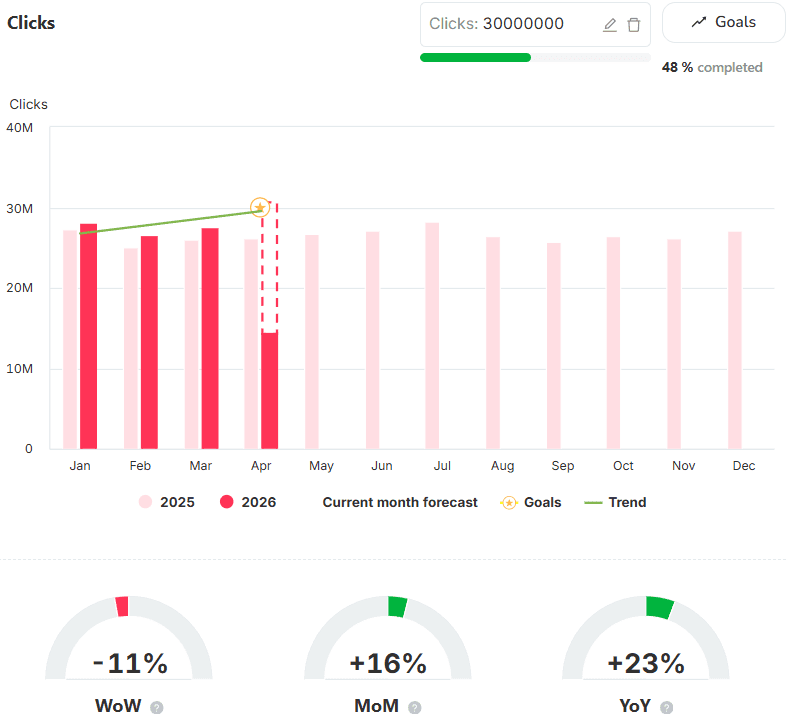
GSC retains 16 months of Performance data. The day a query rolls past month 17, it's gone. You get no archive, no API recovery, no support ticket that can help you out with year-over-year analysis beyond one full cycle or with seasonality tracking across multiple years.
The workaround is to store the data yourself, automatically. Monthly CSV exports work for the smallest sites, but at any real scale you want an automatic data warehouse that keeps the history for you.
Connecting SEOcrawl AI's SEO Dashboard does exactly that: it pulls the full 16-month backlog the moment you connect a property, then stores every day from there forward without overwriting — no BigQuery project or pipeline to maintain. The retention window stops being your problem after the first sync.
Anonymized queries
To protect user privacy, Google removes queries with very low traffic from the Performance report. They still show up in the totals at the top of the report, but they don't appear as individual rows in the Queries table.
On smaller or niche sites, the anonymized share can account for 30–50% of total impressions.
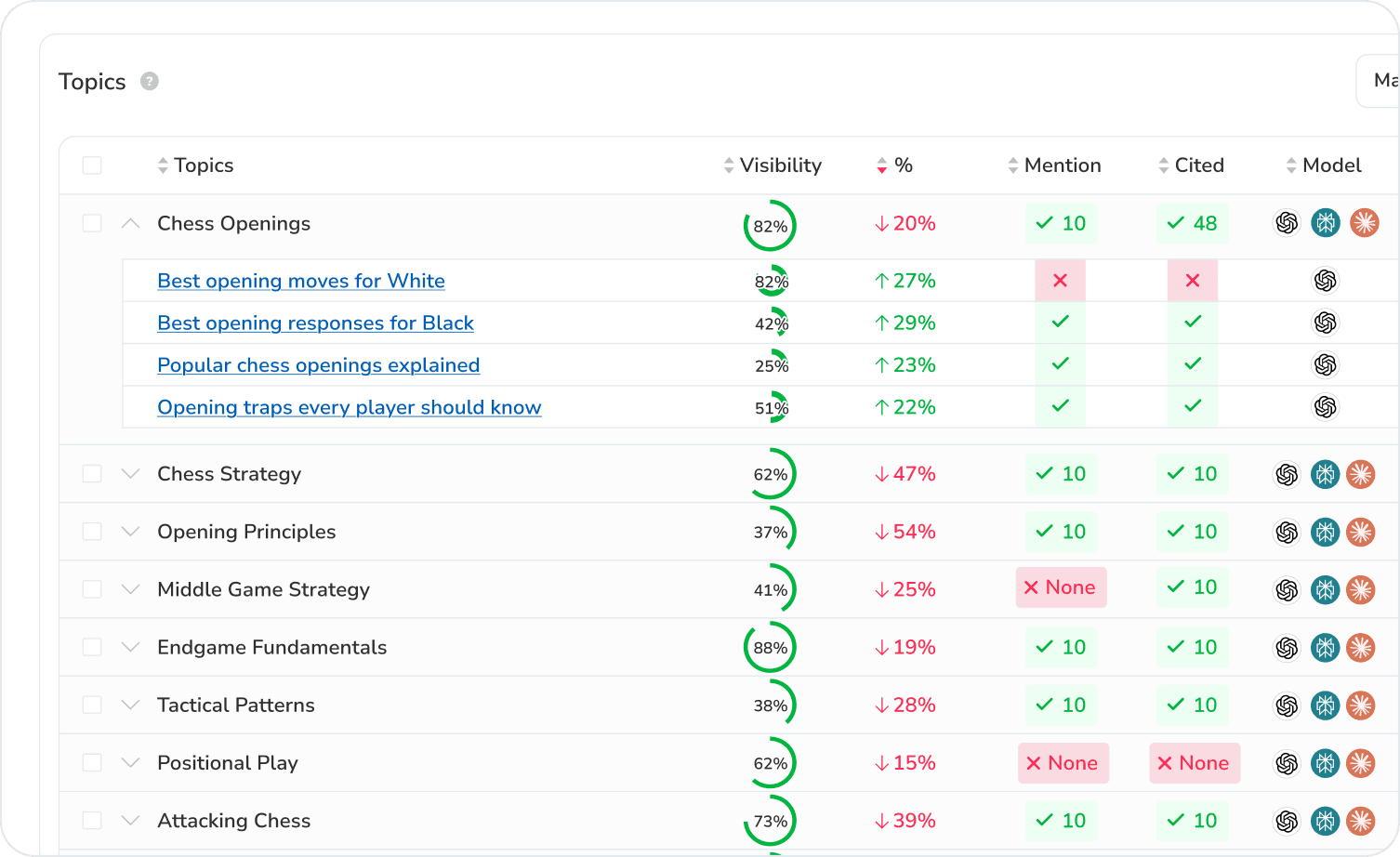
To get closer to the full picture, combine GSC with on-site search-term tracking, server log analysis, and AI search visibility data. Learn more about SEOcrawl AI's Prompt Tracking to help you find the queries users are asking AI.
The 1,000-row UI cap
The Performance report UI shows a maximum of 1,000 rows per table. For sites with thousands of indexed pages or tens of thousands of ranking queries, you're seeing the top of the iceberg.
If your site is large enough that the 1,000-row limit matters, your workflow can't live inside the GSC UI. You need a tool that ingests the full set. The 1,000-row export and the 16-month window are Search Console limits, not yours. SEOcrawl AI keeps every keyword and the full history as a data warehouse, pulling every query through the API with no row cap and keeping the full list searchable, filterable, and taggable, so nothing falls off the edge of the report when you need last year's numbers.
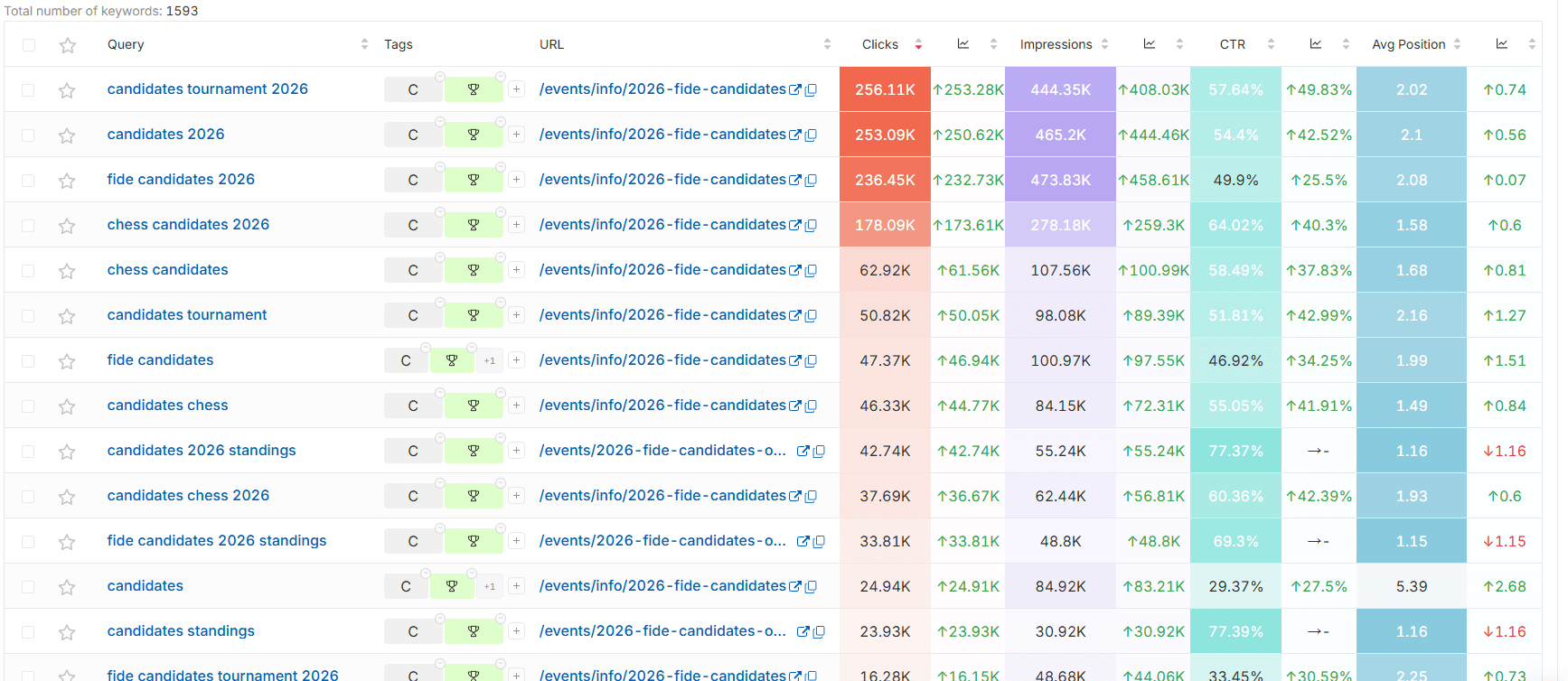
No native segmentation by topic, tag, or funnel stage
GSC offers regex and contains filters, but no taxonomy. You can't group keywords by topic cluster, by funnel stage, or by brand vs non-brand inside GSC itself. That means you end up exporting to a spreadsheet and tagging by hand.
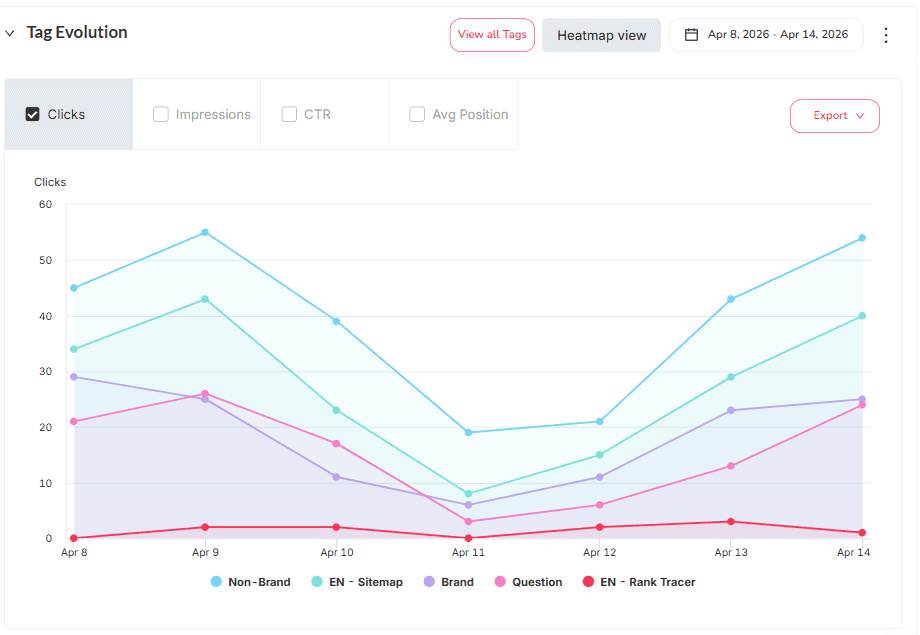
For a workflow you don't have to rebuild every week, the SEOcrawl AI SEO Dashboard supports tagging keywords and pages so you can slice the GSC report by anything you define: brand, topic cluster, intent type, sales stage.
| Limit | Search Console (default) | With SEOcrawl AI |
|---|---|---|
| 16-month data ceiling | Data older than 16 months is gone for good — no real year-over-year or multi-cycle seasonality | Full 16-month backlog pulled on connect, then stored forward indefinitely as an automatic data warehouse |
| Anonymized queries | Low-traffic queries are hidden (often 30–50% of impressions on small sites) | GSC data combined with on-site search, server logs and AI visibility for a fuller picture |
| 1,000-row UI cap | Only the top 1,000 rows per table are visible | Every query ingested through the API, with no row cap |
| No native segmentation | No grouping by topic, funnel stage, or brand vs non-brand | Tag keywords and pages to slice by brand, topic cluster, intent or funnel stage |
Why exporting and storing your GSC keywords matters more than ever in 2026
We've been working on SEOcrawl AI since 2020, and a lot has changed in the SEO world since then. The data layer that worked six years ago doesn't work the same way today.
Clicks compress in AI Overviews, queries disappear into anonymization, and brand visibility now lives across surfaces that GSC doesn't even report on. Storing your own keyword history used to be a nice-to-have, but today it's the only way to keep a usable baseline.
Your historical keyword record is SEO insurance: you set it up the moment you connect a tool that will store it for you.
From GSC keywords to a content roadmap
Don't lose months converting your keyword data into actionable steps. The workflow below is a quick version that actually works.
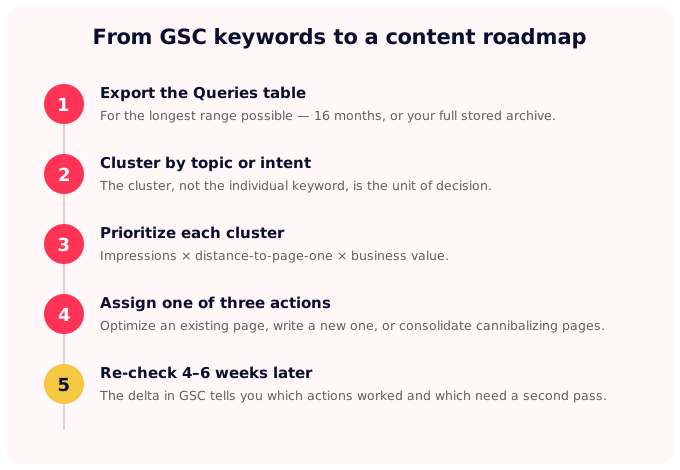
- Export the Queries table for the longest range possible (16 months, or your full archive if you've been storing it).
- Cluster by topic or intent. Manually for small lists, or with a clustering tool for anything over a few hundred keywords. The cluster, not the individual keyword, is the unit of decision.
- Prioritize by impressions × distance-to-page-one × business value. A cluster with 50,000 monthly impressions and an average position of 14 is worth more attention than a cluster with 200 impressions at position 4.
- Assign one of three actions per cluster. Optimize an existing page, write a new page, or consolidate two pages that are cannibalizing each other.
- Re-check the same clusters 4–6 weeks later in GSC. The delta tells you which actions worked and which need a second pass.
The bottleneck in this workflow is cluster analysis and prioritization at scale. But you can make the workload easier by using SEOcrawl AI's native MCP server.
You can query your GSC keywords, pages, tags, and historical performance directly from Claude, ChatGPT, or any agent that speaks MCP. Ask your AI agent "which of my striking-distance keywords are worth optimizing this month?" and get the prioritized list back in seconds.
FAQs
How do I find keywords in Google Search Console?
Open GSC, select your property, click Performance > Search results, enable the four metric toggles, and scroll to the Queries tab. By default the table sorts by clicks. Sort by impressions to find optimization opportunities, and use filters for country, device, and date range to slice the data by audience.
How long does Google Search Console keep keyword data?
GSC retains 16 months of keyword and performance data. Anything older falls off and isn't recoverable from Google. To analyze trends over longer windows — multi-year seasonality, full year-over-year cycles, brand growth over time — you need to export the data yourself or use a tool that stores it forward without overwriting.
Why are some keywords missing from my Google Search Console report?
Google removes queries with very low traffic from the Performance report to protect user privacy. They still count toward the totals at the top but don't appear as rows in the Queries table. On small or niche sites, the anonymized share can reach 30–50% of total impressions. The BigQuery export shows more queries than the UI, but anonymization still applies.
Can I track keyword rankings in Google Search Console?
GSC shows an average position per query, but it's a weighted average across all impressions in the period — not a daily rank. For tracking position day by day, by location, by device, or against competitors, you need a dedicated rank tracker. Pair GSC for ground-truth impressions and clicks with a rank tracker for position monitoring.
How is GSC keyword data different from Google Keyword Planner?
GSC reports the actual queries that delivered clicks and impressions to your site, verified by Google. Keyword Planner reports modeled volume estimates for any query, aimed at advertisers planning campaigns. GSC tells you what you're already showing for; Keyword Planner tells you what people search across the whole web. They answer different questions.
How often does Google Search Console update keyword data?
The Performance report typically updates every 24–48 hours, with the most recent two days often partially complete. Final numbers usually settle within a few days. For day-of analysis you'll need a different source; for weekly and monthly reporting, GSC is reliable.
Author: David Kaufmann

I've spent the last 10+ years completely obsessed with SEO — and honestly, I wouldn't have it any other way.
My career hit a new level when I worked as a senior SEO specialist for Chess.com — one of the top 100 most visited websites on the entire internet. Operating at that scale, across millions of pages, dozens of languages, and one of the most competitive SERPs out there, taught me things no course or certification ever could. That experience changed my perspective on what great SEO really looks like — and it became the foundation for everything I've built since.
From that experience, I founded SEO Alive — an agency for brands that are serious about organic growth. We're not here to sell dashboards and monthly reports. We're here to build strategies that actually move the needle, combining the best of classical SEO with the exciting new world of Generative Engine Optimization (GEO) — making sure your brand shows up not just in Google's blue links, but inside the AI-generated answers that ChatGPT, Perplexity, and Google AI Overviews are delivering to millions of people every single day.
And because I couldn't find a tool that handled both of those worlds properly, I built one myself — SEOcrawl AI, an enterprise SEO intelligence platform that brings together rankings, technical audits, backlink monitoring, crawl health, and AI brand visibility tracking all in one place. It's the platform I always wished existed.
Discover more content about this author