Product Report July 2024
We told you in the previous report... and we've delivered! July comes packed with new features that you'll love and will make your life a little easier. Let's take a look!
New CNAME Screen with Video
You already know that we have been working hard to integrate SEOcrawl AI seamlessly into your brand, ensuring that your corporate image stands out, both in daily tool management and when creating and exporting white-label reports, for example.
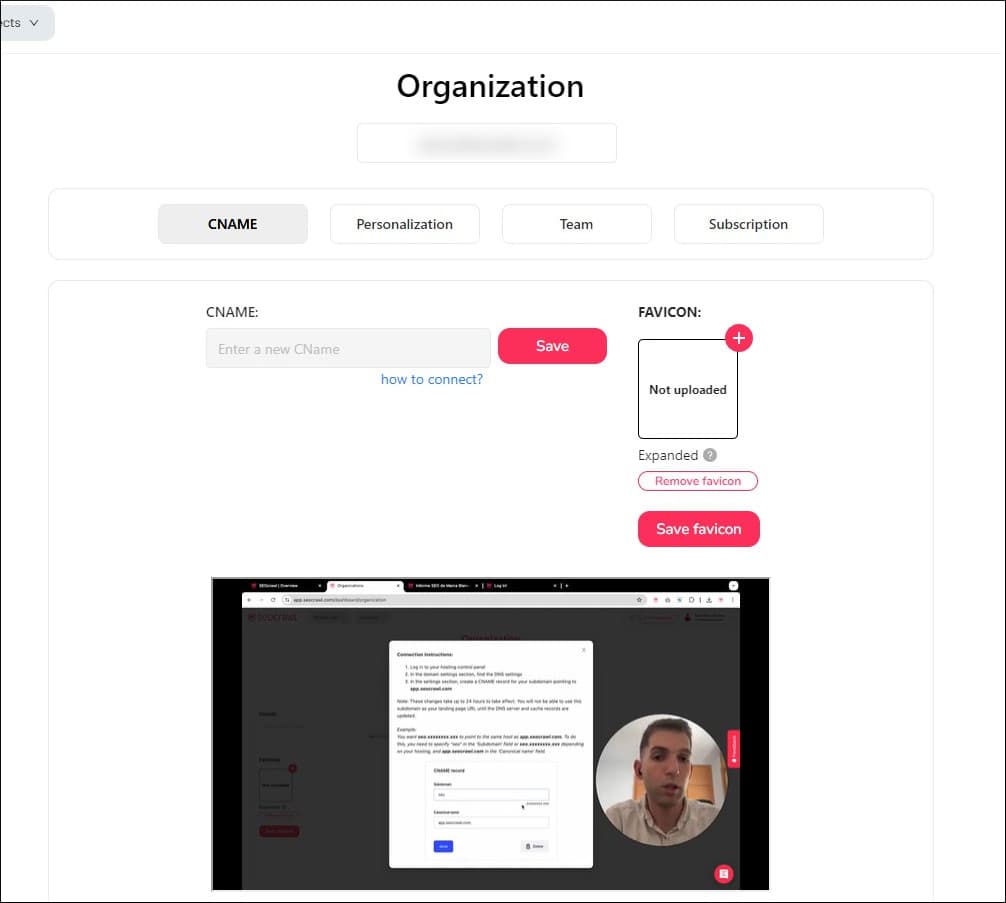
The CNAME has been the latest step, and to ensure you have no doubts, we've recorded a step-by-step instructional video with all the information you need to fully customize SEOcrawl AI. Don't miss it!
New Pricing Page
We want you to have all the information at your fingertips when making a decision, so we've completely redesigned the Pricing page. It now has a much more elegant look and clearly outlines the differences between the various plans.
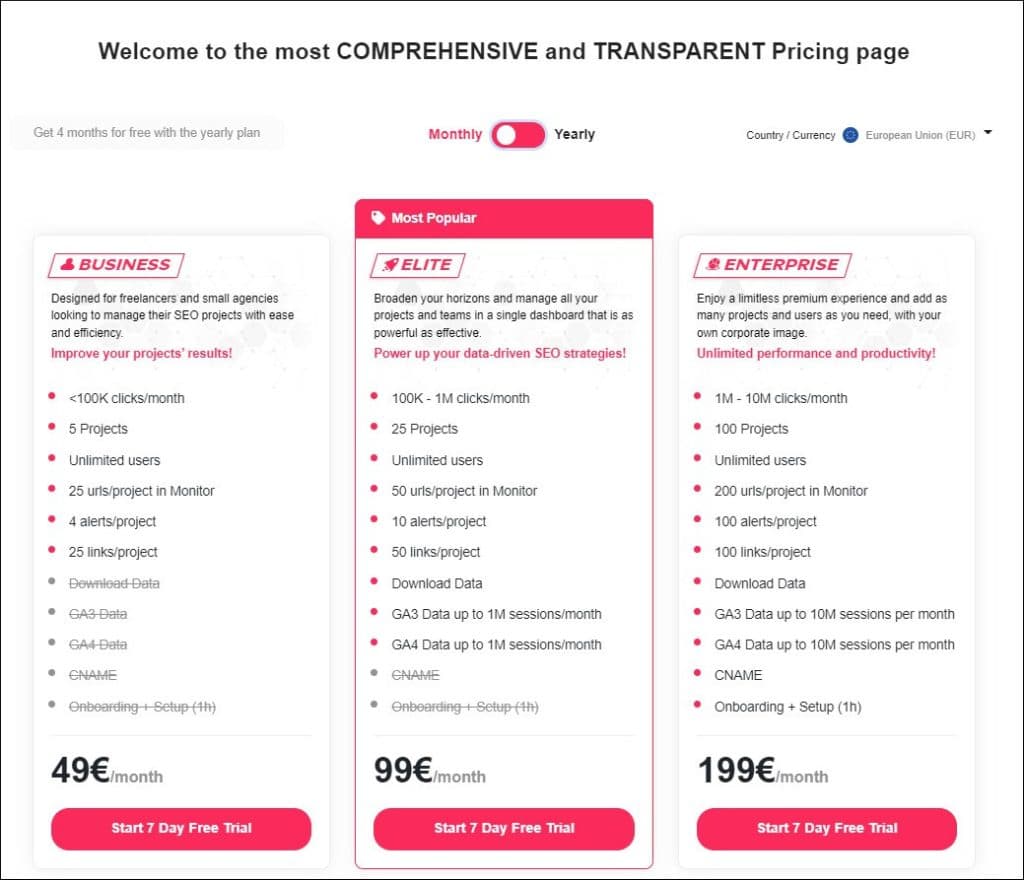
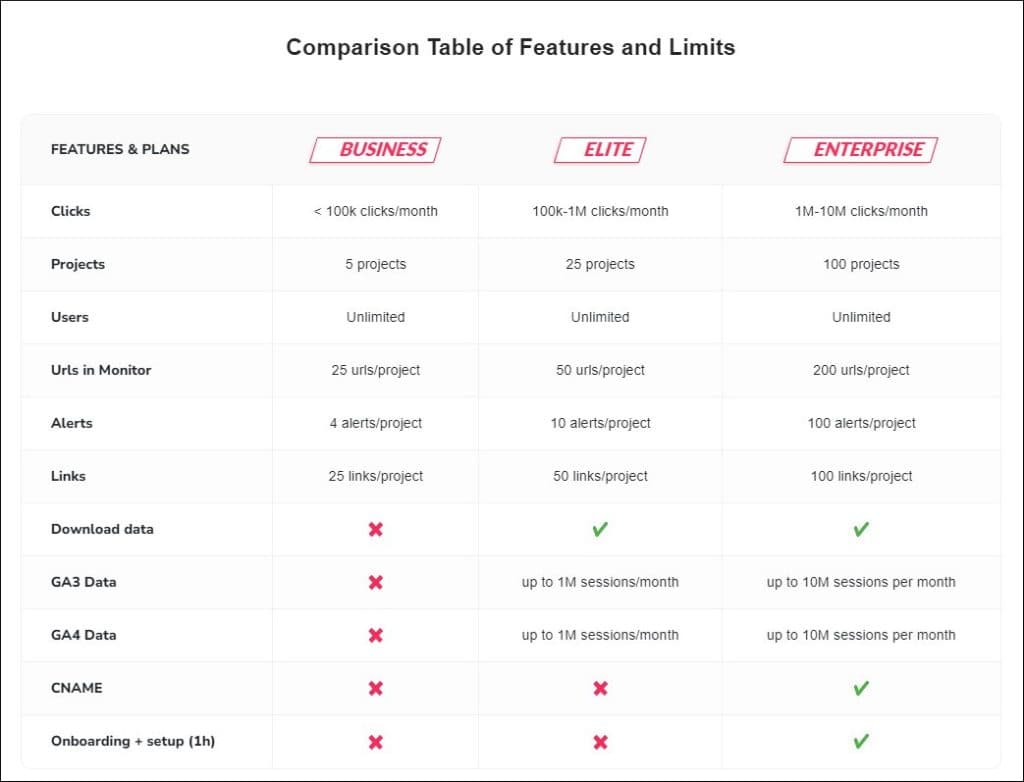
Additionally, we've added a comparison table so you can see the most important differences at a glance, a summary of our main features, and answers to frequently asked questions from interested users. You won't find a more complete and transparent pricing page anywhere else!
Not sure yet? Request a DEMO, we'll explain everything, and give you 14 days of Enterprise account to try it at your own pace.
New Page to View All Tasks of an Organization
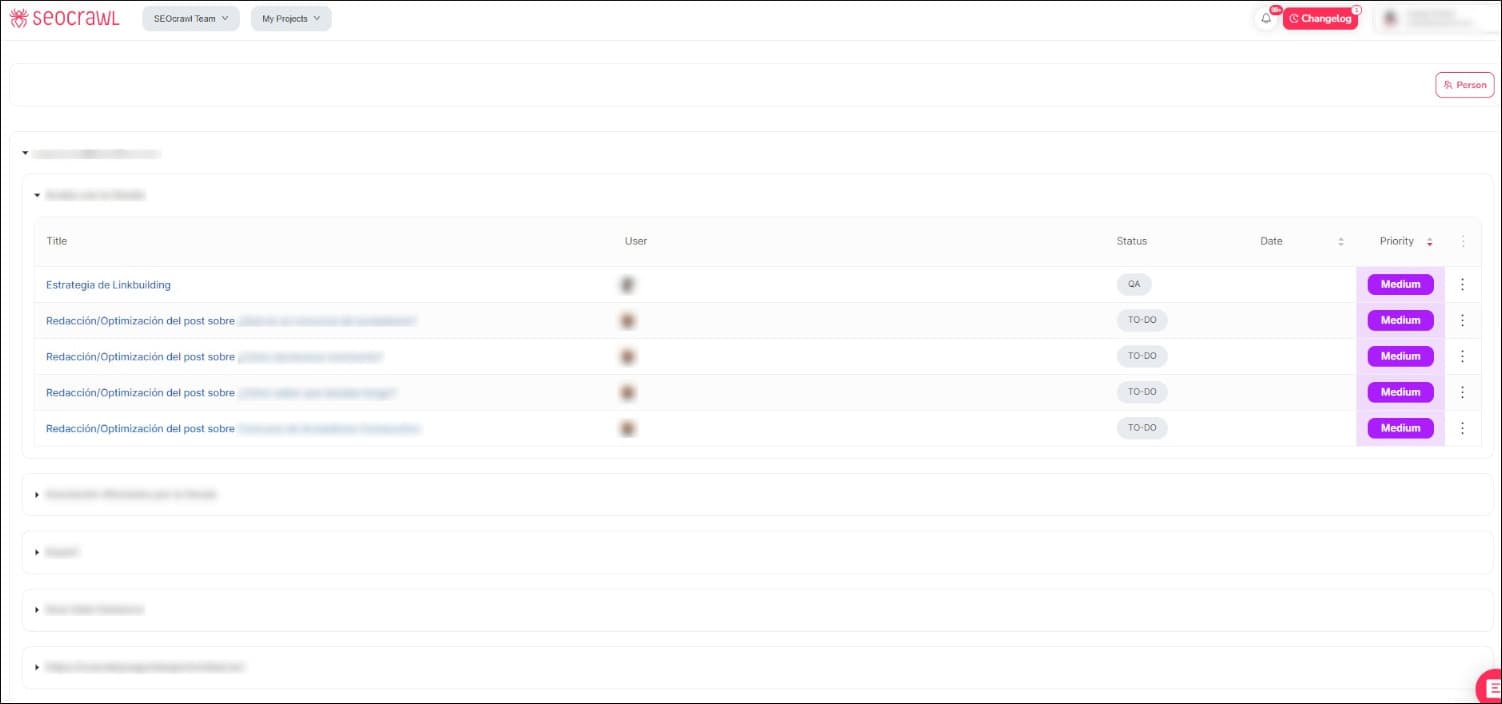
Task management is a key part of our software, allowing you to easily control the status of each project, who is assigned to each task, and where and why bottlenecks might be hindering productivity.
We've added a new page where you can see all the tasks of an organization, who is assigned to each task, their status, deadline, and priority. This way, organizing pending work and setting priorities with your team is much easier.
New Design for the Registration Page
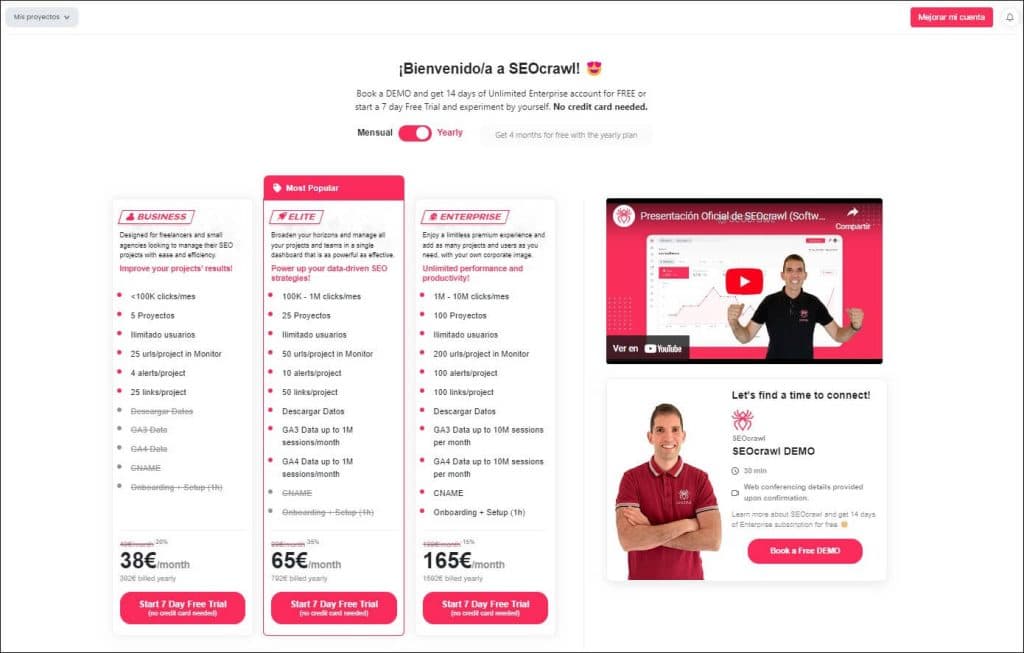
Users who have recently registered a free account will have noticed: we've redesigned our onboarding page to make it more practical and closer to our corporate image and what we want to convey to our clients.
New Design for the Performance Page
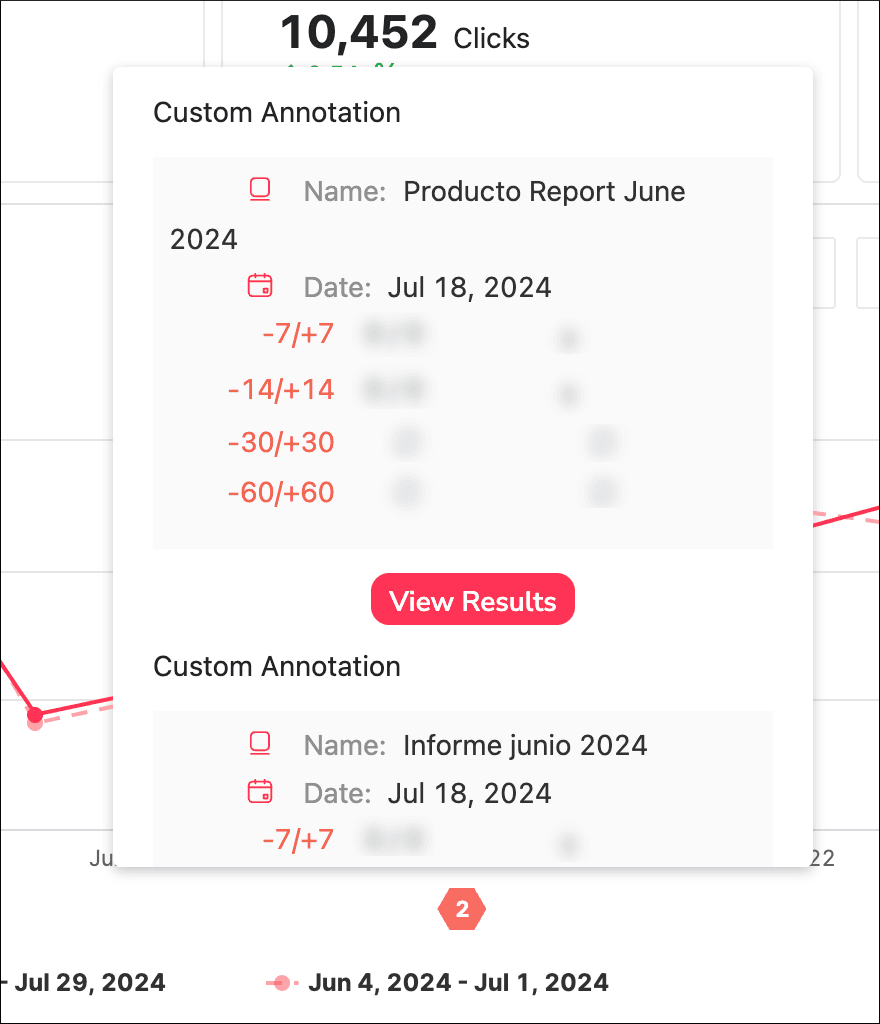
We have also improved the design of the Performance page to include the results of the annotations you've made with tasks or changes implemented in your project, making it easier for you to analyze their impact.
Email Notifications for Alerts
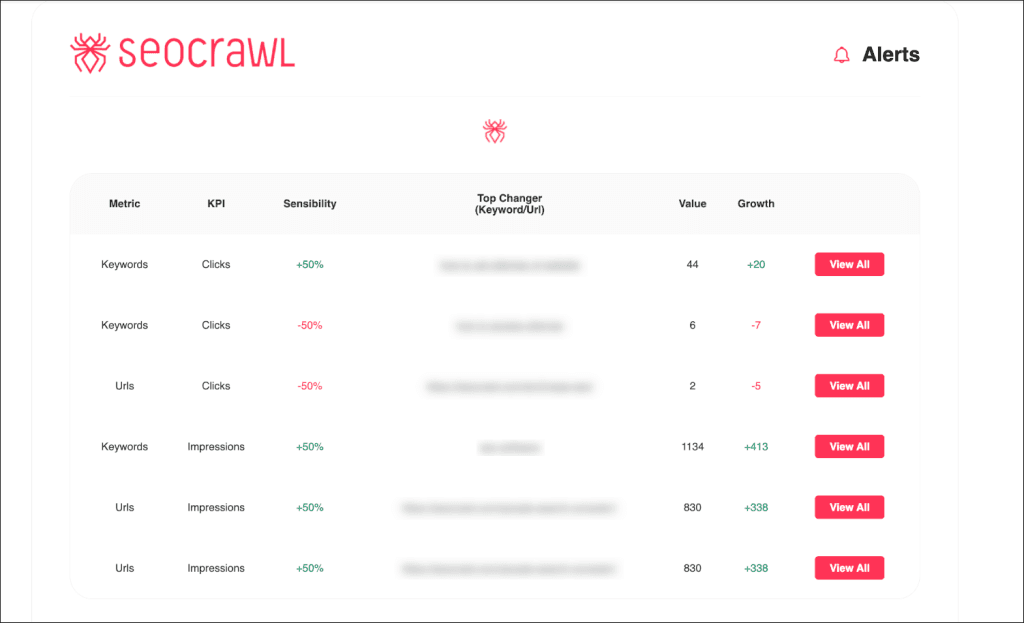
You asked for it, and it's finally implemented: from now on, whenever you set up an alert (we discussed how to do this in the April report), the system will automatically notify you by email when the defined change occurs. We handle the monitoring so you can focus on more important things!
Export for Annotations
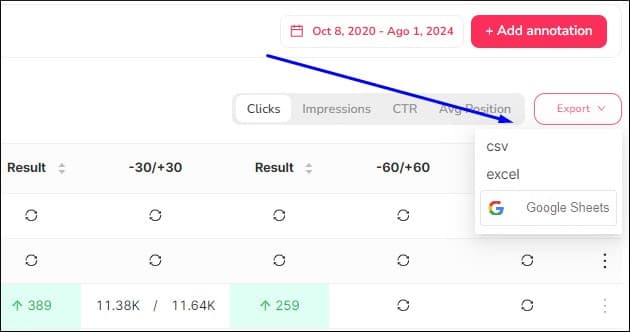
Now that you are recording each action you take in your projects to track their impact, you might want to take it a step further; we anticipated this and added an export function to the annotations page. You can download all the information into a CSV, Excel, or Google Sheets to analyze the impact of each action in terms of clicks, impressions, CTR, and average position for your project.
New Design for the Projects Home with All Organizations
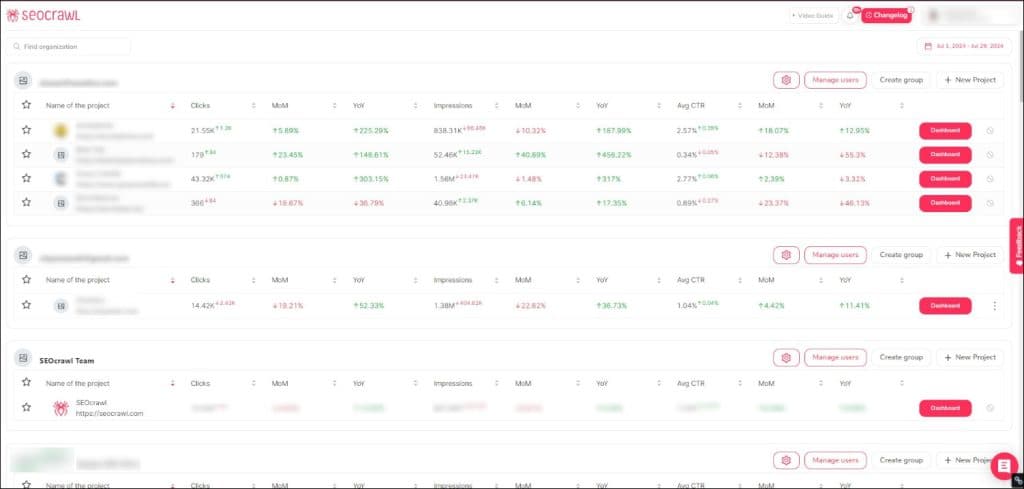
This is one of the improvements you requested so much that we are thrilled to have finally implemented it. If you use SEOcrawl AI to manage multiple projects, especially if they belong to different organizations, you'll love it: we've completely redesigned the home page so that now all the projects you're involved in are automatically organized within their respective organizations.
New Keyword/URL Search System
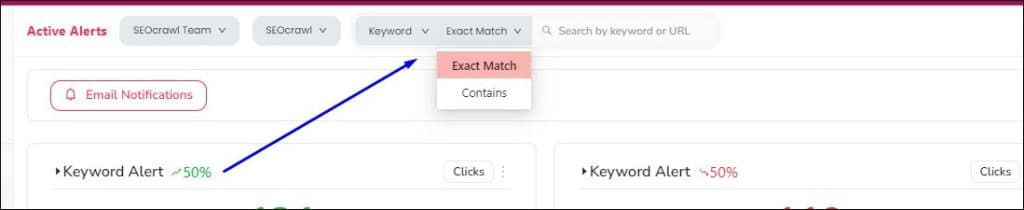
With this simple change, your daily analysis work will become much more agile, fast, and efficient. We have implemented a small search bar at the top of the screen, visible from all tool pages, so you can search by keyword or URL at any time, both exact and approximate searches.
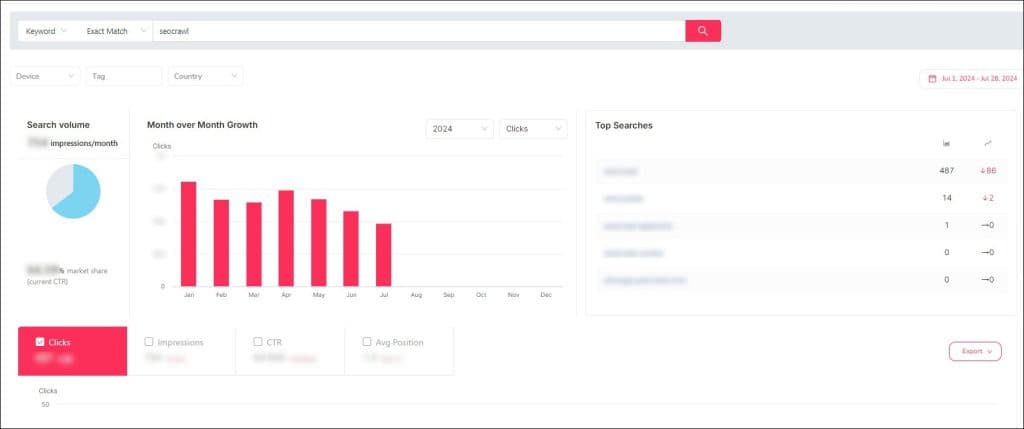
If you search for the specific keyword you want to analyze, the system will take you directly to that keyword's page, where you can see data such as search volume, monthly growth, and clicks and impressions for the defined period.
Favorite URLs on the URL Map
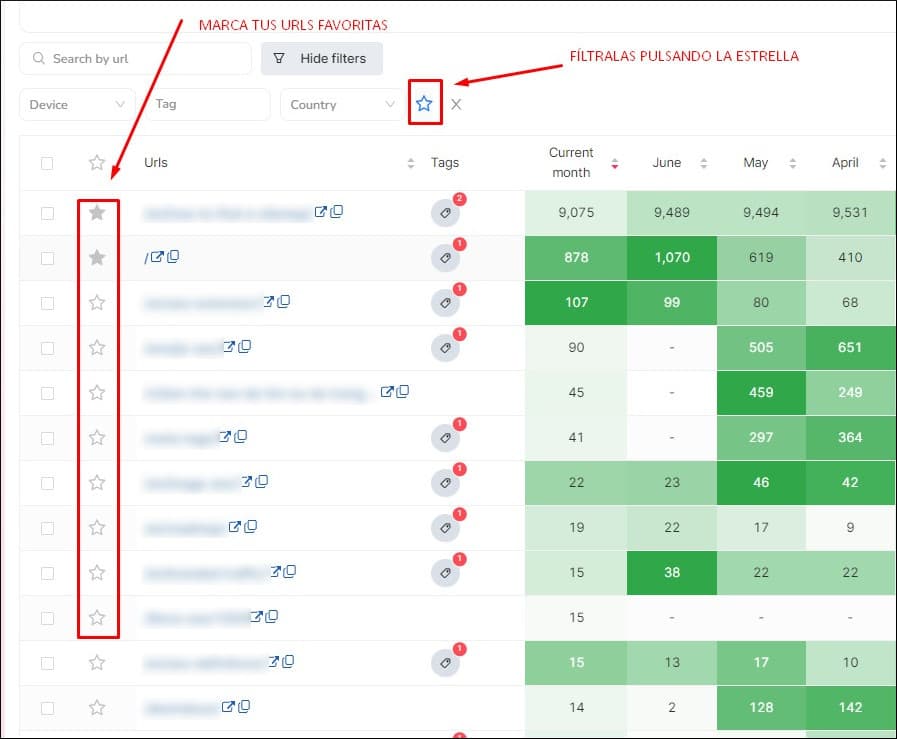
Easily mark the URLs you want to track more closely (because they are core to your business or belong to a specific cluster that interests you at a particular time) and filter them with just one click to track them in more detail on the URL heatmap. Easy and convenient, right?
What do you think of the July updates? Do you miss anything or have any ideas to keep improving our software? Tell us in the comments! We are delighted to chat with you.
Author: Isabel Rubio

My story with the written word began long before I'd ever heard of SEO. I studied Journalism because I was obsessed with telling things properly, and from traditional newsroom writing I jumped — almost without realising — to copywriting and content marketing. That's where I discovered that writing for people and writing so Google understands you aren't opposing disciplines: they're two sides of the same coin.
I've worked at different media outlets and agencies, until in August 2021 I joined SEOcrawl AI as Content Director. Since then I write and coordinate the content of our projects, convinced that every article, every guide and every piece has to give the reader something useful and, on the way, rank where it needs to rank.
I split my life between León and Madrid, I dedicate every hour I can to writing and reading (though it never feels like enough), and without batting an eye I still defend that content is king.
Discover more content about this author