Product Report – April 2024
This month's report is packed with exciting new features to help you get more out of SEOcrawl AI in your daily work. Our team is constantly researching, devising new applications, and creating more practical designs to make our software the best SEO tool in the market. Want to see everything we've prepared for you?
Custom CNAME
We want the tool to fully align with you, so we take a step aside and let your brand and corporate colors take the spotlight on all pages and reports, starting from the login.
It’s as simple as clicking on the "Organization" button, which you can find in the dropdown menu when you click on your profile. There, you'll access the following screen:
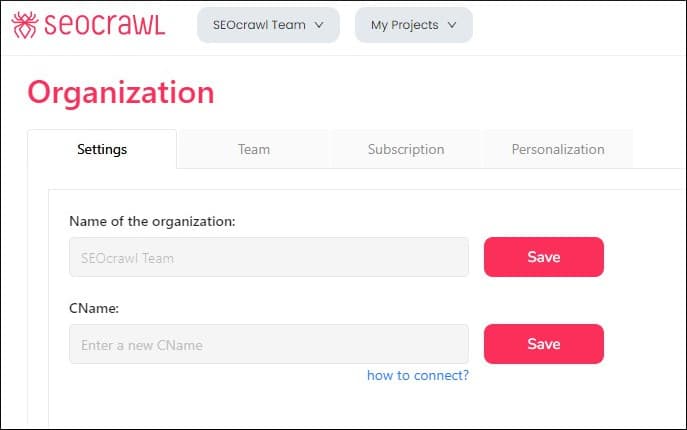
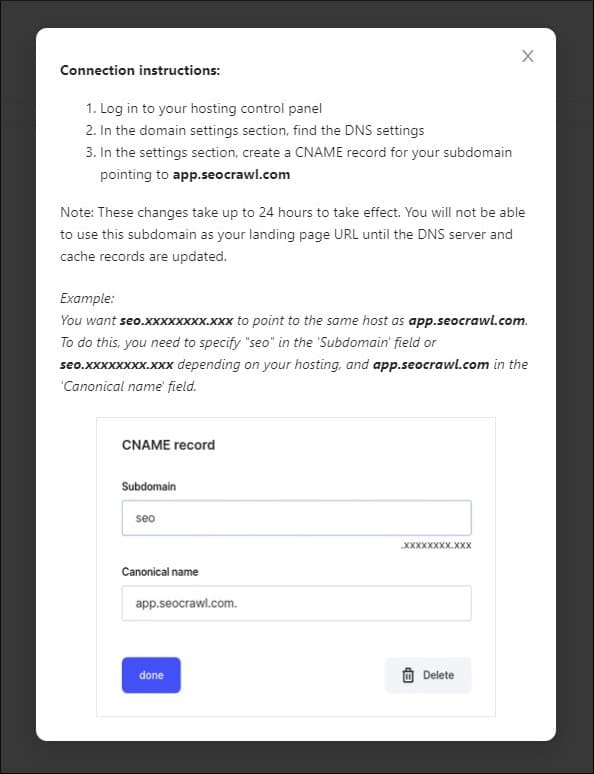
Once you have followed all the instructions (and after a nearly 24-hour period for DNS updates), the entire tool will be completely customized according to your project’s corporate image.
New Design for Annotations
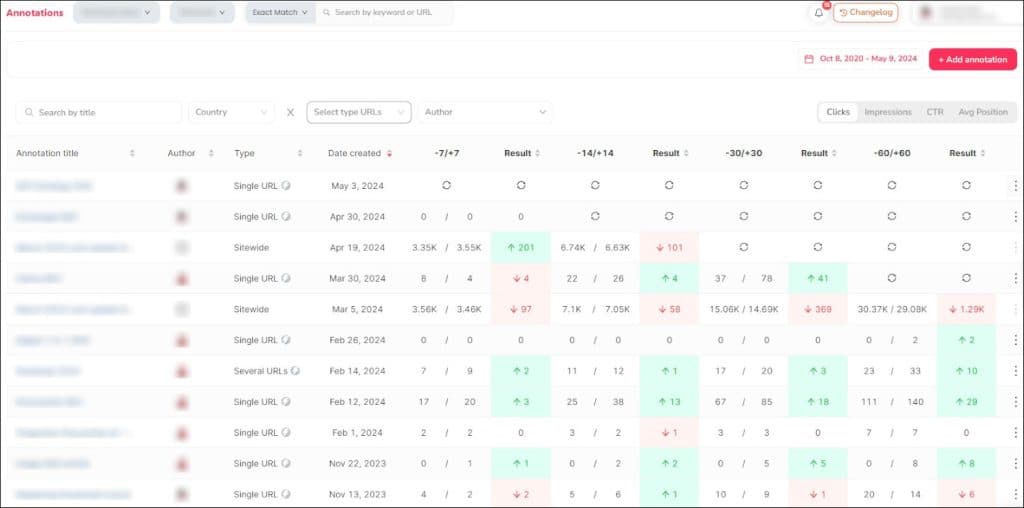
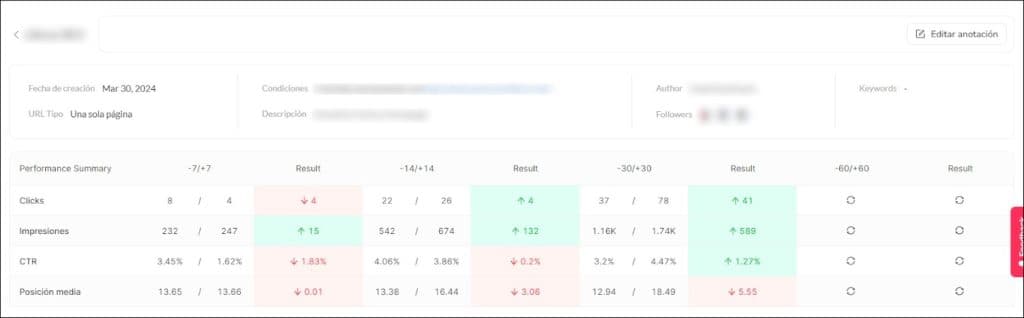
We have redesigned both the global Annotations page and the individual page for each annotation, which now display much more information in a clearer way.
On the summary page of all annotations, you can directly see a heatmap with the impact they’ve had in the 7, 14, 30, and 60 days before and after you made each annotation.
Moreover, we have created a completely new design for the Annotation page, with a summary table at the top, so you can get an idea of their impact at a glance. As you scroll down, you'll find information about the positioned keywords and top positions, URLs, countries, devices... In short, everything you need to monitor each of your actions’s impact on the SEO strategy.
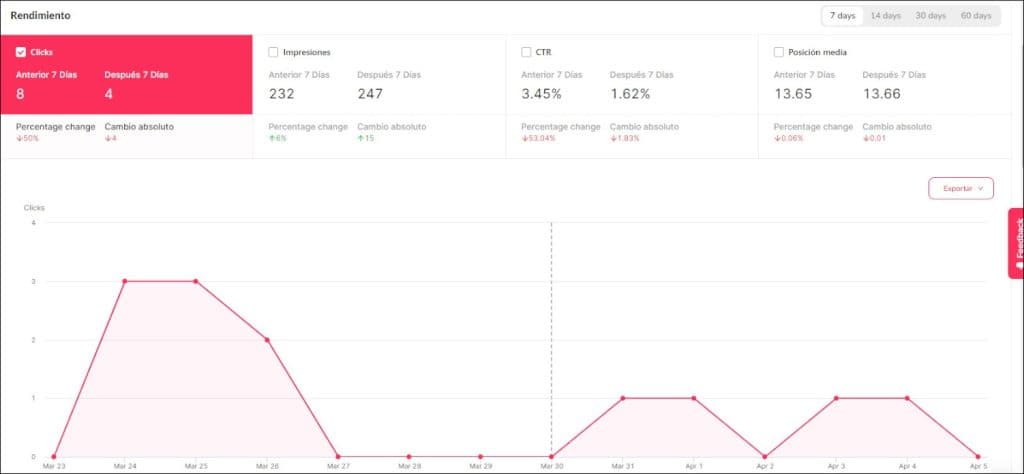
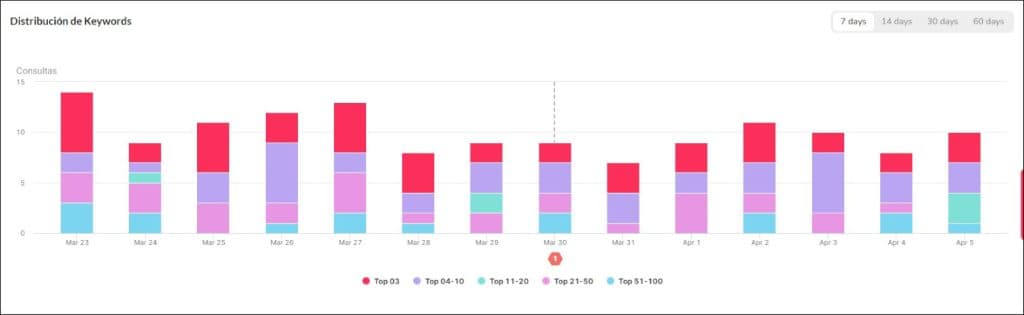
Alerts
Possibly one of the most powerful launches of the year: we have created an alert system that you can fully customize based on the project’s timing and needs. This will allow you to monitor the KPIs of your choice automatically.
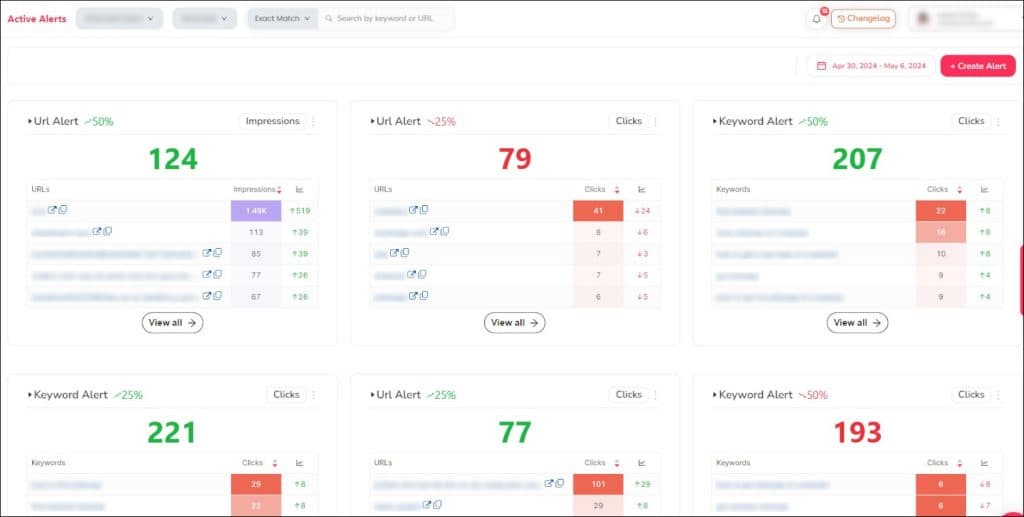
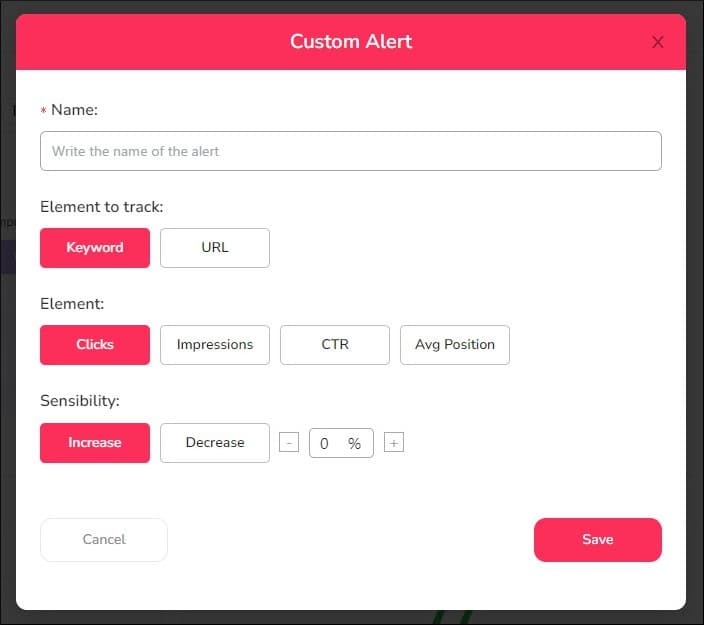
You can set it up using the "Create Alert" button, found in the upper right corner in the Alerts dashboard, which gives you access to the following dashboard:
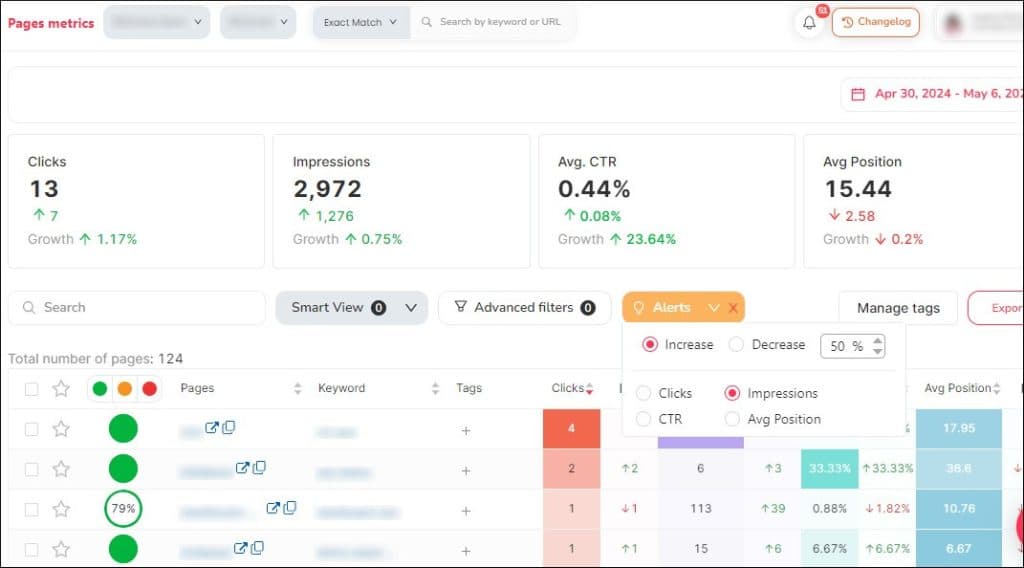
Additionally, if you click on the "View All" option of the summary box for each created alert, it will take you directly to the metrics page, filtering the conditions you had previously chosen:
New DEMO Page
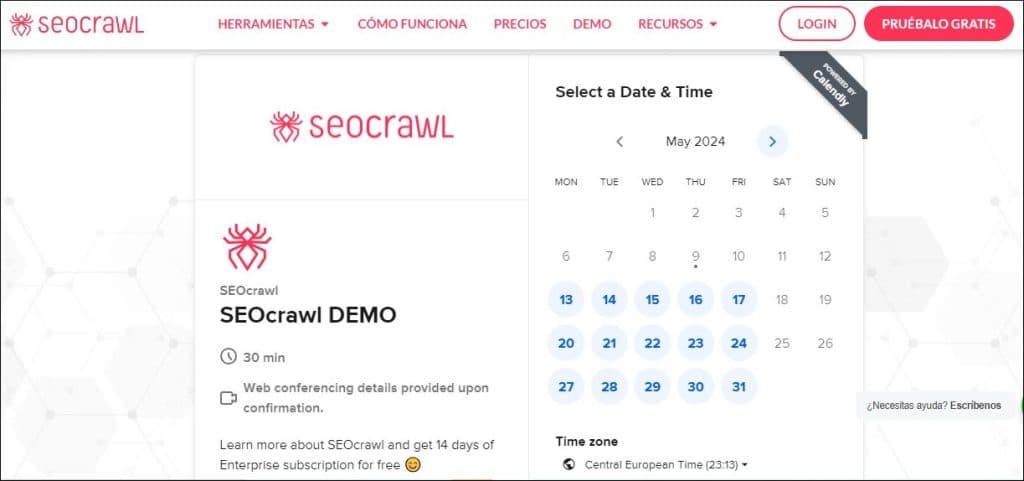
Still wondering if SEOcrawl AI is right for you? It’s simple! Access our improved DEMO page and request the day and time that suits you best. We’ll tell you all about what the software can do for you, and also, give you an Enterprise account for 14 days to try at your own pace.
Changelog in Spanish
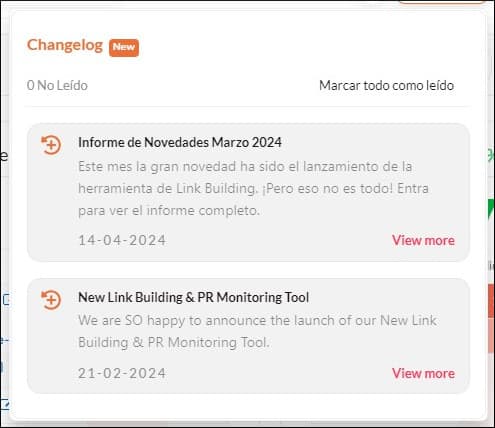
In addition to the monthly report, the Changelog function is another great source to keep up with all the new features we introduce in SEOcrawl AI, which, as you know, is always being updated. Until now, all its content was only in English, but now you can also access it in Spanish. Don’t miss out!
"Manage Tags" Button
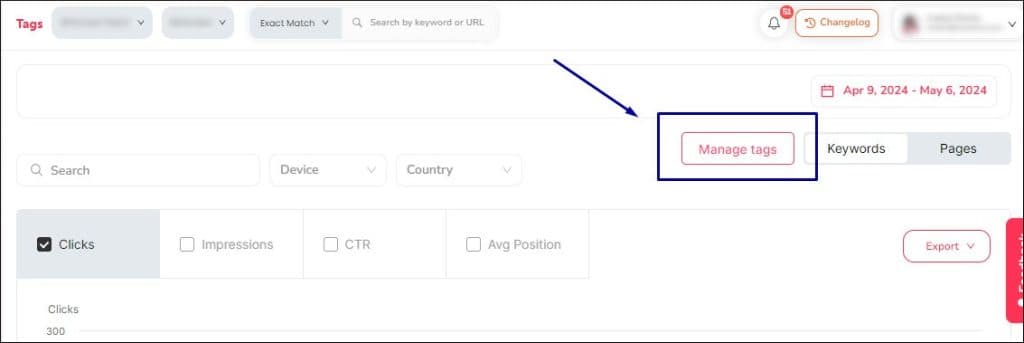
Our obsession is to make setup tasks as easy as possible, so you can dedicate your time to analysing the data and implementing the actions you consider relevant for the project. That's why we have added a button to manage the tags from their own page, allowing you to manage them there, without having to head to the Rank Tracker and back again.
6 and 12 Months Date Range
We want to give you as many options as possible when configuring dates, so you can perform analyses as complex as you need. Therefore, you now have more range options in the date selector on the upper right side of the page.
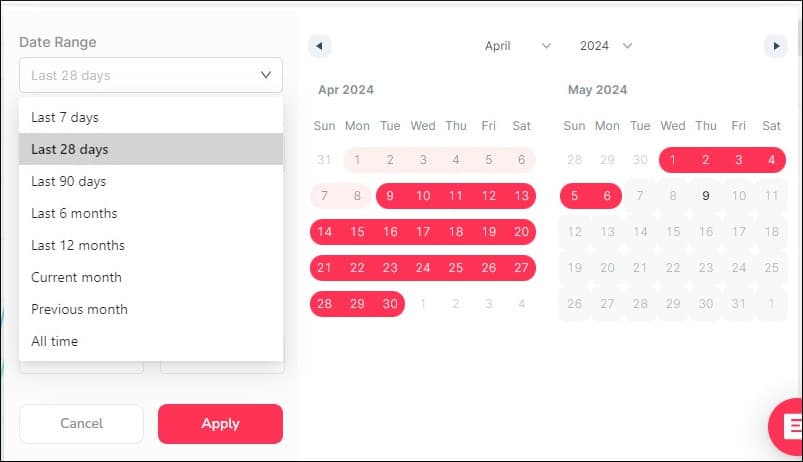
That's all for now, but we continue working non-stop on the new features that you will find in the upcoming reports. Do you have any questions or suggestions? Do not hesitate to contact us. We are glad to hear from you!
Author: Isabel Rubio
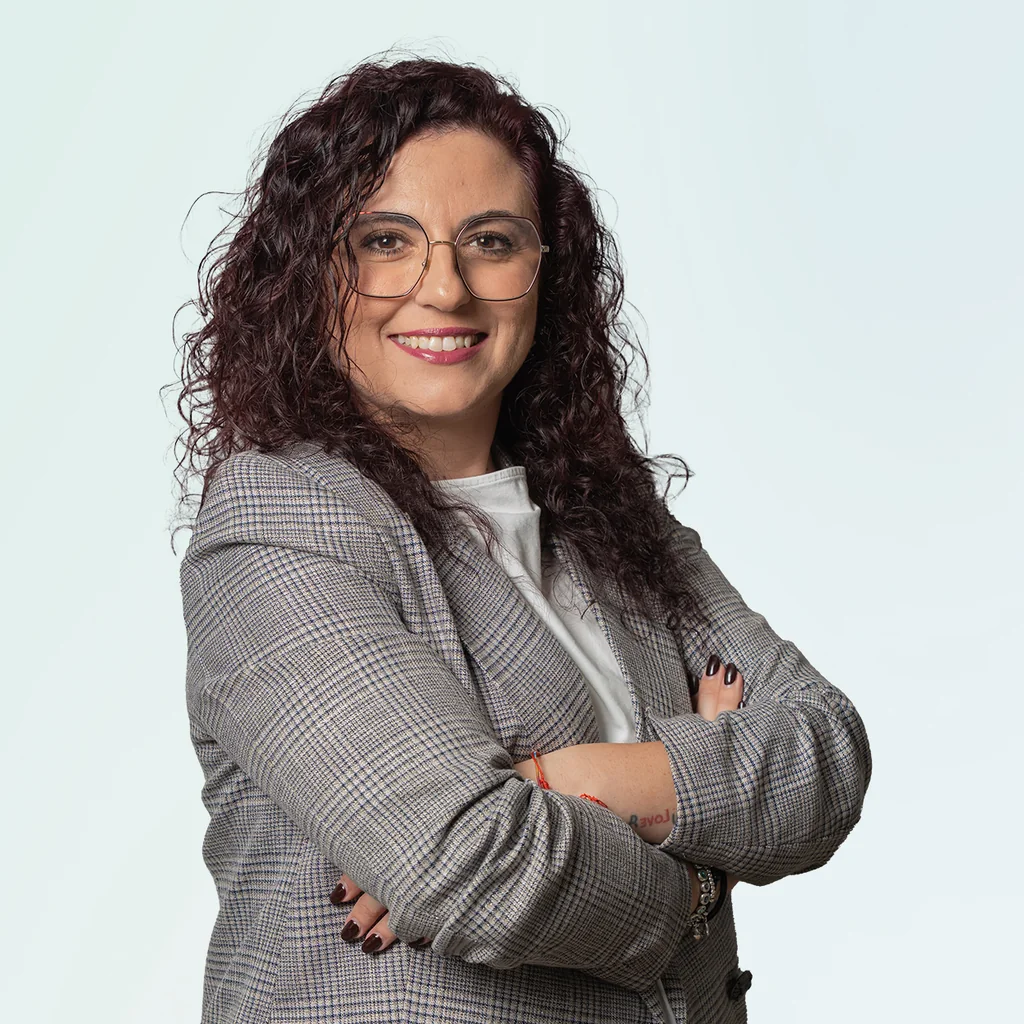
My story with the written word began long before I'd ever heard of SEO. I studied Journalism because I was obsessed with telling things properly, and from traditional newsroom writing I jumped — almost without realising — to copywriting and content marketing. That's where I discovered that writing for people and writing so Google understands you aren't opposing disciplines: they're two sides of the same coin.
I've worked at different media outlets and agencies, until in August 2021 I joined SEOcrawl AI as Content Director. Since then I write and coordinate the content of our projects, convinced that every article, every guide and every piece has to give the reader something useful and, on the way, rank where it needs to rank.
I split my life between León and Madrid, I dedicate every hour I can to writing and reading (though it never feels like enough), and without batting an eye I still defend that content is king.
Discover more content about this author