Wix Google Search Console Integration: Step-by-Step
The SEO Setup Checklist is Wix's native tool to connect and verify your site with Google Search Console. It's the recommended method and the fastest way to get set up — just keep in mind you need a Wix Premium plan with a connected custom domain to access it.
How to connect Wix to Google Search Console
- In your Wix dashboard, go to Marketing & SEO > SEO Tools
- Click Get Started under SEO Setup Checklist
- Enter your business name, location type, and three keywords that describe your site
- Your personalized checklist will be generated — follow Step 1 of the checklist
- Complete any missing information required (homepage title, description, mobile optimization)
- Click Connect to Google and sign in with your Google account
- Click Allow to grant Wix permission to connect to Google Search Console
- Your site is now verified and connected to GSC
Heads up: you can only verify your site via the SEO Setup Checklist once. If you need to re-verify, you'll need to do it manually via Settings > SEO > Site Verification. Only site owners and admin collaborators can access the SEO Setup Checklist.
How to submit your Wix sitemap to Google Search Console
Wix automatically generates a sitemap for your site. Unlike other CMS platforms, Wix creates multiple subsitemaps organized by content type — pages, blog posts, products and events — all listed under a single sitemap index.
To submit it:
- Open your property in Google Search Console
- Go to Indexing > Sitemaps
- Enter
sitemap.xmland click Submit
Your sitemap is live at yourdomain.com/sitemap.xml. Wix updates it automatically every time you publish new content.
How to make sure Google is actually indexing your Wix site
After connecting GSC and submitting your sitemap, there's one Wix-specific setting that often gets overlooked.
- In your Wix dashboard, go to Marketing & SEO > SEO Tools > SEO Settings
- Make sure the toggle Let search engines index your site is turned on
- Go to Google Search Console > Indexing > Pages and confirm your main pages show as Indexed
If pages show as Discovered but not indexed or Crawled but not indexed, give it a few days. If the issue persists, check that individual pages are not set to noindex in their page SEO settings in Wix.
Monitor your Wix SEO performance with SEOcrawl AI
Once verified, SEOcrawl AI pulls your Google Search Console data and turns it into actionable SEO insights for your Wix site: keyword tracking, traffic drops, indexing issues and more, all in one place.
Want to take your SEO to the next level? Explore SEOcrawl AI's SEO Dashboard.
FAQs
How do I add Google Search Console to Wix?
To add Google Search Console to Wix, go to Marketing & SEO > SEO Tools > SEO Setup Checklist, complete Step 1 of the checklist, and click Connect to Google. You need a Premium plan with a custom domain connected.
Does Wix integrate with Google Search Console?
Yes. Wix has a native integration via the SEO Setup Checklist. It requires a Premium plan with a connected domain. Once set up, GSC data is accessible directly from your Wix dashboard.
How do I connect my Wix website to Google Search Console?
To connect your Wix website to Google Search Console, open the SEO Setup Checklist in Marketing & SEO > SEO Tools, complete the required steps and click Connect to Google. Sign in with your Google account and click Allow.
How do I get my Wix website to show up on Google search?
Connect your Wix site to Google Search Console via the SEO Setup Checklist, submit your sitemap, and make sure the indexing toggle is enabled in SEO Tools > SEO Settings. A Premium plan with a custom domain is required.
How do I make my Wix website searchable on Google?
To make your Wix website searchable on Google, enable indexing in Marketing & SEO > SEO Tools > SEO Settings, submit your sitemap in Google Search Console, and verify your site is connected. Pages can take a few days to weeks to appear in Google Search after verification.
Author: David Kaufmann

I've spent the last 10+ years completely obsessed with SEO — and honestly, I wouldn't have it any other way.
My career hit a new level when I worked as a senior SEO specialist for Chess.com — one of the top 100 most visited websites on the entire internet. Operating at that scale, across millions of pages, dozens of languages, and one of the most competitive SERPs out there, taught me things no course or certification ever could. That experience changed my perspective on what great SEO really looks like — and it became the foundation for everything I've built since.
From that experience, I founded SEO Alive — an agency for brands that are serious about organic growth. We're not here to sell dashboards and monthly reports. We're here to build strategies that actually move the needle, combining the best of classical SEO with the exciting new world of Generative Engine Optimization (GEO) — making sure your brand shows up not just in Google's blue links, but inside the AI-generated answers that ChatGPT, Perplexity, and Google AI Overviews are delivering to millions of people every single day.
And because I couldn't find a tool that handled both of those worlds properly, I built one myself — SEOcrawl AI, an enterprise SEO intelligence platform that brings together rankings, technical audits, backlink monitoring, crawl health, and AI brand visibility tracking all in one place. It's the platform I always wished existed.
Discover more content about this author
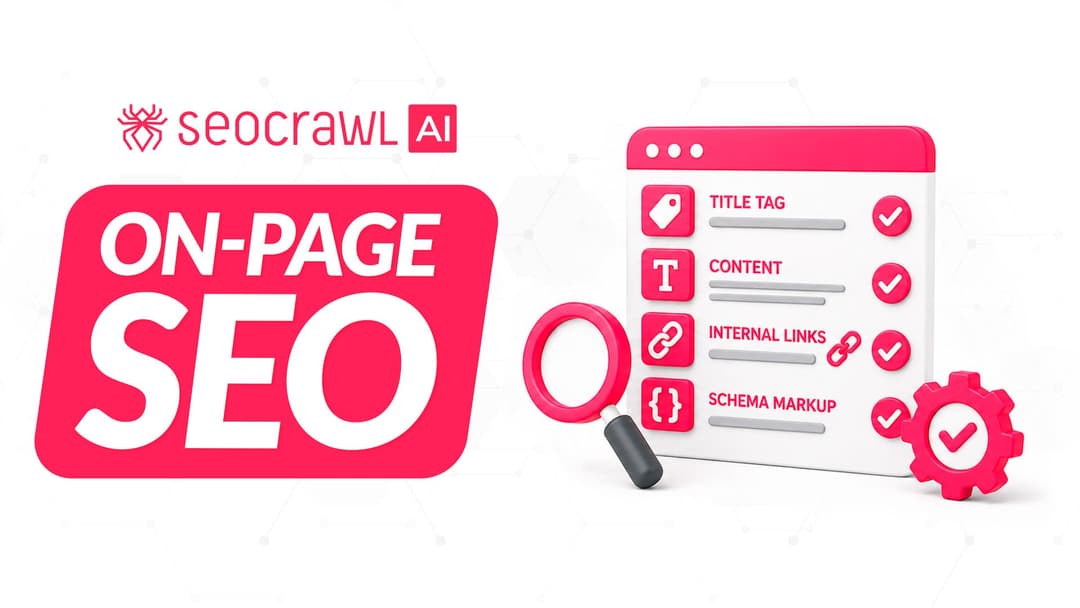
On-page SEO is everything you control on a page: content, title, meta description, headings, URL, images and internal links. Here is a checklist element by element, an audit process and what changes with AI Overviews and AI Mode.