Product Report - March 2024

We continue working non-stop to implement all the improvements that make SEOcrawl AI one of the best SEO tools on the market. This month we bring few updates, but they carry great importance. Will you join us?
Remove shared report link
As you know, one of our coolest features is that you can create a report on the project you manage and share it with a client via a link or PDF simply with the click of a button.
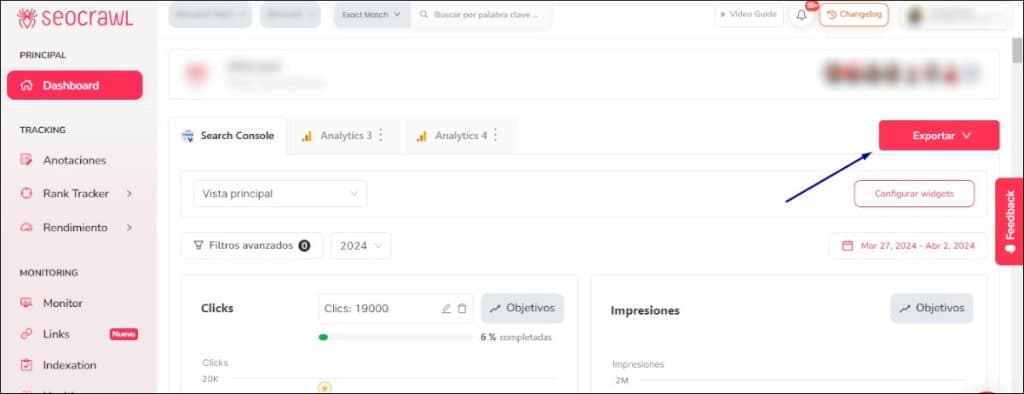
But there may come a time when, for security reasons, you no longer want that link to work. From now on, you can do it easily with just one click.
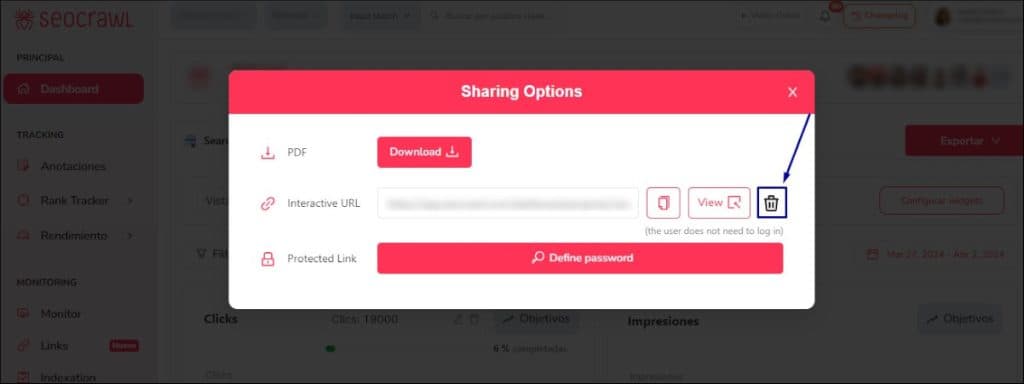
That's how we like SEOcrawl AI to work: through easy and very fast processes!
New team page design
Our team is the heart and soul of the project, and we believe it's fair to give them all the credit they deserve. That's why we've redesigned the team page, with better photos of the people who create SEOcrawl AI every day and who strive immensely to make this tool become one of your favorites.
Link Monitoring
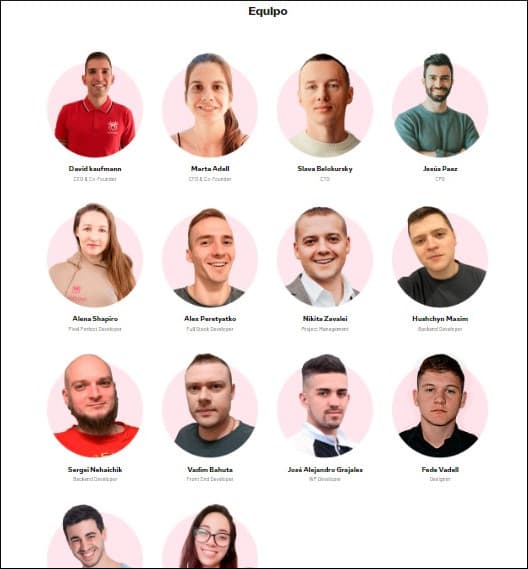
We know you've been long waiting for this, but we wanted to create something really useful before launching it, and we believe we've achieved that: now you can access, from the side menu, the new Link Monitoring feature, which we hope will greatly assist you with your PR and link building campaigns.
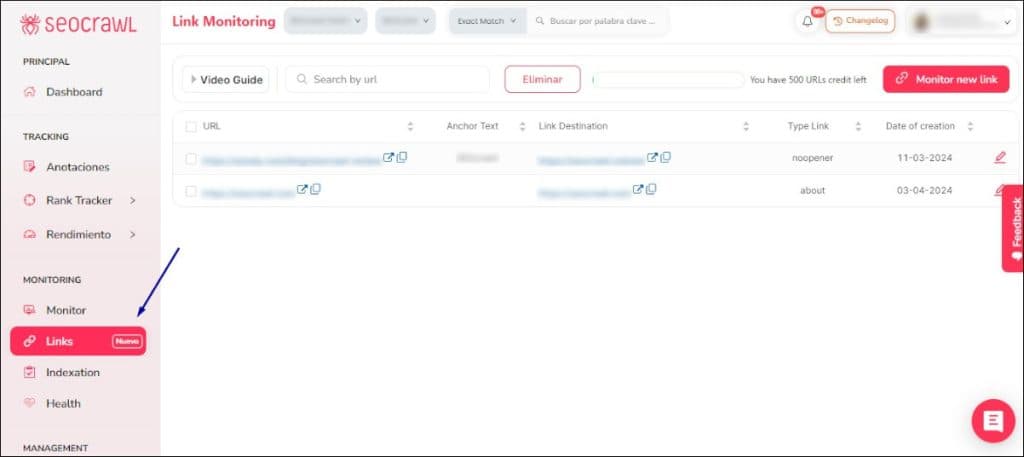
It's as simple as adding your backlinks, every time you get a new one, with the "Monitor new link" button, which you'll find at the top right.
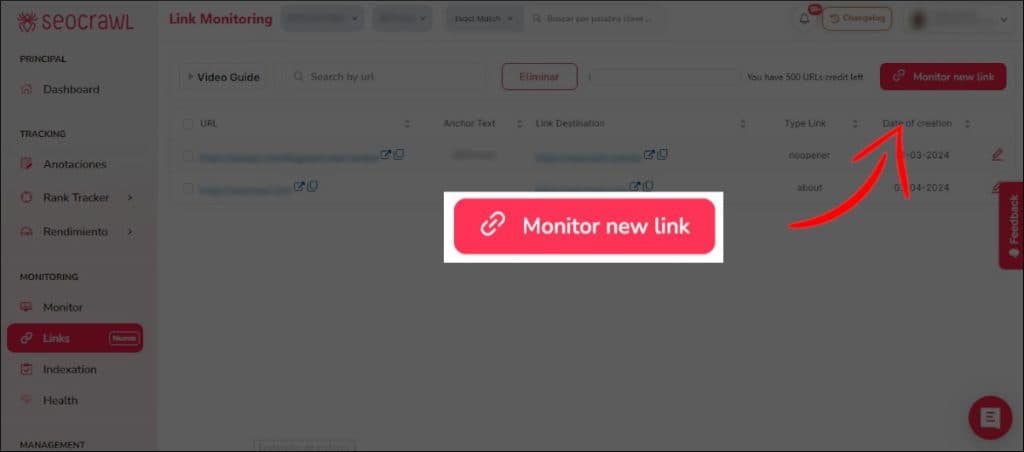
The tool will monitor all the links in your project including the source URL, anchor text, target page, link type, and creation date. The best is that it will automatically notify you by email if any changes occur, such as the disappearance of the link or a change from *follow *to nofollow.
Current month on the Dashboard
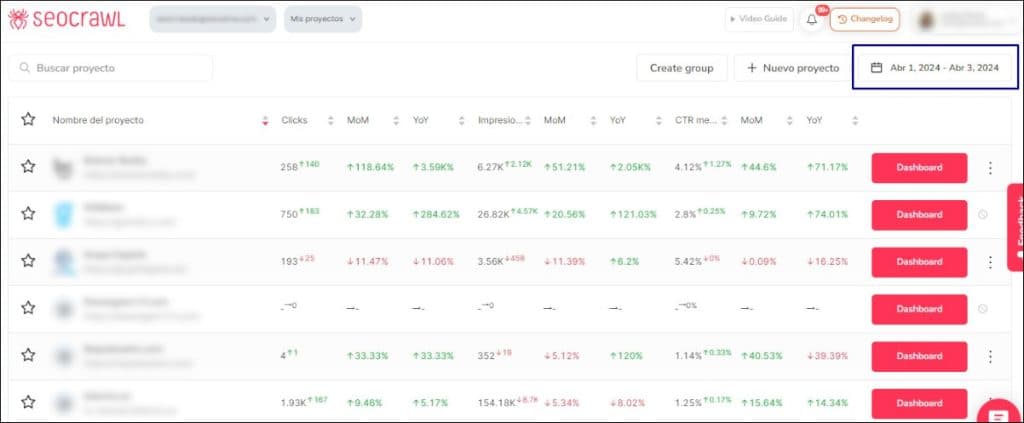
From now on, when you enter the main project Dashboard in SEOcrawl AI, the data you see by default will correspond to the current month, but you can change the dates as you wish to see a general summary of how things are going before accessing specific data for each one.
New Changelog design
We don’t want you to miss any news, and that's why, in addition to the report we publish each month, you have the opportunity to learn about all the changes and releases from the tool itself through the "Changelog" feature, which we have just redesigned.
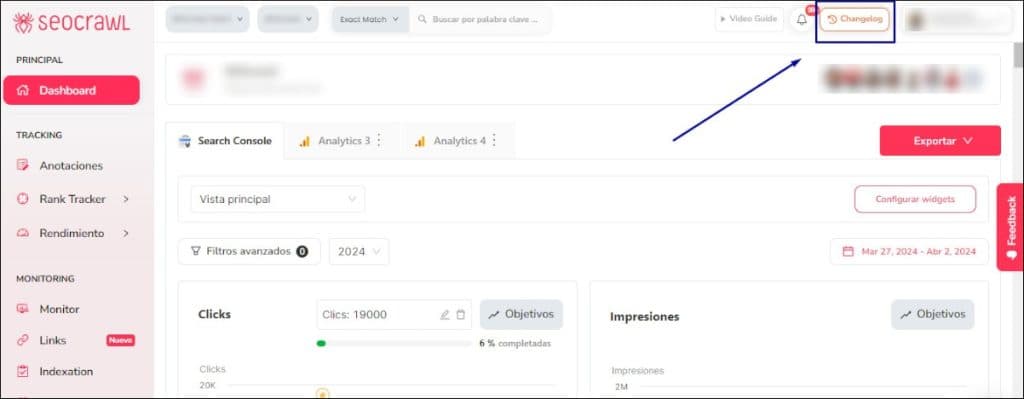
By clicking that button, you can see notifications of the latest changes with their release date and access more details about each of them in real time.
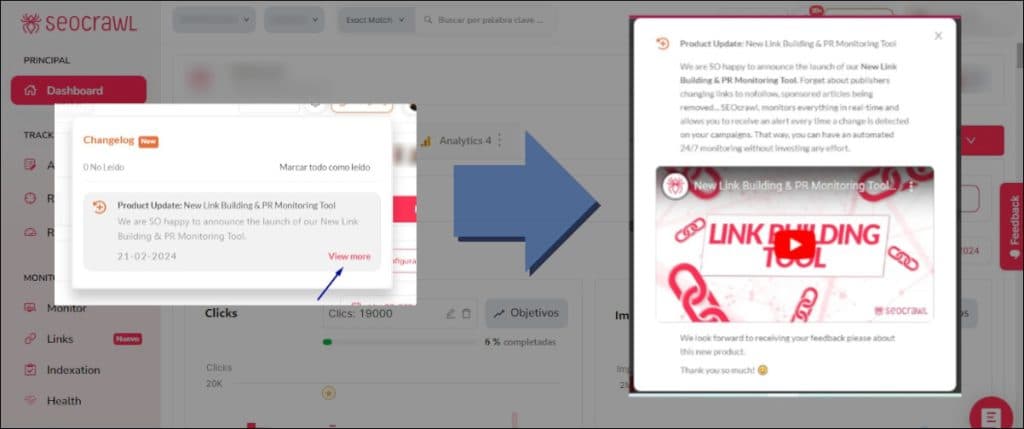
We continue working to make SEOcrawl AI the best SEO tool on the market and your contributions and feedback are very valuable. Please, feel free to share all your thoughts about our product updates, your ideas for improving the platform, or anything you want to tell us.
And if you're not yet using SEOcrawl AI, don't wait any longer to request a DEMO from us and we'll explain how we can help you manage all your projects very easily. And we'll give you a 14-day Enterprise account for you to put into practice everything we teach you!
Author: Isabel Rubio

My story with the written word began long before I'd ever heard of SEO. I studied Journalism because I was obsessed with telling things properly, and from traditional newsroom writing I jumped — almost without realising — to copywriting and content marketing. That's where I discovered that writing for people and writing so Google understands you aren't opposing disciplines: they're two sides of the same coin.
I've worked at different media outlets and agencies, until in August 2021 I joined SEOcrawl AI as Content Director. Since then I write and coordinate the content of our projects, convinced that every article, every guide and every piece has to give the reader something useful and, on the way, rank where it needs to rank.
I split my life between León and Madrid, I dedicate every hour I can to writing and reading (though it never feels like enough), and without batting an eye I still defend that content is king.
Discover more content about this author