Product Report January 2024
We’ve started this year with so much work that we are full of fantastic news about how you will be able to make the most out of our tool. Come with us to find out next!
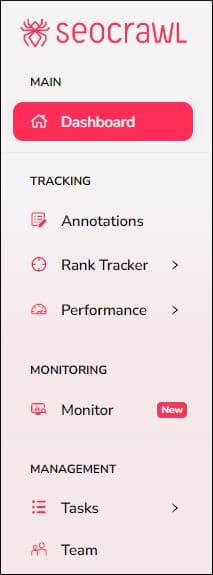
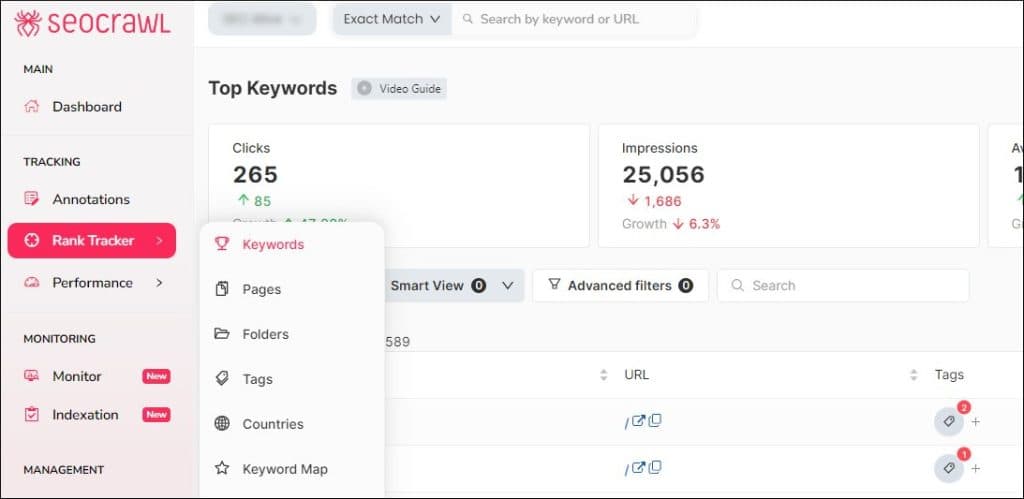
New design for our left side menu
The menu is still the same, but it has changed looks… for the better! Now you can enjoy a menu that is visually much friendlier and cleaner, where all options are better organized and clearer.
WPO Dashboard
Though still in a private beta phase, the WPO Dashboard and its incredible functionalities will go public real soon. This is what we can tell you so far:
- The global dashboard will display a heat map with the scoring of the URLs in your site, both in mobile and desktop versions.
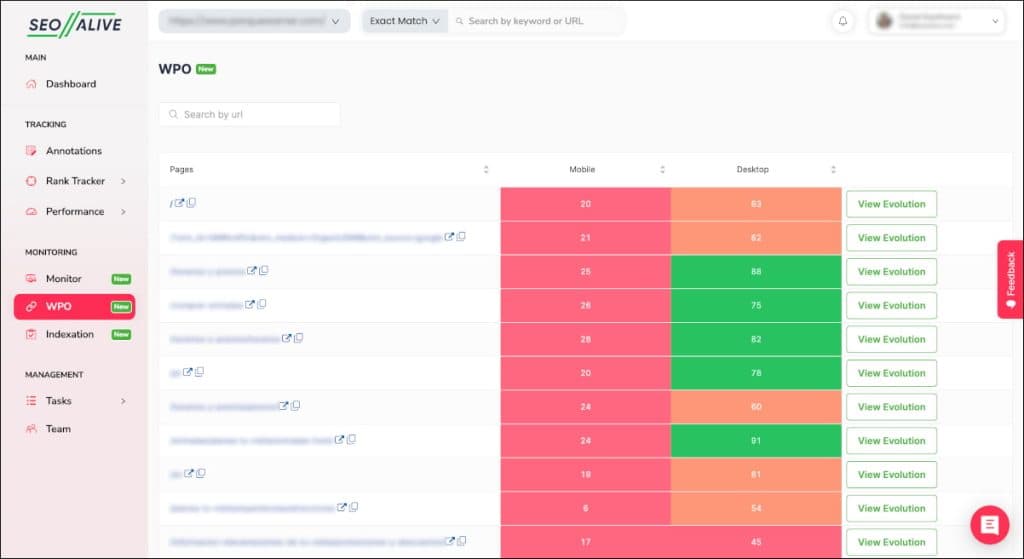
- Additionally, next to every URL, you will a button to track its daily evolution.
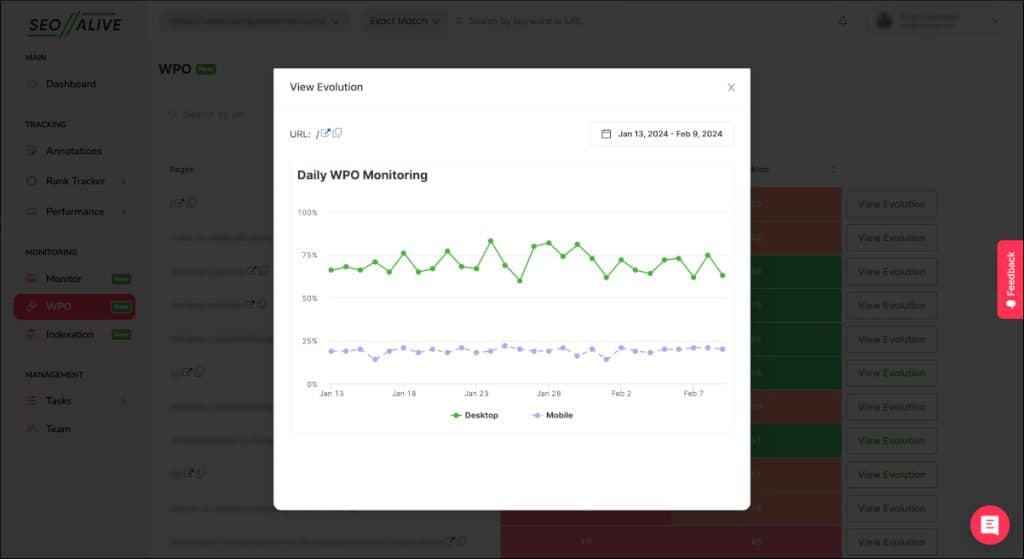
This is a very powerful functionality that will allow you to improve upload speed as well as the user experience in all your pages, taking your project to the next level. Coming soon!
New filters in the Top Pages view
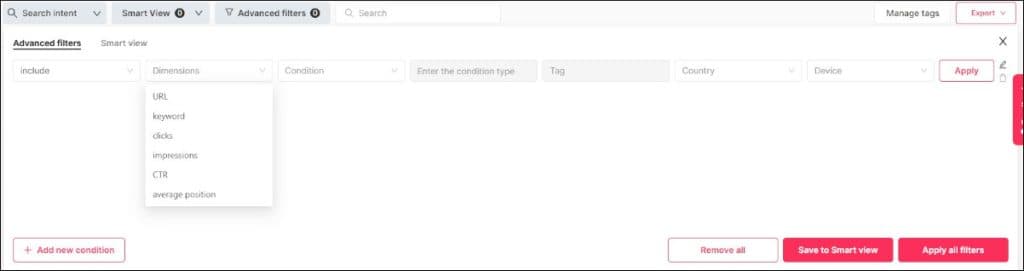
Access the Keywords page in the improved side menu to find this practical new function: if you enter the advanced filter, you can now set it up to filter by URL and keyword at the same time. Before, you could only filter by one or the other. This will allow you to sharpen your analysis much more, and thus, create a more focused strategy.
Status circles in Top Pages
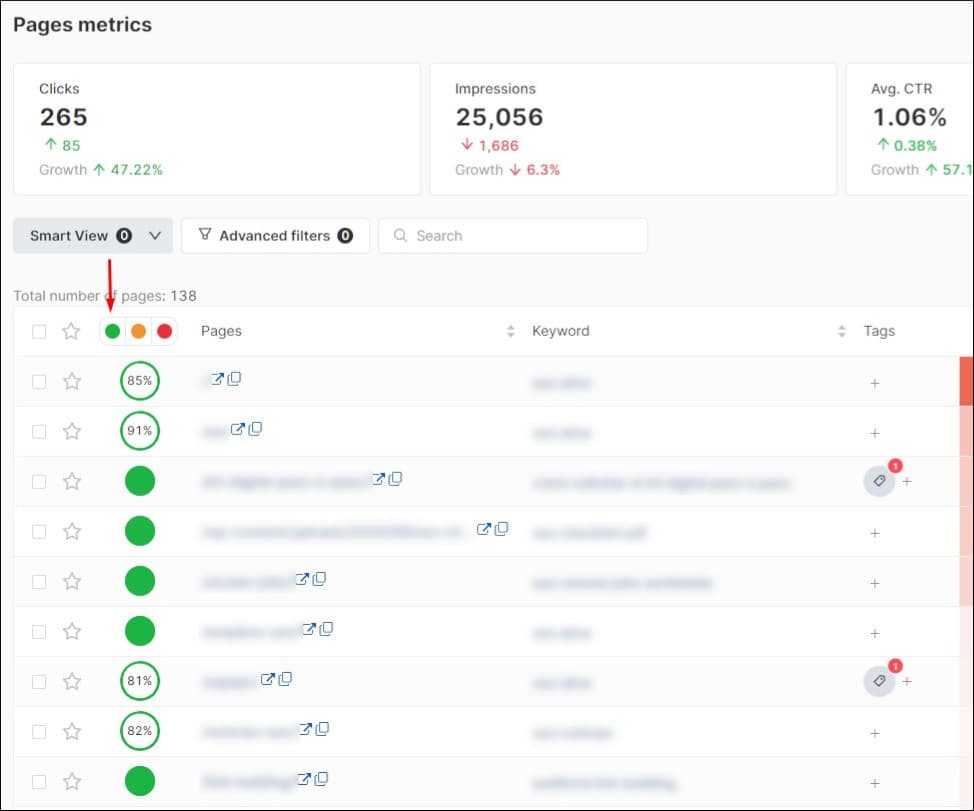
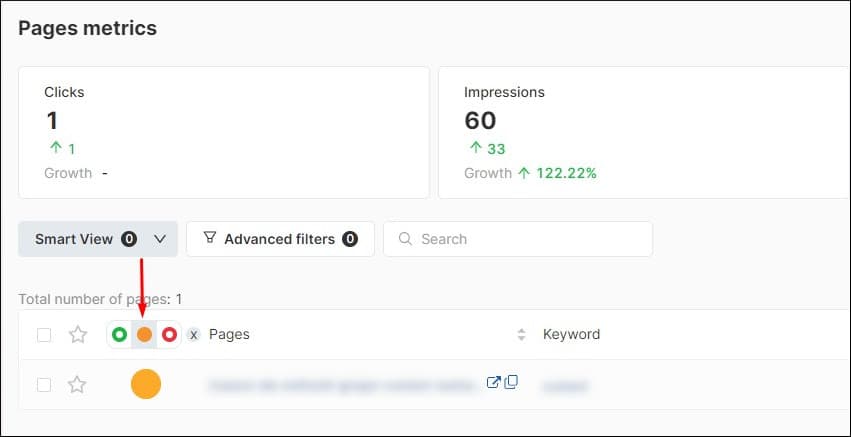
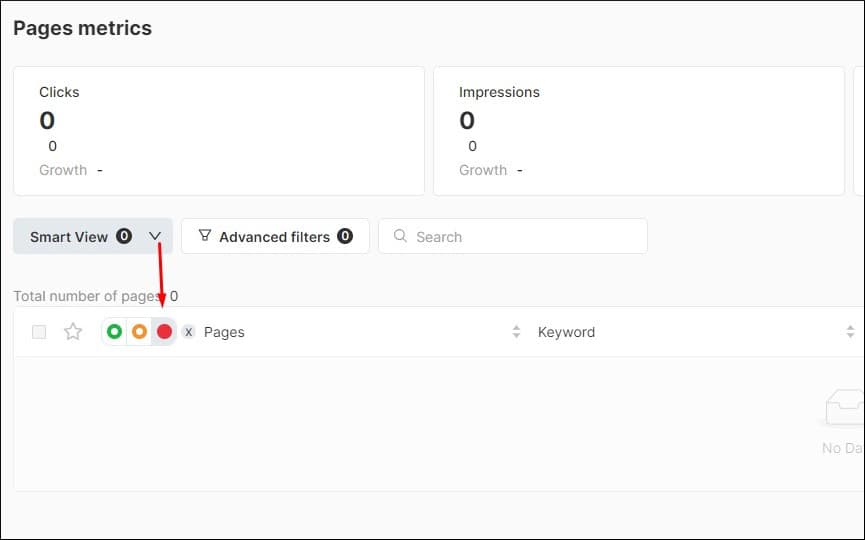
We love implementing visual improvements for you to collect the biggest amount of information possible at a glance: the easier the tool is to use, the more you can get from it. That’s why, this very simple novelty is one of the coolest we bring you this month: Enter Rank tracker – Pages and you’ll see a traffic-light filter showing the status of your project’s pages.
-
Green lights show that your page’s status is 200. If, in addition, the tool has calculated the page’s health, you will see it as a percentage within the circle.
-
Orange lights show URLs with 3xx redirection.
-
Red lights indicate broken URLs with 4xx or 5xx response.
This functionality automatically analyses all URLs on the site, which makes it very useful to keep all undesired response codes under control and solve them promptly.
2023 Clicks and Impressions data
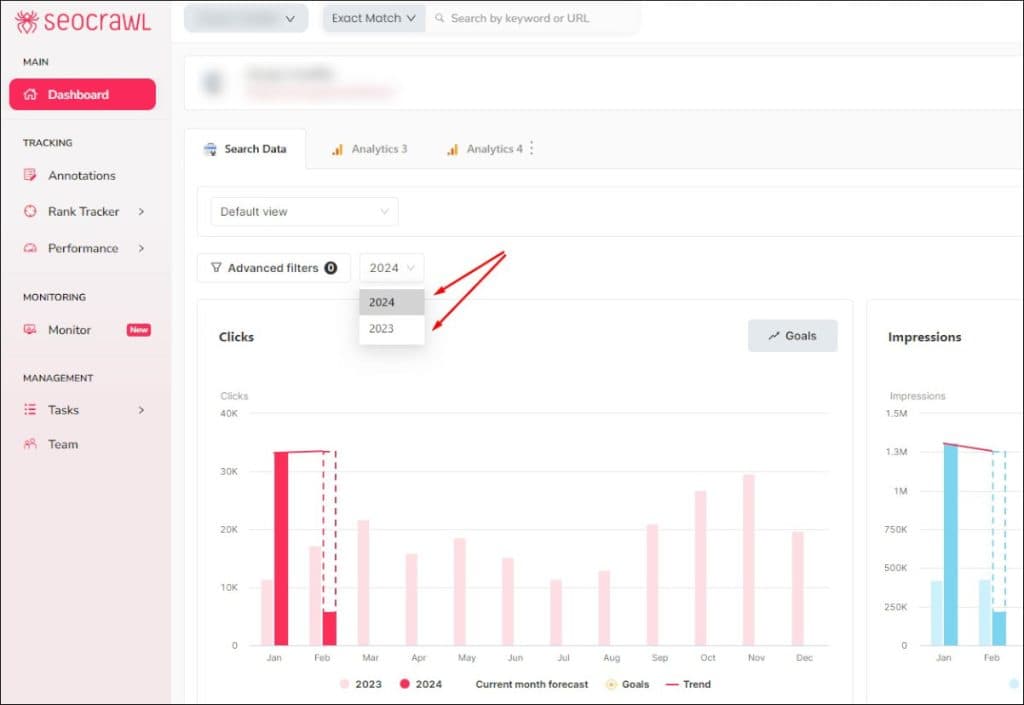
You’ve been waiting for it, and it is here: from now on, you can see previous data in the project Dashboard. It’s as simple as displaying the dropdown menu next to the advanced filters to view a 2023-2023 comparison (by default) or 2022-2023. Easy peasy!
New languages
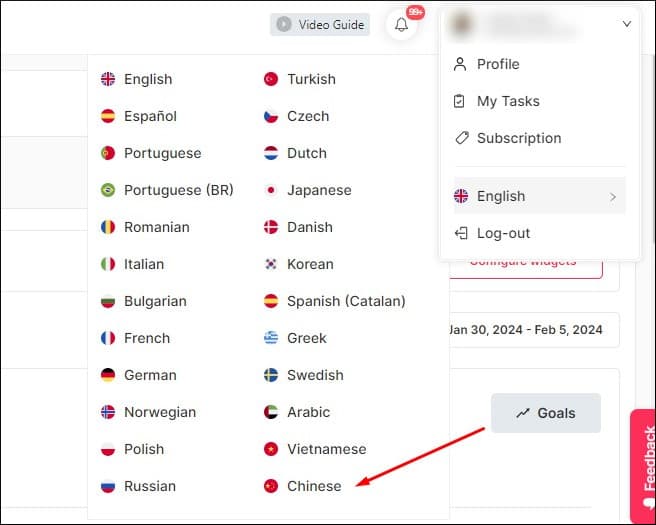
We aim to improve SEO strategies around the whole world, and that’s why we feel happy every time we include a new translation language, as it means SEOcrawl AI can reach many more people. Very important news: SEOcrawl AI is now available in Chinese. This sums up to 24 languages!
Additionally, we took the chance to redesign the translation and language management function, which now as a much cleaner and visual look to make it easier to change between versions as needed.
We keep on working to make SEOcrawl AI the best SEO tool in the market. You won’t believe all the incredible news we will have for you along 2024! You still haven’t tried it? Request a DEMO; we will tell you how the tool works and offer you interesting tips to improve your project, and, moreover, you will get a FREE Enterprise account for 14 days for you to fully test it.
Author: Isabel Rubio

My story with the written word began long before I'd ever heard of SEO. I studied Journalism because I was obsessed with telling things properly, and from traditional newsroom writing I jumped — almost without realising — to copywriting and content marketing. That's where I discovered that writing for people and writing so Google understands you aren't opposing disciplines: they're two sides of the same coin.
I've worked at different media outlets and agencies, until in August 2021 I joined SEOcrawl AI as Content Director. Since then I write and coordinate the content of our projects, convinced that every article, every guide and every piece has to give the reader something useful and, on the way, rank where it needs to rank.
I split my life between León and Madrid, I dedicate every hour I can to writing and reading (though it never feels like enough), and without batting an eye I still defend that content is king.
Discover more content about this author