Ecommerce SEO
Ecommerce is one of the online business models where it tends to be easier to measure profitability, since the return generated is always monetary. Within the complexities that SEO has when it comes to measuring its return on investment, in ecommerce it's a bit easier because:
-
The SEO strategy is created and developed
-
Higher quality traffic is captured
-
That traffic brings direct sales (access through a search engine query) and indirect sales (awareness of the brand/company thanks to a search engine query followed by a later purchase through the same organic channel or through other channels).
Therefore, the goal of SEO in eCommerce is nothing more than to increase quality traffic, meaning traffic that has at least some interest in purchasing the products being offered.
In this guide, we're going to break down, step by step, how we can improve traffic acquisition for an online store so that the monthly revenue associated with organic traffic keeps growing. And we shouldn't forget that every improvement we make at the SEO level (content, performance, speed, usability...) will also have a direct impact on all other channels (direct, social, PPC...).
CMS platforms for building online stores
There are plenty of CMS platforms you can use to create an online store. An ecommerce doesn't have to be tied forever to a specific CMS; migrations and CMS changes can happen in search of an improvement over the previous system.
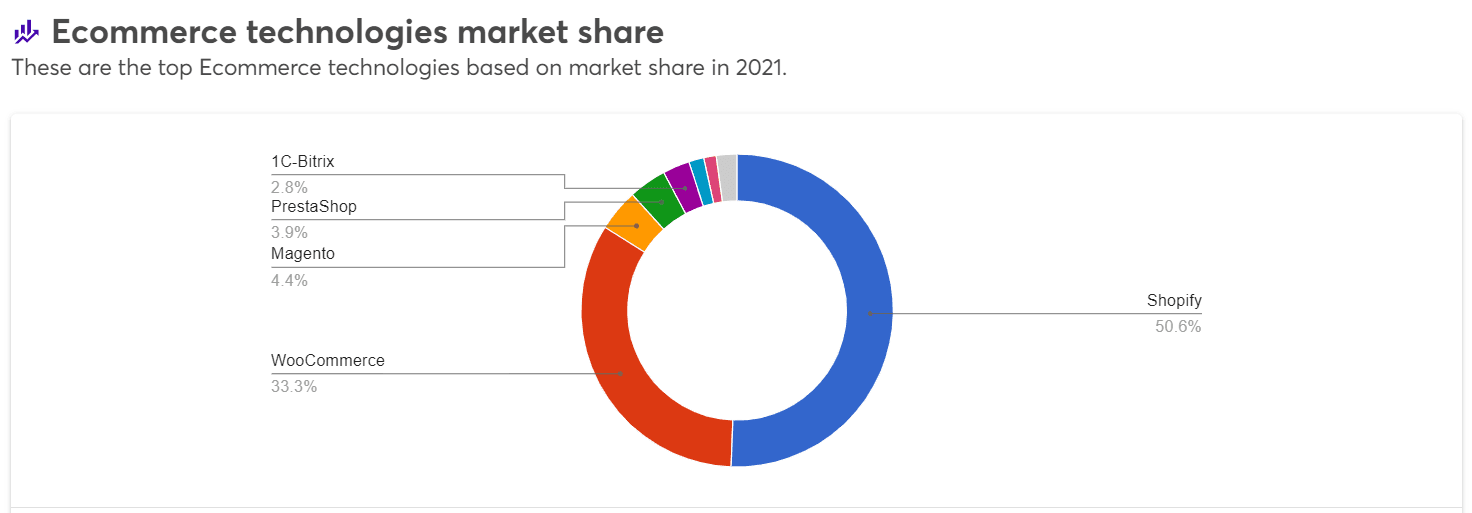
Shopify
One of the CMS platforms with the easiest implementation, but at the SEO level it doesn't let you do "everything we want" since several configurations, such as the URL structure, cannot be modified.
For more information, check out our Shopify SEO Guide
WooCommerce
Under the WordPress umbrella, we have this well-known plugin that creates a very complete online store for you. Its technical complexity is low and it has a high potential for customization. One of its biggest drawbacks is that it tends to fall a bit short for medium and large companies that want more advanced functionality for their online store.
For more information, check out our WooCommerce SEO Guide.
Magento
Currently in its Magento 2 version. This CMS has its advantages in the high customization of the online store and in its power to evolve and create ecommerce sites with many advanced features. On the downside, its biggest disadvantage is that it has a fairly high technical complexity.
Prestashop
A CMS with considerable versatility that sits in an intermediate position between Shopify and Magento in terms of technical complexity and SEO potential. It's not as complex as Magento, nor does it allow as much customization, but it is more technically complex and allows more customization than Shopify.
You can learn more about this CMS in our Prestashop SEO guide
Keyword research
After this introduction to the most widely used CMS platforms globally, let's get to the heart of the steps to make your ecommerce as perfect as possible to win Google's heart.
Keyword research is one of the fundamental pillars when tackling any project, and the ecommerce sector is no exception. In this step we'll look, through the tools we like best for this task, such as Keyword Planner, Ahrefs, Semrush, SEOcrawl AI..., for the keywords we want to appear for in Google's search results and which, therefore, we want to rank for.
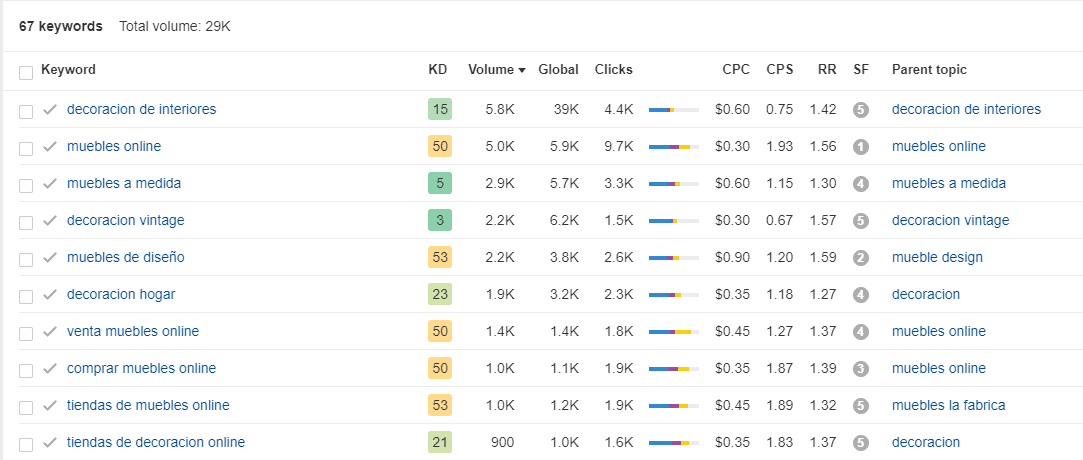
The goal is to create a keyword mapping, with the estimated monthly search volume for each one, from the least specific to the most specific, so that they can be associated, in order, with:
-
home
-
primary categories
-
secondary categories, and
-
products.
This will help us establish an architecture for the menu and we'll know how to organize and name each of the categories.
If you have a blog, it will also be important to do a small investigation of which keywords can be used in the blog to rank different posts that can bring traffic related to the eCommerce sector.
Architecture
Once we have the keyword research, we can create or modify the categories and subcategories for our online store.
This is where we need to think about how to establish the hierarchy. The more general terms will occupy the upper levels. That is, the families will be those terms that match the highest volumes. As we descend through the website architecture, it will become more concise. Subfamilies will occupy these lower levels.
In this way, we'll develop an SEO information architecture that will go from the most generic to the most specific.
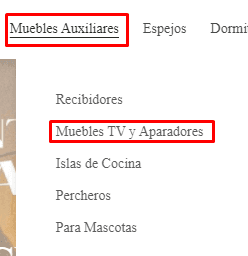
When putting it into practice, there are a number of points to consider:
-
Create a URL structure that makes sense: they should be friendly and descriptive. Although some CMS platforms don't allow it, it's highly recommended to concatenate subcategories with categories. Special attention must be paid to not duplicating a product's URLs across different categories.
-
Use of breadcrumbs: you'll be able to help your users navigate and locate themselves within your website's architecture.
-
Establish a logical internal link structure: a coherent structure will help Google understand your website's architecture and will guarantee optimal indexability. It will also improve the user's browsing experience.
-
Highlight the most important categories and products in your store. This way the authority from the homepage is passed to these pages.
If you need more information, check out our article on how to create the best web architecture.
On-page basics for ecommerce
With the keywords selected and the information architecture defined, it's time to work on everything related to the page content, on-page SEO. At this point we need to consider aspects such as:
-
titles
-
meta descriptions
-
anchor texts
-
and other elements that we'll break down next.
Titles
It's a text of relevance to Google, since it uses it to know "what the page is about." The title is the part of the snippet that is shown in the search in blue. Given its importance, we must dedicate time to its optimization.

Titles should be descriptive, contain the keyword as far to the left as possible, and include the brand name, without exceeding 60 characters. You can also consider whether to include a secondary keyword or terms such as 'buy', 'online', or 'offer', among others.
Meta description
Right below the title appears the meta description. It's the black text in the snippet. Its purpose is to grab the user's attention. It should be attractive and descriptive, and should not exceed 160 characters.

The meta description does not function as a relevance factor for Google, as titles do. However, although it doesn't have a direct effect on ranking, it can have an effect on conversion and CTR, by grabbing users' attention. This text works like a small shop window, so you should highlight your business's competitive advantages. Exclamations and calls to action usually work very well.
Headings
Headings serve to establish a hierarchy among the different parts of a piece of content. This way, Google is told which parts of the text are the most important.
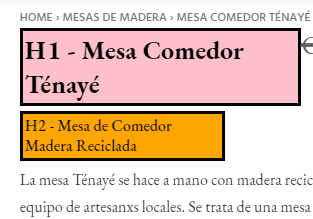
The <H1> tag would correspond to the top-level title. It should include the target keyword and related terms. There must be coherence between the title and the H1. Sometimes they even match. There should only be one per category or product page.
The subsequent headings (<H2>, <H3>, <H4>, <H5>, <H6>) will be used to title other, less relevant parts of the content.
An example of this heading hierarchy would be the following:
Internal linking
Every ecommerce should have good internal linking. It's important to link between:
-
related products
-
related categories, and
-
even posts related to the products.
This linking system should go from posts to products or categories. We rarely find links from categories to a specific product.
Content for categories
Categories are one of the most profitable pages for the business. They are the URLs that rank for the most generic KWs with the highest search potential. That's why we must develop an SEO strategy that helps us rise to the top positions of the SERP for transactional queries.
Category pages are product listing pages (PLPs), so filters, pagination and indexing matter as much as the copy. See our guide to product listing pages for the details.
When working on category content, you need to follow a series of recommendations.
-
The first is to check how the competition is doing it and what the SERPs look like. From there we'll have a base idea of how to work on it.
-
It shouldn't be too informational. It's a transactional page, so if we include too much information we can confuse Google about whether it should show that URL for informational or transactional queries.
-
We should optimize them without overdoing it. For this reason we shouldn't overuse bold text or try to cram in too many keywords. Overusing these elements can negatively affect the page's ranking.
Content on products
An online store is usually in constant flux. New products, others that get discontinued, others that run out of stock. At the SEO level, it's very important to properly optimize the product pages. You need to consider the following elements:
-
H1: Must be descriptive and include the brand and the category.
-
Descriptive text: it should include the most important features for users. This information must be of high quality and well crafted. As far as possible, we should create unique texts for each product that include the main KW and related keywords naturally and without overdoing it. The use of texts provided by suppliers should be avoided.
-
Reviews: Ratings tend to build trust. It's usually one of the first sections users interested in products look at. They can have a direct and positive effect on sales. At the SEO level, ratings are positive, since they allow the page to be updated with original and relevant content more frequently.
-
Structured data: Add structured data to your product pages. It allows you to mark up information such as price, availability, ratings... This way it will be shown as a rich result in search engine results.
-
Images: We should also optimize product images. To do this, we must write a descriptive text in the ALT tag of each image. It's recommended to include the main KW whenever it's not forced. Images should be sharp and clear depictions of the product.
In an ecommerce it's common to have very similar products. In this case, it's best to choose one "main" product and apply the "noindex" tag, or canonicalize the rest to avoid cannibalization problems. When dealing with variants of the same product, the recommendation is to canonicalize.
You need to highlight temporarily out-of-stock products and discontinued ones. In the first case it's usually a good practice to include a message indicating that the product is currently unavailable. What you should never do is delete it or set up a redirect.
In the case of discontinued products, you should check whether there's a similar product in the store that we can redirect it to with a 301. If that's not the case, check whether it has organic traffic or backlinks: if so, you can redirect to the closest category, but never to the home or to something generic.
WPO
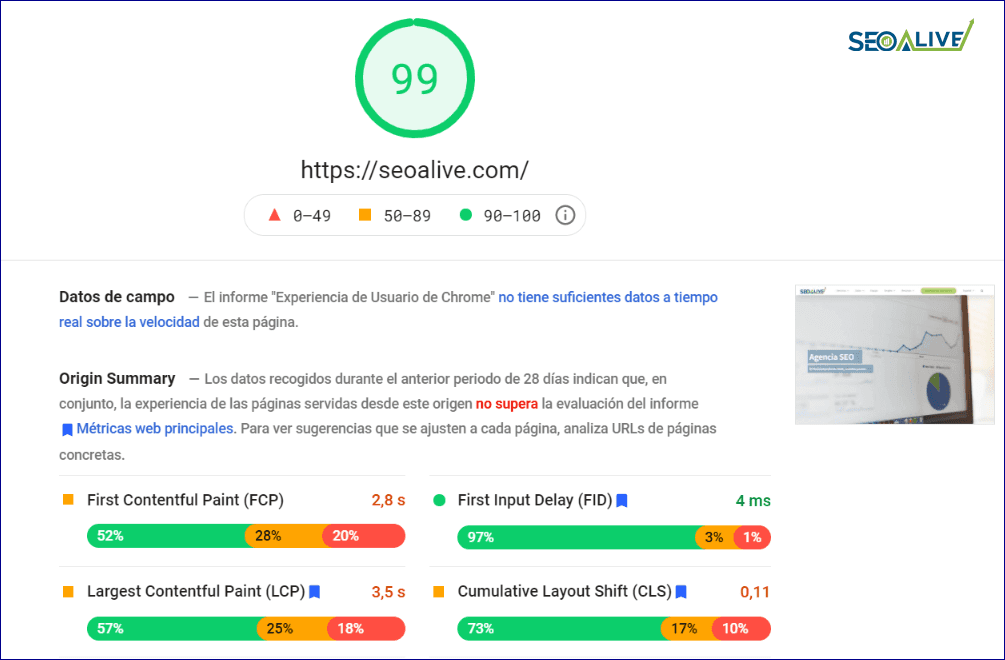
Within the possibilities of each CMS, it's always important to improve loading speed and CWV. In recent months, WPO has become even more important after the announcement of the Core Web Vitals. A page that takes a long time to load won't be well valued by either bots or users.
We know that an eCommerce is never going to achieve a top score, because to get one you might have to sacrifice features that are actually useful. There are many tools to measure and analyze our website, such as Page Speed Insights.
Mobile
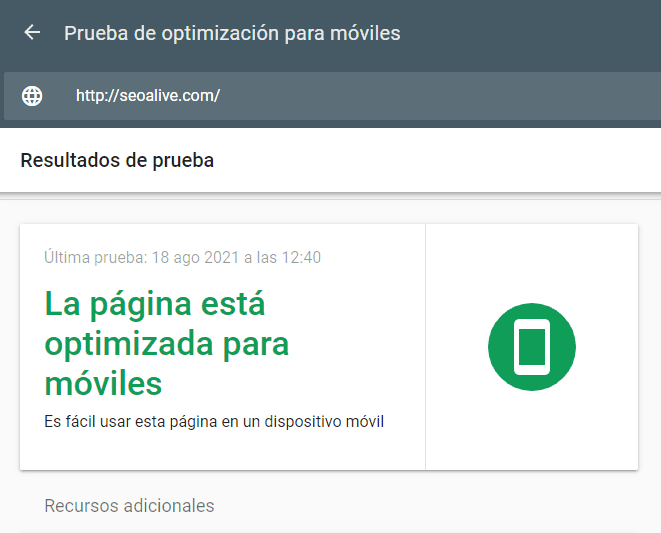
More and more users are using mobile devices to purchase any product. So much so that Google uses information from the mobile version to rank search results. The most important thing is to create adaptable web designs that pass all of Google's checks and don't trigger errors in Google Search Console.
The option most valued by Google for adapting a website to mobile devices is responsive design. When implementing a responsive build, we must avoid duplicating the code for the mobile version.
Link building
We must work on our popularity profile through off-page SEO. For this we'll use the link building technique, whose objective is the acquisition of external links. To develop a good strategy we must follow a series of guidelines:
-
Natural links: we should generate links that are thematically related to our sector. If I sell furniture, I should look for decoration and interior design blogs.
-
Competitor analysis: If a website links to my competitor, it shouldn't have a problem linking to me as well.
-
Avoid spam: Review and avoid suspicious domains. Investigate whether they're of interest to your audience. It's preferable to pay a bit more but avoid links that could penalize us in the long run.
Brand Building
The online strategy must be completed with a solid brand-building plan, whose main goal is for users to love our brand and recommend it. To achieve this, special care must be taken with customer service, return and exchange policies, and the communication of our values to our current and potential users.
Continuous improvement
The key to the success of any project is to keep working on improving, even if we are the market leaders. The analysis of results by area, together with the early detection of possible errors and the constant proposal of improvements and innovations will take us to the top in any project we set our minds to.
Basic SEO mistakes for eCommerce
When developing your strategy, it will be useful to know the basic and most common mistakes you should avoid so they don't interfere with your organic results and your revenue.
Indexing out of control
Elements like URL parameters, which are generated due to product filters, can create millions of URLs and cause Google to spend valuable crawling resources on pages that have zero value.
Lack of web architecture
Not having a well-defined web architecture will cause serious cannibalization problems between pages, crawling errors, and, most importantly, will confuse our users.
Duplicate content
Duplicate product descriptions, empty categories, out-of-stock products... If we don't manage all these cases well, our SEO strategy won't achieve the results we want.
Creating a good SEO strategy for your ecommerce will take time, effort, and resources. But all of it will be rewarded with increased traffic and sales.
With this guide, you can start creating your own SEO strategy for your online store. But if you need help, you can contact us and we'll help you. Don't hesitate to request your Free SEO Diagnosis.
NOTE: *Several people from our wonderful team participated in this article. A thousand thanks to all of them! (Esperanza, Víctor, Jesús, and Isa). *
Author: David Kaufmann

I've spent the last 10+ years completely obsessed with SEO — and honestly, I wouldn't have it any other way.
My career hit a new level when I worked as a senior SEO specialist for Chess.com — one of the top 100 most visited websites on the entire internet. Operating at that scale, across millions of pages, dozens of languages, and one of the most competitive SERPs out there, taught me things no course or certification ever could. That experience changed my perspective on what great SEO really looks like — and it became the foundation for everything I've built since.
From that experience, I founded SEO Alive — an agency for brands that are serious about organic growth. We're not here to sell dashboards and monthly reports. We're here to build strategies that actually move the needle, combining the best of classical SEO with the exciting new world of Generative Engine Optimization (GEO) — making sure your brand shows up not just in Google's blue links, but inside the AI-generated answers that ChatGPT, Perplexity, and Google AI Overviews are delivering to millions of people every single day.
And because I couldn't find a tool that handled both of those worlds properly, I built one myself — SEOcrawl AI, an enterprise SEO intelligence platform that brings together rankings, technical audits, backlink monitoring, crawl health, and AI brand visibility tracking all in one place. It's the platform I always wished existed.
Discover more content about this author
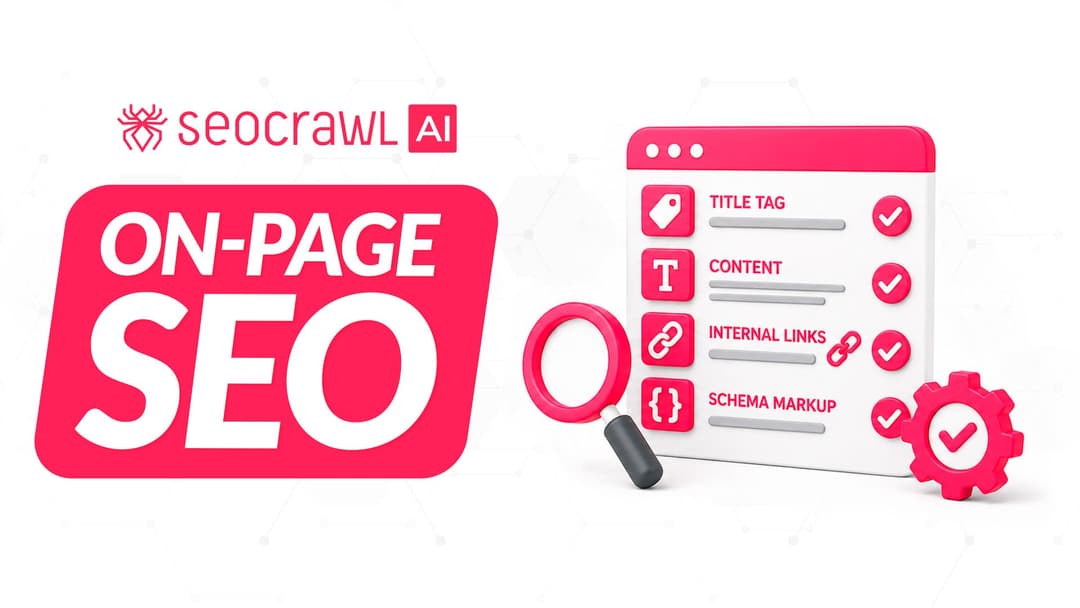
On-page SEO is everything you control on a page: content, title, meta description, headings, URL, images and internal links. Here is a checklist element by element, an audit process and what changes with AI Overviews and AI Mode.