URL Not Found (404) in Search Console: Fix, Ignore, or Remove
"Not found (404)" means Googlebot requested a URL and your server responded that the page does not exist. Google keeps a record of URLs it has seen before and will retry them for a while — sometimes months after a page is gone. You'll find the list under Indexing › Pages, in the "Why pages aren't indexed" section. For where this report sits in the wider tool, see our complete Google Search Console guide.
Before you start redirecting everything in sight, the useful question isn't "how do I fix this" but "does this even need fixing?" Some of these URLs should be restored, some should point somewhere else, and plenty can be left exactly as they are.
Do 404 errors hurt SEO?
Usually no. Google states that 404 errors generally don't affect your site's search performance, and that you can safely ignore them when you're certain the URL should not exist (Search Console Help).
It's a different thing when a 404 hits a URL that still has value: a page people link to, a URL in your sitemap, or a page that used to bring in traffic. In those cases the loss is the traffic and link equity tied to that URL, not a ranking penalty on the rest of your site. (New to the status code itself? Our 404 error guide covers the basics.)
How to fix a 404: 301 redirect or restore the page
Once you know a URL returning an error is worth keeping, there are two clean fixes.
- Restore the page: if the content was deleted by mistake, put it back at the same URL and ask Google to recrawl it. Confirm the URL now returns a 200 status before you validate.
- 301 redirect to the best alternative: if the page moved or was consolidated, set up a 301 (permanent) redirect to the closest relevant page. Redirect to a genuinely related page, not your homepage — sending unrelated URLs to the homepage is treated as a soft 404 and helps no one.
Avoid redirect chains (A → B → C) and loops. Point the original URL straight at the final destination, since Googlebot gives up after a handful of hops.
After you restore or redirect, open the 404 detail view in Search Console and click Validate Fix. Google rechecks the URLs on its next crawl and updates the status if the fix holds.
How to remove a 404 page from Google fast
Sometimes you just want a URL gone from search results: a page published by mistake, an expired offer, or a URL exposing something it shouldn't.
Step 1: The Removals tool
In Search Console, go to Indexing › Removals › New request › Temporarily remove URL, enter the exact URL, and submit. This hides the page from Google results within hours.
This is temporary. The block lasts about six months, after which the page can reappear, and it does not remove the row from your 404 report (Search Console Help).
Step 2: 410 Gone or 404
For the URL to stay out of the index, the page itself has to signal that it's gone. Returning a 410 Gone is the more explicit "this is gone for good" signal.
Google currently treats 410s the same as 404s for removal purposes, and a 410 can nudge deindexing along slightly faster (Search Console Help). Either way, Google drops the URL from the index over time once it keeps seeing that status.
Step 3: When you need it blocked but the page must stay live
If the URL has to remain reachable (for logged-in users, say) but out of search, add a noindex directive instead of a 404/410.
Don't block the URL in robots.txt if you want it deindexed — a blocked URL can't be crawled, so Google never sees the noindex.
Pair every removal with a permanent signal. Don't submit a removal request and forget about it: always back it with a 410, a 404, or a noindex.
How to find what's linking to your 404s
A 404 keeps coming back because something still points at it. Track down the source before you validate a fix.
- Internal links: in the Search Console 404 detail view, use URL Inspection on an affected URL to see where Google discovered it. Then fix or remove the internal links that still point to the dead page — these are fully in your control.
- External backlinks: check your backlink data for links pointing at the 404. You can't edit another site's link, so preserve that equity with a 301 to a relevant page instead.
- Your sitemap: deleted pages sometimes linger in the sitemap. Remove them and resubmit, so you stop telling Google to index URLs you retired.
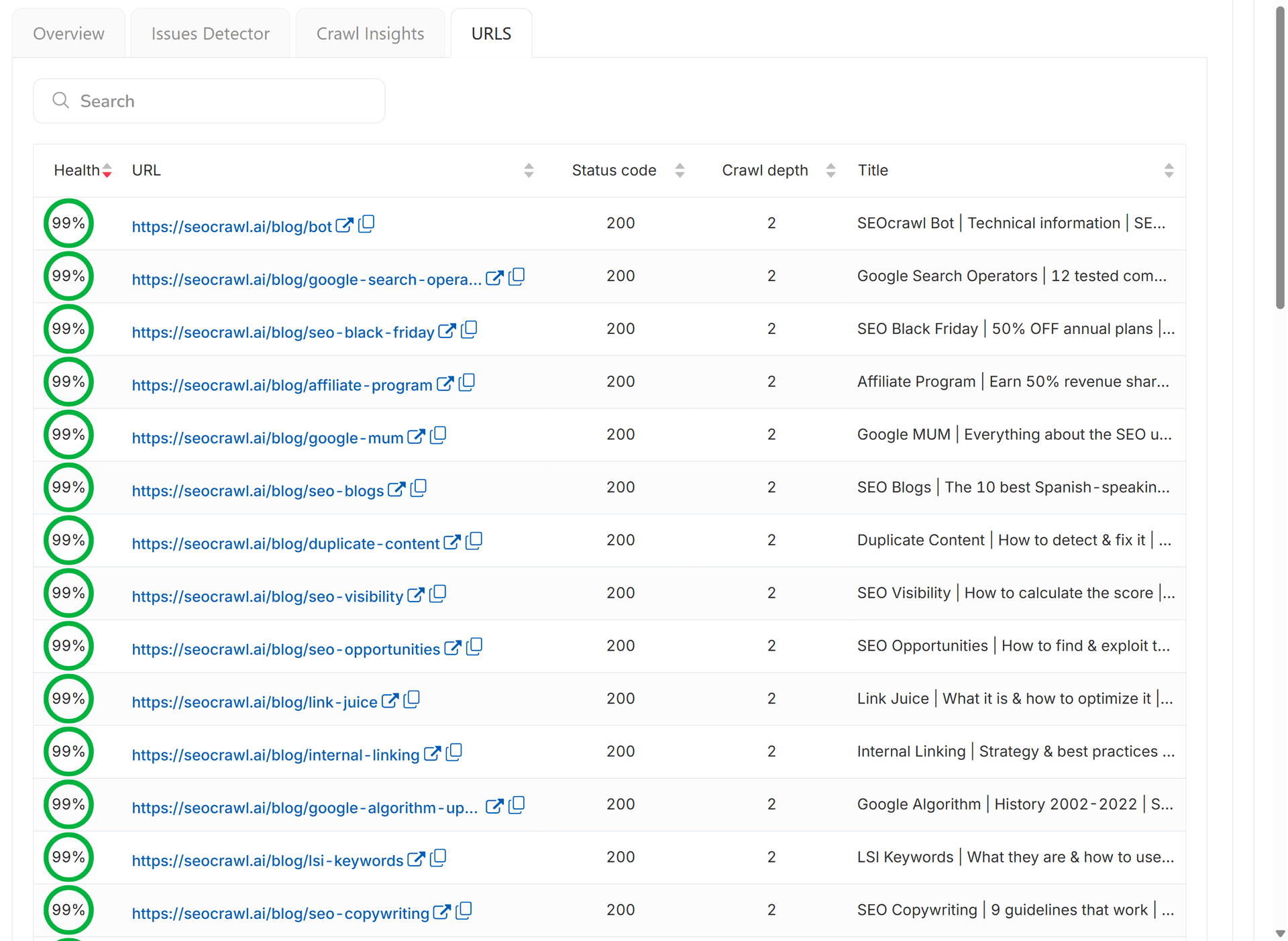
Doing this URL by URL is slow on a large site. SEOcrawl AI crawls your full estate and lets you filter every crawled page by status code so you can pull the complete 404 list in one view.
If Search Console labels the problem Blocked due to other 4xx issue instead of "Not found," that's a separate report with its own diagnosis — a 4xx code Google won't name for you.
Validate and monitor your 404 fixes with SEOcrawl AI
Fixing 404s isn't a one-off. New ones appear after every migration, redesign, or post deletion, and a spike in 404s right after a launch usually points to a missed redirect mapping.
After each fix, use Validate Fix in the 404 report and give Google time to recrawl. Then watch the trend rather than the individual rows.
This is the part that's easy to let slide, and where SEOcrawl AI's SEO Monitor earns its place: it watches your site around the clock and alerts you when a key page starts returning a 404 or gets redirected, before the drop shows up in your rankings.
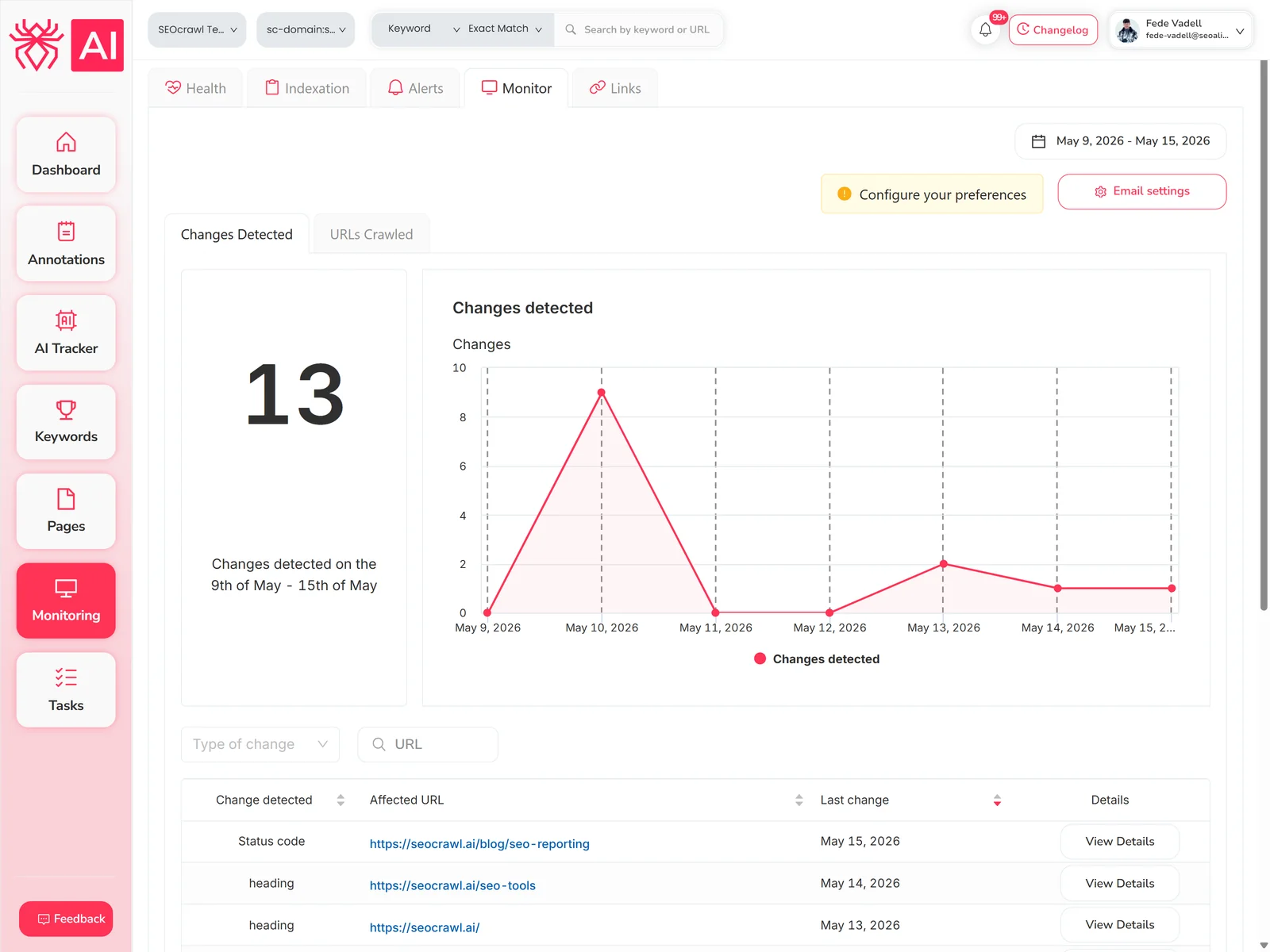
You can also tag and triage the affected URLs — by rule, manually, or from Claude or ChatGPT through the SEOcrawl AI MCP server — and turn them straight into tasks, so the 404s that matter get fixed and the ones that don't stop cluttering your view.
FAQs
Do 404 errors hurt SEO?
A clean 404 is the correct response for content you removed on purpose (Search Console Help). The real cost comes when a 404 hits a URL that still has backlinks, sitemap inclusion, or traffic, because you lose the value tied to that specific page. Fix those; leave the rest.
How long until Google drops a 404 from the report?
The Page indexing report only shows URLs that returned a 404 in the past month, so an isolated 404 typically stops appearing after about 30 days (Search Console Help). Google may still recrawl the URL occasionally — there's no way to make it forget a URL permanently — but a page that consistently returns 404 or 410 gets crawled less and less over time.
Does the Removals tool actually fix a 404 in Search Console?
No. The Removals tool hides a URL from search results for about six months, and after that the page can reappear (Search Console Help). It doesn't remove the entry from your 404 report and it doesn't change anything on your server. Use it for speed when a page must vanish now, then apply a permanent fix: a 404, a 410 Gone status, or a noindex directive.
Is a 410 better than a 404 for removing a page?
For a page you want gone permanently, a 410 is the clearer signal, because it tells Google the page was removed on purpose rather than merely missing. Google currently treats 410s the same as 404s, so both lead to deindexing, but a 410 can speed it up slightly (Search Console Help). Keep a 404 for pages that might return; use a 410 when you're certain.
Can I find every 404 across my whole site at once?
Search Console lists up to 1,000 rows per report, which is limiting on large sites. SEOcrawl AI crawls your full site and lets you filter every page by status code, so you get the complete list of 404s with each URL's health score and error counts in one place, then tag and prioritise the ones worth fixing.
Author: David Kaufmann

I've spent the last 10+ years completely obsessed with SEO — and honestly, I wouldn't have it any other way.
My career hit a new level when I worked as a senior SEO specialist for Chess.com — one of the top 100 most visited websites on the entire internet. Operating at that scale, across millions of pages, dozens of languages, and one of the most competitive SERPs out there, taught me things no course or certification ever could. That experience changed my perspective on what great SEO really looks like — and it became the foundation for everything I've built since.
From that experience, I founded SEO Alive — an agency for brands that are serious about organic growth. We're not here to sell dashboards and monthly reports. We're here to build strategies that actually move the needle, combining the best of classical SEO with the exciting new world of Generative Engine Optimization (GEO) — making sure your brand shows up not just in Google's blue links, but inside the AI-generated answers that ChatGPT, Perplexity, and Google AI Overviews are delivering to millions of people every single day.
And because I couldn't find a tool that handled both of those worlds properly, I built one myself — SEOcrawl AI, an enterprise SEO intelligence platform that brings together rankings, technical audits, backlink monitoring, crawl health, and AI brand visibility tracking all in one place. It's the platform I always wished existed.
Discover more content about this author
CTR tells you how many of the people who saw your result actually clicked. Here's the formula, what a good CTR looks like in 2026 by channel and by Google position, and how to get more clicks from the rankings you already have.