301 Redirect: What It Is and How to Set It Up

If you work as a webmaster or offer SEO services, you are surely more than familiar with 3xx codes. However, the right redirect is not always implemented depending on the goal we want to achieve. That is why today we are focusing on 301 redirects which, along with 302 codes, are the most common. Here we go:
What is a permanent 301 redirect?
As we mentioned just a few lines above, two of the most well-known codes are 301 and 302. What is the difference? What exactly is a 301 redirect?
The answer is simple: while a 302 redirect indicates that content has been moved temporarily to another URL, a 301 redirect indicates that the content at one URL has been moved permanently to another URL.

What is a 301 redirect used for?
Both the 301 redirect and any other type are essential tools for solving problems that arise with URLs you want to remove.
In both cases we tell users and search engines that content has been moved, but while with a 302 redirect the source URL is not removed from Google's index, with a 301 it is removed. And while in the first case SEO strength is lost, with a 301 redirect the authority is indeed transferred from the old URL to the new one. And this, as you will understand, is essential for SEOs, since it transfers the popularity that the old page had earned during its 'lifespan' to the new one through that link.
When should we use a 301 redirect?
There are many situations in which it is recommended to implement this type of redirect. Broadly speaking, here are the most common ones:
- You have unwanted URLs returning a 404 that are still receiving visits:
Imagine that someone lands on a page you have removed without doing anything about it. Maybe you do not care if they reach that URL (for whatever reason), but in most cases you will be generating visits with a poor user experience. And that is something neither the user nor Google likes. Therefore, it is better to set up a 301 redirect in advance to offer content that is the same as or similar to what existed before being removed; in short, an alternative that can satisfy the needs they were trying to solve when they entered the original page.
301 Redirect
https://mydomain.com/ old-content-about-buying-sneakers (URL with 404 error)
https://mydomain.com/ new-content-about-buying-sneakers/ (correct URL).
- You want to avoid or solve problems due to duplicate content:
You may find yourself in a situation where you have two URLs with the same content, so Google may not understand which of the two should be taken into account for its organic ranking, and may end up not showing either of them. To fix this, we could implement a 301 redirect from the URL we do not want to rank to the one we do want to rank.
The most common case of duplicate content is when we change a domain name and allow all the pages of the old domain to coexist with those of the new site:
301 Redirect
*from https://old-domain.com/bulldog-breed/ *
to https://new-domain.com/bulldog-breed/

- Sometimes-forgotten duplicate content cases you should also keep in mind:
Duplicate content can also arise from having 'mirror' domains (that is, 'secondary' domains that share the same content and IP as the main domain).
Forgetting to set up a 301 redirect for a site's URLs from the IP address to the pages on the domain name means having two different versions of the same content, making you more than likely to receive a penalty from Google.
Letting the pages of the same domain coexist on both HTTP and HTTPS is another case in which we will have identical content susceptible to being visited by Google Panda (by the way, if you have not yet migrated your entire site to HTTPS, do not wait any longer if you are interested in ranking organically, as Google already confirmed in 2018 that it would also take this into account for ranking in its search results).
For all these cases, the most advisable thing is, as we have already said, to apply 301 redirects.
- You need to change a website built with custom code to work with a content manager:
It may happen that you want to change your website, which was programmed with custom code, to keep it on a CMS. Whether that is the case or the situation is the opposite, it is advisable to set up 301 redirects from the initial URLs to the new ones.
Moreover, this situation also applies when we change between content managers. An example? When you want to migrate from Blogspot to WordPress.
When shouldn't we make 301 redirects?
Knowing when to implement this type of action is just as important as being clear about when you should not. The situation where people usually 'sin' the most is:
- Redirects to content that has nothing to do with the original URLs.
Example 1: a domain about cats is redirected to a domain about sports.
Example 2: a product page URL is redirected by default to the domain's homepage.
Why? Because Google may see it as irrelevant or even interpret that we are deliberately trying to mislead it to get better results on the SERPs. And this, once again, takes us back to the previous point: the risk of getting 'a Panda slap' (quite deserved, by the way).
How do you set up a 301 redirect?
Although it is not the most complicated thing, we must be careful when implementing them. Doing it wrong can create redirect loops. Google recommends having just one redirect and not exceeding five, as Matt Cutts commented when talking about redirects on the Google Webmasters YouTube channel:
It is better to have a single redirect rather than a long chain of redirects. It results in a better user experience and makes it less likely to cause problems.
In addition, an incorrect implementation can cause an undetermined number of pages with a 404 error. If a large percentage of pages with this error are generated, our organic ranking will be affected.
That is why it is worth remembering the main options you have when tackling this task:
301 redirect via htaccess:
This is the slightly more tedious method. That is, although it is not really complicated, if it is not done exactly as it should be, it will return a 500 error. To undo the error, it is enough to ALWAYS save a copy of the file from the version before you implemented the line with the 301 redirect, and replace it on the server as soon as possible.
The instruction for one of the most typical scenarios would be:
Redirect 301 /initial-relative-url/ https://mydomain.com/final-absolute-url (both URLs must be separated by a blank space)
Bonus: If you are not good at it and simply prefer a 301 redirect rule generator for Htaccess to do it for you to avoid having to write 2,000 rules one by one, you can work with some of the online tools available.
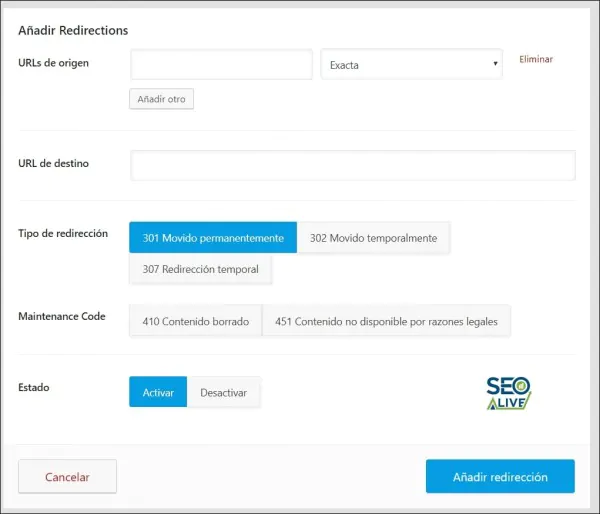
301 redirect in WordPress with plugins:
Another safer option than the previous one is to do it through plugins. In WordPress you will find real gems that will simplify the work. Among our favorites are:
-
Redirection: totally free and allows you to set up both manual and automatic redirects.
-
Quick Page/Post Redirect Plugin: probably the best-known and most-used free plugin after Redirection.
-
Simple 301 Redirects: also free and specifically designed to generate only 301 redirects.
-
The redirection manager from Rank Math: perhaps one of the features we like most about this SEO-focused plugin.
-
Yoast SEO Premium: similar to those we mentioned earlier, only this one is paid.
How long should a 301 redirect be kept?
As John Mueller pointed out in the 2015 Google+ hangout, these types of redirects should be kept for at least one year whenever possible. At minute 26:18 we can see and hear his comments on Google's channel for webmasters on YouTube:
This is because it may take longer than we think for Google to interpret that old content has been moved to new URLs (especially if we are talking about thousands of URLs). So do not be in a hurry to delete them; leave them as long as possible to make sure this process has been fully completed.
Would you like to add anything else? Do not hold back. There is a lot to say about 301 redirects, and we know it. In fact, right below you can leave your opinion about this post. Will you give it a go?
Author: David Kaufmann

I've spent the last 10+ years completely obsessed with SEO — and honestly, I wouldn't have it any other way.
My career hit a new level when I worked as a senior SEO specialist for Chess.com — one of the top 100 most visited websites on the entire internet. Operating at that scale, across millions of pages, dozens of languages, and one of the most competitive SERPs out there, taught me things no course or certification ever could. That experience changed my perspective on what great SEO really looks like — and it became the foundation for everything I've built since.
From that experience, I founded SEO Alive — an agency for brands that are serious about organic growth. We're not here to sell dashboards and monthly reports. We're here to build strategies that actually move the needle, combining the best of classical SEO with the exciting new world of Generative Engine Optimization (GEO) — making sure your brand shows up not just in Google's blue links, but inside the AI-generated answers that ChatGPT, Perplexity, and Google AI Overviews are delivering to millions of people every single day.
And because I couldn't find a tool that handled both of those worlds properly, I built one myself — SEOcrawl AI, an enterprise SEO intelligence platform that brings together rankings, technical audits, backlink monitoring, crawl health, and AI brand visibility tracking all in one place. It's the platform I always wished existed.
Discover more content about this author
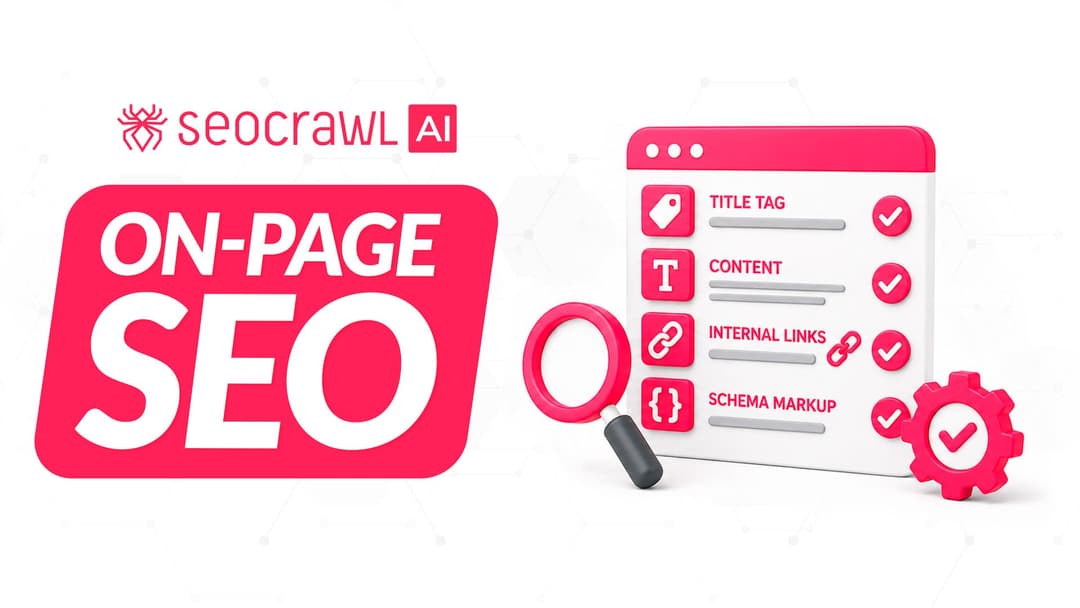
On-page SEO is everything you control on a page: content, title, meta description, headings, URL, images and internal links. Here is a checklist element by element, an audit process and what changes with AI Overviews and AI Mode.