404 Error: What It Is and How to Fix It

Whether you work offering SEO services or not, on more than one occasion you have surely come across the infamous 404 error when clicking on a web page. If, as a user, the experience is already quite negative, you can imagine how much it can harm the SEO ranking of a website. Why? What is the 404 error? What consequences does it have?
We'll tell you below:
What is the 404 error?
The 404 error, "file not found," is an HTTP protocol status code that the browser displays when a user tries to access a page that cannot be found. This type of response indicates that it was able to establish a connection with the server but could not find the requested resource, so the server returns this well-known response to the browser.
One of the tasks of SEO consultants is to monitor the number of "404 errors," to evaluate them and provide a solution for each case. Failing to do so can not only damage a website's brand image but also harm its organic ranking if left uncontrolled.
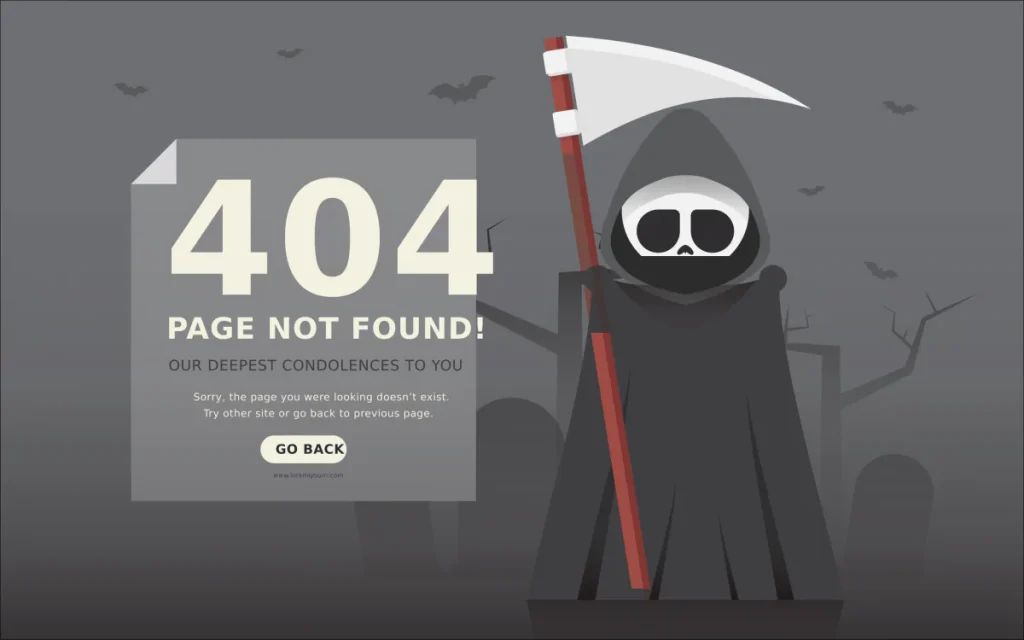
Why? Because, although these are perfectly normal codes expected within the behavior of a website when we encounter a page that doesn't exist, Google (or any other search engine) recognizes them.
In the case of URLs with SEO value, their PageRank will be devalued and they will lose their organic ranking, which obviously means the number of clicks will decrease. Furthermore, if the search engine crawlers encounter a high percentage of URLs with 404 errors within a website, they conclude that there is no proper maintenance behind it. And if they understand this, they deduce that the user experience will be deficient across the entire site, which will harm ranking at the domain level.
And that's considering that it will 'only' lower our positions within the SERPs, because it can even deindex a URL that we want to rank. The scenario in this case is considerably worse.
Now, let's not confuse the 404 response error code with status 410. While the former indicates that it is a temporary situation, 410 is a response that the server provides when the page has been removed and is not expected to return. That is, Google marks them as permanently deleted.
If you want to learn a little more about this topic, you can see how Google distinguishes 404s from 410s:
Matt Cutts, head of maintaining search quality at Google, explains the procedure to follow for each of these two error codes.
Causes of 404 errors
The reasons why the server may return a "404 error – not found" can be summarized as:
-
A URL has been deleted intentionally or by mistake, so if we try to access it, the content will no longer be there and we'll be shown a page with a 404 error.
-
You change domains without migrating the pages published on the old domain to this new one. By not performing a 301 redirect, anyone accessing those pages will encounter a 404.
-
We mistype a URL in the browser, so since it doesn't exist because it was never created, we receive this response.
Where to find the 404 error to figure out the solution
Before seeing what to do with this type of URL and defining a solution for each of them, first, we need to locate and report them. To do this, we have many SEO tools that will help us find and monitor them. Among the many available, we regularly use:
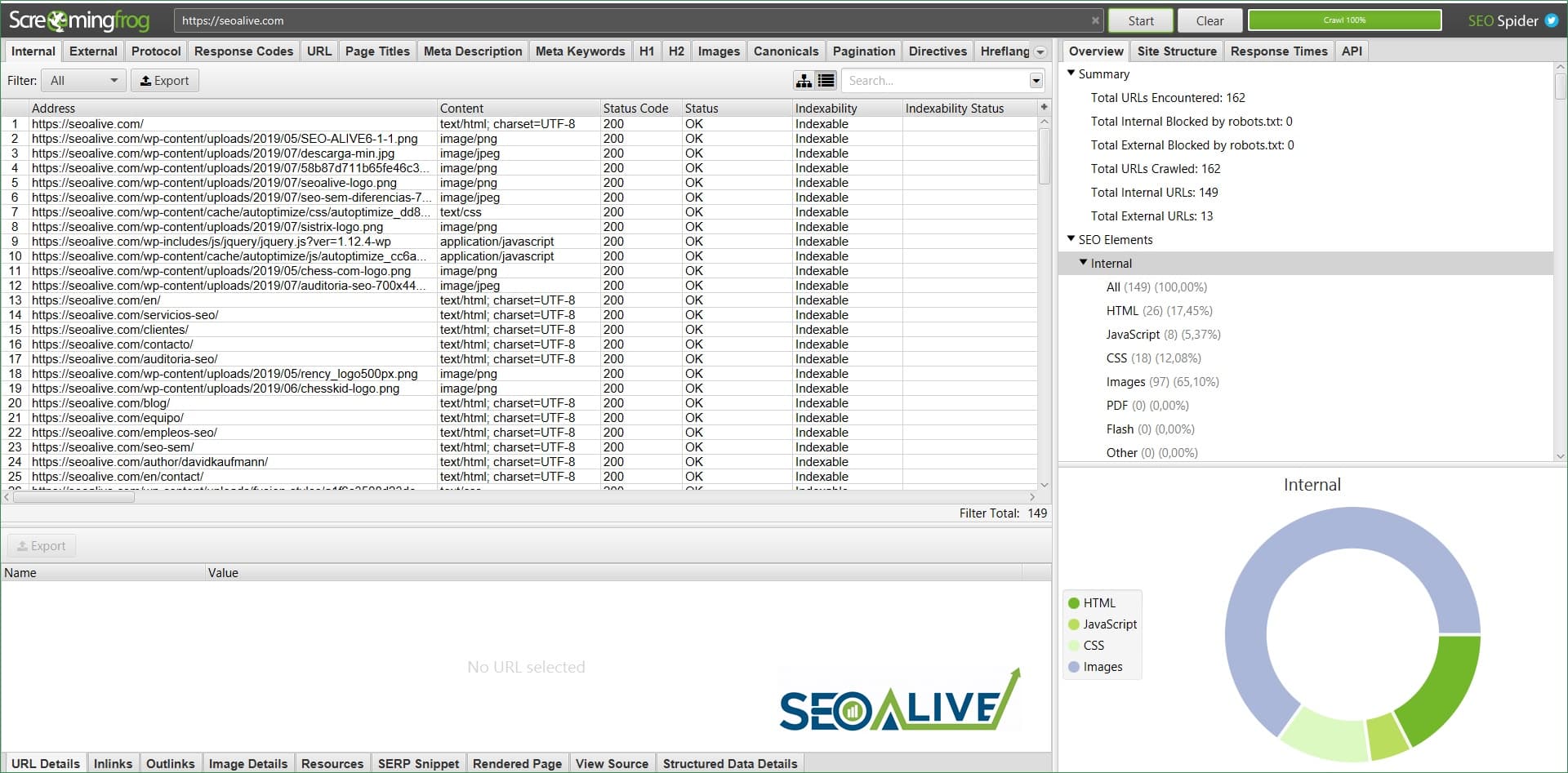
Screaming Frog Spider
Screaming Frog is a very reliable and indispensable tool for extracting 404 errors, as well as for understanding the status of a website in many other aspects. It's a must-have for SEOs.
Online tools
Use online resources like www.brokenlinkcheck.com and handy Chrome extensions such as Broken Link Checker.
Google Analytics
One of the ways you can detect that many HTTP 404s are occurring is through the bounce rate. If this metric is too high, it may be caused by having a high number of URLs with 404 status codes.
To definitively check how many users have landed on a URL with a 404 error within a given time period, you can go to the dashboard, access the reports > behavior > site content > all pages tab. Then type 404 in the search bar and it will return a report of how many sessions have been recorded on this page.

Google Search Console:
Just like with Analytics, you can use Search Console to find pages with 404 codes automatically displayed after being crawled by Google's bots. You just have to click on the Coverage Index option and review which URLs appear as 'Submitted URL not found (404)'.
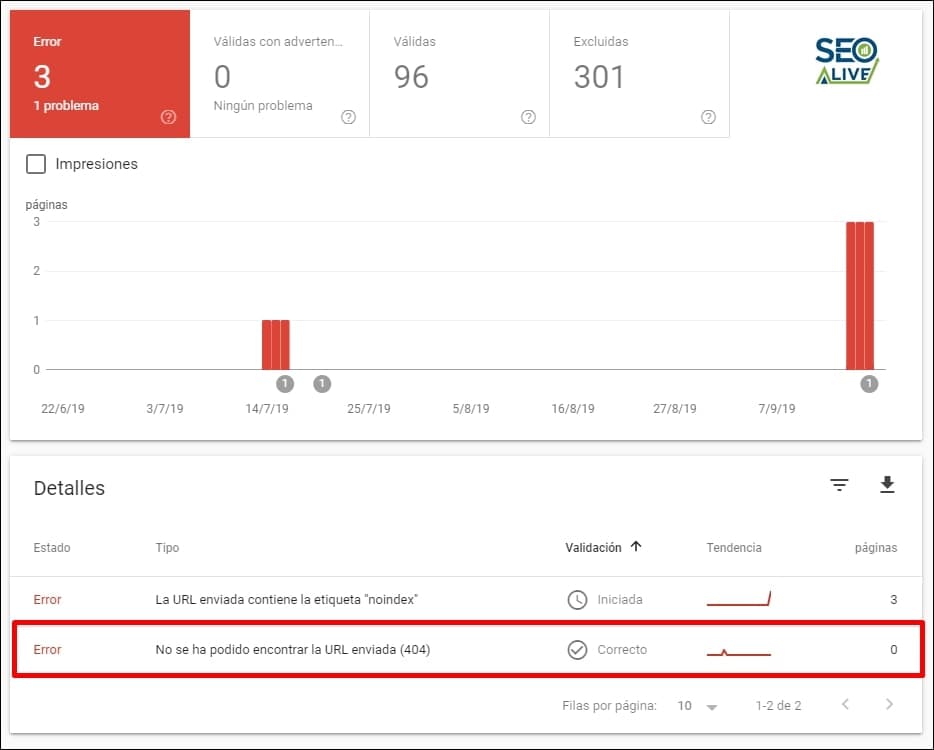
Keep in mind that they may or may not be indexed, so you should investigate all the options (that is, both in 'pages with errors' and 'excluded pages').
The right solution for each 404 error
For all those URLs where we have detected that there is still a 404 error at the time of our review, we will assess how to act based on the problem we encounter:
Set up 301 redirects
Imagine that, by mistake, you mistyped a URL (number 1), published it, and then deleted it. Once you've built the page with the correct URL (number 2) and published it again, to prevent the first one from having a 404 error, we'll do a 301 redirect from URL number 1 to URL number 2.
It may also be the case that you have removed a page temporarily, but it has visits and is linked from other pages, either within your own domain or from others. In such a case, we recommend performing a 301 redirect to another page with similar content. If there isn't one, redirect it to the higher-level category to which it belongs. As a last resort, if you have no other options, redirect it to the homepage. That is, redirect using the 301, but do it with purpose!
Send a 410 error
A 404 error is not the same as a 410, as we saw earlier. If the page is not found but we don't want Google to understand that it's a temporary situation, we will choose to implement a 410. That said, before taking this step, make sure it is isolated from links pointing to it. This way, Google will end up permanently deindexing that URL from its database and it will not be taken into account when ranking in the SERPs.
Alternatives before sending a 404
It may be the case that you have an e-commerce site and have decided to temporarily remove a product from your stock. Well, before deleting it, think about it: why not keep it published by maintaining the 200 request, indicating that you don't currently have that product, but offering the opportunity to visit pages with similar products or services through links that users will see on that same page? If later on you have that product again, that URL will still exist and, although perhaps its authority and ranking will have decreased for a while, it will cost you less to get it ranking again in the search results than if you had to start from a new URL.
Create your own custom 404 error page
Why customize an error page?
Tying in with what we mentioned in the previous paragraph, perhaps you don't agree; perhaps you want Google to understand that it's a 404. Just that. Well, in that case, don't settle for showing the user the typical standardized 404 error page. Customize it by offering content similar to what the user was searching for and why they came to your website. This way, you will not only get them to gain some engagement with you as a brand, but perhaps they will continue browsing your website.
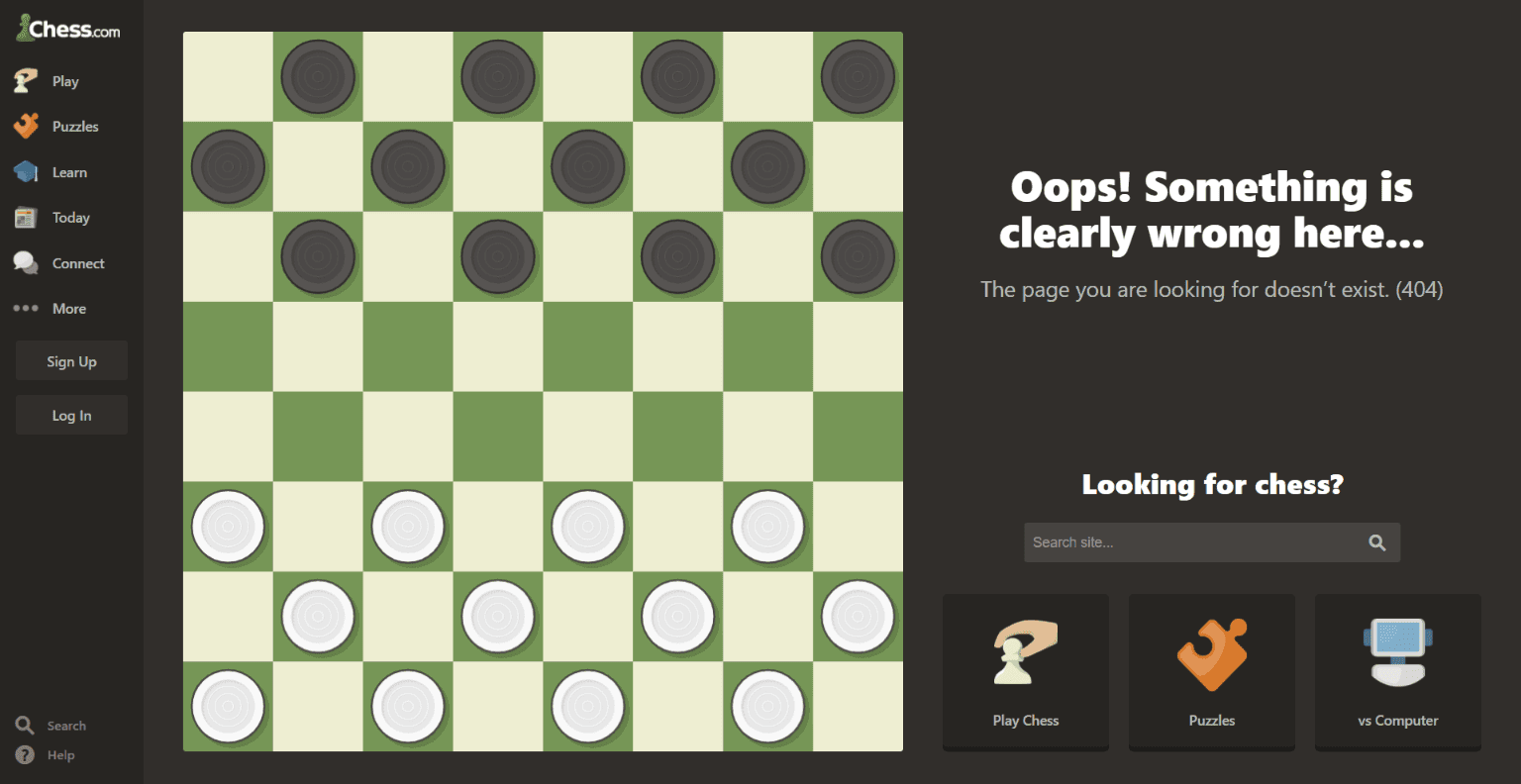
Examples of creative 404 pages
There are many alternatives to prevent a user from quickly abandoning a page with a 404 code. But for this, you have to show them content of interest in return and be creative in how to show it. For example, we can include a highly visible internal search so that, from that page, they have the option to access other possible pages with content similar to what they were looking for in the first place.
Through pages with 404 errors, we can also add contact forms, newsletter subscriptions, and even direct links to content similar to what they were looking for. Whenever it makes sense, you will help the user choose to continue visiting other pages on your website.
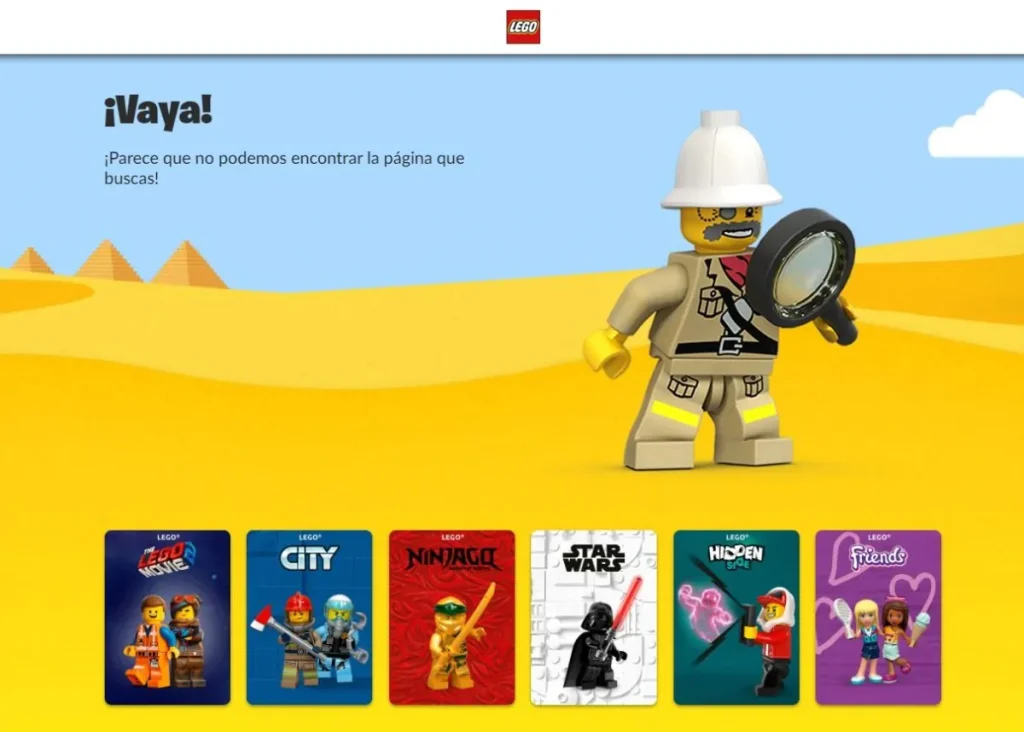
And, if you have nothing to offer, at least try to get a smile out of them with a personalized message indicating that they have arrived at a URL where there is nothing to see.
Let's see a good example where this page has been customized and has managed to grab attention:
Conclusion on 404 errors
Letting 404 errors drift can become a major headache both for your users and for you, if you invest in converting through a website. Monitor them and make decisions about what to do with them on a regular basis; you'll avoid bad experiences, less organic visibility, fewer clicks, and fewer conversions.
Do you agree? Would you like to add anything else? Let us know in the 'Comments' section you'll see a little further down!
Author: David Kaufmann

I've spent the last 10+ years completely obsessed with SEO — and honestly, I wouldn't have it any other way.
My career hit a new level when I worked as a senior SEO specialist for Chess.com — one of the top 100 most visited websites on the entire internet. Operating at that scale, across millions of pages, dozens of languages, and one of the most competitive SERPs out there, taught me things no course or certification ever could. That experience changed my perspective on what great SEO really looks like — and it became the foundation for everything I've built since.
From that experience, I founded SEO Alive — an agency for brands that are serious about organic growth. We're not here to sell dashboards and monthly reports. We're here to build strategies that actually move the needle, combining the best of classical SEO with the exciting new world of Generative Engine Optimization (GEO) — making sure your brand shows up not just in Google's blue links, but inside the AI-generated answers that ChatGPT, Perplexity, and Google AI Overviews are delivering to millions of people every single day.
And because I couldn't find a tool that handled both of those worlds properly, I built one myself — SEOcrawl AI, an enterprise SEO intelligence platform that brings together rankings, technical audits, backlink monitoring, crawl health, and AI brand visibility tracking all in one place. It's the platform I always wished existed.
Discover more content about this author

On-page SEO is everything you control on a page: content, title, meta description, headings, URL, images and internal links. Here is a checklist element by element, an audit process and what changes with AI Overviews and AI Mode.