302 Redirect: What It Is and When to Use It
Some time ago we told you everything you need to know about 301 redirects, one of the SEO actions that is essential to know. This time, we are going to talk to you about 302 redirects, less common but no less important. Do you want to know what they are used for and how to implement them?
Let's get to it!
What is a 302 redirect?
Within the 3xx response codes, 302s are not common, precisely because of their nature: they respond to a temporary redirect, that is, when the Google bot makes a request to a specific URL and, automatically, the page diverts it to a different one, to avoid loading errors, duplicate content, etc.+
When we want this "automatic bounce" to be generated permanently, we program a 301 response code; if, for some reason, the redirect is going to be only temporary, it is more appropriate to use a 302.
In either case, the user is not aware of the final URL change, which only the bot notices. If we moved the resource without making the most appropriate redirect in each case, the user would see an error page, which would negatively affect the usability of the page.
Differences between 301 and 302
As we have already pointed out, the main difference is in their nature: the 301 is a permanent redirect, while the 302 is temporary. In addition, each of them has other peculiarities worth knowing:
-
A 301 redirect passes strength and authority to the new URL, something the 302 does not do. It's very simple: in the first case we are telling Google that the correct content has been moved, so it will end up ranking the new address in the same way as the old one (although sometimes it takes a little while). In the second case, the bot knows that the original URL will be available again after a while, so it doesn't change its ranking.
-
The 301 affects search results: for the same reason, the SERP page will vary in the case of the 301, since the visible snippet will end up being that of the final URL, while it will remain unaltered in the case of the 302, when the one from the source page continues to be displayed.
-
301 codes are stored in the browser cache, to be available in future searches, while 302s do not, since it is assumed that they will revert to their original state.
How does Google interpret 302 redirects versus 301s?
When we talk about how Google interprets SEO actions, we have to pay special attention to two concepts: indexing and links.
-
Indexing is the act of the Google bot adding a URL to its content index. In the face of a 301, the usual thing is that the new URL is indexed and the old one is deindexed (removed from the index), in a variable amount of time. In the case of the 302, it is normal that the old URL is the one that remains indexed.
-
Links: link building, the strategy to get natural external links that help give naturalness to our page, is one of the pillars of SEO. But, what happens to all the links that I have worked so hard to get for my page if I have to make a redirect? In the case of 301 redirects, the popularity signals provided by the external links are consolidated in the new URL, while in the case of 302s they remain intact in the old one.
Now, what happens if we mistakenly configure a 302 or if it is programmed correctly, but we forget to revert it back to its original state? According to John Mueller, Google's Webmaster Trends Analyst:
"if they have indications to think that a 302 is actually a misconfigured 301, they will treat it as a permanent redirect and not a temporary one."
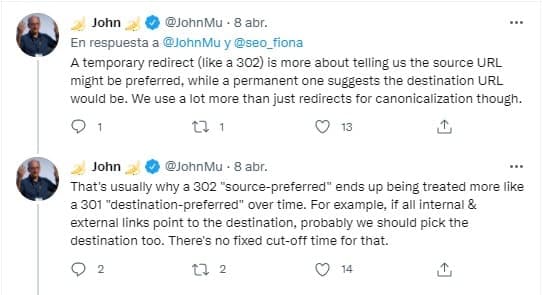
[...] that's why a 302 "preferred origin" ends up being treated more like a 301 "preferred destination" over time. For example, if all internal and external links point to the destination, we should probably also choose the destination. There is no fixed time limit period for this.
John Mueller
How long do I have to leave a 302 active for Google to consider it permanent? It's uncertain: depending on the cache and authority of the page, it could be months, weeks or even days. Recently John and his team commented that if possible, they should be left for up to a year if possible.
When are 302 redirects used?
Now that you know what they are for and how they differ from 301s, it will be easier for you to understand what the appropriate use cases of 302 redirects are:
-
If there is erroneous content on your page that you need to correct and you do not want users to have access to it while the correction process lasts.
-
If you want to divert traffic to specific landing pages that respond to campaigns or one-off actions, for example, specific offers on special dates.
-
If the website suffers from technical problems that you have to solve and you don't want them to affect the usability of the website for a user.
How to implement a 302 redirect
Let's get to work! You already know what they are used for, in which cases they are correct and what their consequences are. Now, let's see how to implement them correctly.
- Through .htaccess. One of the simplest methods although, of course, it involves accessing the FTP of the page. In this case, the redirect is implemented practically the same as a 301 would be programmed, simply by changing the name of the order:
Redirect 302 /new-url/ https://domain.com/old-url/
-
Using PHP: using the header function. In this case, keep in mind that PHP by default interprets redirects as temporary, so if you want to make a 301 you will have to give it an additional order.
-
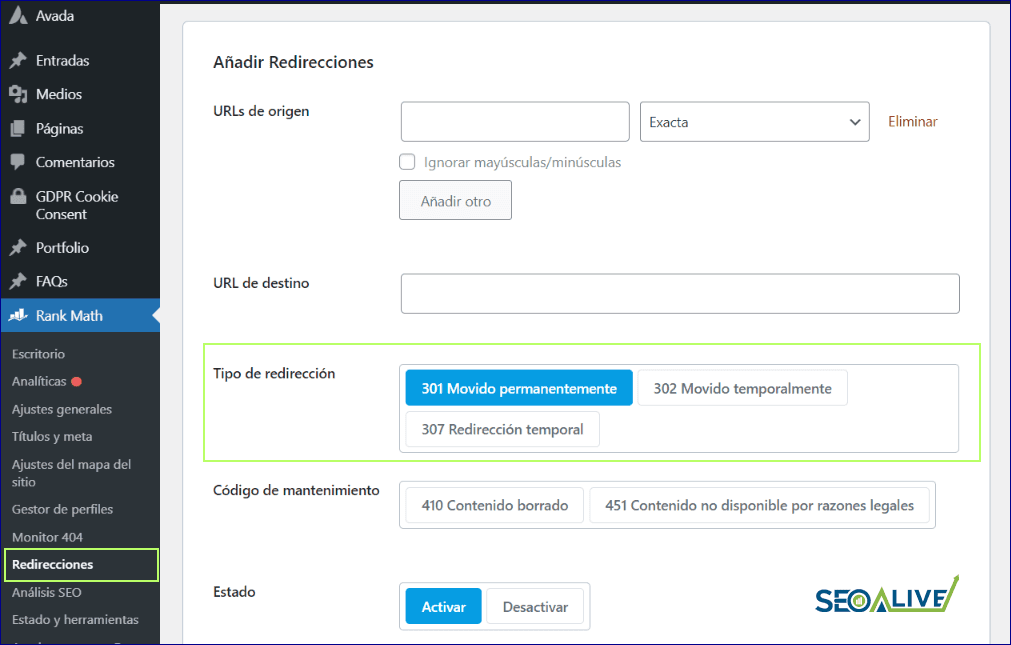
Redirects in Wordpress: if you work with this CMS you are in luck, since you have at your disposal a good handful of plugins that will greatly facilitate your life when it comes to programming redirects, both temporary and permanent. In this case for example, you can see how Rank Math has a specific module to manage redirects.
Other types of 3xx redirects
We have already talked about 301 redirects or permanent ones, to which we have dedicated a complete article, and about 302s, or temporary ones, but, is there any other type of 3xx code that, as SEOs, we should know?
The answer is yes and below, we mention the most important ones:
-
303 redirect: used in those cases in which, after a specific request, we do not want the same action to be generated again when reloading the page, for example, on the appointments page of a medical center, or in the purchase of tickets for a show. In these cases, if the user presses the back button in the browser, they are sent to the first page of the process, instead of the immediately previous one.
-
304 redirect: indicates to Google to load the latest version of the URL available in the cache, to improve loading speed.
-
307 and 308 redirects: are equivalent, respectively, to the 302 and 301, since they are temporary and permanent, but they prevent changing between POST and GET request methods.
We hope that this post has helped you to learn everything related to 302 redirects, facilitating your daily SEO work. If you have any comments, clarifications or questions, do not hesitate to write to us.
We'll be waiting!
Author: David Kaufmann

I've spent the last 10+ years completely obsessed with SEO — and honestly, I wouldn't have it any other way.
My career hit a new level when I worked as a senior SEO specialist for Chess.com — one of the top 100 most visited websites on the entire internet. Operating at that scale, across millions of pages, dozens of languages, and one of the most competitive SERPs out there, taught me things no course or certification ever could. That experience changed my perspective on what great SEO really looks like — and it became the foundation for everything I've built since.
From that experience, I founded SEO Alive — an agency for brands that are serious about organic growth. We're not here to sell dashboards and monthly reports. We're here to build strategies that actually move the needle, combining the best of classical SEO with the exciting new world of Generative Engine Optimization (GEO) — making sure your brand shows up not just in Google's blue links, but inside the AI-generated answers that ChatGPT, Perplexity, and Google AI Overviews are delivering to millions of people every single day.
And because I couldn't find a tool that handled both of those worlds properly, I built one myself — SEOcrawl AI, an enterprise SEO intelligence platform that brings together rankings, technical audits, backlink monitoring, crawl health, and AI brand visibility tracking all in one place. It's the platform I always wished existed.
Discover more content about this author
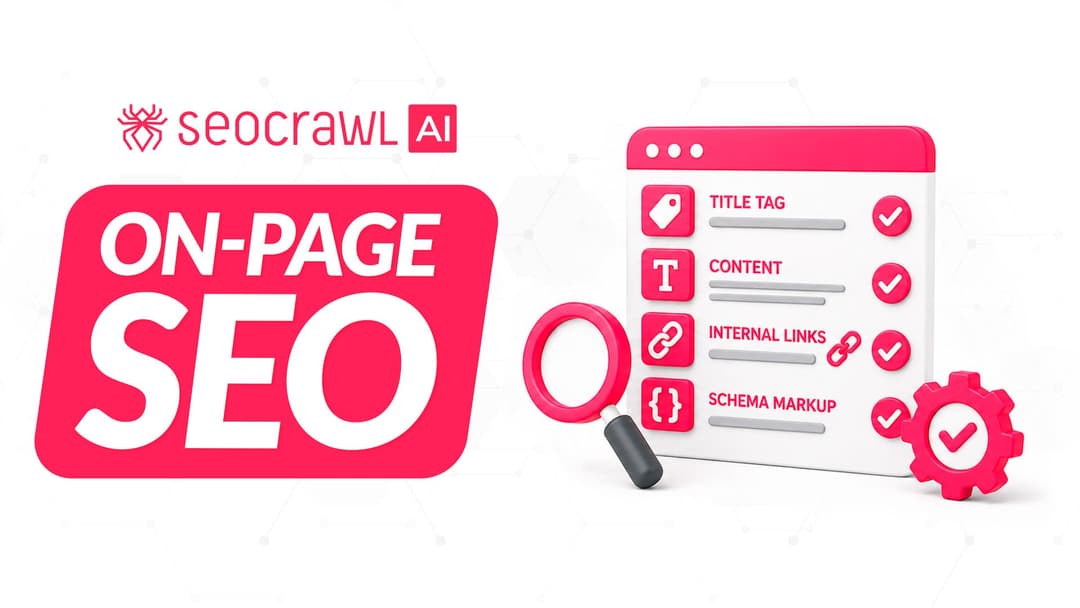
On-page SEO is everything you control on a page: content, title, meta description, headings, URL, images and internal links. Here is a checklist element by element, an audit process and what changes with AI Overviews and AI Mode.