Indexing: What It Is and How Google Indexes Pages
When we talk about indexing in SEO, we are referring to the inclusion of URLs in a search engine's index.
In other words, a page is considered indexed when the search engine includes it in its search results, regardless of the position it holds at that moment.
The importance in SEO
The relationship between indexing and SEO is more complex than it seems at first glance.
To begin with, a URL must be indexed in order to pursue ranking goals in the search results. No matter how well you optimize a page, if it is not indexed, you will not receive any visits from the search engine.
On the other hand, the moment a page is indexed, it is assigned a ranking position. The exact position will depend on the rest of the SEO factors on-page and off-page that we have worked on up to that point.
To these factors we can add others that we can control to a greater or lesser extent, depending on each one. We are talking about:
-
the age of the site
-
the pace of publishing URLs that need to be indexed
-
existing competition, etc.
In addition, indexing at a quantitative level also affects the SEO ranking of a page. The more URLs a domain has indexed, the more weight it gains in the search engine compared to the competition, logically as long as these URLs are of high quality — not just quantity but quality matters, we take this for granted.
Methods to know which pages I have indexed
There are several ways that allow us to know how many and which pages are indexed. Below we identify two of the most useful:
Search Console
Google Search Console is probably the most widely used tool, both for viewing indexed pages and for the control and management of other SEO parameters of a website.
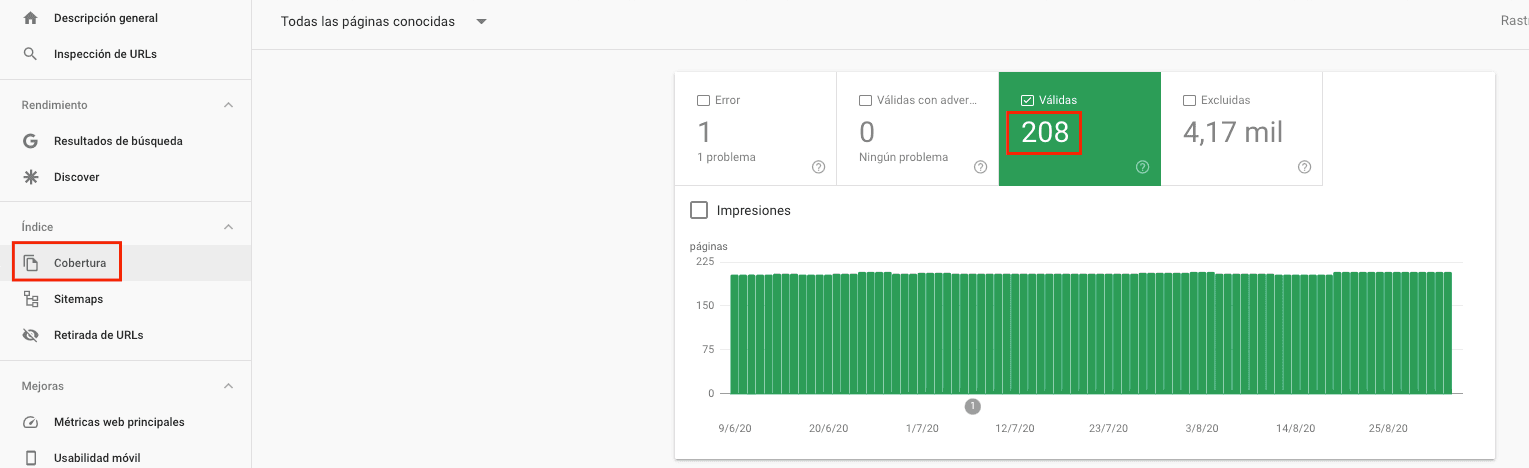
In the Index section we have all the information we need regarding the indexing of our website.
The Coverage report offers us a history of indexed pages, with indication of those presenting errors, those that have been validated and those that are excluded, with the possibility of making comparisons.
Site Command
A quick way to check the real-time indexing of a web page is with the "site:" command.
We must use it in the search engine itself, typing: site:mydomain.com. The search results will then show both the number of indexed URLs and a list of all of them.
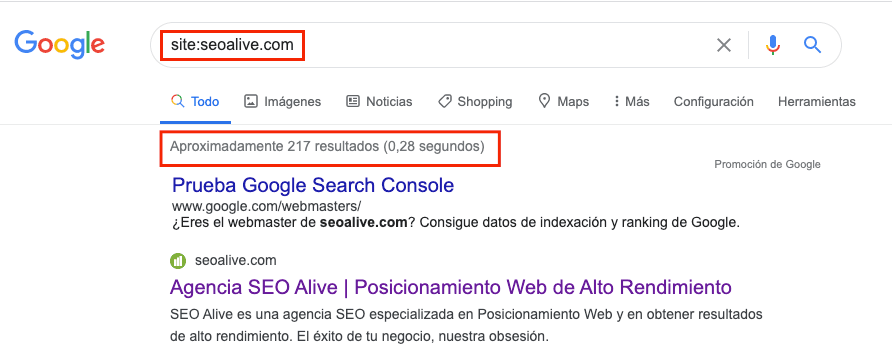
It is normal for slight differences to exist between the results of Search Console and those obtained through the site command; it usually happens because of when each one collects the data.
How to index web content
The ideal situation would be that once a URL is published, it would be indexed automatically. But the reality is not so favorable.
What happens in practice is that Google (like the rest of search engines) makes use of several crawling robots across the Internet to identify existing URLs, those that remain stable, those that are modified, those that have disappeared, and also the new URLs.
If it detects a new URL and the website has optimized everything necessary to favor the robot's access, it analyzes the URL and, if it meets the basic conditions, it indexes it and allows its publication in the search results.
As we mentioned, this does not happen with the speed we would like. To speed up the indexing of new URLs you can:
-
Use content that has a lot of traffic on our website to add an internal link to those pages in order to improve crawling and therefore indexing
-
Use the sitemap as we already mentioned
-
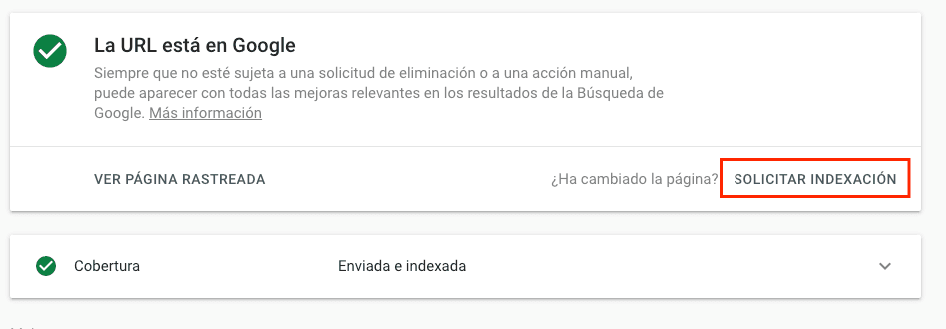
Use the Google Search Console tool, "Inspect URL"

to then force indexing via "Request indexing"
-
Through mentions on social profiles, such as Twitter, Facebook, etc. This method used to be more effective, but if we have a significant number of users who generate visits to the content, it usually works well.
-
Through indexing programs, there are several on the market, some free and most of them paid. They usually work online and are typically useful for massive URL indexing, but personally we recommend the other methods.
Is it necessary to index all content?
We might think that 100% of our online content is indexable and, moreover, that it benefits us in every way. But this is not the case.
Indexing every element of a website could imply the existence of duplicate content, indexing of pages without value, etc. That is why it is important to have indexing limits.
For this reason, many URLs, such as those related to tags, legal pages, filters, internal search results and similar, are excluded from this indexing, while the rest are indexed in a valid way.
Sitemap and indexing
The sitemap represents the cornerstone of indexing a web page. It is a file that serves as an intermediary in the communication between the search robot and the website, informing it of which URLs are indexable, how they are organized in the web structure, and the date of their last update.
How to use it to improve indexing
There are several ways to create a sitemap. Today, the easiest is to take advantage of an SEO optimization and management plugin that includes this option.
You must create the sitemap and allow its publication on the domain, usually in this structure: mydomain.com/sitemap.xml.
If you want to ensure better indexing through the sitemap, register your domain in Google Search Console and in the Index section you will see that there is a Sitemap section. If you include the address of your sitemap, from now on Google will have better access to your file, will index your URLs more quickly, and you will be able to monitor all the evolution of this indexing from this online tool.
How to deindex URLs
There is another way to use the sitemap to deindex URLs, and it may seem counterproductive to the very concept of this element, but it is quite useful. It consists of adding the noindex tag to the set of URLs we want to deindex, and uploading only these URLs to the sitemap. In this way, we will force Google to crawl them sooner and, upon seeing the noindex tag, proceed to deindex them.
**Recommended Article** -> [**How to deindex a URL from Google**](/blog/noindex)
Through Search Console
In Google Search Console you can request Google to deindex a URL. To do so, you must access the Index section and the URL Removal section. You have several options, with the urgent content removal being the most recommended.
You just have to create a new request, include the URL you want to deindex and Google will take it into account, in order to carry out the process as soon as possible.
Noindex directive
If there are certain URLs or even entire sections that you want to prevent from being indexed, with the noindex directive you will be communicating to Google that it should not take them into account each time it crawls your website.
As you have been able to verify, indexing plays a fundamental role in SEO ranking, and it is advisable to monitor the indexing status of our sites and give the necessary treatment to the different pages that make up our website.
Author: David Kaufmann

I've spent the last 10+ years completely obsessed with SEO — and honestly, I wouldn't have it any other way.
My career hit a new level when I worked as a senior SEO specialist for Chess.com — one of the top 100 most visited websites on the entire internet. Operating at that scale, across millions of pages, dozens of languages, and one of the most competitive SERPs out there, taught me things no course or certification ever could. That experience changed my perspective on what great SEO really looks like — and it became the foundation for everything I've built since.
From that experience, I founded SEO Alive — an agency for brands that are serious about organic growth. We're not here to sell dashboards and monthly reports. We're here to build strategies that actually move the needle, combining the best of classical SEO with the exciting new world of Generative Engine Optimization (GEO) — making sure your brand shows up not just in Google's blue links, but inside the AI-generated answers that ChatGPT, Perplexity, and Google AI Overviews are delivering to millions of people every single day.
And because I couldn't find a tool that handled both of those worlds properly, I built one myself — SEOcrawl AI, an enterprise SEO intelligence platform that brings together rankings, technical audits, backlink monitoring, crawl health, and AI brand visibility tracking all in one place. It's the platform I always wished existed.
Discover more content about this author
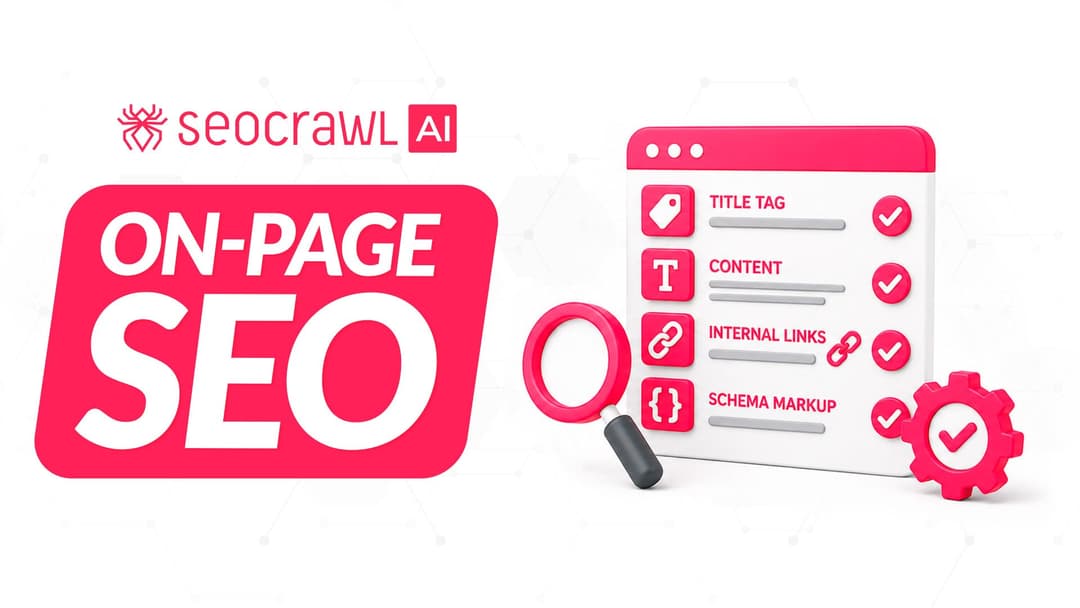
On-page SEO is everything you control on a page: content, title, meta description, headings, URL, images and internal links. Here is a checklist element by element, an audit process and what changes with AI Overviews and AI Mode.