How to Find the Sitemap of a Website

Finding the sitemap of any website is relatively easy to do and here we will help you to accomplish this mission. We will start with the most common sitemap format which is XML and then cover a few others. First, let’s begin with the basics.
What is a Sitemap?
An XML sitemap is a list of the pages on a website aimed to help the different search engines. It provides important information about the URLs on your website including pages, videos, images, files and what’s their relation. Along with the pages, XML sitemaps also include additional metadata about each URL:
- last updated date- how often it changes and - its priority compared to the other pages.
When it comes to SEO best practices, a sitemap should be optimized to include only indexable and quality content. Any broken (404), redirecting or duplicate page inside it could confuse search engines.
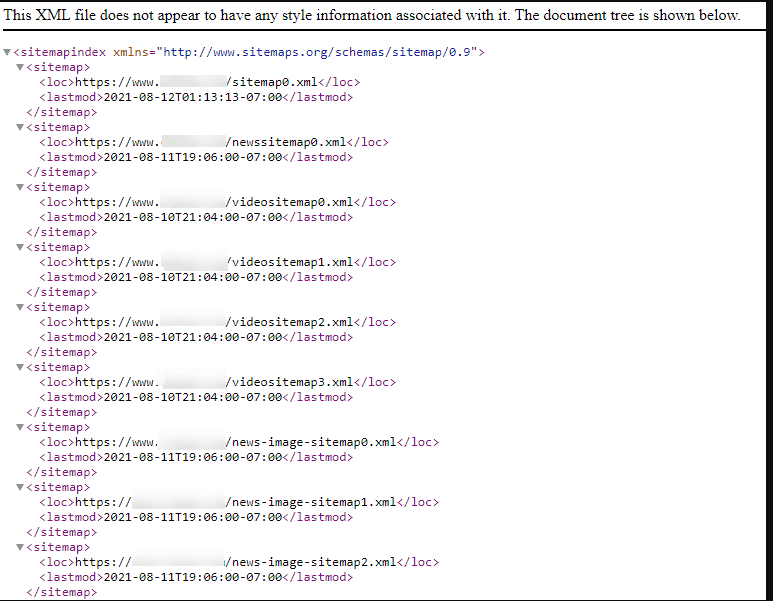
The sitemap is like an outline of a website. It’s constructed in a code format and usually looks like this:
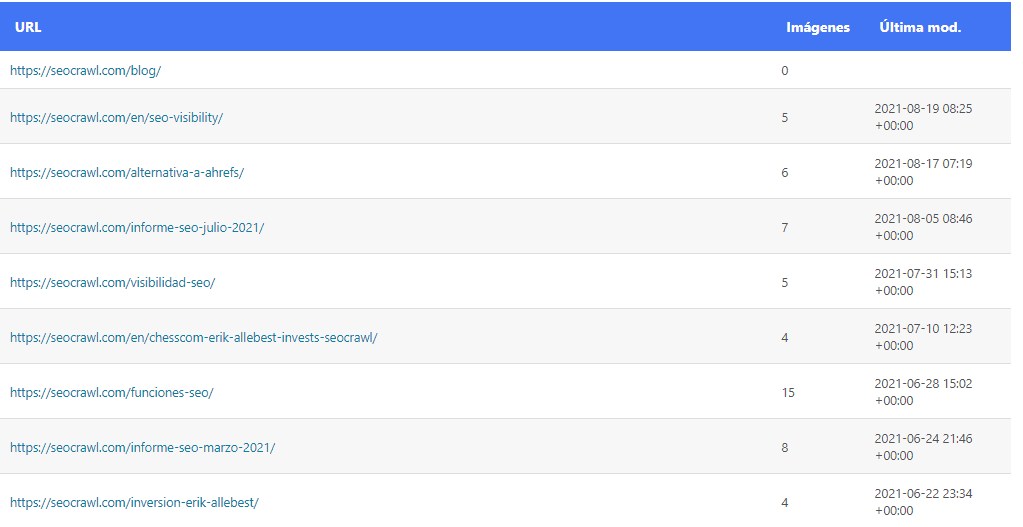
Or like this:
Why Do You Need to Find a Sitemap?
We have already covered the sitemaps basics, including their main purpose. Let’s now see why we may want to find these files in the first place.
As we discussed above, sitemaps are an irreplaceable and simple way to inform search engines and in particular their crawlers (ex. Googlebot) about the important content on our website.
First of all, you may want to check whether you have an XML sitemap at all. If you have one, the next step is to inspect it and see whether it’s properly created and containing the right information.
Finally, if you don’t have a sitemap, you may want to create one and submit it to search engines — in Google's case, through the Sitemaps report in Google Search Console. Take into account that XML sitemaps are not mandatory by any means. Still they help search crawlers find, index and ultimately rank new websites and pages in a faster way.
Now it is time to dive deep into the detective work and find those sitemaps!
Ready? Let’s go!
Simple Ways to Find your Sitemap
Let’s start our journey with some of the easiest ways to find the sitemap of a website.
1) Manually Check Common XML Sitemap Locations
One of the most common (and simple) ways to locate the XML sitemap of a website is to manually check a few standard locations. This is dead simple and all you need to do is enter your website URL in the browser and then try with a few different variations. Let me show you:
www.YourWebsiteUrl.com/sitemap.xml
This is the most popular location, but not the only one. Therefore, if we are not lucky with our first attempt, here are a few more quick checks to try:
- /sitemap_index.xml (which is the index of all the sitemaps in case a website has more than one).
This is the case with our own XML sitemap on this blog. Let me show you:

And here is how it looks like:
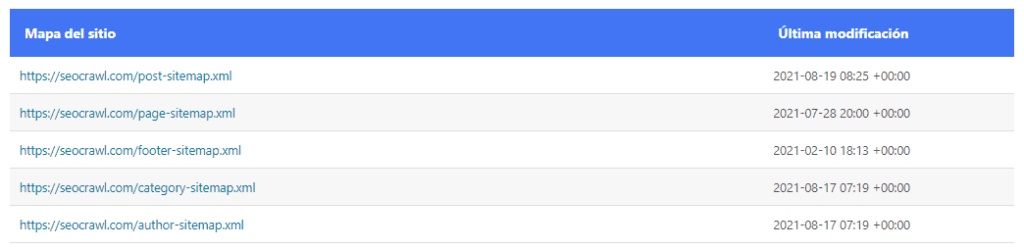
Basically, these are all separate sitemap sitemaps divided by the type of posts they have inside.
Now, if we are still unlucky, let’s try some more options:
- /sitemap-index.xml- /sitemap.php- /sitemap.txt- /sitemap.xml.gz- /sitemap/- /sitemap/sitemap.xml- /sitemapindex.xml- /sitemap/index.xml- /sitemap1.xml
Note: XML files are only one of the ways to describe a sitemap. There are also RSS and Atom formats.
Hence, we need to add a few more possible sitemap locations:
- /rss/- /rss.xml- /atom.xml
We will talk more about them later.
Just to confirm- we should put the domain name of the websites before the “/” while trying the various alternatives.
2) Check the Robots.txt File
If you are still with us, that means you either failed to find the file which is the main purpose of our article or you are just curious and passionate to learn more.
Actually, no matter which is the exact reason, I have good news for you - We will continue our journey with another very simple tip.
Robots.txt is a special file known to SEOs (and programmers as well) which provides useful directives to search engine crawlers. What’s more, this is also the place where you can very often find a link to the sitemap of a website.
The idea is that as search engines visit these robots.txt files, adding a link to the sitemap there, makes perfect sense. That way, it will be easier for them to detect the sitemap in the first place and crawl the website.
Are you ready for another good news?! Here it is- to access the robots.txt file of a website you just need to add /robots.txt to your domain name in the browser and hit “Enter”. This is similar to the previous step where we were adding the different possible sitemap routes.
What works better than a real-life example? See the URL address of our very own robots.txt file:
https://seocrawl.ai/robots.txt
It's a tiny but simple and useful file with some important functions. In case you’ve already opened it, you will be able to see almost instantly the little gem you are looking for- the sitemap file:
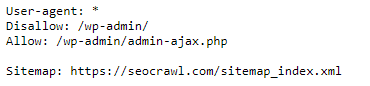
Voilà! I promised you it would be easy :)
3) Check Google Search Console
Okay, sitemap still not found? No problem! We have more tips for you that will help us find our way.
Let me show you another easy and quick way.
Google Search Console (also known as Webmaster Tools in the past) is one more place to find the path we are looking for. Of course, for this to be possible, you have to be an owner of the website or to have been granted access.
If you meet one of these criteria, the next step is to login to GSC and from the menu on the left to choose Sitemaps:
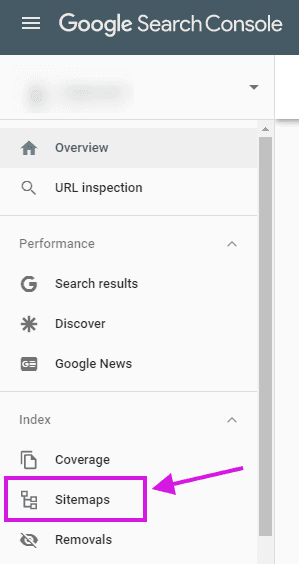
Now, in case the sitemap (or sitemaps) is already submitted by someone else in the past, you will be able to see it right away:
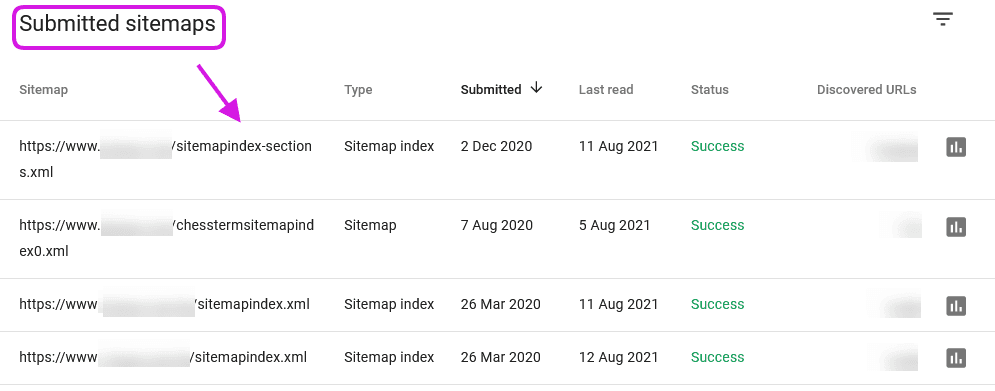
Along with the sitemap exact URL address, there is additional information like the type of sitemap (index files containing other sitemaps in them or regular sitemaps with the pages of the website), when it was submitted, last read, status and how many URLs are inside.
TIP: If you are serious about SEO and improving your organic website performance, Google Search Console is a must-to-have tool. The insights you can get from it are numerous.
Plus, one added bonus is that having GSC allows you to try our powerful tool- SEOcrawl AI
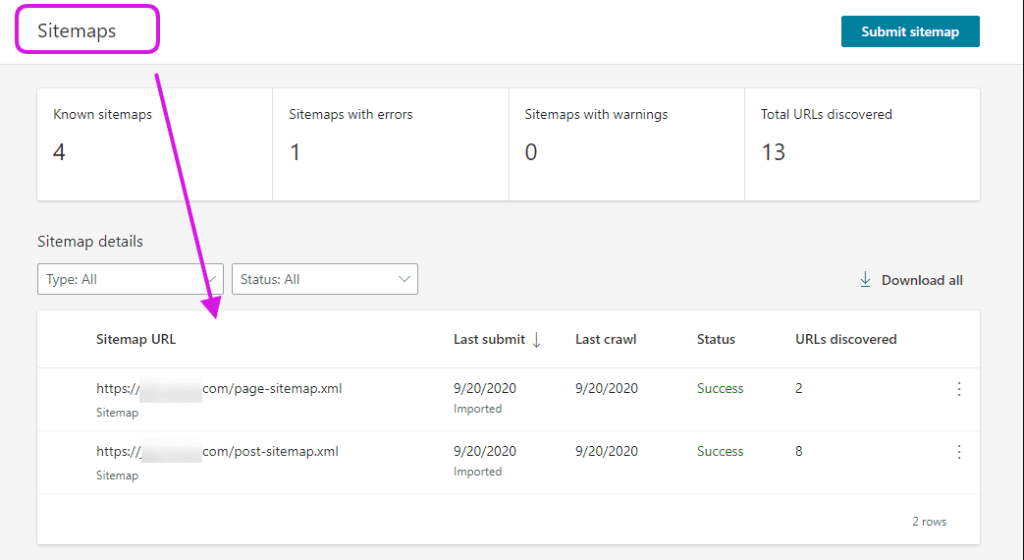
4) Check Bing Webmaster Tools
The good news is that Bing Webmaster Tools works pretty much the same way as Google Search Console. It’s not surprising the latter used to be called Google Webmaster Tools as they have a lot in common.
Again, you need to login and then navigate to the left sidebar, where you will have the “Sitemaps” section available.
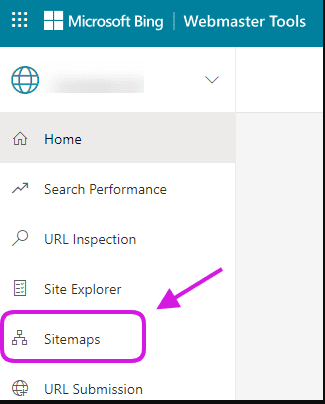
Click on it, and in case there was a sitemap/sitemaps already submitted, you will be able to explore them further.
Advanced Ways to Find Your Sitemap
Still with us? Okay, that means you are either still looking for that precious sitemap file location, or you are very brave to enter the advanced section. In both cases, I want to congratulate you for reaching so far and wish you luck :)
I promise it won’t be that complicated and scary! Let’s go!
5) Use Google Search Operators
Google search operators (also known as commands) could be very powerful for various SEO goals (ex. finding link building opportunities, content ideas, discovering technical issues, and more). However, in this case, we will use them to find the XML sitemap of the website we are examining.
For that, we will need to take advantage of the “filetype:” command. It could be really useful when we combine it with the “site:” command. Basically, the combination of both will look for specific file types only in the website we want to.
Example: site:chess.com filetype:xml
And here is what this search will bring in Google:
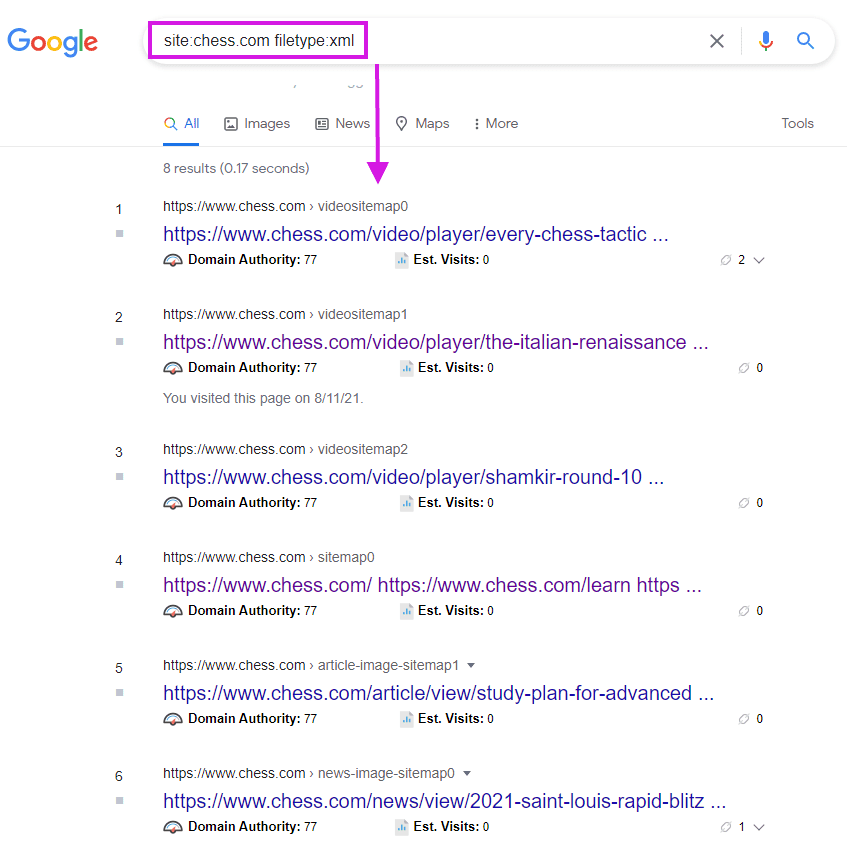
Here we have it! All the indexed sitemaps of the website are shown in Google and we can explore them further.
In case there are some irrelevant results showing, you can refine your search even further. This time we will add the “inurl” operator in our arsenal.
For example: site:uefa.com filetype:xml inurl:sitemap
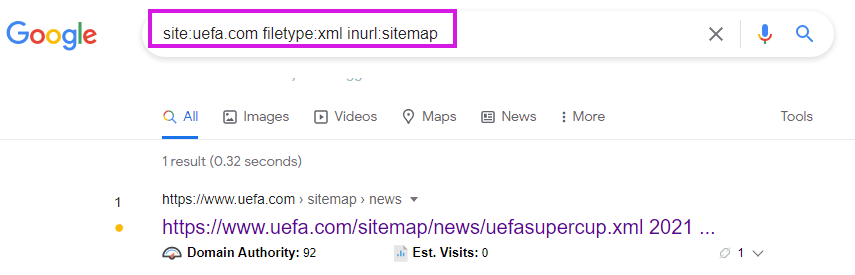
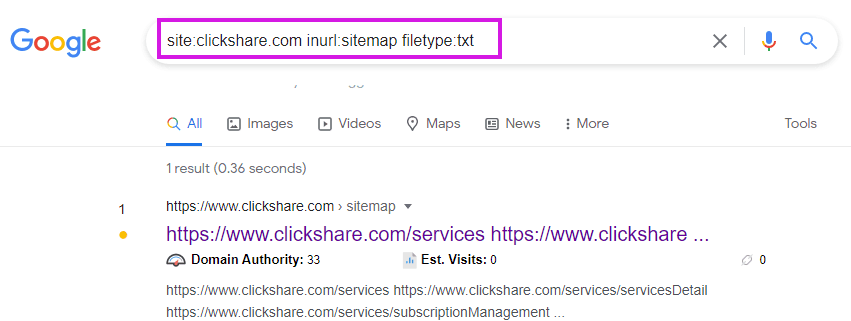
Note: as we mentioned above sitemaps could also be text files. To find them, we can do a similar search but with a different extension.
For example: site:WebsiteURL inurl:sitemap filetype:txt
And this will result in the following:
TIP: These commands will reveal the location of the sitemap only if it is indexed by Google. Some WP plugins that create sitemaps automatically add the no follow, no index tag to Sitemaps. So, if you end up with no results found, do not worry!
Let us continue with the next idea.

6) Use an Online Tool
Another technique is to try with an online tool like SEO Site Checkup where you only need to paste your website URL and hit Checkup. Then you will get something like this:Note: The way this tool works is by checking the standard sitemap locations we mentioned earlier (sitemap.xml, sitemap1.xml, sitemapindex.xml and so on). Therefore, it may not find your website in other specific cases.
7) Check the CMS of the Website
Depending on the content management system the site is running on, XML sitemaps might be located at different places. The good news is that the most popular CMSes have default locations that you may want to start your search from.
First, we need to identify the CMS of the website. It’s a fairly simple process and we can use both online tools or browser extensions.
For example, one useful addon is Built With which identifies not only the CMS but many more softwares and programs the website is using. Here is how it displays the info you are looking for:
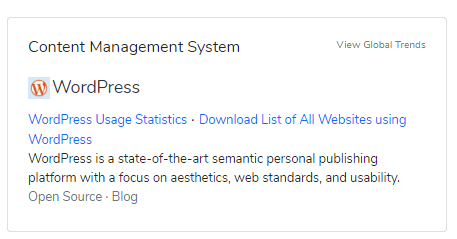
If you prefer an online tool, one possible solution is WhatCMS:
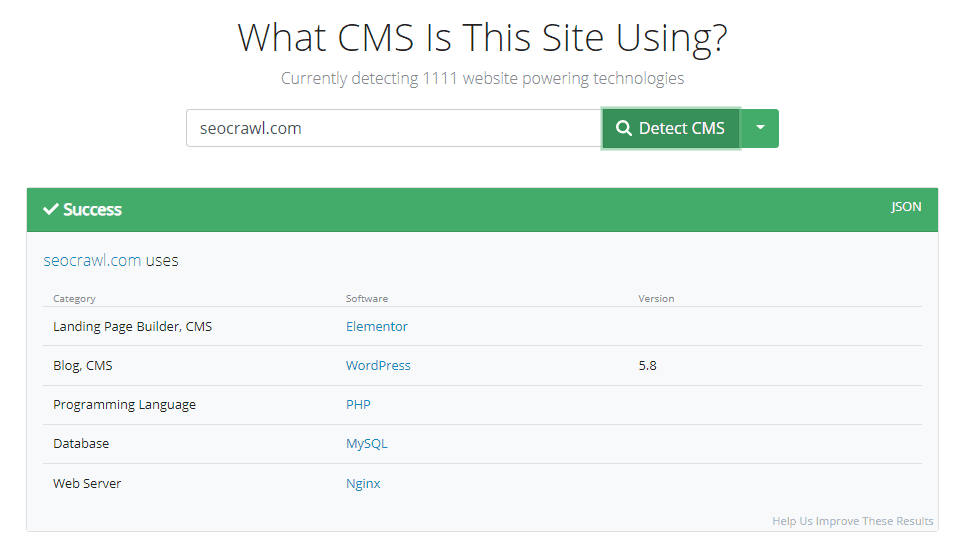
An alternative is CMS Detect:
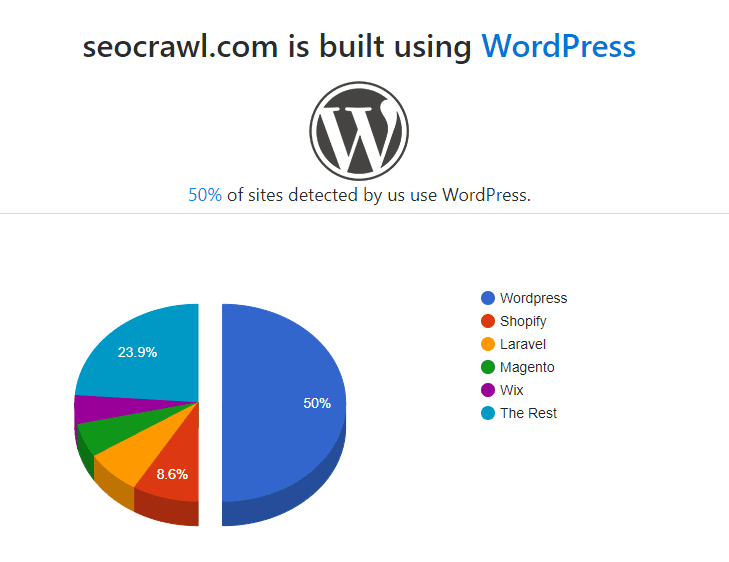
Now, when we know the exact CMS, let’s explore some of the most popular content management systems and where they usually keep the XML files.
Wordpress
Before 2020, the way sitemaps were created was mainly via plugins. However, nowadays, with the built-in WP functionality, they should be located at /wp-sitemap.xml.
Still, in case the website you are examining, is using a plugin for the creation of the sitemap, you can try with some of the following locations:
- /sitemap.xml- /tag-sitemap.xml- /sitemap_index/xml- /category-sitemap.xml
Alternatively, you can check the plugin’s settings and find the path there.
Wix, Shopify, Joomla, Squarespace, Magento
The good news is that all these automatically generate the XML sitemaps for their users. Therefore, the default location (if not modified additionally) is: /sitemap.xml
With the note that the domain name goes before the “/” part.
BONUS: A Bookmarklet for Instant Sitemap.xml Discovery
In case you are a fan of productivity and saving time from every little task (aren’t all us SEOs like that?!), then you may find a useful quick bookmarklet to instantly check the XML sitemap of a website.
You only need to add this javascript code:
javascript:void(location.href='http://' + location.host + '/sitemap.xml')
Bookmark it and every time you click on it will open the Sitemap file in case it’s located in the default /sitemap.xml location.
Quick and easy!
Finding Other Types of Sitemaps
We talked mainly about XML sitemaps as they are the most common format to show crawlers what’s happening on your domain. Still, it’s worth mentioning the other types that can also be found on some websites.
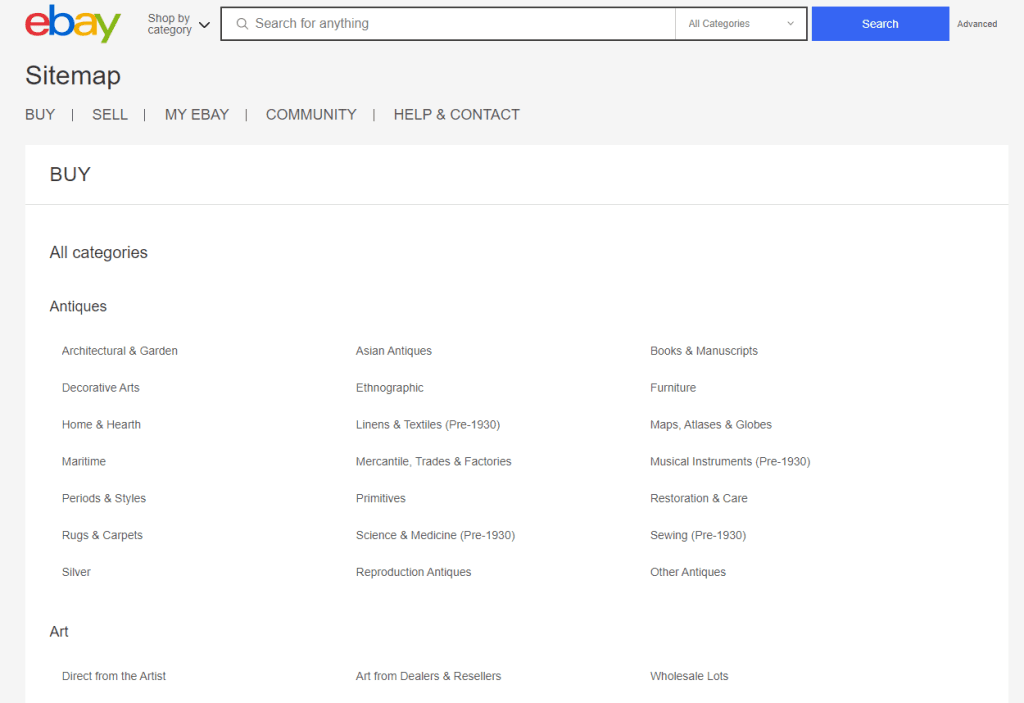
- HTML. These are usually made to ease the users and they are very helpful especially for larger websites.
For example, Ebay provide their visitors a virtual “map” with the main pages and categories: https://pages.ebay.com/sitemap.html
-
RSS. In some cases websites use an RSS feed as a sitemap which is usually located at: /rss/ or /rss.xml.
-
Atom. The same applies for Atom feed and you can usually find it as: /atom.xml- TXT. This is a standard text file as we already discussed one such example. Location: /sitemap.txt
No sitemap? What to Do in This Case?
After going over the different options for finding a sitemap, it’s good to say a few words about what to do if there is no sitemap already created. This will be the case with most of the brand new websites that have been online for a short period. Or some very small and tiny sites.
Also, take into account that not all websites need sitemaps. If the website has just a few pages, you will be doing all right even without one.
Still, if you are willing to create your XML sitemap, you can simply use a plugin compatible with your CMS system. A few good examples for WP are:
- Rank Math Sitemap Plugin- WP Sitemap Plugin- Google XML Sitemaps- WordPress SEO by Yoast
Alternatively, you can create a sitemap manually or use a crawler to go over your website and export a sitemap for upload.
To Sum Up:
I hope these tips helped you to dive deeper into the world of Sitemaps and you are now more familiar with how they work, why we need them… and of course how to find them.
Let us know in the comments if there is anything else you would like to know about or just to share your experience :)
Good luck!
Author: Ognian Mikov

SEO first came into my life in 2012, and I've been completely in love with it ever since. For me, it's more than just a job — it's both a passion and a hobby that keeps me motivated to learn and improve. Whether I'm researching new topics, creating content, or diving into technical fixes, I'm always fascinated by the vast world of digital marketing and the many opportunities to boost a website's performance.
In 2021, I joined SEO Alive and SEOcrawl AI — my first remote company — where I've been able to develop new skills and work on exciting projects. Most importantly, I've had the chance to meet and learn from incredible colleagues who have also become friends.
I hold a bachelor's degree in Marketing and a master's degree in PR & Advertising. In my free time, I enjoy spending time with my daughter, as well as playing and watching chess, football (Само Левски & Més que un club), and poker.
Discover more content about this author