How to Use Regex in Google Search Console

Regex filters are the fastest way to pull real answers out of Google Search Console. Once you know a handful of patterns, you can separate branded from non-branded traffic, pull every question people ask before they land on you, or isolate one folder of your site, all without exporting a single row.
This guide gives you copy-paste recipes that work, plus the RE2 rules that quietly break the ones that don't. Everything below runs inside the Performance report, no add-ons required.
Where you can use regex in Google Search Console
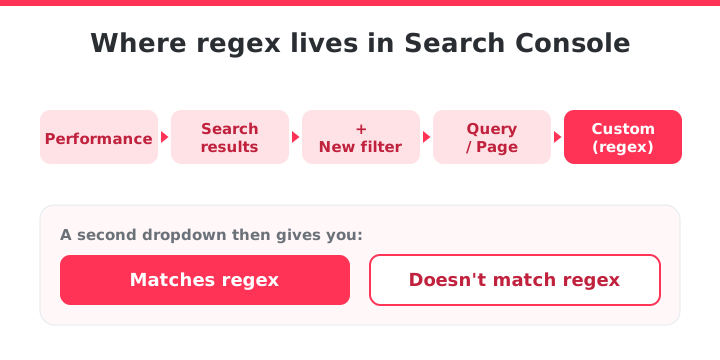
To open regex: Performance > Search results > + New filter > pick Query or Page > choose Custom (regex) from the dropdown.
A second dropdown appears with Matches regex and Doesn't match regex. That second option is your negative filter, and you'll use it constantly.
RE2 syntax: what Google supports (and what it doesn't)
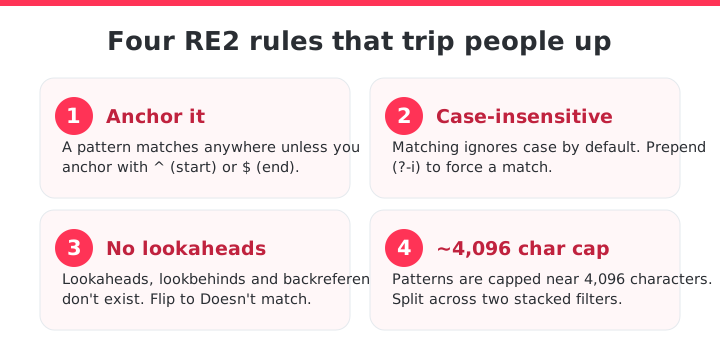
Google runs on RE2, its own regex engine. It's fast, and it drops a few features you might expect from Python or JavaScript. Four rules cause most of the "why isn't this working" moments:
- Your pattern matches anywhere in the string unless you anchor it with
^(start) or$(end). Soseoalso matches "seo tools" and "best seo agency". - Per Google's docs, matching is not case-sensitive out of the box. Prepend
(?-i)if you need a case-sensitive match. Query data is stored lowercase anyway, so case only bites you on Page URLs. - Lookaheads, lookbehinds and backreferences don't exist in RE2. When you'd reach for a negative lookahead, switch the filter to Doesn't match regex instead.
- GSC limits the pattern to roughly 4,096 characters. If you hit it, split the pattern across two stacked filters.
Watch for invalid patterns: GSC shows no syntax error when a regex is malformed. It just returns zero results, exactly like a valid pattern with no matches. If a filter comes back empty, rule out a broken pattern first.
Copy-paste regex filters for GSC
Paste these straight into the Query or Page filter. Remember to swap the sample brand and folders for your own.
- Branded queries (Query > Matches regex). List your brand plus the ways people mistype it:
seocrawl|seo crawl|seocrawl ai - Non-branded queries (Query > Doesn't match regex). Use the exact same pattern, just flip the filter to "Doesn't match". This is the real measure of your organic reach.
- Near-match brand spellings (Query > Matches regex).
?makes a character optional, so one pattern catches several typos:seo ?crawl|seocrwal|seo crawel|secrawl - Question queries (Query > Matches regex). Anchored to the start so you only get queries that begin with a question word:
^(who|what|when|where|why|how|is|are|can|do|does|should)\b - A single folder or path (Page > Matches regex). Escape the dots in your domain with a backslash:
example\.com/(blog|guides|docs)/ - Several keywords at once (Query > Matches regex). The pipe is a plain OR:
buy|purchase|order|pricing|cost - Exclude terms you don't want (Query > Doesn't match regex). Strip out job seekers, freebie hunters, or a competitor's name:
jobs|salary|free|login - Long-tail queries by word count (Query > Matches regex). This matches any query of four words or more, a clean source of FAQ and content ideas:
\S+(\s+\S+){3,}
Build a filter step by step: non-branded questions
Say you want to see how your non-branded, question-based traffic is doing.
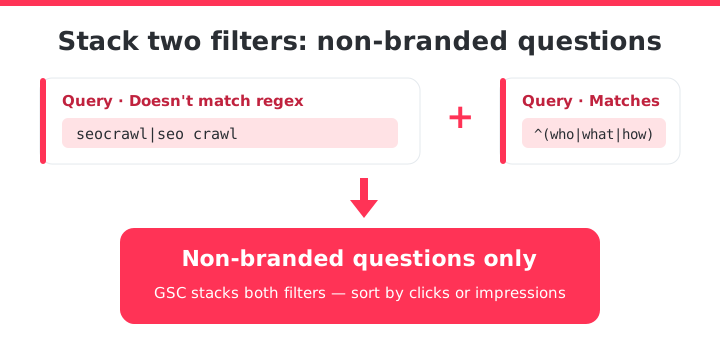
- Open Performance > Search results and add a Query filter.
- Choose Custom (regex), set it to Doesn't match regex, and paste your brand pattern (
seocrawl|seo crawl). Apply. - Add a second Query filter, Matches regex, and paste the question pattern (
^(who|what|when|where|why|how)\b). Apply.
GSC stacks both filters, so the table now shows only non-branded questions, sorted by clicks.
Switch the sort to impressions and you're looking at demand you rank for but barely earn clicks on and you can start working on your next batch of content briefs.
Fix a regex that matches nothing
Empty table? Here's how to work it through:
| Symptom | Why | Fix |
|---|---|---|
| Filter returns nothing though data exists | You anchored too hard: ^how$ only matches the single word "how" | Drop the $ unless you want an exact match |
| Pattern returns zero rows, no error | You used a feature RE2 doesn't support (lookahead, backreference), which invalidates the whole pattern | Rewrite negatives as a "Doesn't match regex" filter |
| A pattern that should match doesn't | A special character is read literally: dots, slashes and question marks have meaning in regex | Escape them with a backslash |
| No uppercase queries show up | Query data is stored lowercase | Write the pattern in lowercase |
Stop re-typing regex every session
GSC regex is powerful, but it doesn't remember anything. Every session you re-type the same brand pattern, the same question filter, the same folder path.
GSC gives you regex and "contains" filters, but no saved taxonomy, so most teams end up exporting to a spreadsheet and tagging queries by hand every week.
For teams that need every query in one place (not just what fits in one session) that grouping is already built into SEOcrawl AI's SEO Dashboard. You tag keywords and pages on top of your real Search Console clicks and impressions, then slice the report by anything you define: brand, topic cluster, intent, funnel stage.
Tagging runs three ways: manually, through auto-tag rules that classify new queries as they appear, or straight from Claude or ChatGPT through the SEOcrawl AI MCP.
The tags are saved and reusable, so the branded-versus-non-branded split you write once keeps working next month, no retyping. And because the data comes from your own Google Search Console rather than a scraped panel, there's no row cap and no 1,000-row export ceiling to fight.
Search Console forgets your regex the moment you close the tab. SEOcrawl AI saves those same patterns, branded versus non-branded, question queries, a single folder, as reusable segments, so the filter you built once is there next week without retyping it.
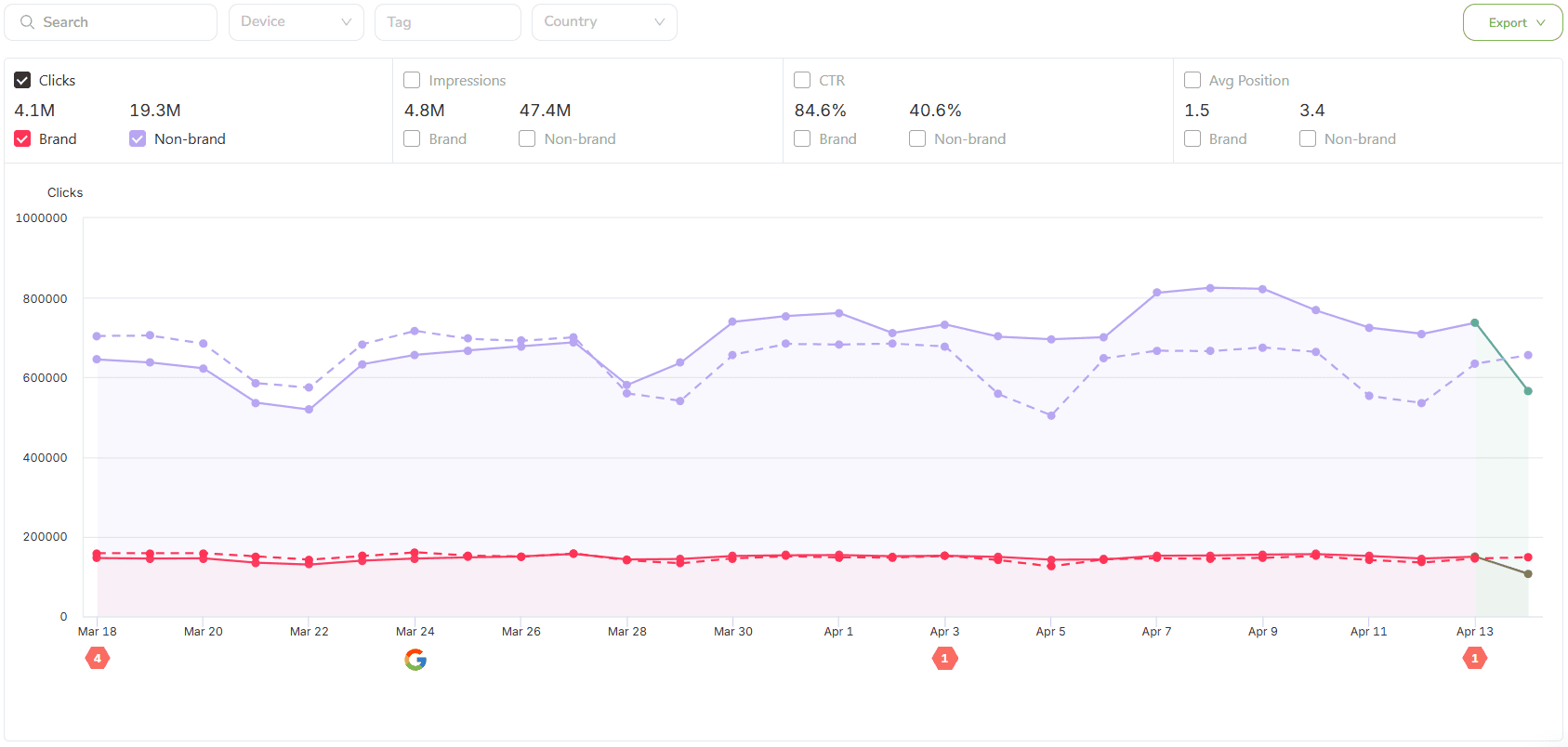
Write the segment once, reuse it every month. SEOcrawl AI tags your Search Console keywords and pages, then lets you slice clicks and impressions by brand, cluster or intent with no row cap. Try SEOcrawl AI or explore the SEO Dashboard.
FAQs
Does Google Search Console support regex?
Yes. The Performance report accepts regex on the Query and Page filters through the Custom (regex) option, using Google's RE2 syntax. You get both Matches regex and Doesn't match regex, and you can stack several filters at once. Country, Device, and Search Appearance filters don't support it.
Is Google Search Console regex case-sensitive?
No, not by default. Google's official documentation states that regex matching in the Performance report is case-insensitive unless you prepend (?-i) to force a case-sensitive match. Since GSC stores query data in lowercase, case only affects Page URL filters in practice, so most people never need the flag.
How do I filter branded queries with regex?
Add a Query filter, pick Custom (regex), and enter your brand and its common misspellings separated by the pipe character, for example seocrawl|seo crawl|seocrwal. Keep Matches regex selected to see branded traffic. To see everything else, use the identical pattern with Doesn't match regex applied instead.
Why is my regex not matching anything?
Usually one of four things: you anchored with ^ or $ too tightly; you used an unsupported feature like a lookahead or backreference, which makes the whole pattern invalid and return nothing; you didn't escape a special character such as a dot or slash; or you wrote uppercase letters against lowercase query data.
How do I keep my regex filters instead of re-typing them each visit?
GSC has no save feature, so patterns vanish when the session ends. SEOcrawl AI solves this by letting you tag and group your GSC keywords once, either manually, with auto-tag rules, or via its MCP. Then reuse those segments across every report. The tags sit on your own Search Console data, so there's no keyword limit and no weekly rebuild.
Author: David Kaufmann

I've spent the last 10+ years completely obsessed with SEO — and honestly, I wouldn't have it any other way.
My career hit a new level when I worked as a senior SEO specialist for Chess.com — one of the top 100 most visited websites on the entire internet. Operating at that scale, across millions of pages, dozens of languages, and one of the most competitive SERPs out there, taught me things no course or certification ever could. That experience changed my perspective on what great SEO really looks like — and it became the foundation for everything I've built since.
From that experience, I founded SEO Alive — an agency for brands that are serious about organic growth. We're not here to sell dashboards and monthly reports. We're here to build strategies that actually move the needle, combining the best of classical SEO with the exciting new world of Generative Engine Optimization (GEO) — making sure your brand shows up not just in Google's blue links, but inside the AI-generated answers that ChatGPT, Perplexity, and Google AI Overviews are delivering to millions of people every single day.
And because I couldn't find a tool that handled both of those worlds properly, I built one myself — SEOcrawl AI, an enterprise SEO intelligence platform that brings together rankings, technical audits, backlink monitoring, crawl health, and AI brand visibility tracking all in one place. It's the platform I always wished existed.
Discover more content about this author

On-page SEO is everything you control on a page: content, title, meta description, headings, URL, images and internal links. Here is a checklist element by element, an audit process and what changes with AI Overviews and AI Mode.