Google Search Console Domain vs URL Prefix: Which to Use
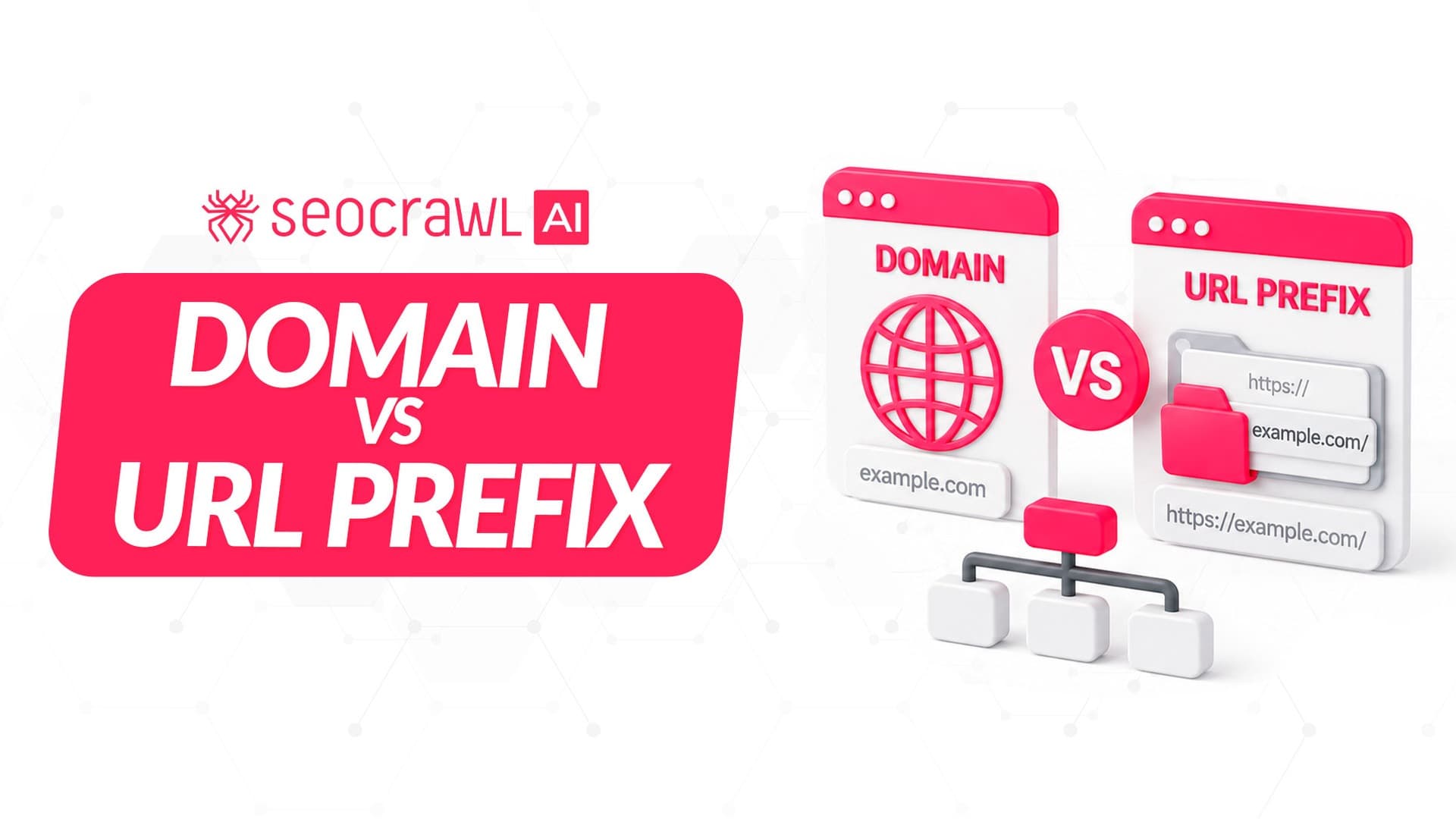
Does your site need a Domain or a URL-prefix property? Put simply: most sites should run a Domain property, but plenty of teams run both.
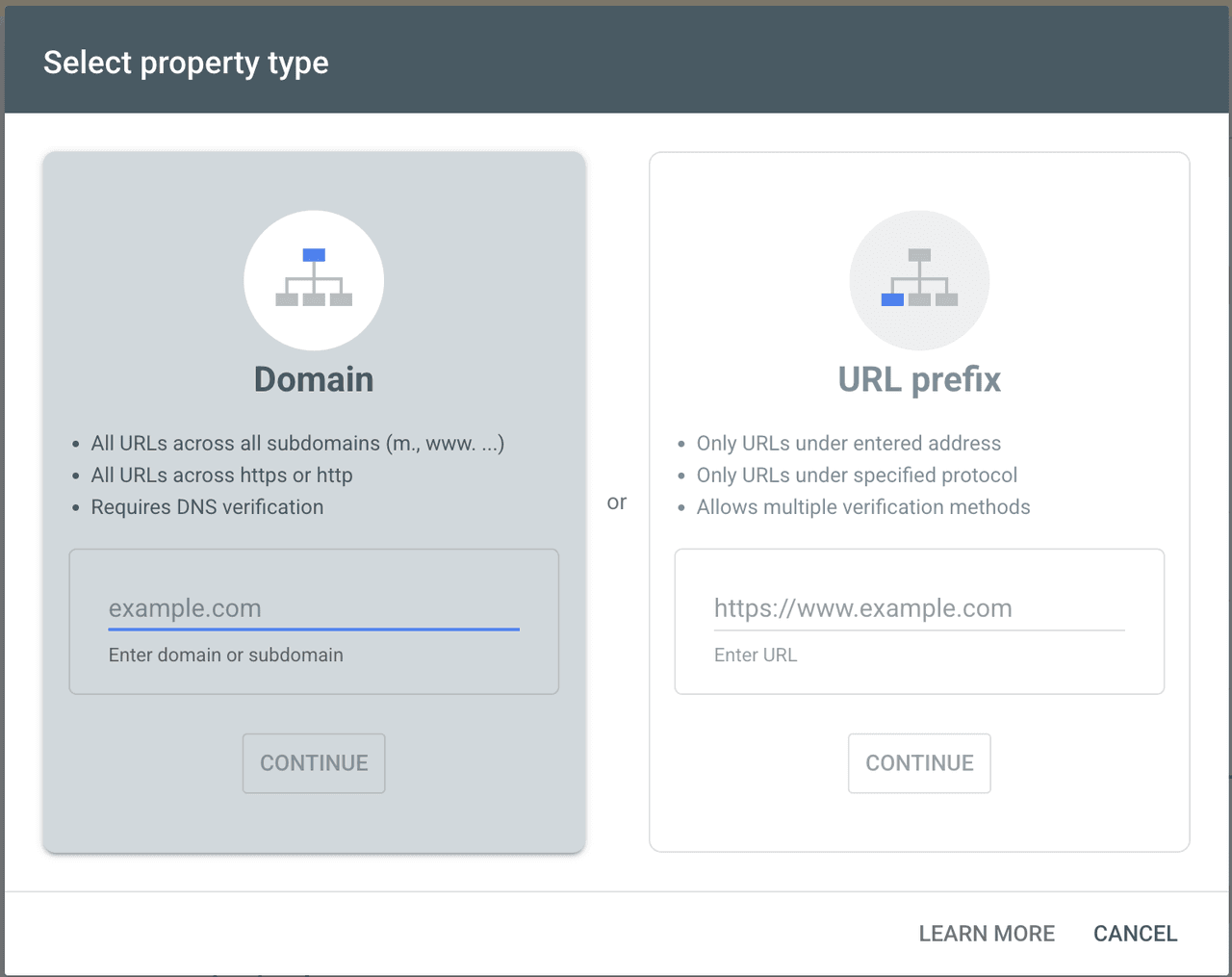
If you can edit your domain's DNS, create a Domain property. It rolls up every subdomain and both http and https into one report, so no part of your site stays hidden. A URL-prefix property is best when you can't touch DNS, or when you deliberately want to track a single section, subdomain, or protocol on its own. This guide compares both and gives you a clear pick — for where this choice sits in the wider tool, see our complete Google Search Console guide.
A Search Console "Domain property" is not the same as your domain name. Your domain name is
example.com. A URL is the full address, likehttps://example.com/pets. A Domain property is a reporting container, keyed to your domain name, that gathers every URL underneath it.
The two property types in 30 seconds
When you add a property in Search Console, you pick one of two types:
- Domain property (
example.com) — covers every subdomain (www, blog, shop, m) and both protocols (http, https). You verify it by DNS only. - URL-prefix property (
https://example.com) — covers only the exact protocol and subdomain you enter. It can be verified several ways: HTML file, HTML tag, Google Analytics, Google Tag Manager, or DNS.

What a Domain property covers
A Domain property is defined without a protocol and without a path, and it can include subdomains. That means one property aggregates https://www.example.com, https://blog.example.com, the non-www version, and the http variants, all together. Add a new subdomain later and it's tracked automatically, with no extra setup.
The trade-off: a Domain property is verified only by adding a DNS record at your domain registrar. No DNS access means no Domain property.
What a URL-prefix property covers
A URL-prefix property tracks only URLs that begin with the exact prefix you enter, including the protocol. Search Console treats each of these as a separate property:
https://example.comandhttp://example.com(different protocol)https://example.comandhttps://www.example.com(different subdomain)https://m.example.com(a subdomain the prefix above won't capture)
The upside is verification flexibility: HTML file upload, an HTML meta tag, Google Analytics, Google Tag Manager, or DNS all work. That flexibility is why URL-prefix is the fallback when you can't edit DNS.
Domain vs URL-prefix: a side-by-side comparison
| Domain property | URL-prefix property | |
|---|---|---|
| Scope | All subdomains + http/https, combined | Only the exact protocol + subdomain entered |
| Verification | DNS record only | HTML file, HTML tag, Analytics, Tag Manager, or DNS |
| Setup & maintenance | Needs DNS access; new subdomains auto-included | Works without DNS; a move to https or a new subdomain needs a new property |
| Data you see | The fullest dataset for the whole site | Only the slice that matches the prefix |
| Best for | Most sites, when you control DNS | No DNS access, or isolating one section/protocol |
Which property should you choose?
Google's own team recommends creating at least one Domain property because it gives the most complete view, and Google has noted that site owners on URL-prefix properties were often underestimating their traffic before switching — because a www prefix quietly excluded other subdomains and protocols.

Reach for a URL-prefix property in these cases:
- You don't have DNS access. You can't create a Domain property without it, so URL-prefix with an HTML tag or Analytics is your route in.
- You want to isolate a section. Tracking only
https://example.com/blog/or only ashop.subdomain keeps that reporting clean. - You need a specific protocol or subdomain. During an http→https migration, a URL-prefix on each version lets you watch the switch happen.
- You're scoping access for a contributor. A URL-prefix limits what an external agency or freelancer sees to one part of the site.
Edge case worth naming: if your blog lives on a subdomain managed by a different platform, a Domain property still covers it (DNS is at the registrar level), while a www URL-prefix would miss it entirely.
How to set up each property (step by step)
Domain property
- In Search Console, open the property selector and click Add property → Domain.
- Enter your domain without protocol or www (
example.com). - Copy the TXT record Google provides and add it in your registrar's DNS settings (choose "Any DNS provider" if the guided flow doesn't match yours).
- Save, wait for propagation, then click Verify.
URL-prefix property
- Add property → URL prefix.
- Enter the full address including protocol (
https://www.example.com). - Pick a method under Verify ownership: HTML file, HTML tag, Analytics, Tag Manager, or DNS.
- Add the token to your site (or DNS) and click Verify.
If you're deciding which verification method fits your CMS, our Google Search Console setup guide walks through each one.
Can you have both?
Yes — and many teams do. They keep a Domain property for the complete sitewide view and one or more URL-prefix properties to watch specific sections in isolation.
The two don't conflict, each keeps its own history, and verifying one often auto-verifies the other. The only rule of thumb: decide which property is your source of truth for reporting, so numbers don't get compared across different scopes by accident.
How this maps to your SEOcrawl AI data
SEOcrawl AI connects to Search Console through OAuth and reads your live GSC data — with unlimited retention rather than Google's 16-month window. Which property you connect decides how much of your site SEOcrawl AI can see.

Connect the Domain property and SEOcrawl AI gets the fullest dataset: every subdomain and protocol feeding your dashboards, rank tracking, and winners/losers, so nothing is missing from the analysis. If you run a multi-country or multi-subdomain site, the Domain property plus SEOcrawl AI's tagging lets you rebuild the per-section views without losing the sitewide total — no need to split your data across separate URL-prefix properties just to see each section.
In short: you do not need a separate URL-prefix property for every section. Connect the Domain property once and slice it by tags in SEOcrawl AI, so a blog, a shop, and a help center each get their own view without duplicating setup.
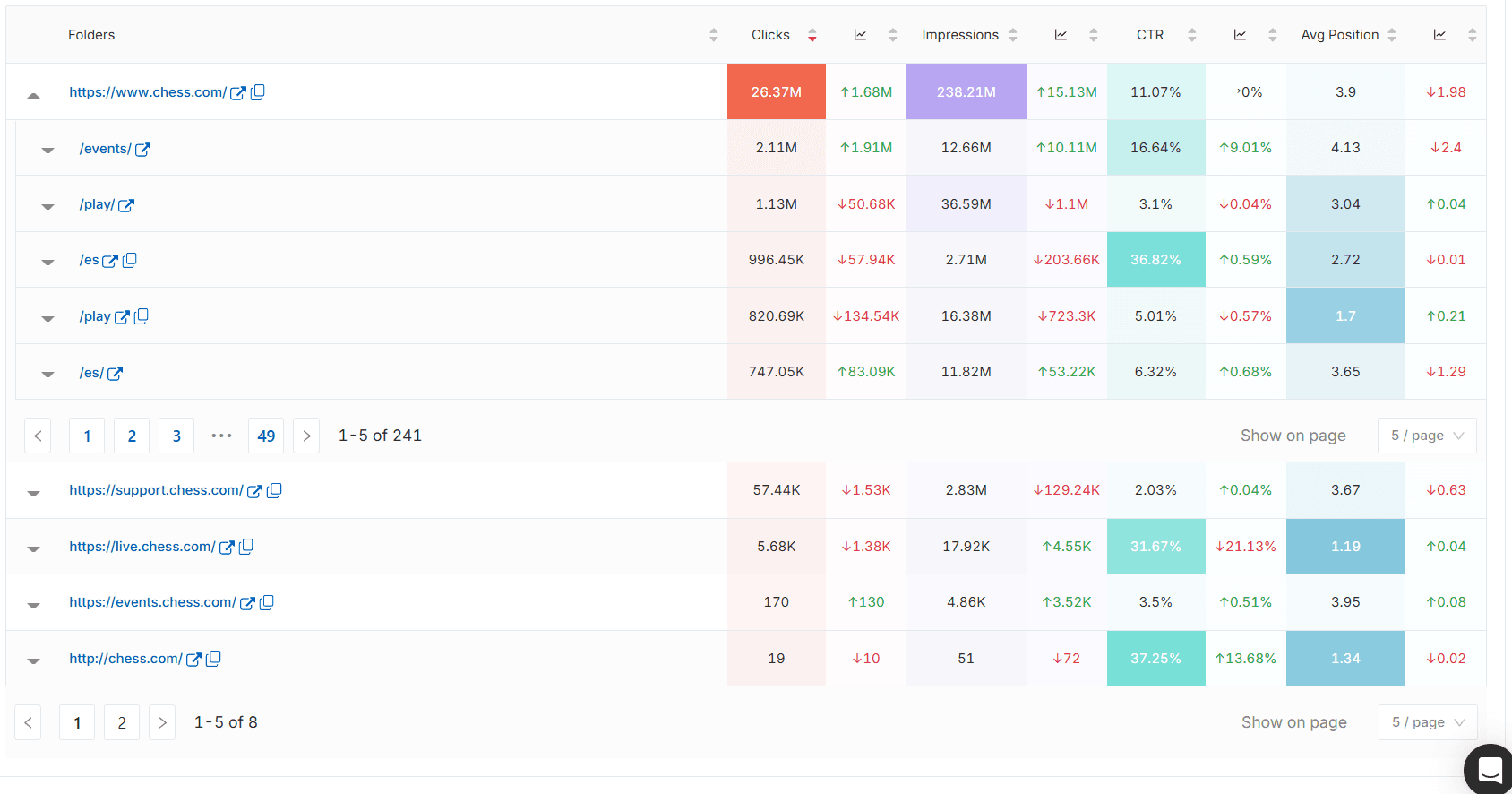
Connect once, see the whole site. SEOcrawl AI unifies your Search Console data — filter, tag, and track any section without losing the sitewide total. Try SEOcrawl AI.
FAQs
What's the difference between a domain and URL-prefix property?
A Domain property (example.com) tracks every subdomain and both http and https in one report and is verified only by DNS.
A URL-prefix property (https://example.com) tracks only the exact protocol and subdomain you enter, and can be verified several ways: HTML file, HTML tag, Analytics, Tag Manager, or DNS. Domain gives the fuller view; URL-prefix gives finer scope.
Do I need DNS access to use Google Search Console?
No. DNS access is required only for a Domain property. If you can't edit DNS, add a URL-prefix property instead and verify it with an HTML tag, an HTML file, Google Analytics, or Google Tag Manager.
You'll get full performance data for that exact URL version; you just won't get the automatic all-subdomains rollup a Domain property provides.
Why is my traffic higher in the Domain property than the URL-prefix property?
Because they measure different scopes. A Domain property sums clicks and impressions across every subdomain and both protocols, while a www URL-prefix counts only that one version. The Domain figure isn't inflated; the URL-prefix figure was always partial.
Can I switch from a URL-prefix to a Domain property without losing data?
Adding a Domain property doesn't delete your URL-prefix property or its history; each keeps its own data. You can't merge past data between them, so the cleaner move is to add the Domain property now and keep both.
From that point, the Domain property becomes your complete record while the URL-prefix retains its historical view of that specific version.
Is a Domain property the same as my domain name?
No. Your domain name is the address you own (example.com). A Domain property is a Search Console reporting container built around that domain name that aggregates every URL under it, across subdomains and protocols.
You enter the domain name to create the property, but the property is the data view, not the domain itself.
Which property type should I connect to SEOcrawl AI?
The Domain property feeds SEOcrawl AI the complete dataset — every subdomain and protocol — so your dashboards and rank tracking reflect the whole site rather than one version.
A URL-prefix connection works too, but SEOcrawl AI will only see that slice. For multi-subdomain sites, connect the Domain property and use tags to rebuild section-level views.
Author: David Kaufmann

I've spent the last 10+ years completely obsessed with SEO — and honestly, I wouldn't have it any other way.
My career hit a new level when I worked as a senior SEO specialist for Chess.com — one of the top 100 most visited websites on the entire internet. Operating at that scale, across millions of pages, dozens of languages, and one of the most competitive SERPs out there, taught me things no course or certification ever could. That experience changed my perspective on what great SEO really looks like — and it became the foundation for everything I've built since.
From that experience, I founded SEO Alive — an agency for brands that are serious about organic growth. We're not here to sell dashboards and monthly reports. We're here to build strategies that actually move the needle, combining the best of classical SEO with the exciting new world of Generative Engine Optimization (GEO) — making sure your brand shows up not just in Google's blue links, but inside the AI-generated answers that ChatGPT, Perplexity, and Google AI Overviews are delivering to millions of people every single day.
And because I couldn't find a tool that handled both of those worlds properly, I built one myself — SEOcrawl AI, an enterprise SEO intelligence platform that brings together rankings, technical audits, backlink monitoring, crawl health, and AI brand visibility tracking all in one place. It's the platform I always wished existed.
Discover more content about this author
Seeing "Alternate page with proper canonical tag" in Search Console? Most of the time Google is doing exactly what you asked. Here's how to tell the normal cases from the real problems, and how to fix the ones that matter.