Google Business Profile
One of the great forgotten players (or, at least, we could say it's pretty underrated) in the SEO world is Local SEO. However, it can be a great ally, especially when it comes to giving more visibility to small and medium-sized businesses on Google.
And you might be wondering... what does local SEO have to do with Google Business Profile? Well, a lot; a whole lot, actually. In fact, talking about local SEO is practically talking about the acronym GBP. That's why we wanted to dedicate a post exclusively to helping you improve the organic ranking of your local business thanks to this platform.
Discover what it is, why it's so important for your local SEO, and how, thanks to it, you can achieve more online presence among your ideal target customers.
Make it to the end and you'll learn how to rank your business in a geolocalized way on Google thanks to "Business Profile" listings!
What is Google Business Profile and why is it so important for local SEO?
GBP is a completely free tool from Google (for now) through which local businesses have the opportunity to get more customers. You've almost certainly seen Google Business Profile listings hundreds of times, although perhaps you didn't realize you were looking at them.
To give you a practical example, you've surely done a search related to where you are more than once. And, after the search, Google showed you results for businesses in the area. Organically you might not appear in first position, but thanks to this platform, it's very likely you'll appear before that first result and have the opportunity to get clicks to your website.
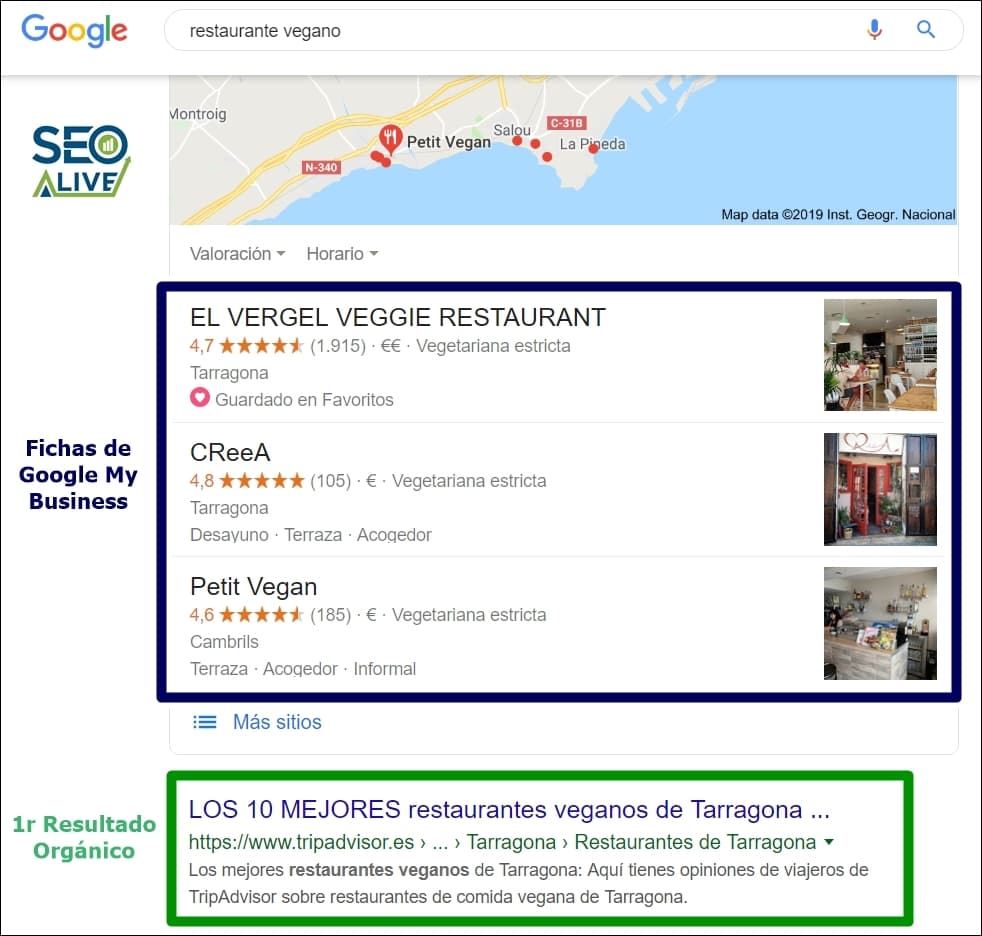
"Snack Pack" results from Google Business Profile that show up in the search engine results when you enter the geolocalized term "vegan restaurant" in Tarragona.
Important:
According to a publication from Moz related to search ranking factors, having GBP signals helps localized organic ranking both for the 'snack pack' and for organic results.
Advantages of Google Business Profile
- Visibility: if we know how to optimize the Google Business Profile listing correctly, the separate ranking algorithm can play in our favor by displaying our business name above the first organic result.
- Competitiveness: if you're a medium or small business that can't afford to invest large sums of money in SEO and PPC strategies to appear above brands that do, this is an opportunity to compete with them in local results.
- Conversion potential: it's a gateway that brings us closer to the final transaction, since the user has access to all the relevant business data (phone, location, website...) and could use them.
My business on Google: how do I appear on Google Maps?
Now that we understand what Google Business Profile is and its advantages, if you're wondering how to rank your business through this tool, right here we're going to explain how to do local SEO for GBP and get yourself known.
First things first: sign in to Google Business Profile
Before anything else, you have to go to the official Google Business Profile site and sign up using a Gmail account. Next, you'll need to follow these steps:
- Sign in to Google and fill out as many fields of the questionnaire as possible. The more, the better. Ideally, all of them (category your business belongs to, opening hours, etc.).
- Remember to include local citations with the SAME name, address, and phone number you've used on your website. It's important that this information (commonly called NAP information) is identical.
- Include texts with SEO keywords related to your business in the description to explain its products and/or services. That said, don't forget to focus on a good user experience, which means the keywords must be implemented naturally and attractively both in the URL and in the "title" tag, in the meta description, in the title, and in the description itself.
- Add at least one original image at 1000x1000 pixels for the cover and another at 250x250 px for the profile. Google likes images, so if you can add more, better. Remember that ideally you should geolocate them. In other words, in addition to naming the files with the keywords you want to appear for and filling in the title, comments, and tags for each one, geolocate some of the SEO-valuable images from your website using Geoimgr.com.
- Wait for Google to verify that your data is real: to do this, it will send you a verification code by regular mail (in some cases it could also be done by phone). Once you have the code, you'll have 30 calendar days to enter it and register your profile as a verified business on GBP.
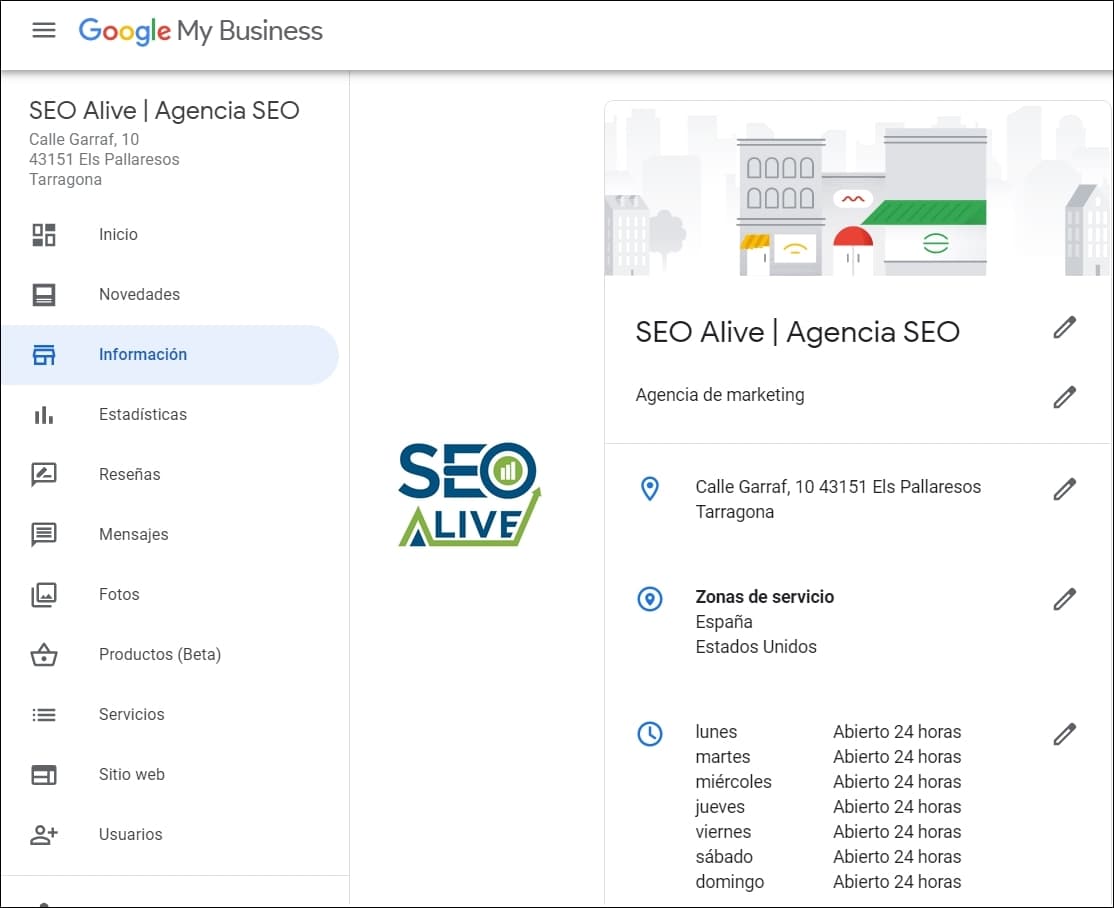
SEOcrawl AI's GBP listing with all the data filled in to improve local SEO.
Getting reviews on Google Business Profile
One of the most important factors for gaining visibility through Google Business Profile listings is getting lots of good reviews (and responding to them, of course). That's why we need to focus part of our local SEO strategy on getting them. Let's look at some methods to achieve this:
Through direct link generators
Officially, Google Business Profile shows you a link on your listing that you can share with your customers and it will take them directly to the reviews section of your profile.
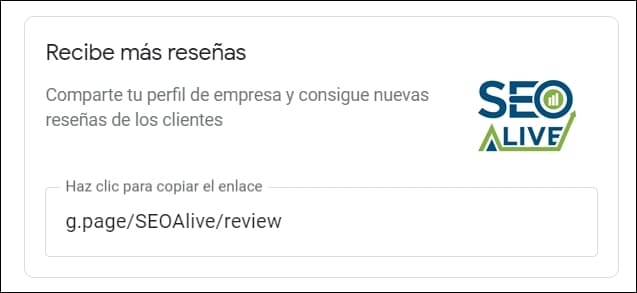
Google Business Profile gives you a tool to encourage your customers to leave reviews.
You can also use the official tool that Google proposes: Google Maps Platform. Either of these two formulas is valid for making it easier for your customers to write reviews about your business on GBP!
Through WordPress plugins
The WordPress Google Reviews Widget plugin displays a widget on your website with the latest reviews written on Google Business Profile. Since you can't directly manipulate the rating of the reviews, you'll create a transparent and credible brand image, so you'll encourage from the landing pages of your own website that other users also leave their own opinions on GBP.
Other tactics to perfect Local SEO with Google Business Profile
In addition to reviews, we can put into practice other types of strategies that will help us give more authority to our GBP listing and improve our local SEO. Take note of these three:
Embed the Google Maps map on your site
Don't be afraid to install the Google Maps map of your business on your website. If you do it properly, it won't affect your WPO and therefore your on-page SEO. To get it, you'll just have to copy and paste the resulting link when you click on the "Share" button of your listing on Google. You'll give it more relevance for free.
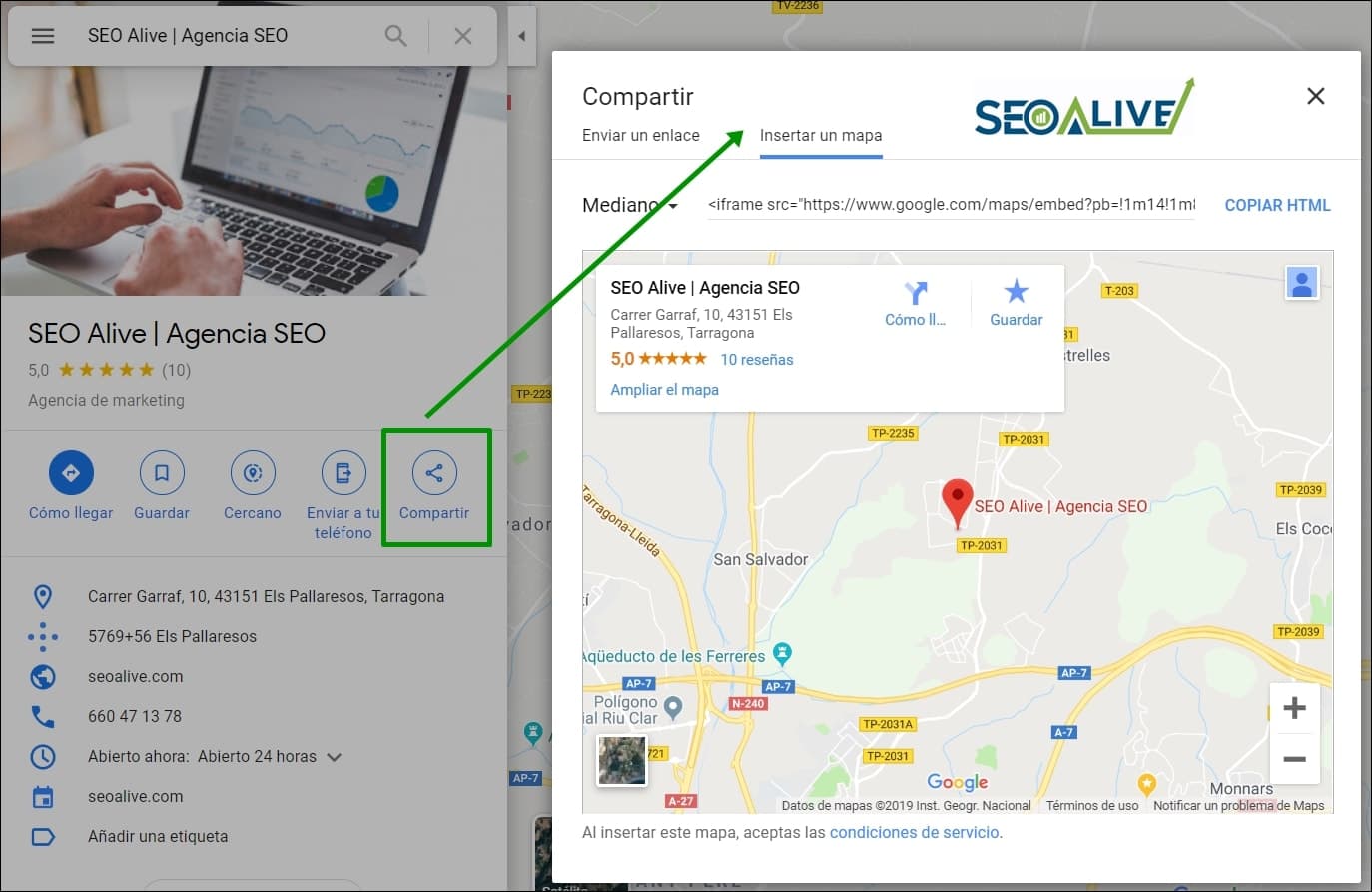
Practical example of how to get the link to your business on Google Maps to implement it on your website.
Add structured data
Thanks to the structured data markup helper you'll be able to enrich the semantics of your pages to give Google extra information about your local business. Remember that the structured data you should implement is that related to "local businesses" and then indicate the URL of your website:
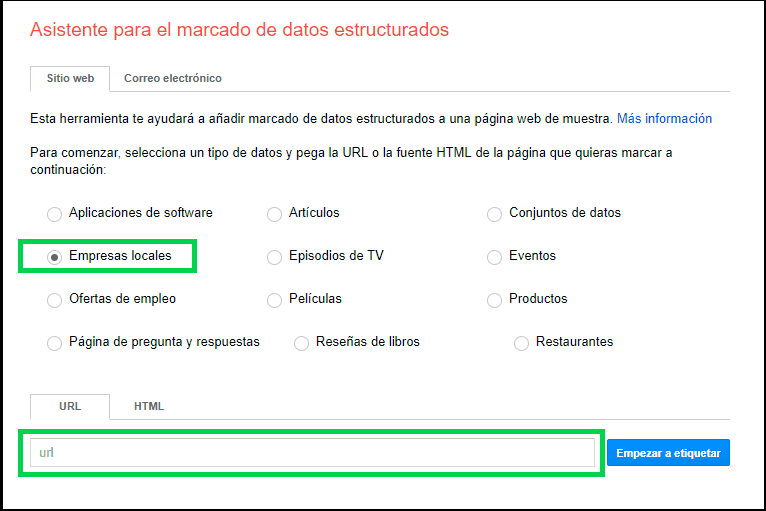
Create links to the GBP listing
If we include from our website a link to the listing with an optimized anchor text (including [keyword + Google Business Profile listing address]), we'll be sending it authority. So, you know, without fear but with caution, you can try it. It works.
Publish posts on GBP
Thanks to posts, not only will you give more exposure to your business, but you'll improve local ranking and get more visibility in the SERPs.
We can publish texts in the moment or schedule them so they appear automatically on a given date thanks to Metricool. Here you'll find a specific feature to schedule your content, so you'll have no excuses to keep your Google Business Profile listing alive.
Congratulations, if you've made it this far, you now know how to rank your brand in a geolocalized way thanks to Google Business Profile. Now it's time to practice. And, if you know more techniques to improve local SEO with this tool, we'd be delighted to hear them. Just share them with us in the "Comments" section.
We're waiting for you!
Author: David Kaufmann

I've spent the last 10+ years completely obsessed with SEO — and honestly, I wouldn't have it any other way.
My career hit a new level when I worked as a senior SEO specialist for Chess.com — one of the top 100 most visited websites on the entire internet. Operating at that scale, across millions of pages, dozens of languages, and one of the most competitive SERPs out there, taught me things no course or certification ever could. That experience changed my perspective on what great SEO really looks like — and it became the foundation for everything I've built since.
From that experience, I founded SEO Alive — an agency for brands that are serious about organic growth. We're not here to sell dashboards and monthly reports. We're here to build strategies that actually move the needle, combining the best of classical SEO with the exciting new world of Generative Engine Optimization (GEO) — making sure your brand shows up not just in Google's blue links, but inside the AI-generated answers that ChatGPT, Perplexity, and Google AI Overviews are delivering to millions of people every single day.
And because I couldn't find a tool that handled both of those worlds properly, I built one myself — SEOcrawl AI, an enterprise SEO intelligence platform that brings together rankings, technical audits, backlink monitoring, crawl health, and AI brand visibility tracking all in one place. It's the platform I always wished existed.
Discover more content about this author
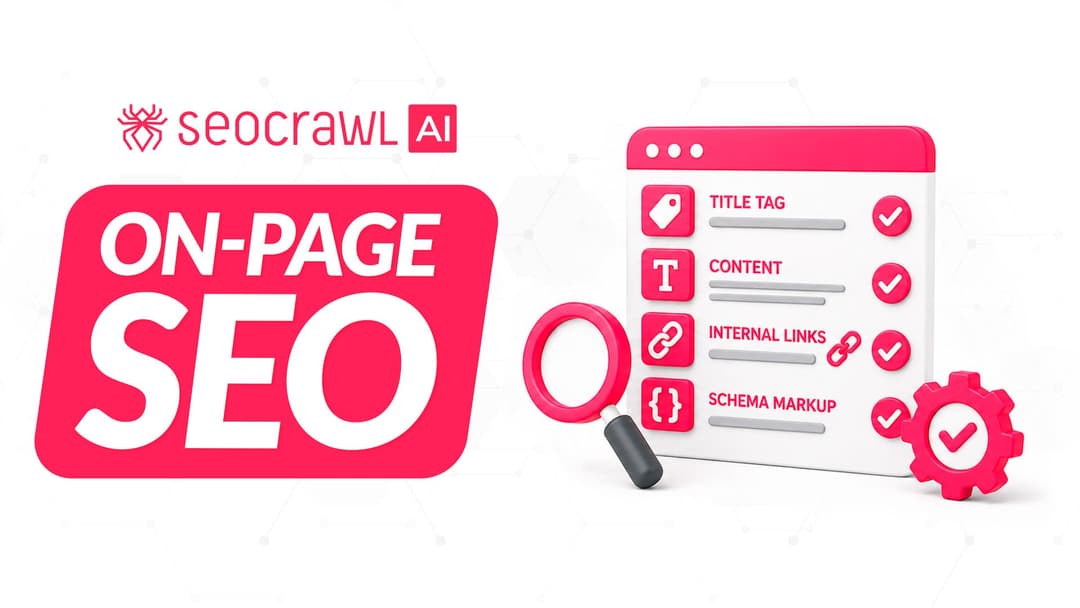
On-page SEO is everything you control on a page: content, title, meta description, headings, URL, images and internal links. Here is a checklist element by element, an audit process and what changes with AI Overviews and AI Mode.