Product Report August 2024
Although August is traditionally a vacation month, at SEOcrawl AI we haven’t stopped working to continue improving our software. Here are all the updates we’ve implemented over the past few weeks. We hope you love them!
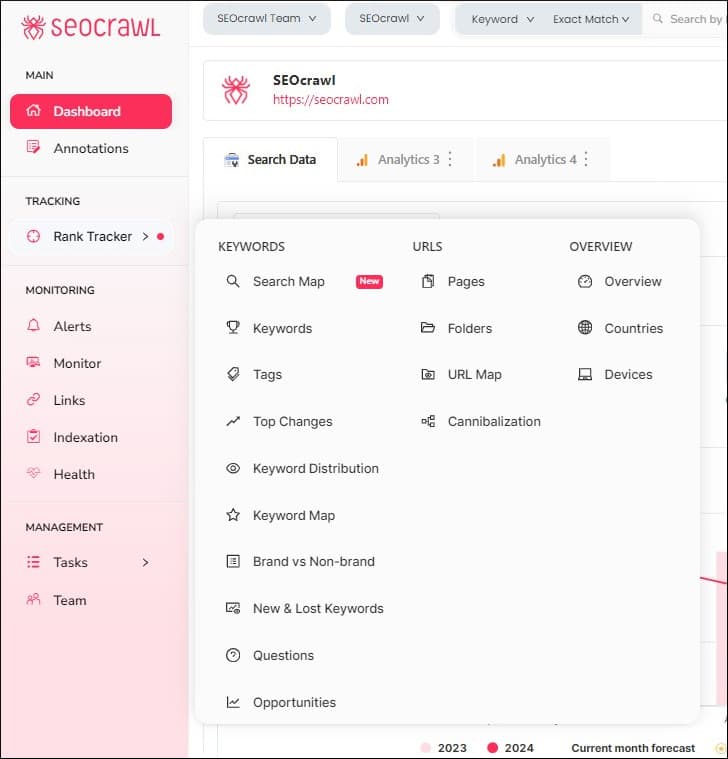
New Menu
As we continue adding more features, it became necessary to reorganize them so you can access everything easily, with just a click, and without wasting time searching for what you need. With this new menu, we’ve achieved better differentiation between keyword performance, URLs, and more “general” project information. Additionally, we’ve added the “Devices” page for quick access.
Search Map Page
The most powerful update in this report: the new Search Map feature, which automatically classifies your project's keywords and displays them organized into different verticals. This allows you to analyze your content clusters and manage your goals in a useful, easy-to-interpret, and user-friendly way, all at a glance.
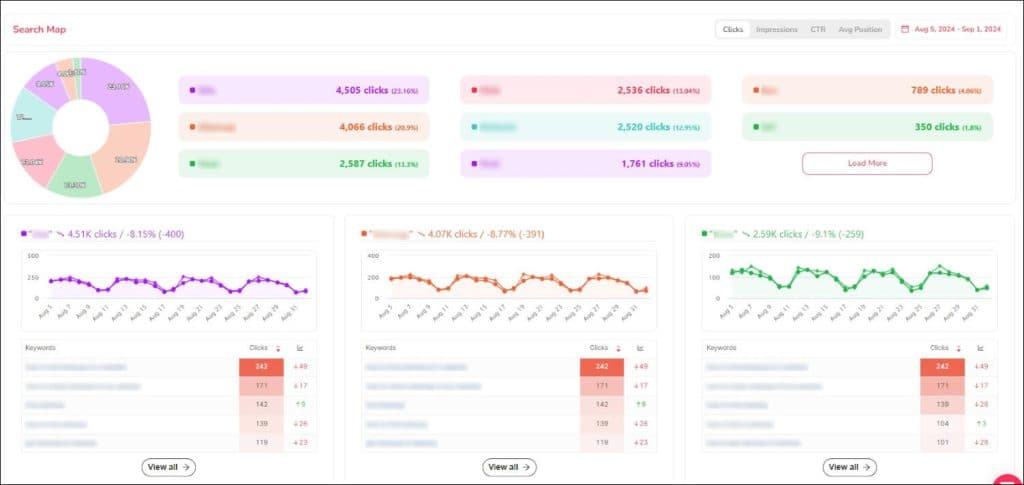
Additionally, as always, you can set date ranges and choose to view clicks, impressions, CTR, or average position.
Keyword Visibility
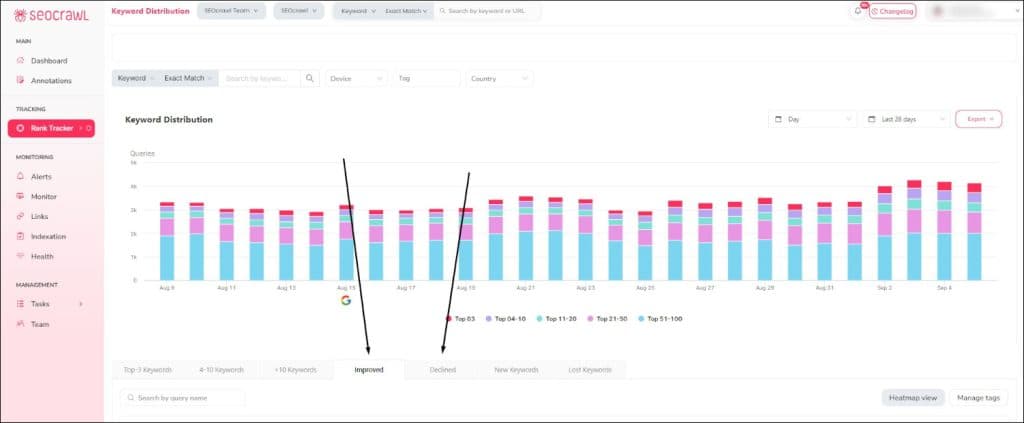
In any SEO strategy, it’s essential to understand how your keywords are performing: how many impressions and clicks they receive, which URL they direct to, and whether they improve or decline over time. Only then can you implement the necessary changes to ensure your project continues to grow.
That’s why we’ve reorganized the information available on the Keyword Distribution page, separating improving and declining keywords into two distinct tabs. With a heatmap that allows you to visualize changes more quickly, and label management to better organize the information, we provide you with more relevant data to help you make better decisions.
Feedback in the Menu
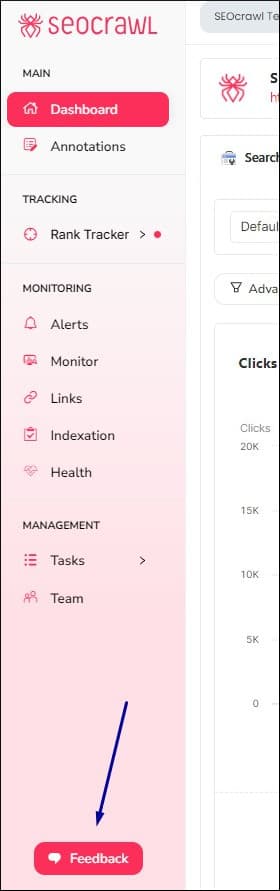
For us, it’s essential to receive your feedback on each of our implementations—what you like, what you think could be improved, and what new features you would add. That’s why we wanted the feedback button to always be prominently visible in our design. However, it could sometimes become intrusive, as it would constantly appear on the side of the screen.
From now on, you’ll find it in the side menu: this way, we ensure that it remains easily accessible whenever you want to share your feedback, but it will no longer interfere with your daily work with the tool.
Email Notifications in Link Monitor
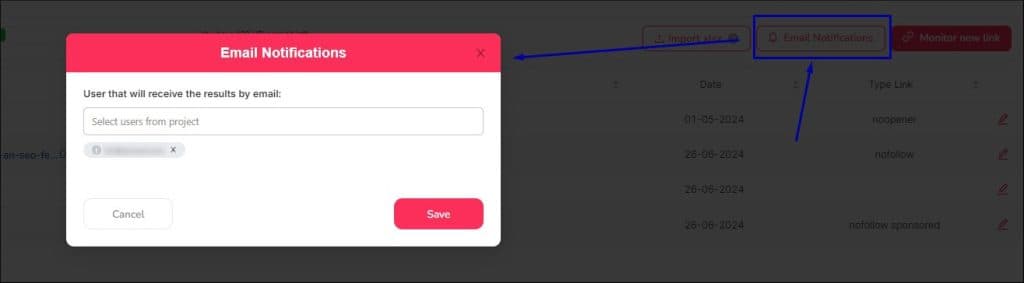
Would you like to decide which team members receive notifications about changes in the links within your link-building strategy? We’re taking another step towards automation, as you can now configure which email addresses receive alerts whenever a change occurs in any of the links you monitor using the tool. Useful, right?
Haven’t tried SEOcrawl AI yet? We make it super easy! Request a DEMO, and we’ll explain how it works in 15 minutes. Plus, we’ll give you 14 days of an Enterprise account so you can try it at your own pace and discover everything it can do for you.
We’re continuing to work towards making SEOcrawl AI the most valuable software in the industry, and the last quarter of the year will bring some exciting new updates that will make this tool an essential part of your daily routine. Will you join us?
Author: Isabel Rubio

My story with the written word began long before I'd ever heard of SEO. I studied Journalism because I was obsessed with telling things properly, and from traditional newsroom writing I jumped — almost without realising — to copywriting and content marketing. That's where I discovered that writing for people and writing so Google understands you aren't opposing disciplines: they're two sides of the same coin.
I've worked at different media outlets and agencies, until in August 2021 I joined SEOcrawl AI as Content Director. Since then I write and coordinate the content of our projects, convinced that every article, every guide and every piece has to give the reader something useful and, on the way, rank where it needs to rank.
I split my life between León and Madrid, I dedicate every hour I can to writing and reading (though it never feels like enough), and without batting an eye I still defend that content is king.
Discover more content about this author