Progressive Web Apps (PWA)
The massive growth of mobile devices has brought with it many changes in the way we consume digital content. We shouldn't talk about the future but the present to understand what Progressive Web Apps or PWAs are.
What are Progressive Web Apps or PWAs?
Progressive Web Apps are the technological combination of native applications and the HTML5-based web applications we know. PWAs have arrived to bridge the technological gap between apps and web pages.
Google has been one of the main advocates in encouraging the development of this type of technology. To better understand its features, we need to talk about applications that must be reliable, fast, and engaging.
Features that Progressive Web Apps must have
To make the PWA concept sufficiently clear and explained, let's dive into the essential features that these technologies must have.
Of course, we're speaking in general terms. From there, each business/service model will adapt its objectives to the needs of its own target audience.
Speed
Time is money, not just for Google but for all those businesses where slow loading of their products can cause users to abandon a potential purchase.
Google has been emphasizing this premise for a long time. The birth of the AMP project had this objective, and now PWAs join the need for fast access to information from applications.
Users today have no patience; they don't wait for a site to fully load. 53% of users won't wait more than 3 seconds for a website to load, according to Think with Google
Reliable
When we talk about reliability, we refer to the site's operating guarantees. Thanks to what are known as Service Workers, network connection issues shouldn't prevent the PWA from loading.
Installable
PWAs can be installed without needing to go to the Chrome Store, Apple Store, or any of the existing app stores. Remember that they are not native applications, so we can access them without going through these stores.
The installation behaves simply as a shortcut; it doesn't need space to store the different files.
Different devices: Mobile and Desktop
The codebase is unified between both devices, which means responsive design techniques apply to both mobile and desktop.
Advantages and disadvantages of PWAs
Some advantages have already been mentioned above when explaining the features of progressive applications. But there are many more reasons to consider using this technology in our business.
- Resource savings
- No installation required
- Very high loading speed
- Push notifications directly to smartphones
- Runs on all operating systems
- Improved security
- Less development and maintenance work than a native app.
- More economical than a native app.
Disadvantages
- Requires internet connection.
- Not all browsers support PWAs.
- High battery consumption
What is a Service Worker?
Going back briefly to the technical side, we need to talk about certain aspects without which progressive applications couldn't function. Service workers are scripts that run in the background, making requests to web applications, cache, or the network itself.
One important thing we should know is that Service Workers can only function if you have an SSL certificate and serve them via https.
Now let's see it all with an example: BMW's website and its PWA.
PWA Example: BMW
I've tried to write an article without going deep into technical aspects, and now we're going to see an example of an application that will help better understand the PWA concept.
If we enter BMW's website, we can see that they have a very attractive design, prioritizing the visual, but beyond talking about design, let's see what type of website we're dealing with.
Apparently it's a "normal" website, but if you dig into the code we get our first surprise. Indeed, it's a website entirely developed in AMP, not just the mobile version.
But let's get to the matter at hand today.
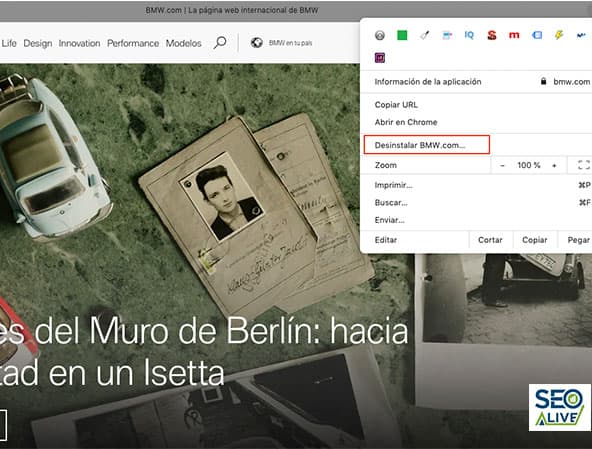
Once inside the website, let's go to Chrome's "customize and control" bar.
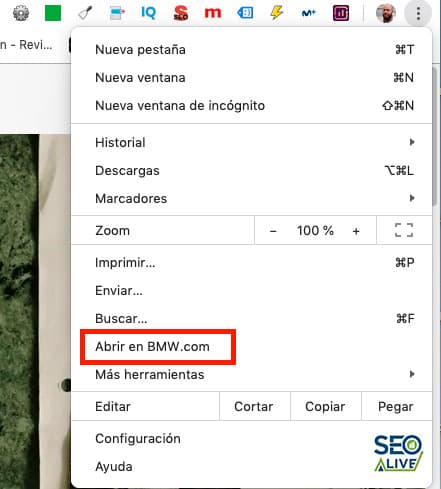
As you could see, a window has opened with the content of the BMW website. Comparing both contents, we see that they are practically identical.
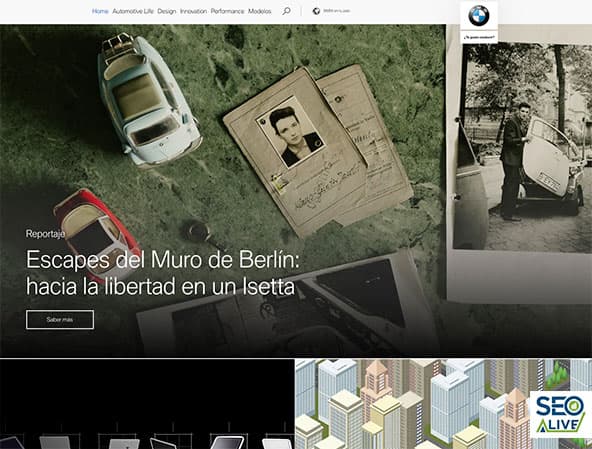
Image of the website in the browser (Chrome)

Image of the website in PWA desktop
BMW's developers have managed to maintain an identical visual appearance. When we accept the "installation" of the PWA in our Chrome applications folder or even on the desktop (depending on the OS, I'm currently using MacOS), a shortcut to the PWA has been downloaded.
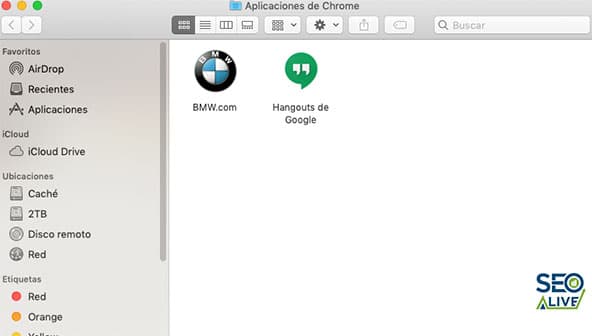
If we're overwhelmed by installing apps and want to uninstall, we just need to go to our PWA version window, click on the right side just like in Chrome, and select uninstall.
In the mobile version it's practically similar. When we enter the website with PWA version, we receive a notification to "create a shortcut."
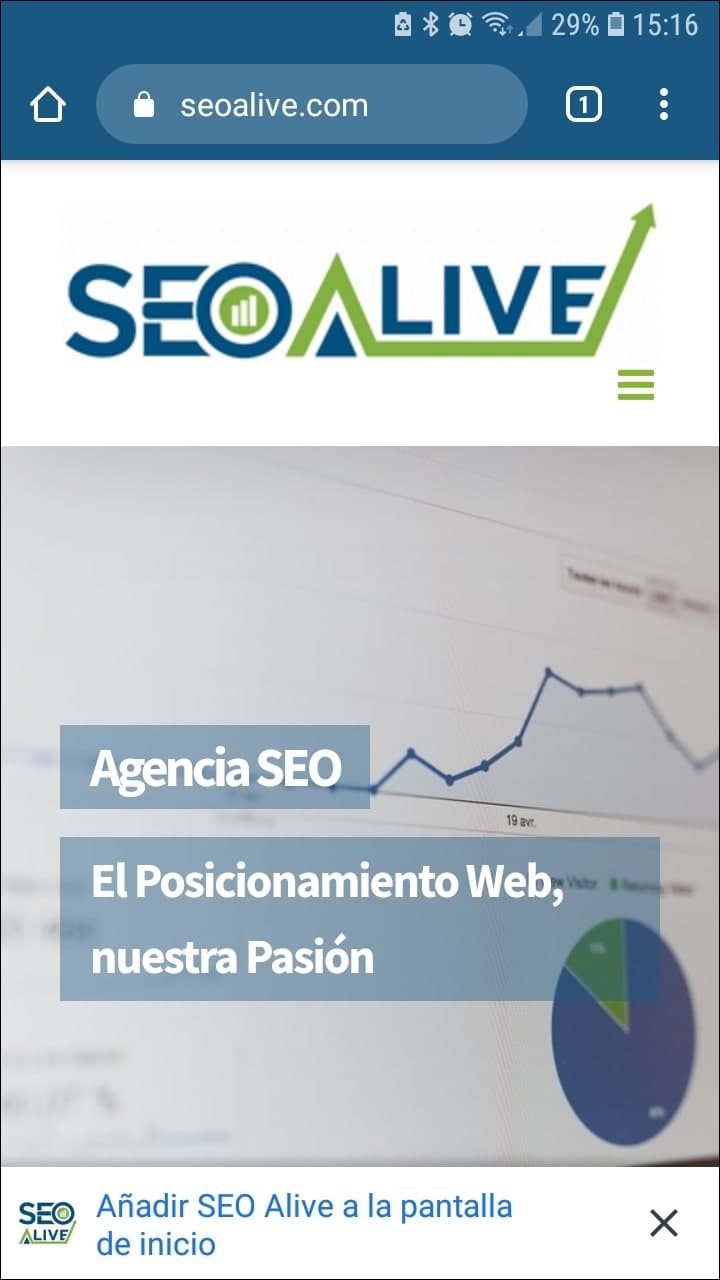
When entering a website with PWA; we'll see an option to create a shortcut.
If we accept, we'll see a PWA icon on our mobile desktop.
DevTools to learn more about PWAs
At this point, I want to dive into examples to explain concepts and features of this type of application.
For this we're going to use the developer tool that Chrome provides (DevTools). We open the inspector with the right button and go to Application.
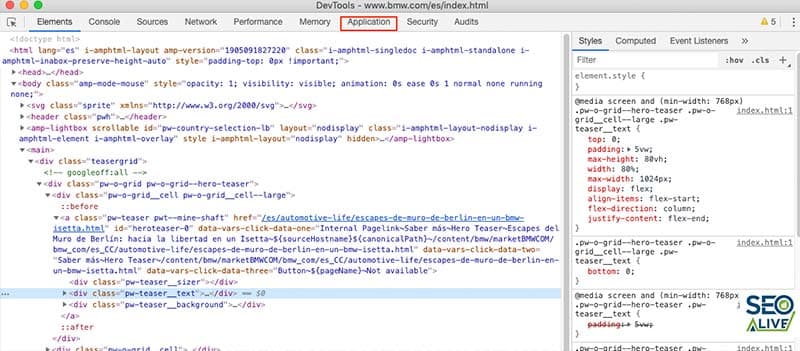
Chrome Devtools
App Manifest (Web Application Manifest)
The manifest is a small JSON file with basic style aspects that it provides to the browser to avoid abrupt changes.
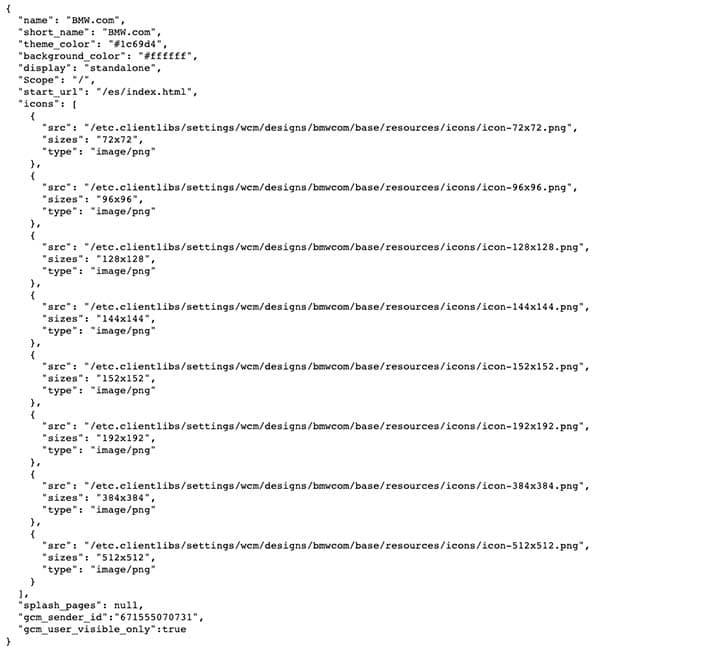
Example of Manifest (JSON)
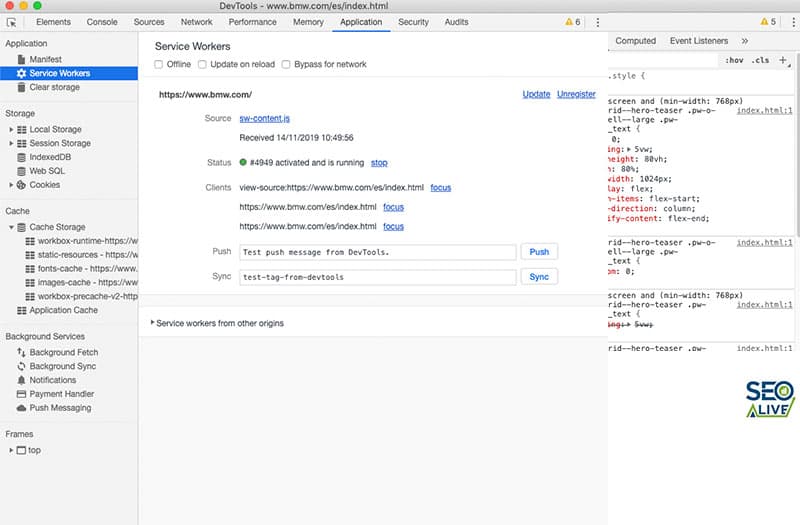
Service Workers
As we explained earlier, now we can see what it's about. We see the JS file and in it the scripts it uses. The Service Worker is installed in the browser. We'll have several from other web applications.
One of the main functions of this type of code is to ensure that the same version is always served (it controls the cache) even if we open another tab.
How to implement PWA in WordPress?
While if we've developed our website with our own code we'll have to do quite a bit of manual work, the situation will be very different if we've developed our website in WordPress. If this is the case, we'll have several plugins at our disposal that will allow us to enable PWA technology in a couple of clicks. The PWA version of SEOcrawl AI, in fact, is the result of this plugin that we recommend.
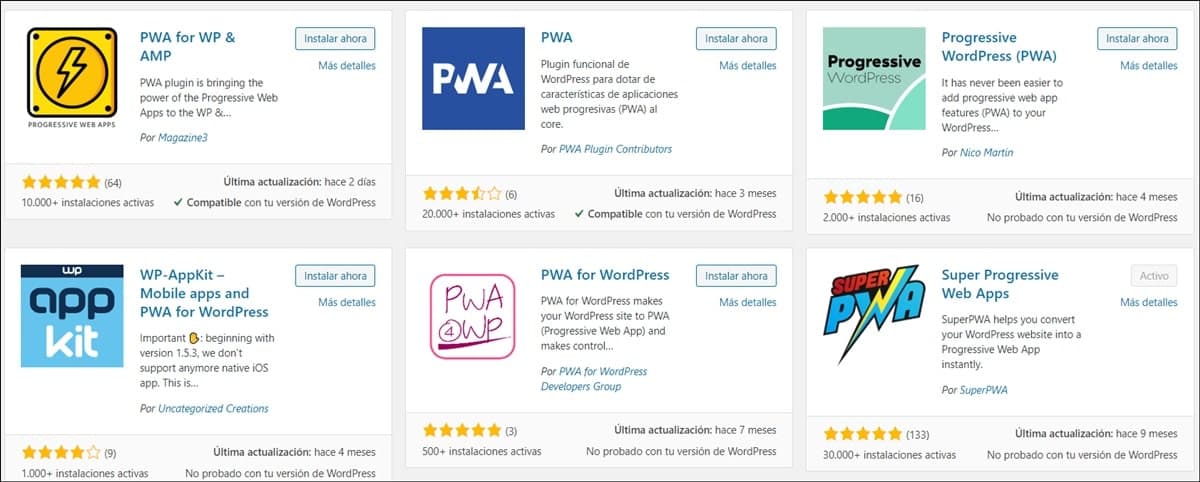
Most popular plugins to implement PWA in WordPress.
PWAs in Marketing
For those of us who work in marketing, Progressive Web Apps can help us achieve objectives that every marketing department has in mind to grow a brand.
Loyalty and Sales
One of the objectives worst worked on by some brands. We all know the low involvement that mobile phone brands have when treating their customers, to give an example.
Push notifications in PWAs are one of the actions that are working best and contributing to sales generation.
A study conducted by Gartner on PWAs gives us a series of very interesting statistics about Lancome and Alibaba; Lancome reports a 17% increase in conversions, 51% in sessions from mobile devices, and 52% on iOS. Alibaba (the group to which Aliexpress belongs) has improved its conversion rate by 76%.
Although we've talked about 2 global giants, having an app on your mobile where loading and execution time isn't a drag, plus respecting good design, has been shown to increase the conversion rate.
In conclusion, we can say that PWAs are increasingly spreading, mainly among big brands. In Spain, we'll probably take a little while to realize the enormous potential of this technology, but sooner rather than later it will be implemented.
Any technology that facilitates mobile navigation has great importance; we spend many hours with our smartphones, and ultimately, access to both content and products is business.
References
Author: David Kaufmann

I've spent the last 10+ years completely obsessed with SEO — and honestly, I wouldn't have it any other way.
My career hit a new level when I worked as a senior SEO specialist for Chess.com — one of the top 100 most visited websites on the entire internet. Operating at that scale, across millions of pages, dozens of languages, and one of the most competitive SERPs out there, taught me things no course or certification ever could. That experience changed my perspective on what great SEO really looks like — and it became the foundation for everything I've built since.
From that experience, I founded SEO Alive — an agency for brands that are serious about organic growth. We're not here to sell dashboards and monthly reports. We're here to build strategies that actually move the needle, combining the best of classical SEO with the exciting new world of Generative Engine Optimization (GEO) — making sure your brand shows up not just in Google's blue links, but inside the AI-generated answers that ChatGPT, Perplexity, and Google AI Overviews are delivering to millions of people every single day.
And because I couldn't find a tool that handled both of those worlds properly, I built one myself — SEOcrawl AI, an enterprise SEO intelligence platform that brings together rankings, technical audits, backlink monitoring, crawl health, and AI brand visibility tracking all in one place. It's the platform I always wished existed.
Discover more content about this author
On-page SEO is everything you control on a page: content, title, meta description, headings, URL, images and internal links. Here is a checklist element by element, an audit process and what changes with AI Overviews and AI Mode.