Schema Structured Data: What It Is and How to Implement It

Have you heard about structured data? Have you heard of Schema? I'm sorry to tell you that if you've only heard about it and don't really know what it is, you're falling behind, my friend. But hey, don't worry, we're here so you can fully understand what structured data is and how to benefit from it in your SEO strategy.
Let's get started!
What is structured data?
Structured data are snippets of code or markup that are added to your website to provide more information and context to search engines about the type of content you're offering.
On the other hand, Schema is the most widespread "language" for writing these codes and implementing them on our website.
Why would I want to add more code to my website?
That's easy. With these code snippets, what we're doing is making it easier for robots to interpret the content.
Still confused? Hold on, let us give you an example:
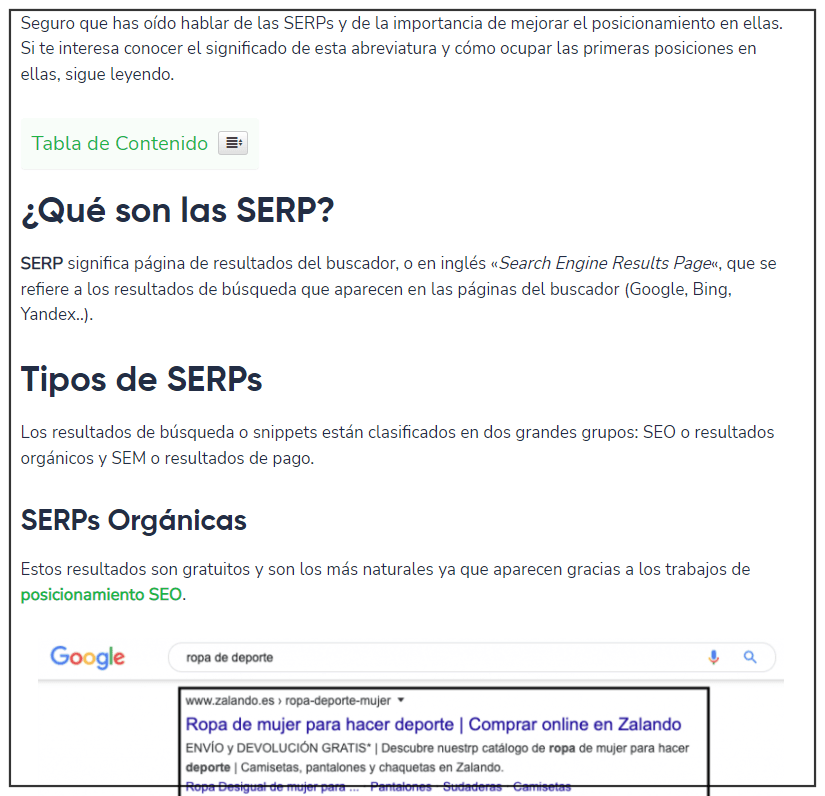
Here you see an article that apparently looks normal, but... Inside the code... We're sending this information to the bots:
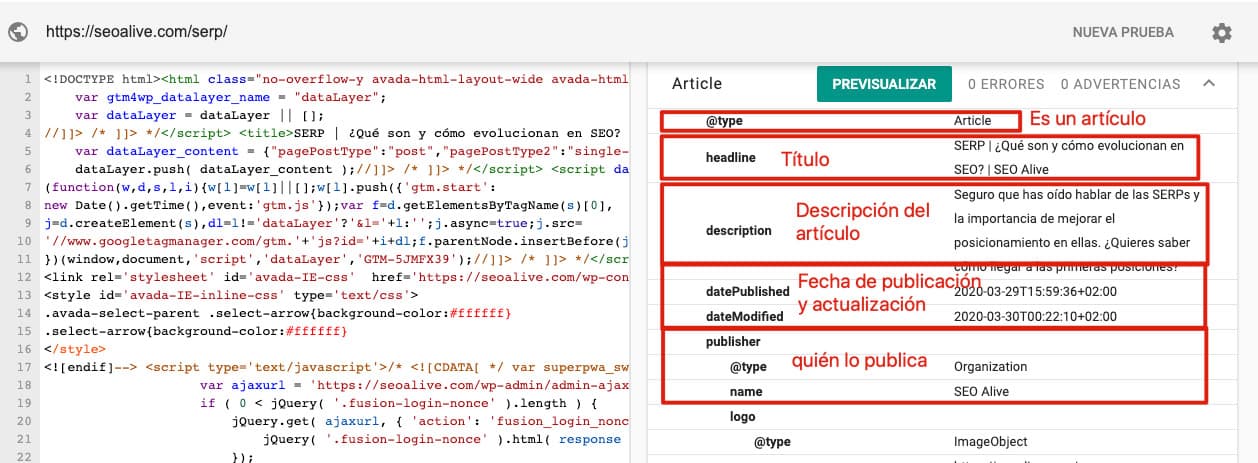
It's an article with:
-
a title
-
a description
-
publication date
-
update date
-
article author
-
...
As you can see, it's an implementation that's invisible to the user but can provide a lot of information to the bots.
Why is Schema important for SEO?
Structured data, as we've already mentioned, offers the possibility of structuring information. This makes it easier for crawlers (like Google) to better understand the information they're indexing. The better Google understands the information it indexes, the clearer it will be about what your content is for and what type of search intent it could answer. Thanks to this, Google will show your result for search intents more aligned with your content, increasing your CTR and reducing your bounce rate.
All advantages, right? Well, wait, you haven't read the best part yet:
Schema and rich snippets
Thanks to this extra information we provide to Google, it can reward us with the so-called rich snippets:
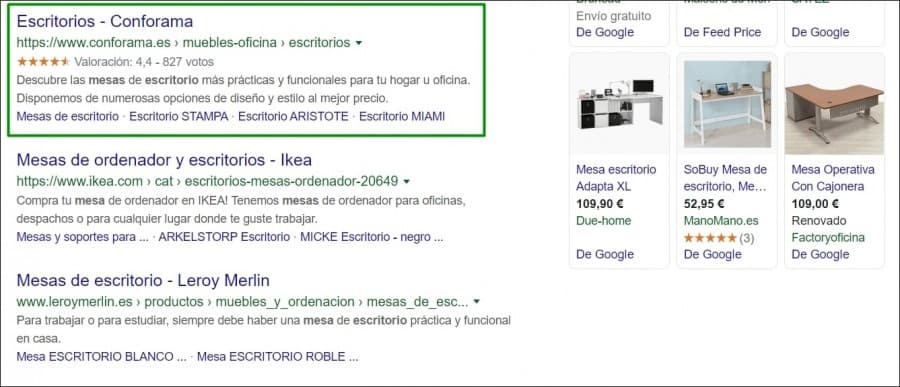
In this case, we have a product rich snippet that makes Conforama's result much more eye-catching than its competitors'.
In addition to the product one, Google offers us a multitude of structured data that we can use:
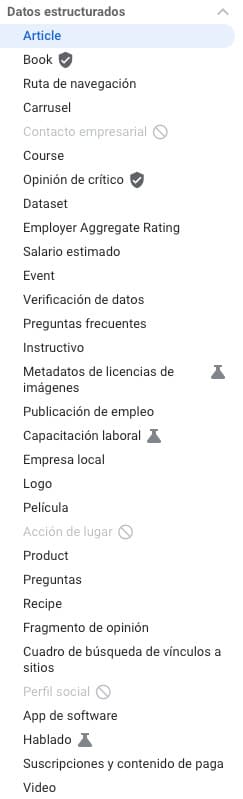
Recommended reading = Google's documentation on structured data
You have to keep in mind that not all of them will offer you the possibility of getting rich results, but they will help Google better understand your content.
The most popular ones are:
-
Product
-
Article
-
Breadcrumb
Even so, it's always good to take a look at the official documentation in case any of them matches your website well. It's worth noting that all those listed in the documentation are what Google has officially cataloged, but, actually, it's able to detect and understand any you find within the Schema.org directory. There are infinite types of markup, so I recommend using the search tool (in English).
How to add structured data to my website?
Okay, we're getting to the part that might make you a bit more nervous if you're not a fan of code.
If we want to introduce data markup on our website, we have several options:
-
Microdata. These are attributes and tags that are added to the HTML code of our website.
-
RDFa. An HTML5 extension compatible with HTML tag attributes.
-
JSON-LD. A script that is usually added in the head of our website, in which the structured data is added.
Although we have these options, Google recommends using JSON-LD whenever possible. Personally, I would also recommend using JSON-LD, since it's easier to implement and, if necessary, modify or debug.
Does it all sound like Greek to you?
In the official documentation, we can find many examples for which we only need to change the data and insert it into our website. The examples can be found here and then by clicking on the example page:
Once this is done, a new tab will open with Google's official structured data tool. In it, the script will be written and we only need to change the data and insert it into our website (preferably in the head).
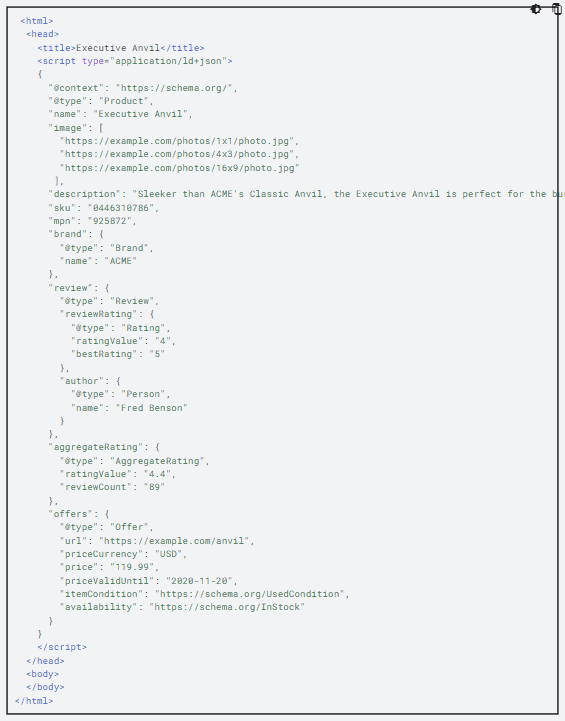
Within the tool, with the green button you can validate your code in case there are any errors and a brief message on how to solve it.
Still sounds like Greek?
It's normal, this is usually the programmers' job, but we have an ACE up our sleeve for you (especially if you use WordPress):
How to add Schema to WordPress?
If you have a WordPress and don't want to complicate your life, you can use the Schema & Structured Data For WP plugin.
Personally, I've tried many data markup plugins and, without a doubt, I stick with this one. It's a lightweight and friendly plugin with many options.
In addition, it has a data markup system with many schemas and a very intuitive assistant, in case we don't want to complicate things:
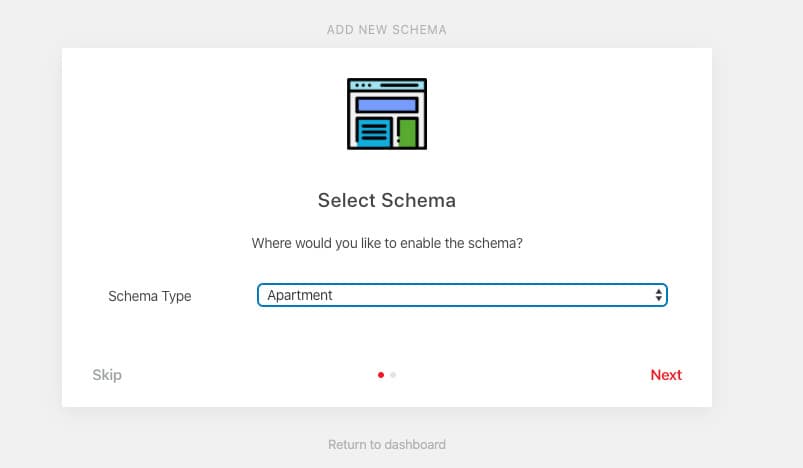
Most are free, but if your case is more complex (due to your theme or the combination of plugins you're using), the price is around $15. A laughable price, since if you have any problem, the developer does the installation for you.
Finally, if you consider yourself the Rambo of markup, it also has advanced options which are quite powerful ?
How to validate your structured data?
Okay, we have everything installed and implemented, now what?
Well, it's time to validate.
Recommended Tool: Validate Structured Data
For this, we'll use Google's official tool. Once inside, we have two options: either via URL or by pasting the code directly:
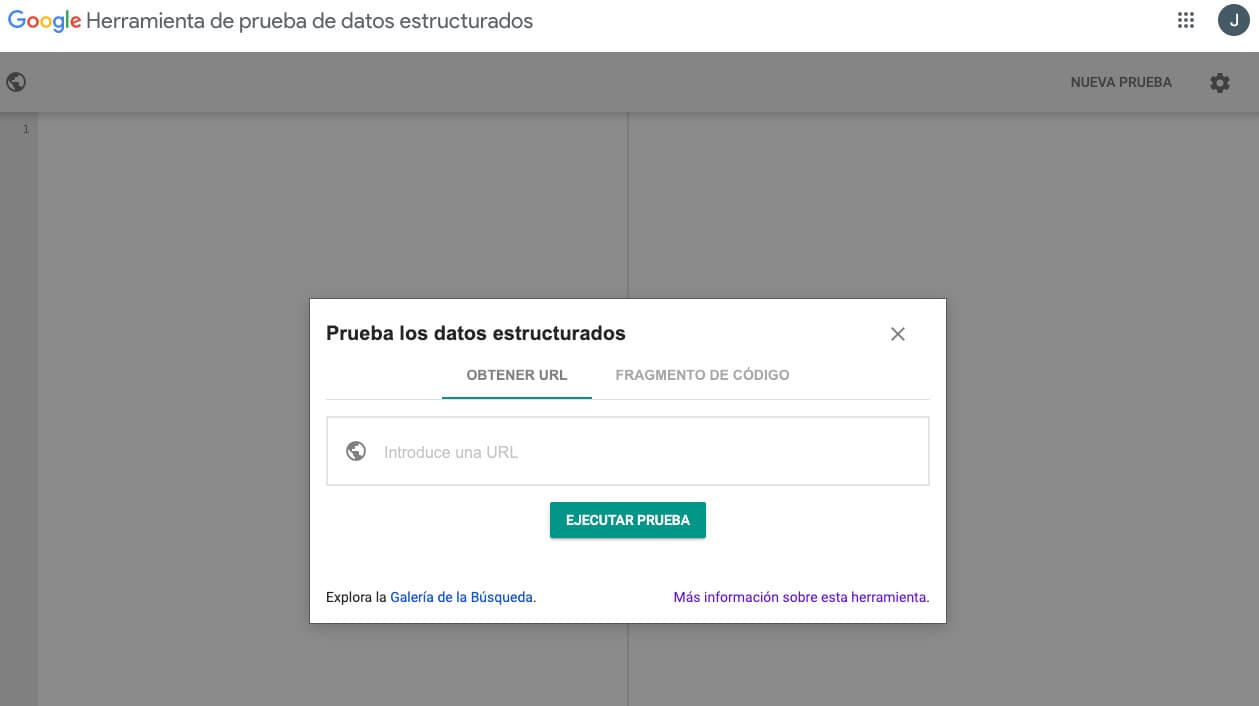
My personal recommendation is to always use the code snippet option first and once everything is correct, move it to the website and validate it again with the URL option.
The perfect scenario is something like this:
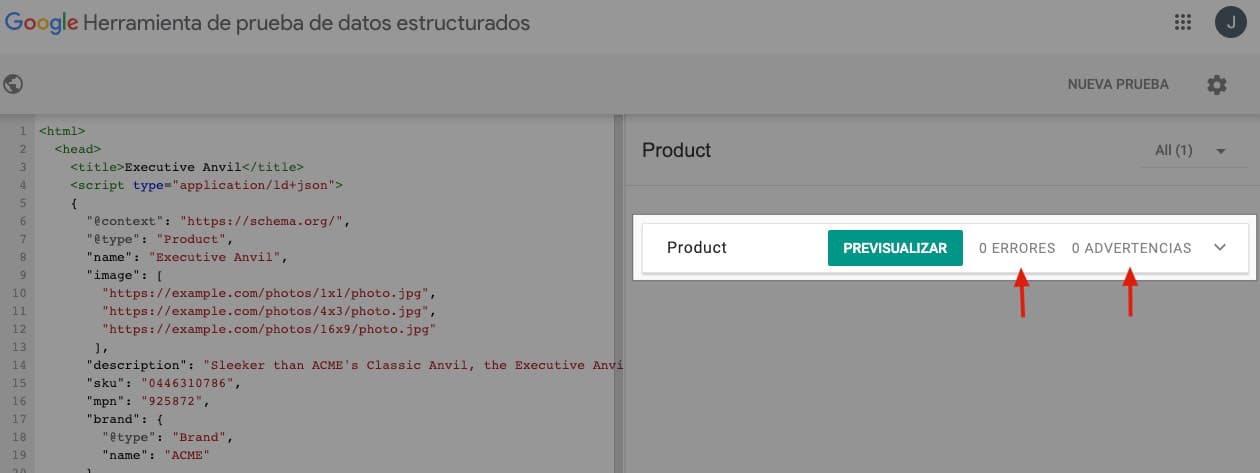
0 errors and 0 warnings. This is perfect, but not the norm. If we have any error or warning, we'll be notified and we'll have to expand it to read the message and locate the error.
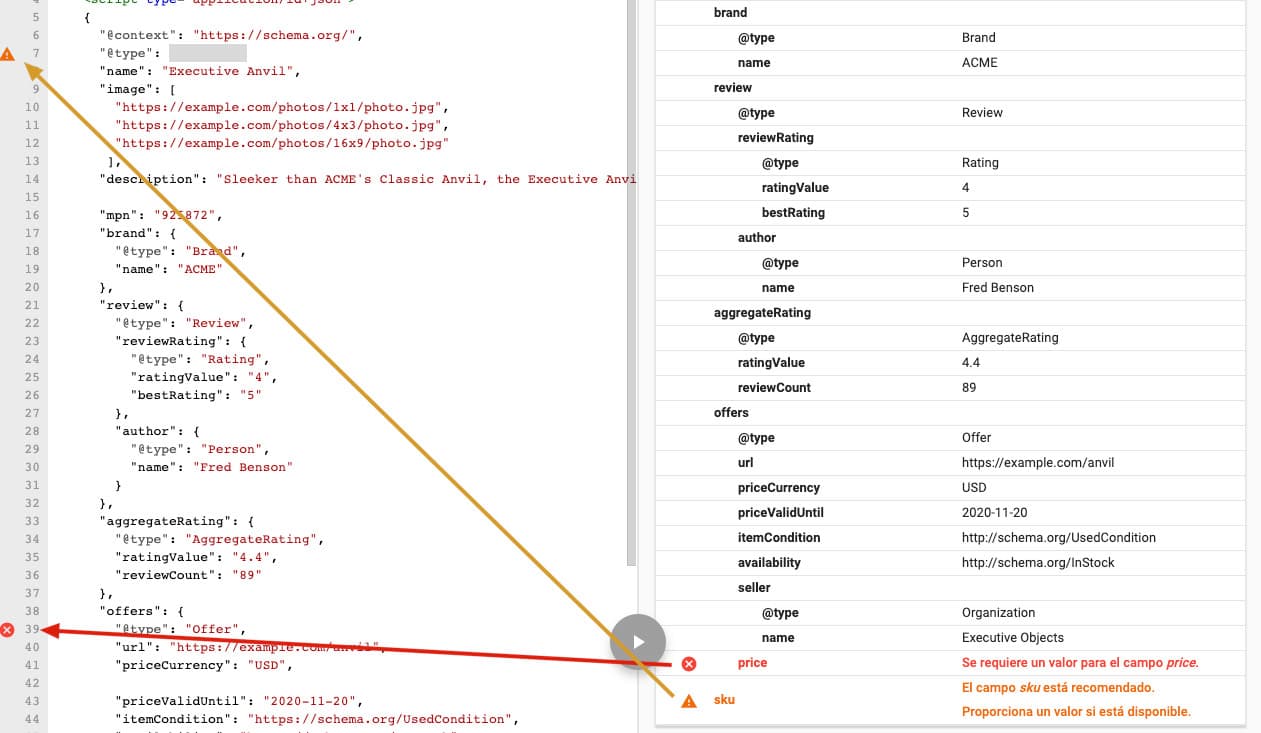
For example, in this case I have an error (the price field that I removed) and a warning (I removed the sku field). The tool itself usually tells us where the errors are in the code and how to fix them.
Conclusion
In short, with this implementation, you'll manage to both increase your CTR (with the rich snippets you'll be able to achieve) and make sure that search engines can better index and understand all the content on your website.
As always, for any doubts or questions, we'll be waiting for you in the comments :)
Author: David Kaufmann

I've spent the last 10+ years completely obsessed with SEO — and honestly, I wouldn't have it any other way.
My career hit a new level when I worked as a senior SEO specialist for Chess.com — one of the top 100 most visited websites on the entire internet. Operating at that scale, across millions of pages, dozens of languages, and one of the most competitive SERPs out there, taught me things no course or certification ever could. That experience changed my perspective on what great SEO really looks like — and it became the foundation for everything I've built since.
From that experience, I founded SEO Alive — an agency for brands that are serious about organic growth. We're not here to sell dashboards and monthly reports. We're here to build strategies that actually move the needle, combining the best of classical SEO with the exciting new world of Generative Engine Optimization (GEO) — making sure your brand shows up not just in Google's blue links, but inside the AI-generated answers that ChatGPT, Perplexity, and Google AI Overviews are delivering to millions of people every single day.
And because I couldn't find a tool that handled both of those worlds properly, I built one myself — SEOcrawl, an enterprise SEO intelligence platform that brings together rankings, technical audits, backlink monitoring, crawl health, and AI brand visibility tracking all in one place. It's the platform I always wished existed.
Discover more content about this author