Breadcrumbs: What They Are and How to Implement Them

Even though Google oddly calls them "Navigation/Exploration Paths", those of us in the SEO world officially know this feature as Breadcrumbs. Lately, there have been many new developments on this topic, which is why we have decided to put together a guide where we show you what they are, how to implement them step by step, ways to validate an implementation, and finally, how to monitor their progress in Search Console.
Let's get to it!
What are Breadcrumbs?
Breadcrumbs are a feature whose purpose is to improve user navigation and clearly indicate, both to search engines and users, the hierarchy of the pages. This way, the user can quickly visit both the final page and the categories to which this page belongs.
Ways to implement breadcrumbs
In terms of implementation, we currently have two options: the option that is visible to users and the code option. In reality, both should always be implemented together and not separately.
Visible
In the visible option, the website implements the breadcrumbs at the top of each page so that the user visiting the page knows exactly where they are. For example, if we are looking at a product page of an ecommerce site (an HP Envy computer), on the breadcrumbs we would see the following:
Home > Computers > HP > Envy
This way, we are telling the user that the product they are viewing falls within the computers category and also belongs to the HP computer family. In terms of navigation, this feature is very important because if the user wanted to see more HP models or continue browsing computers, it would be just a click away.
Without this feature, navigation becomes much more difficult and the chances that the user will leave the website are much higher.
Code
While the previous option allowed us to add breadcrumbs for the user, this option will tell search engines how our content is categorized. It is very important that this implementation is done correctly because Google does not understand breadcrumbs that are only visible.
Below, you can see an example of a Breadcrumbs implementation using a JSON-LD script fragment.
<script type="application/ld+json">
{
"@context": "https://schema.org",
"@type": "BreadcrumbList",
"itemListElement": [{
"@type": "ListItem",
"position": 1,
"name": "Books",
"item": "https://example.com/books"
},{
"@type": "ListItem",
"position": 2,
"name": "Authors",
"item": "https://example.com/books/authors"
},{
"@type": "ListItem",
"position": 3,
"name": "Ann Leckie",
"item": "https://example.com/books/authors/annleckie"
},{
"@type": "ListItem",
"position": 4,
"name": "Ancillary Justice",
"item": "https://example.com/books/authors/ancillaryjustice"
}]
}
</script>
The code above tells us that the book "Ancillary Justice" was written by author Ann Leckie and is a book.
Books > Authors > Ann Leckie > Ancillary Justice
If we have built our website with custom development or some of the main languages, we will need to perform the implementation manually. However, if we use Wordpress, we have several plugins available that will help us with this implementation:
- Rank Math
- Yoast SEO
Validating the implementation
Once the implementation is done, the most important thing will be to verify that it has been done correctly. While verifying the "visible" implementation will be very simple since we will just have to check that all elements are correctly linked and work well, to verify the code implementation we will need a bit more effort.
Even so, we have at our disposal a Google tool and a Chrome extension that will make our lives much easier.
Google Structured Data Tool:
Using the Google tool, we can validate our structured data either via URL or at the code level if we enter the fragment directly.
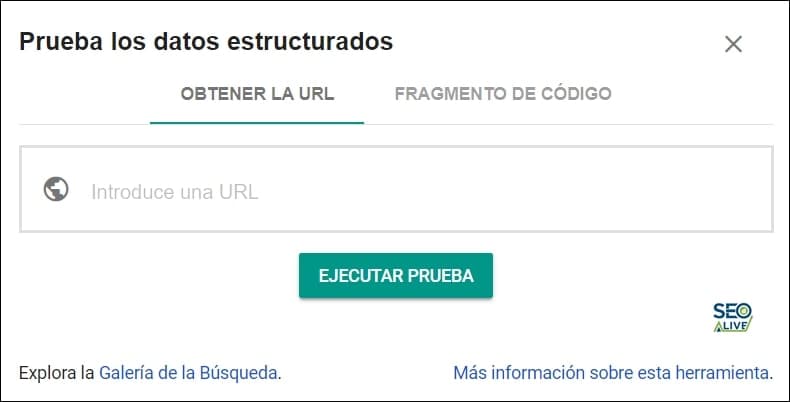
Google Structured Data Tool
If we enter a URL, Google will return the analysis with all the structured data that has been detected.
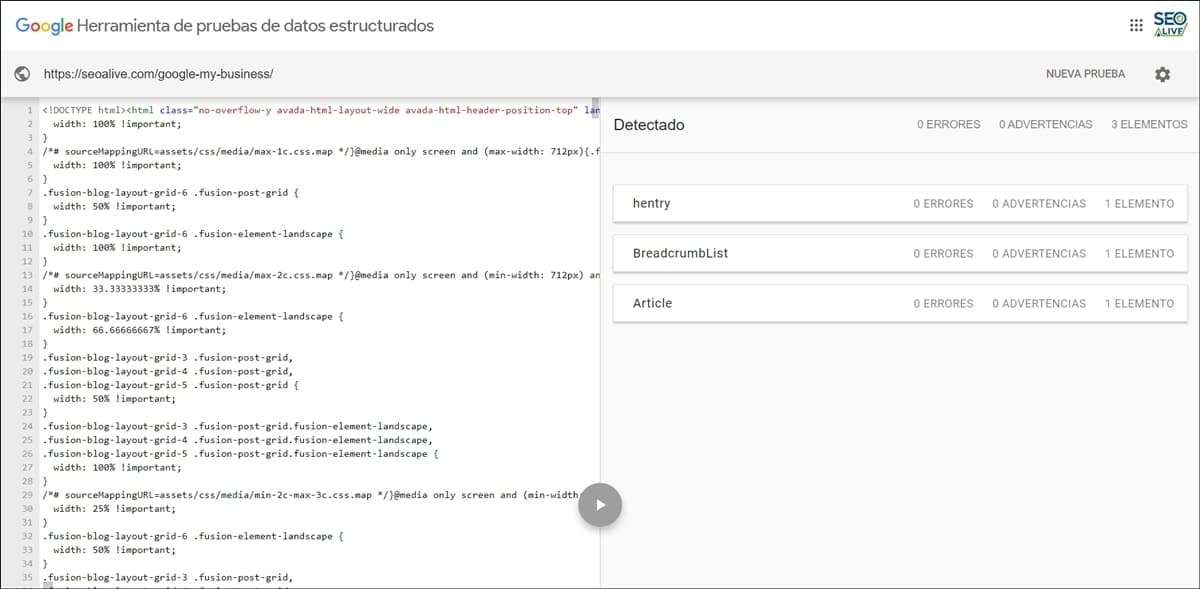
Example of a URL analysis in Google's structured data tool.
If, on the other hand, we want to first test the Breadcrumb JSON-LD code before implementing it, we can use the "code fragment" tool, which will give us the following result:
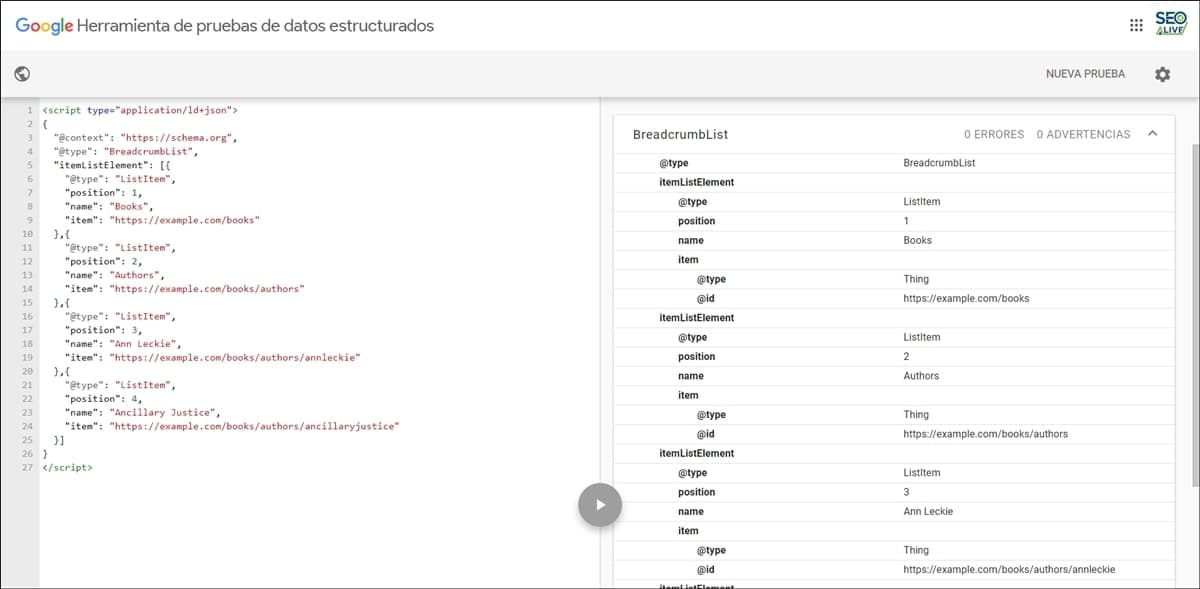
Code fragment validation tool for structured data.
Structured Data Testing Tool (Google Chrome extension)
If instead of visiting the Google tool, we want to validate the Breadcrumb structured data (and others) directly from the browser, we can use the "Structured Data Testing Tool" extension, which will show us all the detected structured data and also any errors.
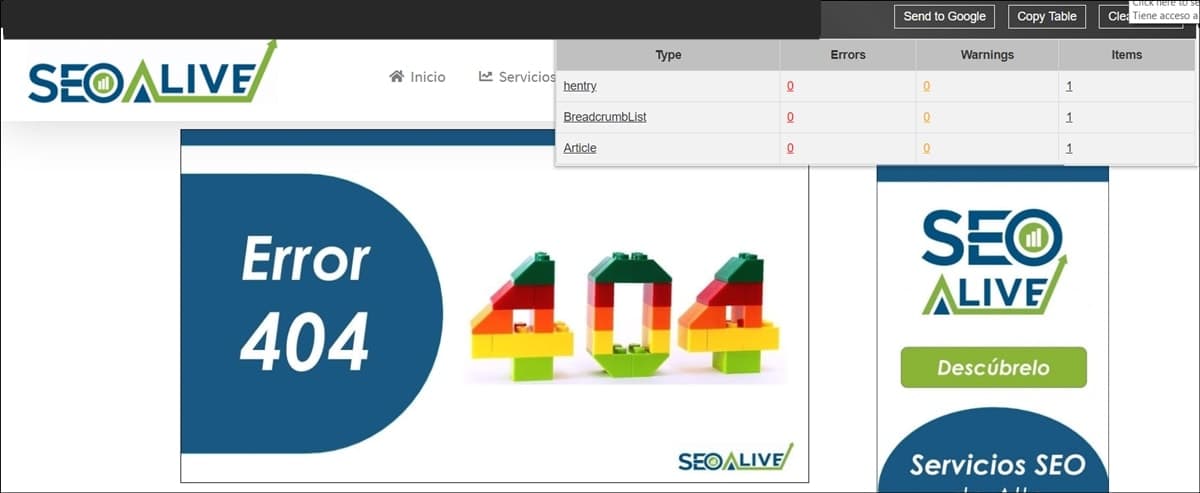
Chrome extension to validate Structured Data with an example of an SEOcrawl AI article.
Monitoring breadcrumbs in Google Search Console
Finally, once we have done the implementation and validation, all that remains is to monitor the activity in Google Search Console, which will allow us to track it daily and detect any anomalies.
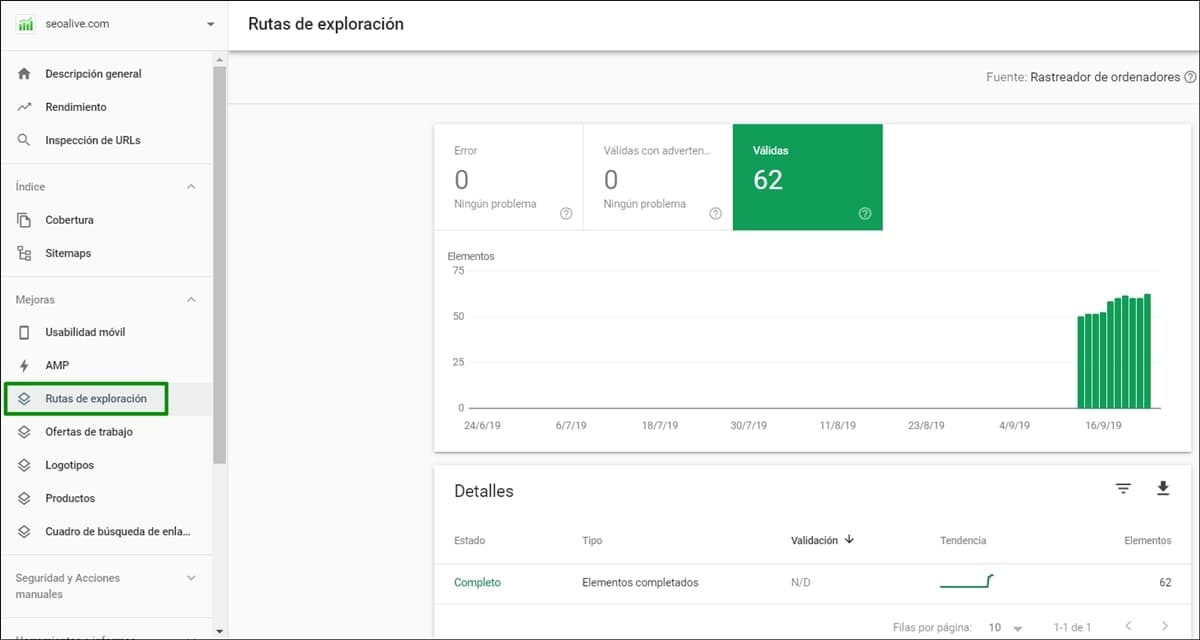
Visualization of the breadcrumbs report in Search Console (launched in September 2019).
To wrap up, we would like to ask you: what have been the most common errors you have encountered when implementing them?
We would like to put together a collection and publish it in this article to help other SEO professionals.
Thank you very much and don't forget to share your comments!
References
Author: David Kaufmann

I've spent the last 10+ years completely obsessed with SEO — and honestly, I wouldn't have it any other way.
My career hit a new level when I worked as a senior SEO specialist for Chess.com — one of the top 100 most visited websites on the entire internet. Operating at that scale, across millions of pages, dozens of languages, and one of the most competitive SERPs out there, taught me things no course or certification ever could. That experience changed my perspective on what great SEO really looks like — and it became the foundation for everything I've built since.
From that experience, I founded SEO Alive — an agency for brands that are serious about organic growth. We're not here to sell dashboards and monthly reports. We're here to build strategies that actually move the needle, combining the best of classical SEO with the exciting new world of Generative Engine Optimization (GEO) — making sure your brand shows up not just in Google's blue links, but inside the AI-generated answers that ChatGPT, Perplexity, and Google AI Overviews are delivering to millions of people every single day.
And because I couldn't find a tool that handled both of those worlds properly, I built one myself — SEOcrawl AI, an enterprise SEO intelligence platform that brings together rankings, technical audits, backlink monitoring, crawl health, and AI brand visibility tracking all in one place. It's the platform I always wished existed.
Discover more content about this author