Google Web Stories
The search engine giant announced in 2018 the launch of Google Web Stories, a new element to appear in the SERPs. Do you know what they are, what their advantages are, and how to implement them on WordPress? In this article, we'll tell you all about it!
We all know the "story" format. It became well known thanks to Instagram stories. At first, they were videos, usually vertical, that you posted on your account and appeared highlighted for 24 hours. This format gained relevance and gradually added new options, such as the ability to include a link to a product advertised in that story.
These stories, as you well know, have arrived under different names on other platforms such as WhatsApp, Facebook, or Twitter. After that, TikTok came along, with a format of short videos, and in its shadow Instagram has created Reels to capture part of that pie represented by content creators. With that said, let's see what Google Web Stories are! Will you join us?
What are Google Web Stories?
They are the logical evolution of AMP Web Stories and, supported by this technology, they promise low resource consumption and ultra-fast loading. Thanks to them, you can share dynamic content fully adapted for consumption on mobile phone screens. It's too early to say how they will affect or how important they will be in terms of SEO ranking, but it's certain that, depending on your topic and target audience, it can be a new way to attract traffic and engagement through organic searches!!
Advantages of Google Web Stories
Using this format offers several advantages and benefits for your content:
-
Engaging content: Without technical knowledge, you can reach your audience in a modern way adapted for mobile viewing.
-
Generate brand flexibly: With its pre-designed templates and customization elements, it's easy to connect with users and work on branding.
-
Shareable and linkable: It's an open, multi-platform format. 100% compatible so you can share it through any medium.
-
Track and measure: You can integrate analytics and know exactly how each of your Google Web Stories has performed.
-
Loading speed: Lightweight content so it can be consumed under any connection circumstances.
-
Connect with your readers through storytelling: A new way to reach your readers and make them part of your story.
-
Monetize your Web Story: You heard right, there are monetization possibilities through ads and affiliate marketing.
-
Greater visibility: Web Stories can appear in Google Discover, carousels, images, and grid view, among other search modules.
How to use Web Stories on your WordPress?
If you have a WordPress site, you're in luck, because you can forget about the Google guidelines for creating Web Stories and do it directly with the official plugin that you can download from the repository of this CMS.
Guide to creating Google Web Stories with the WordPress plugin
-
Install and activate the plugin on your WordPress, as you would with any other.
-
Search for "Stories" in the left menu.
-
Choose whether to create a new Story or select a pre-designed template (in our example we'll go for the latter option).
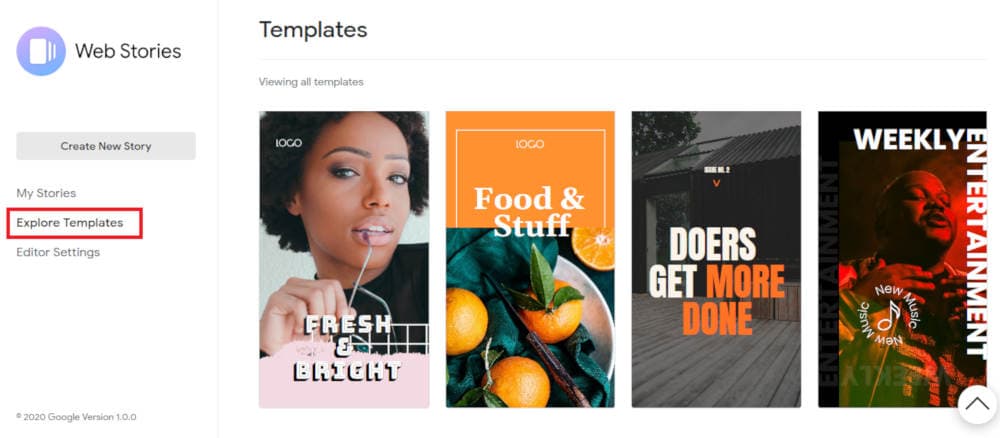
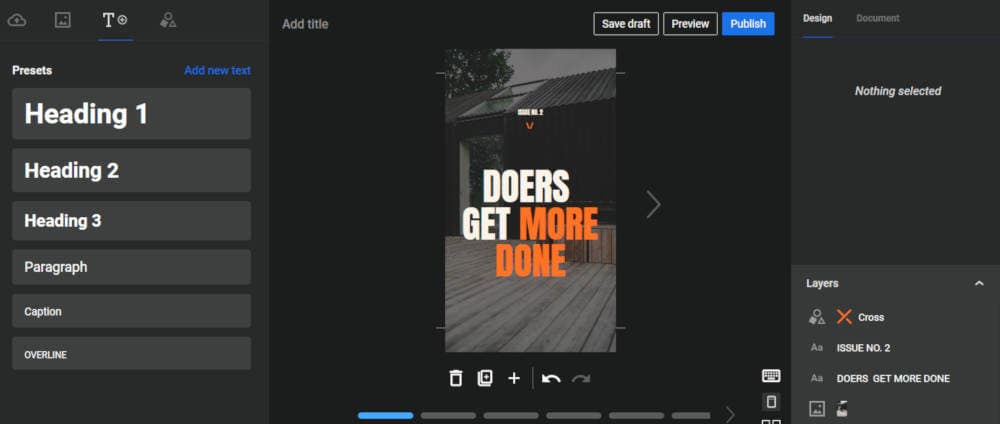
- Edit using the different elements in the left column.
-
Arrange everything the way you want in the central work area and don't forget to set a title.
-
Use the right column to define the final design touches.
-
Publish your new Google Web Story!!
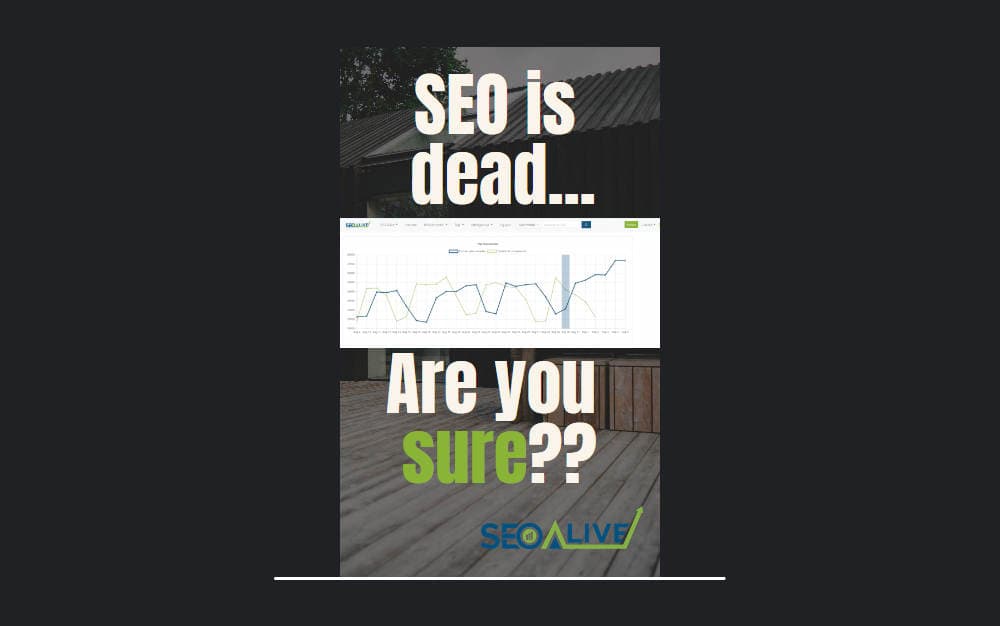
DEMO: Discover the Google Web Story we created at SEOcrawl AI
Google's recommendations when setting up your Web Stories
Google gives a series of technical recommendations when using this new format. Here we explain them:
- Complete story: You should make sure your content tells the complete story, and isn't too commercial. You should avoid:
Google Web Stories that require users to click on links to other websites or apps to get essential information.
-
Google Web Stories that have more than one link or attachment per page.
-
Affiliate programs: If you use affiliate links, it's recommended not to use more than one of those links. Don't overdo it!
-
Story length: The length should be between 5 and 30 pages as a limit, although Google suggests between 10 and 20 pages.
-
Title length: Use short and concise titles, preferably fewer than 40 characters.
-
Story text: It's best to keep the text under 200 characters per page, focusing each page on a single idea.
-
Video: If you use videos, it's recommended that they be less than 15 seconds per page, and in no case exceed 60 seconds. Another good practice is to include subtitles in the video. This way, you can reach those users who have their phones on silent.
Conclusions
As you can see, Google brings us a completely new format that is very easy to use with WordPress. Now it's up to you whether you decide to use it to reach your audience's mobile phones in a modern and fresh way. Don't fall behind, start using your own Google Web Stories!
And you, dear reader, did you know about this Stories format developed by Google? If you've already implemented it on your website, you can leave us a comment and tell us about your experience. We'll be delighted to hear about it!
Author: David Kaufmann

I've spent the last 10+ years completely obsessed with SEO — and honestly, I wouldn't have it any other way.
My career hit a new level when I worked as a senior SEO specialist for Chess.com — one of the top 100 most visited websites on the entire internet. Operating at that scale, across millions of pages, dozens of languages, and one of the most competitive SERPs out there, taught me things no course or certification ever could. That experience changed my perspective on what great SEO really looks like — and it became the foundation for everything I've built since.
From that experience, I founded SEO Alive — an agency for brands that are serious about organic growth. We're not here to sell dashboards and monthly reports. We're here to build strategies that actually move the needle, combining the best of classical SEO with the exciting new world of Generative Engine Optimization (GEO) — making sure your brand shows up not just in Google's blue links, but inside the AI-generated answers that ChatGPT, Perplexity, and Google AI Overviews are delivering to millions of people every single day.
And because I couldn't find a tool that handled both of those worlds properly, I built one myself — SEOcrawl AI, an enterprise SEO intelligence platform that brings together rankings, technical audits, backlink monitoring, crawl health, and AI brand visibility tracking all in one place. It's the platform I always wished existed.
Discover more content about this author