5 methods to index a URL on Google

One of the biggest concerns for SEOs, and one that directly affects the achievement of any organic goal a website pursues, is the indexing of its URLs. But before we begin, do we really know what indexing is?
The Concept of Indexing
If we summarize the process Google performs in a very condensed way, we could say that Google first crawls a website, then analyzes and "understands" it in order to categorize it, and finally indexes it and adds it to its results index.
Therefore, we can already conclude from this flow that indexing is the process by which Google adds a URL to its search results (the SERPs) and categorizes it based on specific keywords.
In this way, if our URL is not indexed on Google, it is impossible for it to appear in the SERPs when any user requests information. That is to say, if we have created a spectacular page, with an incredible product, at unbeatable prices, with the best SEO we can think of, but it is not indexed on Google… no user will find it when performing a search.
How do we know if our URL is indexed?
This is the first step before indexing: knowing if it is already indexed. For this, Google essentially gives us two very effective ways:
The site: command
One of the most widely used SEO footprints is adding "site:" followed by the URL. If it appears in the search results, it means it is indexed. Let's look at an example:
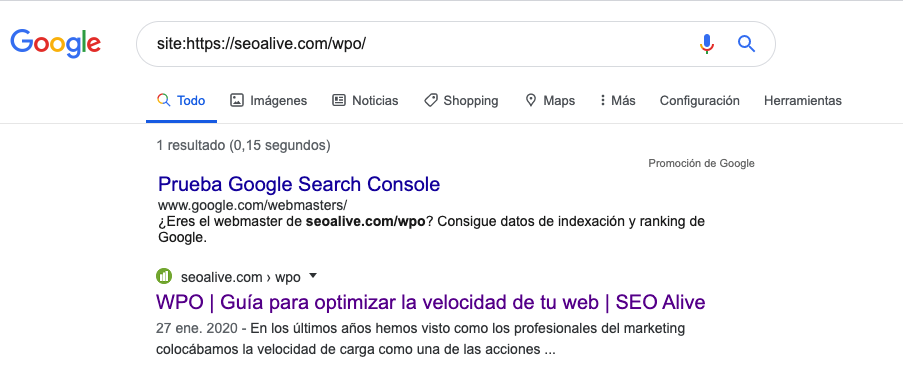
As we can see in the image, when we type site:fullurl we see that it appears in the SERPs, therefore it is indexed. Otherwise, it would show:
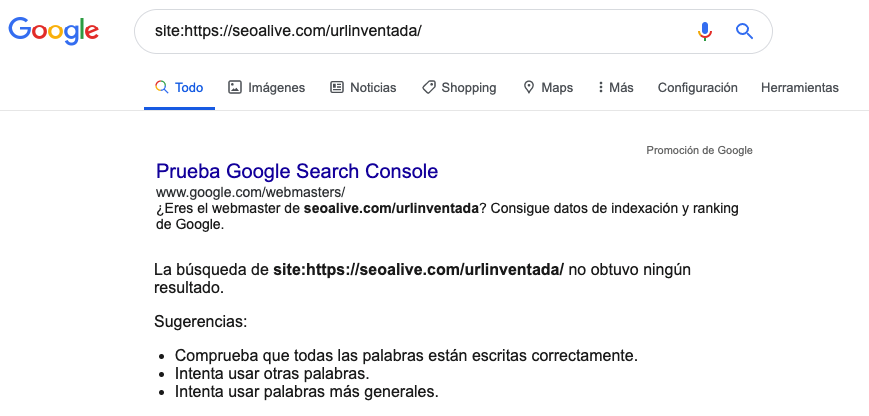
Google Search Console
It is essential to know how to handle and read all the valuable information Google provides us through one of its official tools, Google Search Console. If we enter the URL in question in the bar shown in the image, Google gives us detailed information, including whether it is indexed or not:
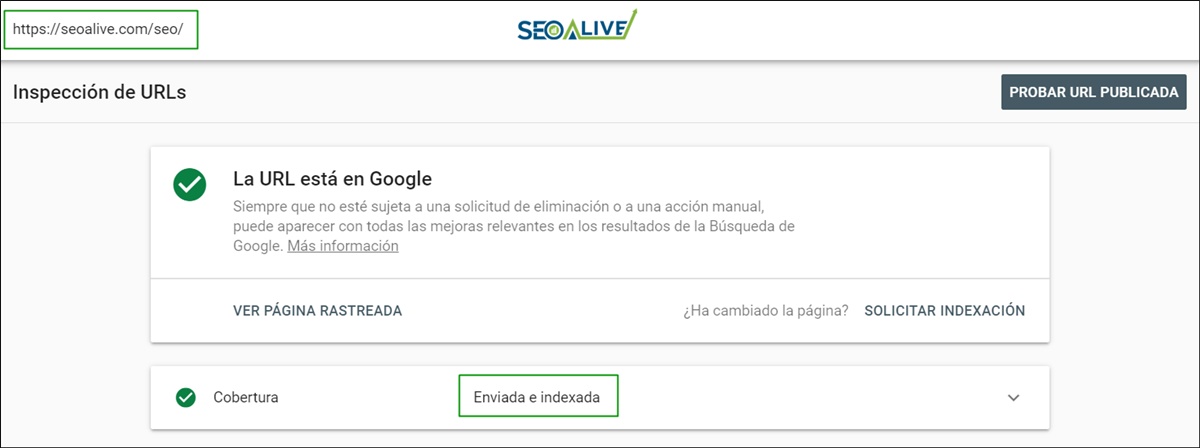
As we can see, it tells us that it has indeed been submitted and indexed.
Ways to index a URL on Google
We have seen how to analyze whether a URL is indexed or not. Let's continue with the case where it has NOT been indexed for any reason (that would be a topic for another post), and look at the different ways to get it to appear in search results as quickly as possible:
Through the sitemap
The sitemap is frequently reviewed by Google, especially if we have uploaded it correctly to Search Console and linked it from the robots.txt file. So if we want Google to crawl new URLs and index them, a good way is to keep our sitemap clean and updated, with those URLs added as soon as they are created.
Requesting indexing via Search Console
Within Google Search Console's URL inspection, we have an option to manually submit a URL for indexing. This is useful if we have made a change or improvement to a page and we want Google to re-crawl it with priority, or if due to some error Google has not indexed a page that it should have.
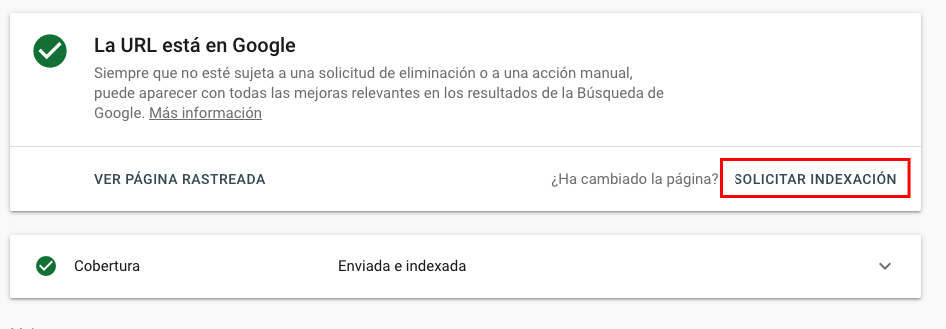
Once clicked, we will see:
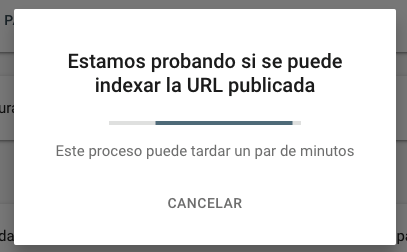
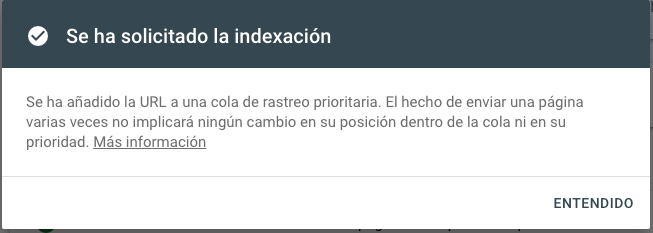
This method is really effective, and normally, if the URL does not have any problems, it tends to get indexed within minutes.
Bonus Track: This method, when we have many URLs to submit for indexing, is extremely slow and tedious. To help us with this, we can make use of the Google Indexing API. With a little imagination and a good programmer nearby with knowledge of PHP and JavaScript, great things can be achieved…
Linking it from other internal pages with authority
Linking from other pages with authority is another way to send Google signals that this new page is relevant and has weight so it will take it into account and index it. This method is often used when creating site maps (not to be confused with the sitemap.xml), which are usually linked from the website's footer and list all the important URLs of the site, thereby favoring crawling and therefore indexing.
Backlinks
Equally effective is linking the new pages from external pages with authority and relevance so that, just like in the previous point, Google understands how relevant they are and proceeds to index them.
Use of indexers
There are several programs on the web that allow you to bulk upload URLs to force their indexing. Once you upload your list of URLs to these programs, they progressively start making requests so that Google reviews the URLs and therefore indexes them. You have to be especially careful with this method since they do not always work and can cause more than one problem if taken to the extreme.
Now that we know how to index our URLs if we want to achieve success in our SEO strategy, we will undoubtedly need to keep these different ways of accomplishing it very much in mind.
Author: David Kaufmann

I've spent the last 10+ years completely obsessed with SEO — and honestly, I wouldn't have it any other way.
My career hit a new level when I worked as a senior SEO specialist for Chess.com — one of the top 100 most visited websites on the entire internet. Operating at that scale, across millions of pages, dozens of languages, and one of the most competitive SERPs out there, taught me things no course or certification ever could. That experience changed my perspective on what great SEO really looks like — and it became the foundation for everything I've built since.
From that experience, I founded SEO Alive — an agency for brands that are serious about organic growth. We're not here to sell dashboards and monthly reports. We're here to build strategies that actually move the needle, combining the best of classical SEO with the exciting new world of Generative Engine Optimization (GEO) — making sure your brand shows up not just in Google's blue links, but inside the AI-generated answers that ChatGPT, Perplexity, and Google AI Overviews are delivering to millions of people every single day.
And because I couldn't find a tool that handled both of those worlds properly, I built one myself — SEOcrawl, an enterprise SEO intelligence platform that brings together rankings, technical audits, backlink monitoring, crawl health, and AI brand visibility tracking all in one place. It's the platform I always wished existed.
Discover more content about this author