최근 업데이트 2026년 4월 28일

SEOcrawl의 새로운 소식

출시된 모든 기능, 수정사항, 개선 내용. 출시되는 대로 페이지를 업데이트합니다 — 마케팅 군더더기 없이, 오직 제품 진행 상황만.

2026
4월 28일
2026
새 기능AI Tracker

LLM filters and Export in AI Tracker

The AI Tracker toolbar now lets you filter your prompts by Country, Topic and LLM (ChatGPT, Claude, Gemini, Perplexity), and export everything in a single click. Slice your AI visibility by market or by model and pull the data straight into your reports.

2025
11월 4일
2025
주요 릴리스크롤러

Cloud Crawler

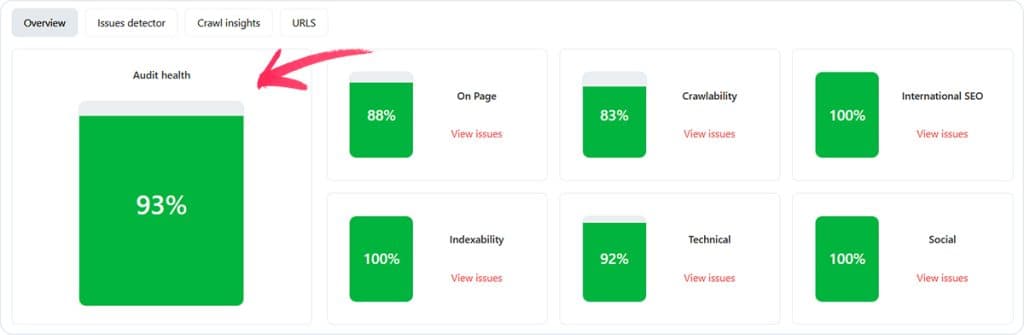
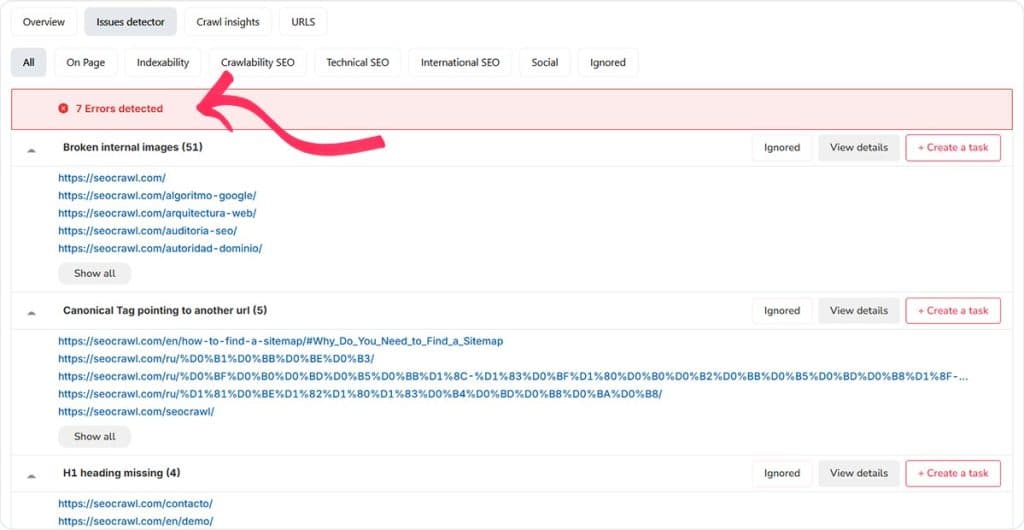
After many, many months of work, our complete, 100% cloud-based crawler is finally here. This system analyzes every URL on your website and provides you with a detailed analysis of errors, technical improvements, and much more...

Cloud Crawler – screenshot 1
Cloud Crawler – screenshot 2
11월 3일
2025
개선Rank Tracker

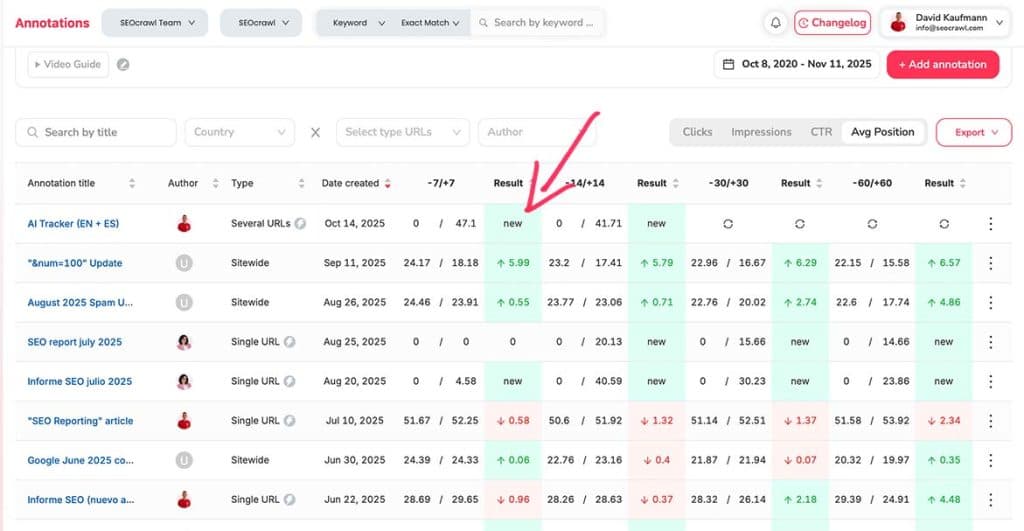
"New" tag in median position

When a keyword was new, we used to show that its median position had dropped because there was no previous data. Now, to display this more accurately, that keyword will be tagged as "new."

"New" tag in median position – screenshot 1
10월 23일
2025
개선리포팅

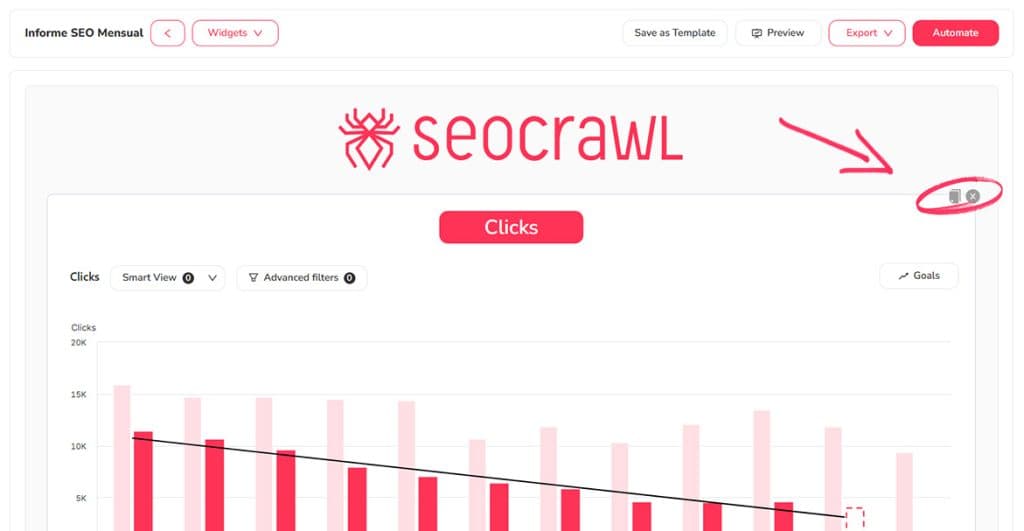
Duplicate widgets in Reporting

Within the Reporting system, you can now duplicate widgets, making it faster and easier to edit and automate your SEO reports.

Duplicate widgets in Reporting – screenshot 1
10월 20일
2025
개선성능

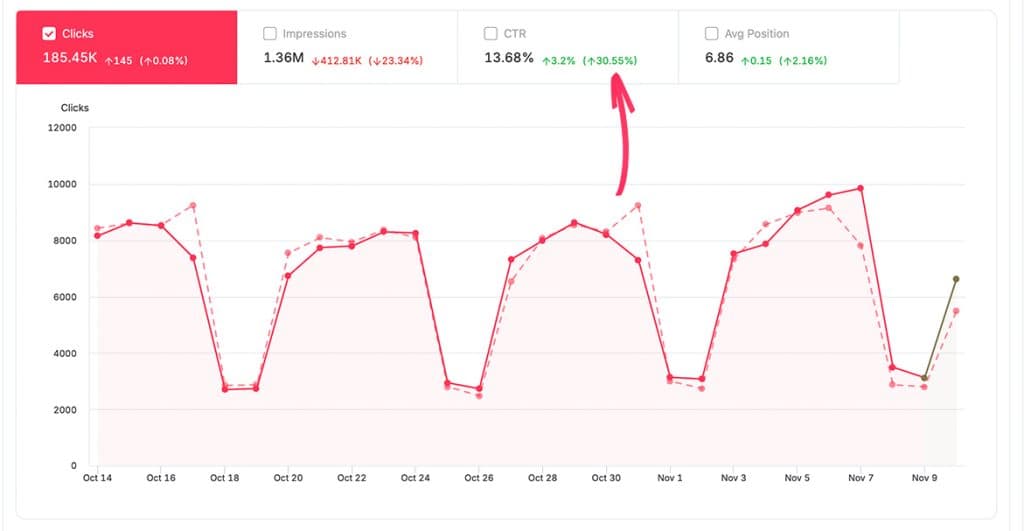
Percentage charts in Performance

On the Performance page, you can now also see the percentage change for your clicks, impressions, CTR, and average position. This allows you to view not just absolute values, but relative ones as well.

Percentage charts in Performance – screenshot 1
9월 30일
2025
개선리포팅

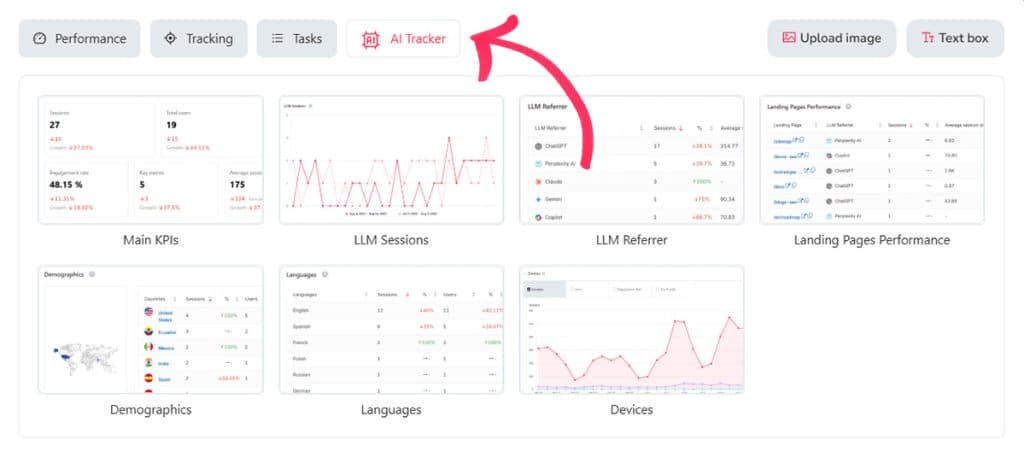
AI Widgets in Reporting

You now have access to all widgets from the AI Tracker directly within the Reporting system. This allows you to include all AI performance metrics in your automated reports.

AI Widgets in Reporting – screenshot 1
9월 17일
2025
개선리포팅

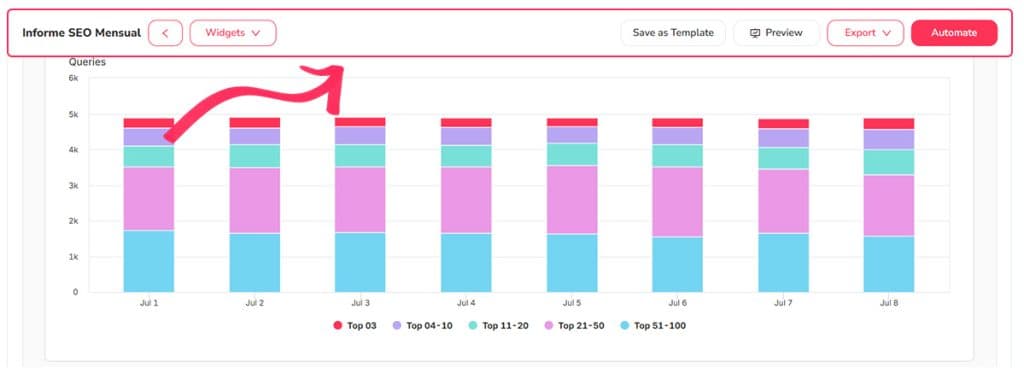
Sticky bar in Reporting

When creating detailed SEO reports, it was a bit tedious to have to scroll back up to add new widgets. From now on, this process is much simpler because the editing toolbar will now remain sticky at the top, allowing you to work with it whenever you wish.

Sticky bar in Reporting – screenshot 1

이 기능들을 직접 써보고 싶으신가요?

14일 무료 체험 — 신용카드 필요 없음.

무료 체험 시작