Naposledy aktualizováno 6. května 2026

Co je nového v SEOcrawl

Každá nasazená funkce, oprava a vylepšení. Stránku aktualizujeme s každým releasem — žádný marketingový balast, jen reálný posun produktu.

2026
6. 5.
2026
Velký releaseVýkon

Spuštěna arabská lokalizace (ar)

SEOcrawl je nyní dostupný v arabštině na seocrawl.ai/ar — 15. jazyk a první v RTL. Plná parita s ostatními 14: domovská stránka, ceník, AI Tracker, Prompt Tracking s 5 sub-engines, SEO Tools hub se 4 sub-nástroji, kniha, demo, tým, blog se 129 články. Přepínač jazyků nabízí arabštinu z každé stránky.

28. 4.
2026
Nová funkceAI Tracker

LLM filters and Export in AI Tracker

The AI Tracker toolbar now lets you filter prompts by Country, Topic and LLM (ChatGPT, Claude, Gemini, Perplexity) and export everything in one click. Agencies kept telling us a single global view was too noisy when reporting per-client or per-market visibility, so the filters had to come before the export was useful. You can now slice AI visibility by market or model and drop the data straight into client reports without manual cleanup.

2025
4. 11.
2025
Velký releaseCrawler

Cloud Crawler

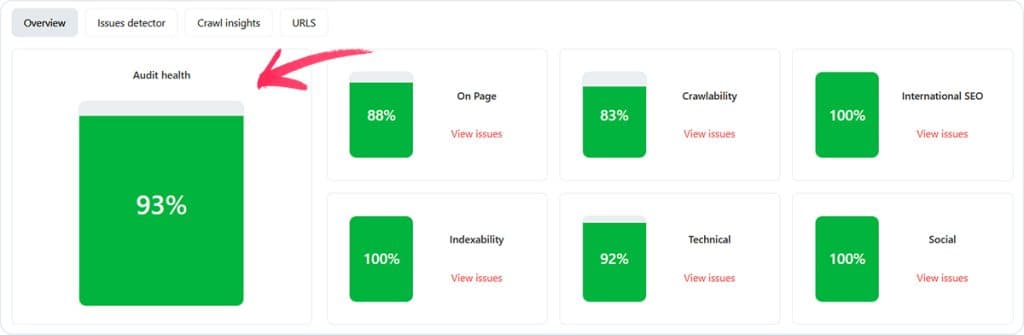
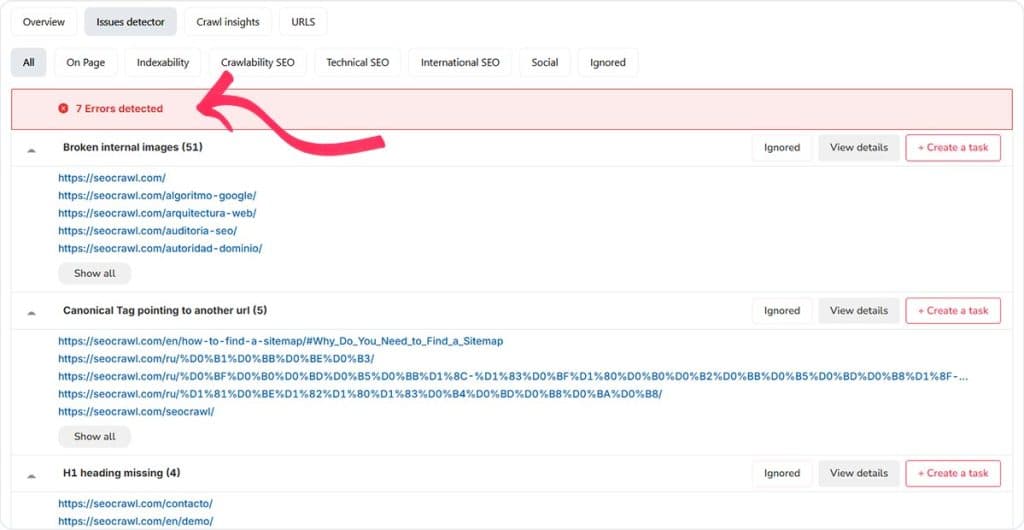
Our full crawler now runs 100% in the cloud, replacing the desktop-bound legacy version that capped audit size and pinned your machine on big sites. The rewrite lets us crawl tens of thousands of URLs in parallel from our infrastructure, not yours, with a detailed per-URL breakdown of technical errors and on-page issues. Teams auditing large sites or running scheduled audits in the background were the biggest unlock here.

Cloud Crawler – screenshot 1
Cloud Crawler – screenshot 2
3. 11.
2025
VylepšeníRank Tracker

"New" tag in median position

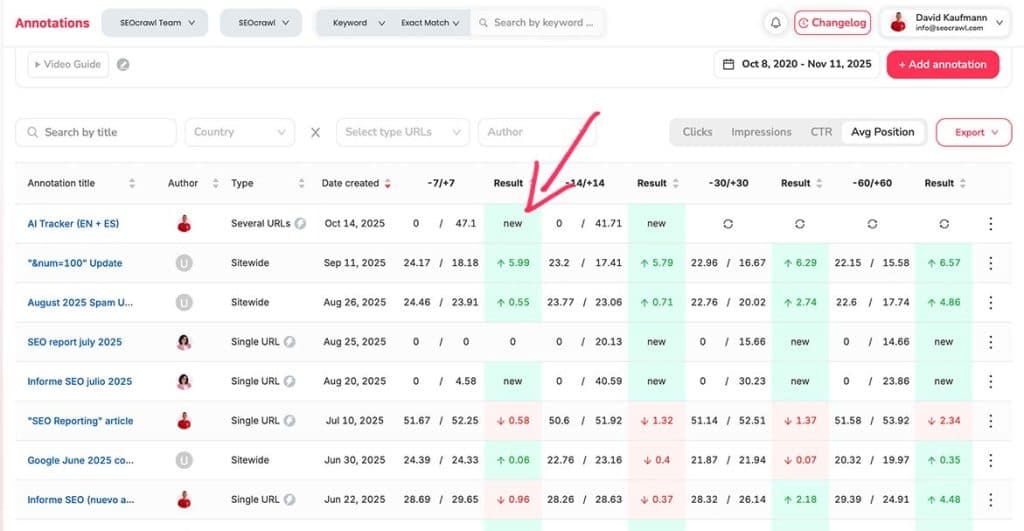
When a keyword first appears in the rank tracker, the median-position chart no longer shows a phantom drop from "no data" to its first measured position. Instead the keyword is tagged as "new" so the comparison is honest. This was confusing customers who thought their rankings had crashed when they'd actually just started tracking that keyword that week.

"New" tag in median position – screenshot 1
23. 10.
2025
VylepšeníReporting

Duplicate widgets in Reporting

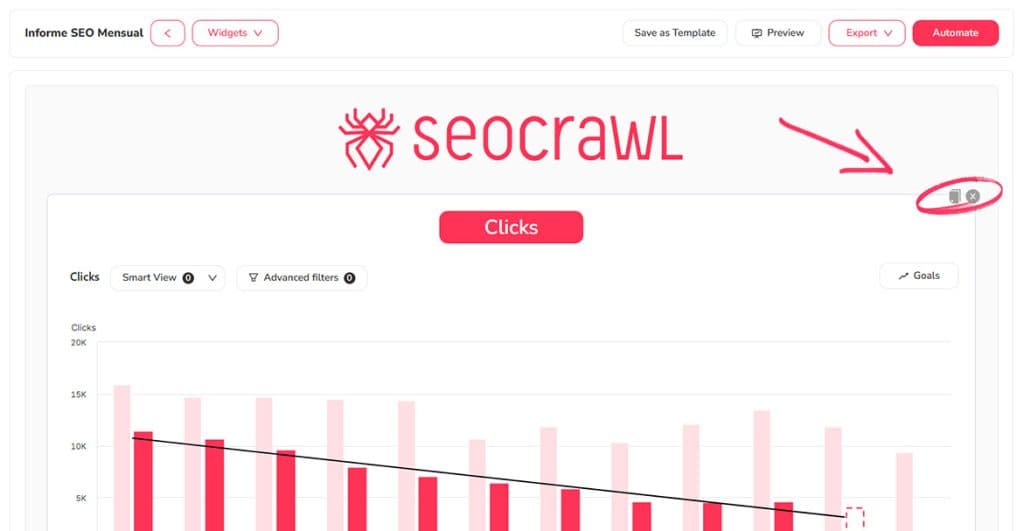
Reporting widgets can now be duplicated with one click instead of rebuilt from scratch. Most users were copying the same widget across multiple report sections — usually the same chart with a different country, device or date range — so we made the workflow match the actual usage pattern. Building a fully styled report is now several minutes faster per report, especially for white-label agencies running templated client briefs.

Duplicate widgets in Reporting – screenshot 1
20. 10.
2025
VylepšeníVýkon

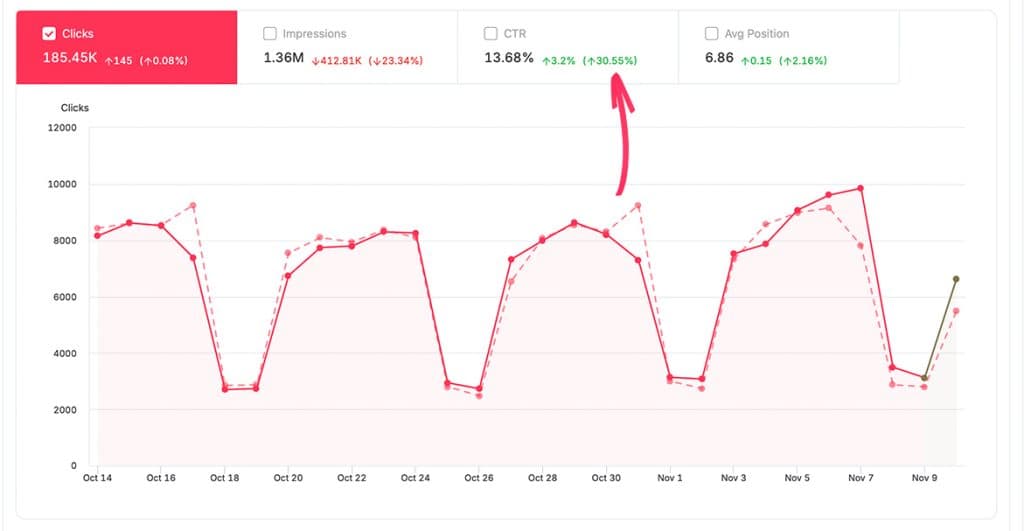
Percentage charts in Performance

The Performance view now shows the percentage change for clicks, impressions, CTR and average position alongside the raw values. Absolute numbers alone hide whether "123 clicks lost" is a 1% blip or a 30% collapse, which made it hard to triage what actually needed attention. With both views side by side you can spot real regressions vs. noise in seconds instead of doing the math in your head.

Percentage charts in Performance – screenshot 1
30. 9.
2025
VylepšeníReporting

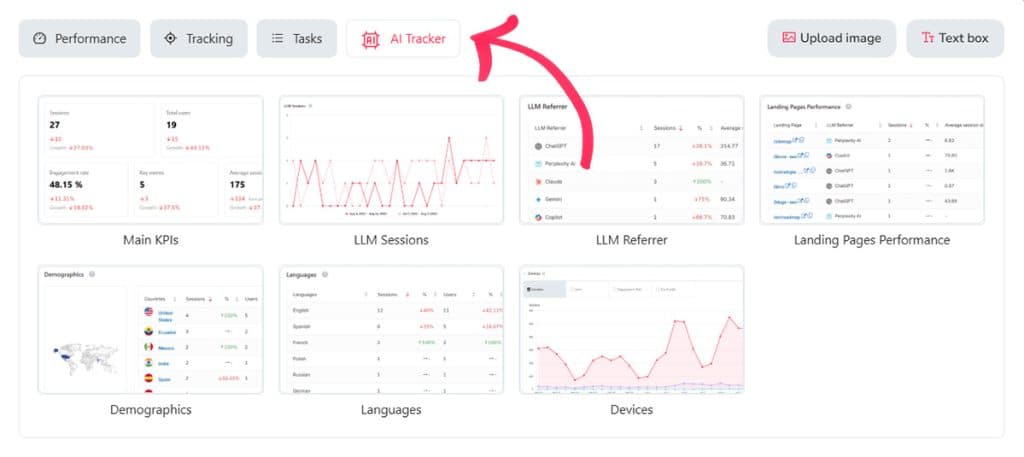
AI Widgets in Reporting

Every widget from the AI Tracker is now available inside the Reporting system. AI visibility used to live in its own tab, separate from the client reports we automate weekly — which meant the GEO/LLM part of the story had to be added manually each cycle. With these widgets in Reporting, mentions, citations and AI-driven traffic land in the same automated deliverable as classic SEO KPIs.

AI Widgets in Reporting – screenshot 1
17. 9.
2025
VylepšeníReporting

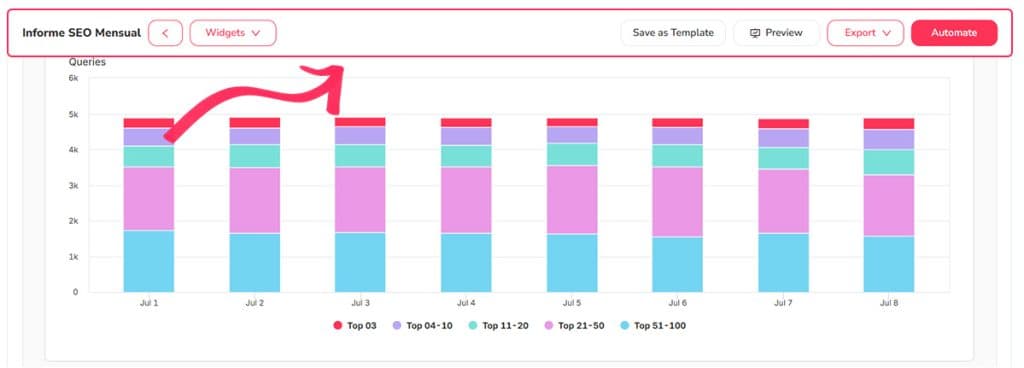
Sticky bar in Reporting

The report editing toolbar now stays pinned to the top of the screen instead of scrolling away with the page. Long reports forced users to scroll back up every time they wanted to add a widget — minor in isolation, painful when assembling a 30-widget report. The whole report-building loop is now noticeably faster, especially for the long, detailed deliverables agencies put together.

Sticky bar in Reporting – screenshot 1

Chcete tyto funkce ve svém stacku?

14denní bezplatný trial — bez platební karty.

Otevřít aplikaci